





capnJiP
Members
-
Joined
-
Last visited
Everything posted by capnJiP
-
FYI: After Glutun update this weekend, all my dependent dockers failed to connect. I had to change each dependent to "bridge" connection save/rebuild, then reset the connection through Glutun. After this silly "reset", all was normal again. Not sure what happened or if this was truly an update related thing. Just thought I'd put this note here in case anyone else has a similar issue.
-
Figured this out. It was a reverse proxy issue! in the documentserver.subdomain.conf file in the proxy-conf folder for swag, add the following line under "location / {". I placed mine after "include /config/nginx/resolber.conf;" # Allow for OpenOffice embedded in Nextcloud to run add_header Content-Security-Policy "frame-ancestors 'self' https://[yourNEXTCLOUDdomain].com"; Restart swag, good to go.
-
Cool, as long as it's not a big deal and not something I need to do something about; I'm happy.
-
Hello all, I was poking around and noticed this in my logs. I don't suppose that's anything that can be addressed by us "down stream" of the project maintainers?

-
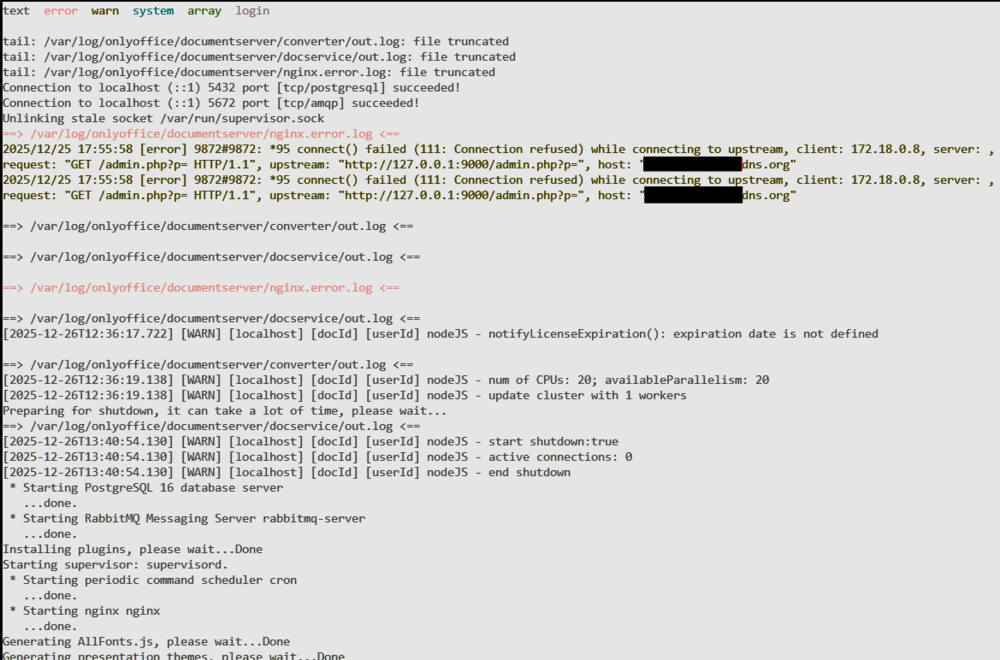
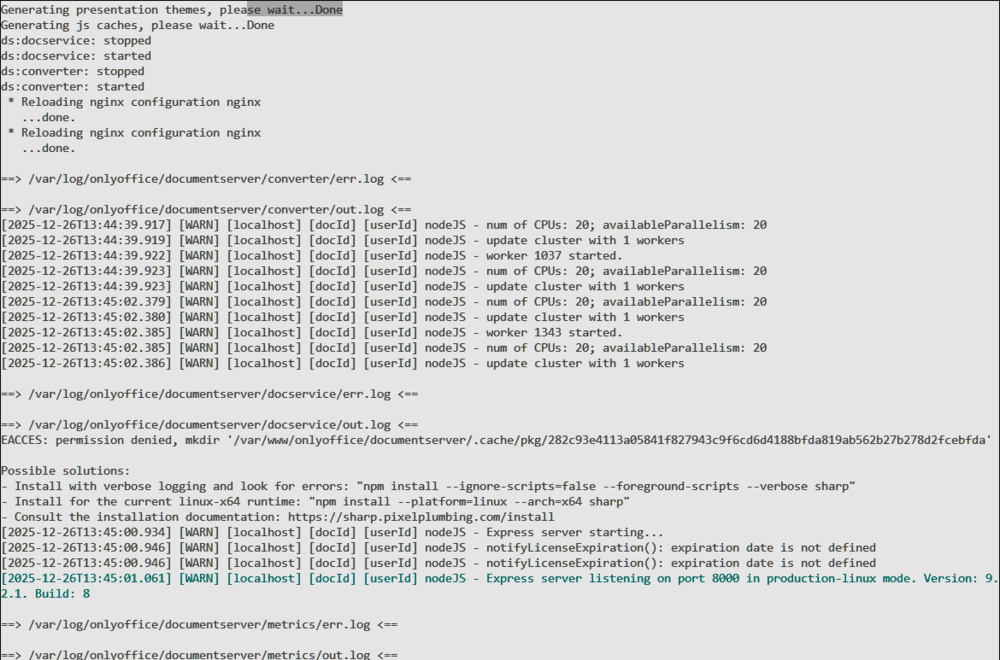
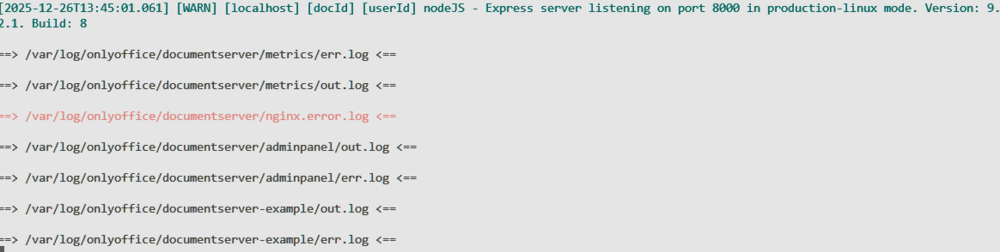
I have had a working setup of OO within Nextcloud via a reverse proxy (SWAG) for a few years now. I recently noticed that the OO document server won't open documents in the browser anymore. In firefox I get a message: "Firefox Can’t Open This Page. To protect your security, [my server].dyndns.com will not allow Firefox to display the page if another site has embedded it. To see this page, you need to open it in a new window." In Edge/Chrome it just says connection refused. I suspect this is a reverse proxy config issue. Perhaps a security setting in both browsers now? No errors in Nextcloud logs, following messages in OO docker log: Can anyone point me in the right direction? preferably with specifics, please. If you need diagnostics, please advise
-
Hey @velourfogg, question about your setup: Are you saving your frigate footage to a drive under "Unassigned Devices"? if so: Do you auto-update or manually update your plugins? Are your crashes within a few hours of an update corresponding to "unassigned devices" plugin being updated? Last update for Unassigned Devices was released 14Apr. I'm still collecting data, but this looks to be a strong lead...
-
Thank you, once again me being dumb.
-
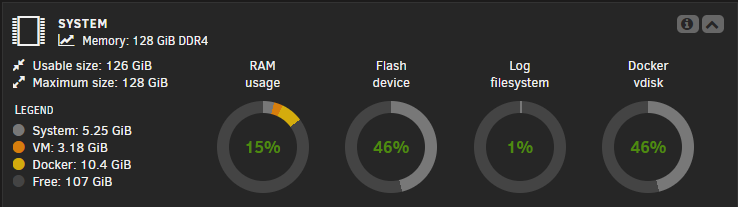
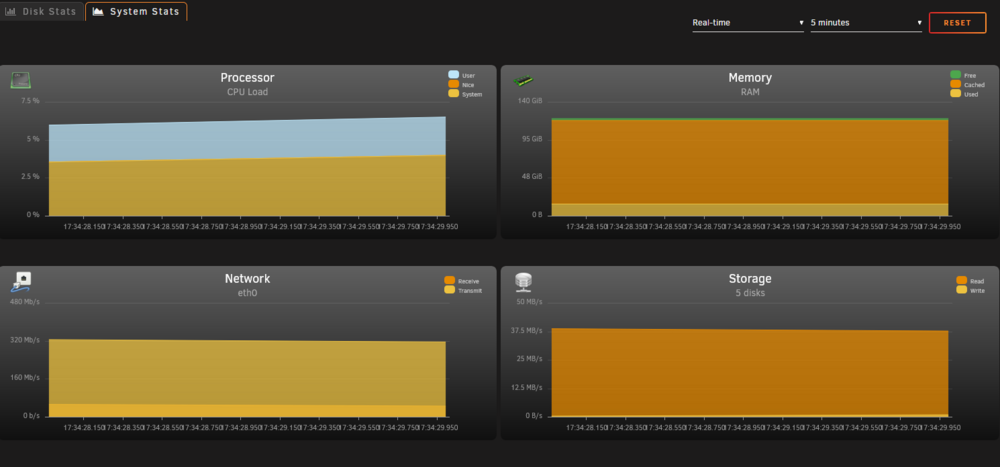
Hello, I noticed that I see 2 different read backs on my RAM usage depending on if I am looking at the Main page for my server: Versus if I look at Stats>System Stats page: As you can see, they are VASTLY different in describing Free Ram. From my error reports, I'm believing the System Stats page, but I'd like to have a better understanding of what's going on here. Thank you, JP
-
"Q2. I can't seem to access the webui from outside my LAN, why is this?" But this says outside my LAN. I don't want the webUI visible outside my LAN. Unless traversing through another container counts as "outside" the lan?
-
sigh, yep. My network adblocker was blocking that address. Thank you for the reminder!
-
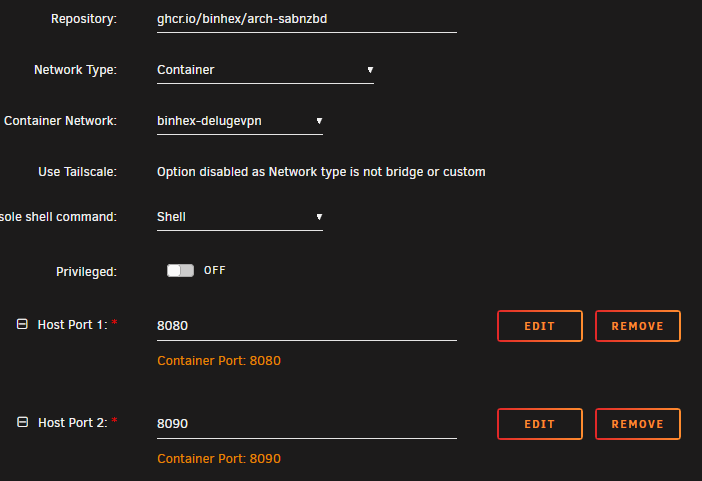
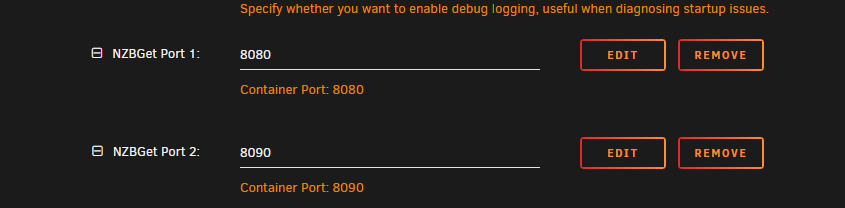
I am trying to pass sabnzbd through my delugevpn container and cannot get the webUI to work. DelugeVPN is working and connected to my desired exit node. I have verified that sabnzbd webUI is working when used via "bridge" mode. When I change sabnzbd to route through the delugevpn container: AND add the ports to the delugevpn config: The sabnzbd log shows that it is started and happy, but I cannot view the webUI via http://[unraid IP]:8080. Response is just "the connection has timed out". Can anyone show me what I'm doing wrong? I am completely lost.
-
When trying to update my ESPHome boards I'm getting this error message spammed to the log; dozens of repetitions per second. I have no idea what's going on. Some forums are talking about VSCode and python updates, but i can't do that in a docker or unRaid AFIK. Can anyone smarter than me tell me what's going on and how to fix it?
-
Hello all, is there any chance this program can benefit from Cuda acceleration? I've got a GPU with plenty of spare cycles and a ton of documents to import. CPU-only takes my batches days to process, and it'd be cool to speed it up. Has anyone tried this?
-
"using docker compose stack as per the site" I'm going to assume that you are referring to the Immich site? I would highly recommend following the steps laid out by Space Invader One. Running on unRaid is not always accounted for when developers write how-tos for Docker, but Ed makes it easy to follow for us. Without knowing anything about your config, i would suspect the immich app is looking for the database, but can't find it. If you get through the youtube video and still have issues, please post your app template and maybe we can help you out.
-
Does anyone know if this message about "swap" is a problem?

-
@Marzel, can you please update the Community Applications template to have these necessary Container Variables present? Thank you!
-
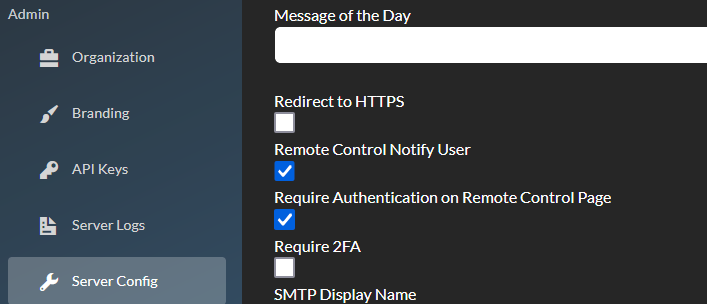
Hi @blaine07, I'm seeing the same thing on my server. I found this article. Basically, it boils down to HTTPS upgrades/redirection. I'm using a Reverse Proxy (SWAG) and all my redirections are handled in that. The linked article then says: With that in mind, head over to your Remotely webUI, log in as admin, go to server config and find the "Redirect to HTTPS" checkbox and de-select it: With that done the message won't show up in your logs. I will note that I've run with the warning present for almost a year and saw no ill-affects. I don't think this is anything to be too worried about either way. JP

-
It's hard to beat frigate. I've tried several other solutions, and nothing comes close to the usefulness of the AI identification. I'm keeping frigate. I'll just hope that someone smarter than me fixes this upstream.
-
So I went digging around about frigate and out of memory issues. On a proxmox forum they seemed to conclude there is an issue with python3 used in frigate which is causing these out of memory issues. That forum has postings as recently as last week.
-
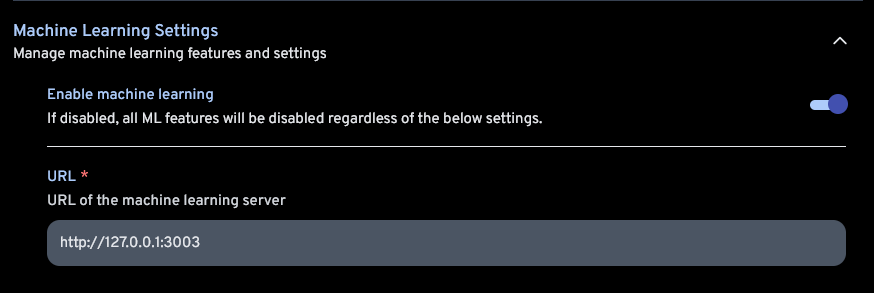
Hi Foo_fighter, 0.0.0.0 works because the system is "listening" on any available network interface for the machine learning processes. You could also simply set it to localhost (127.0.0.1) and it would work as well, since you have those processes running in your docker container along with Immich. It won't work with "immich-machine-learning" unless you have a server with a DNS record for that name, and the necessary machine learning processes active on that server. best, JP
-
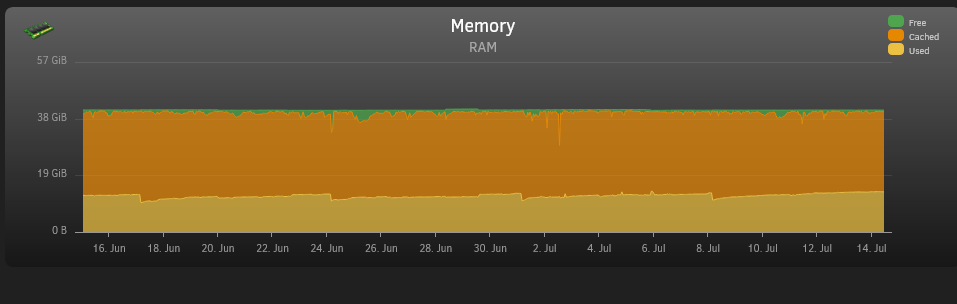
I am having a similar "intermittent" issue. I'm not seeing any problems with the server, just the warning from "Fix Common Problems" plugin. When I first noticed it last year, I tried to upgrade my RAM to 48GB, but that didn't help. My Ram usage seems within reason, and cache fully utilizing the available RAM. I can tell from my sys logs that the "used" dips, are not related to my OOM-reaper killing any tasks. It seems to me that the cache isn't being culled properly or is being over-utilized, not leaving space for system usage when a demand comes. Is there a way to modify how much "free" RAM remains, rather than utilizing it for "cache"? Wish I could be more help, Velourfogg. But maybe we can get a discussion started here? JP
-
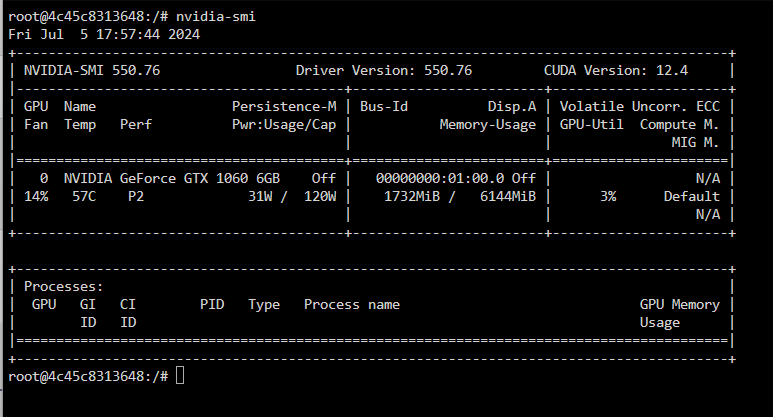
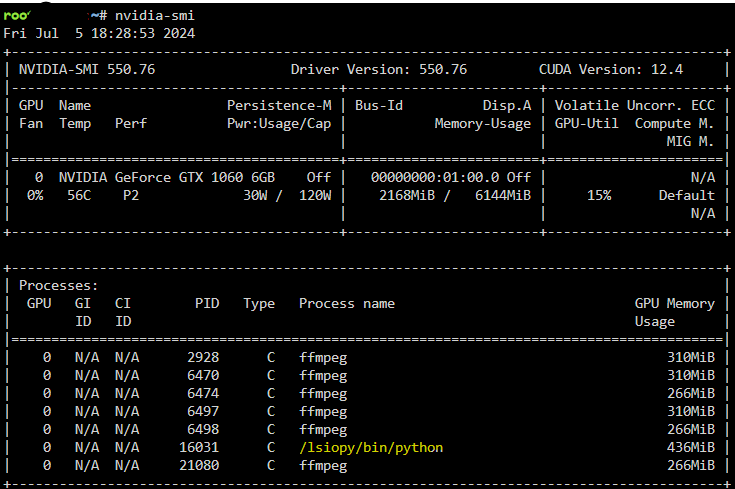
@Mattaton Thank you! That helped me get this working! @mbc0To get the nvidia GPU output go to the immich container's console, type: nvidia-smi This will show you that the GPU (left column, middle row, here a GTX1060) is identified and present, but it will not show what tasks are being run. For that, you need to close the window and open the unraid terminal, type the same command: nvidia-smi If you see the lsiopy process, you are functional. You may have to start a "job" that uses ML in immich, though.
-
For my future reference: /usr/bin/# chmod 777 occ (didn't check this was necessary) /usr/bin/# occ [copy/paste command from nextcloud Security and setup warning message]
-
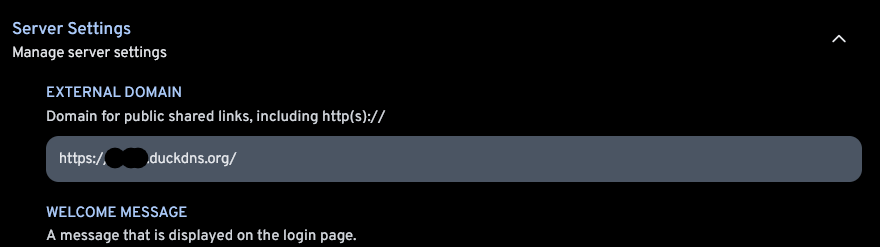
Nevermind - found a toggle in the android app advanced settings for self-signed certs. enabled that and all is well. Edit Aug2024: later found out that I had fat-fingered SWAG with a period, not a comma, separating my subdomians. fixed that, don't need the self-signed cert toggle.

-
I am having an issue connecting the android app to my immich server via reverse proxy. The reverse proxy works fine with a browser on the same phone, but the app log states "invalid SSL cert" and "Error while checking server availability", in that order. In my digging around I've seen references to websockets and intermediate certificate relays. I'm not ashamed to say that is over my head. I truly don't think there is anything out of the ordinary for my configuration, so maybe just another set of eyes will see what I am doing wrong? any help would be appreciated! immich.subdomain.conf, SWAG file: ## Version 2024/03/28 # make sure that your immich container is named immich # make sure that your dns has a cname set for immich # immich v1.88+ only server { listen 443 ssl http2; #listen [::]:443 ssl http2; server_name [redacted].*; include /config/nginx/ssl.conf; client_max_body_size 0; # enable for ldap auth (requires ldap-location.conf in the location block) #include /config/nginx/ldap-server.conf; # enable for Authelia (requires authelia-location.conf in the location block) #include /config/nginx/authelia-server.conf; # enable for Authentik (requires authentik-location.conf in the location block) #include /config/nginx/authentik-server.conf; location / { # enable the next two lines for http auth #auth_basic "Restricted"; #auth_basic_user_file /config/nginx/.htpasswd; # enable for ldap auth (requires ldap-server.conf in the server block) #include /config/nginx/ldap-location.conf; # enable for Authelia (requires authelia-server.conf in the server block) #include /config/nginx/authelia-location.conf; # enable for Authentik (requires authentik-server.conf in the server block) #include /config/nginx/authentik-location.conf; include /config/nginx/proxy.conf; include /config/nginx/resolver.conf; set $upstream_app immich; set $upstream_port 8080; set $upstream_proto http; proxy_pass $upstream_proto://$upstream_app:$upstream_port; } location ~ (/immich)?/api { include /config/nginx/proxy.conf; include /config/nginx/resolver.conf; set $upstream_app immich; set $upstream_port 8080; set $upstream_proto http; proxy_pass $upstream_proto://$upstream_app:$upstream_port; } }



