





Squid
Administrators
-
Joined
-
Last visited
Everything posted by Squid
-
You'd need to create a new thread and include your diagnostics. Highly unlikely your MCE error is the same as the OPs
-
This happened because your CPU's on die cache had an error (and was corrected). Could be a on-off (high energy solar radiation particle happened to hit the CPU at that time) or could be a sign of the CPU having issues. Don't have FCP ignore it, but instead reboot the server and then see if it comes up again
-
If you find that it's not Bitwarden, can you try hiding the graphs for cpu load and network and see if that eliminates the issue or makes it better. I've been trying to replicate this, but thus far haven't been able to
-
Close any browser sessions open to the GUI on all devices (computers / mobile etc) Then either log out of the UI, and wait about 1 minute before logging back in. If its still like that, then a reboot will be necessary
-
Install the UD update
-
The permissions setting for the the Recycle Bin folder itself, not for the files contained within. I'll have to look at the parameters setting
-
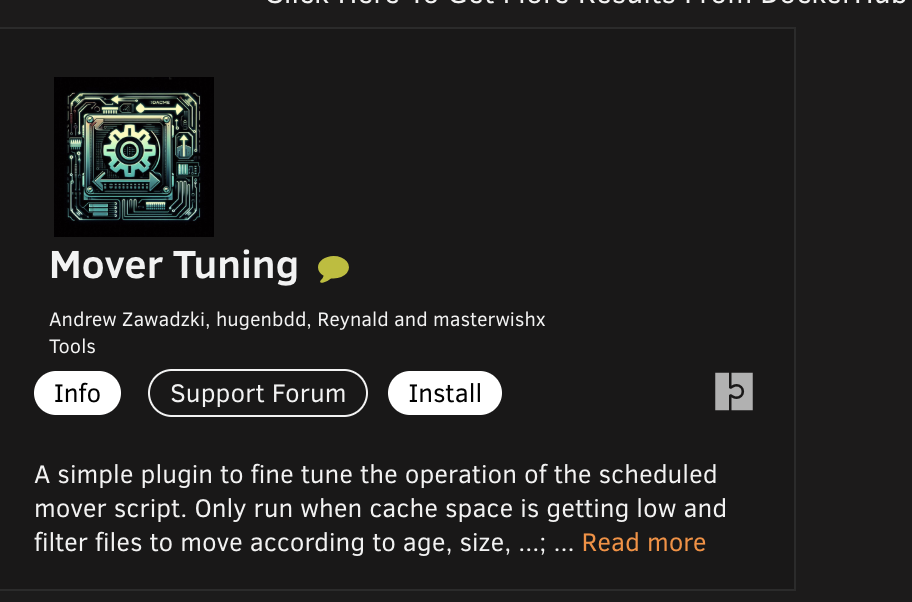
The only mover tuning plugin which should be used on 7.0 is from masterwishx. Fix Common Problems (if installed) would have notified everyone that the others are all deprecated
-
172.x.x.x IP addresses for containers in bridge is it's internal IP, and is always subject to change. With any bridge container, you access it's IP via the Host (server) IP and Port, not it's internal The WebUI entry on all the templates is almost always something akin to this: http://[IP]:[PORT80] Which takes you to the server's IP address, and whatever the container's port 80 is mapped to. Same thing with having one container communicate with another (EG: Radarr and SabNZBd). Within Radar you tell it that SAB is at whatever host IP address and the applicable port, not the 172.x address
-
This has come up a couple of times over the years, and ultimately, it remains in the template maintainer's prerogative and to how to organize things and basically impossible to enforce 99% of the questions regarding containers are actually not about the template itself, but about the application within the container, and those questions may actually be more suited towards the app's specific support venue (eg: project pages).
-
Can you post the entire diagnostics zip file
-
You should contact support and they'll be able to help you out
-
Uninstall / reinstall shouldn't matter. A reboot however might be necessary under certain circumstances
-
I'm unable to replicate. Can you post your diagnostics
-
Was the server actually off or crashed but still powered on? After you try @trurl's suggestion, instead of simply a different USB port, try a different "bank" of port (the general arrangement of 2 (or 4) ports arranged in the vertical row would tend to be on the same controller. Try a different bank, or if you're using a USB3 port, try a USB2 port if available.
-
Always. You can fork and make PRs on GitHub (PM as I tend to get about 50 notifications a day from GitHub so might not notice
-
Looking at the code, it appears that this is a bug
-
You send me a PM. Blacklisting for this reason would be because of multiple posts regarding a non functioning app in CA and when trying it myself I found the same issue.
-
Everything is documented (especially the tags which CA has added) over here But, if you ever happen to look at the template being passed from CA over to dockerMan, there are a ton of internal tags also present which are not documented (no need), and always written over by CA itself regardless of what you might try and utilize in a template
-
Just to clarify also. By copy TO and unraid share, are you doing the copy on the Mac or on Unraid and using UD to mount a share on the Mac (then copying it on the server from the Mac to Unraid)
-
Works for me no problems. I assume you have MacOS interoperability enabled in Settings, SMB Settings. Post your diagnostics
-
CA is extremely security conscious. In particular, from years ago, it was very common in descriptions of containers to use [ ] to embed html instead of < >. Big security issue for CA, so anything that can be construed as an html tag (including [ ]) basically gets dropped.
-
Reboot your server and all will be good. The issue popped up from a small bug in updating a version of Connect a couple of releases old
-
You also likely updated the Connect plugin from a very old version (relatively speaking) at the same time. A reboot will fix you (there was a bug in the Connect plugin's update routine)
-
Don't feel bad. While I'm not going to go on record saying that I will usually type the "n", I'm also not going to say that I never type the "n".
-
Doesn't work like that. There is no stdinput to read from. You can have the system pop up with a request to enter in arguments


