





cinereus
Members
-
Joined
-
Last visited
Everything posted by cinereus
-
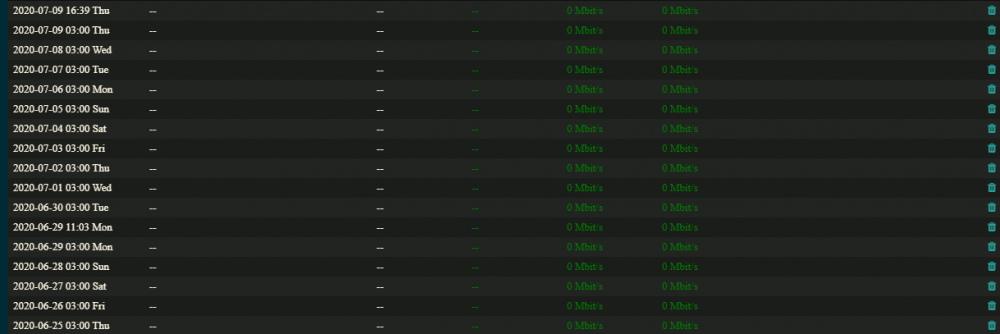
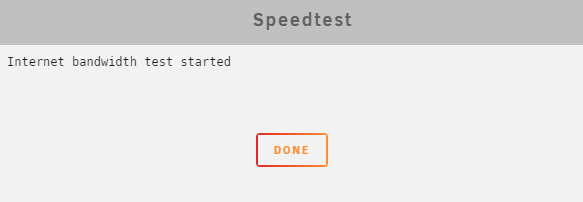
Still not working for me at all even after a reinstall: Meanwhile speedtest-cli works perfectly
-
This is very odd. I have two Plex containers. plex-a running as host with port 32400 and /mnt/user/video/ mapped to /share/video/ in the docker plex-b running as bridge with port 42400 and /mnt/user/ext-mnt/video/ mapped to /share/video/ in the docker (it has no knowledge of /mnt/user/video/*) Both have separate appdata folders When just plex-a is running files are served from /mnt/user/video/ When just plex-b is running files are served from /mnt/user/ext-mnt/video/ However, when both are running even when I'm using port 42400, all files are served from /mnt/user/video/. It's as though plex is detecting both containers and merging them. Anyone had this issue or know how to avoid it?
-
How do you get this in the UK?
-
I want both concurrently available though.
-
You're missing the point. I have the same dataset locally and remotely. I want a second container for the remote data so I can have a "backup" plex instance. If I add it as a new library with new volume mappings to the original plex container, plex will have to reindex all the files from the remote storage. If I just create a second container I can copy/paste the metadata and not have to reindex the files.
-
using different sources for the library i guess i could run them all in the same container, but this way i can copy all the database/metadata without having to re-analyse all the files. and i can stop the second one when not in use
-
Then how do you change the port when running multiple instances of Plex?
-
Weird. Is there anything I can do to avoid it? Been running Plex for years and never seen that before...
-
Amazing. Not 100% certain but that seems to have worked!
-
Both this and the plexinc container haven't been working via plex web for a couple of weeks now. No idea why but no video files will play at all, it remains stuck at 0:00.
-
It probably can be installed through pip. pip3 install httpie? ah, had no idea pip worked on unraid. Issue then is making it persistent...
-
Seconded
-
Any chance of adding httpie?
-
I've just checked again and the sync is stuck at exactly the same place. Desktop client is synced fine even when I add a few large files it runs at full speed.
-
The thing is I'd already restarted the container a bunch of times. If it's not in the logs is there a way to see how long the daemon has been running? The only thing I can think of is since I last posted I also rebooted the whole machine so could it be that's whst fixed it? I'll have to check in again about this frozen sync though.
-
Okay. I haven't changed anything but weirdly now it says it is running: $ dropbox.py status Syncing 3,215 files Uploading 3,190 files... Downloading 25 files... But that can't be right because it will have been running for 24 hours now and still not synced (at max it wasn't working for a week or so and I have about 100 MB of changes in that time).
-
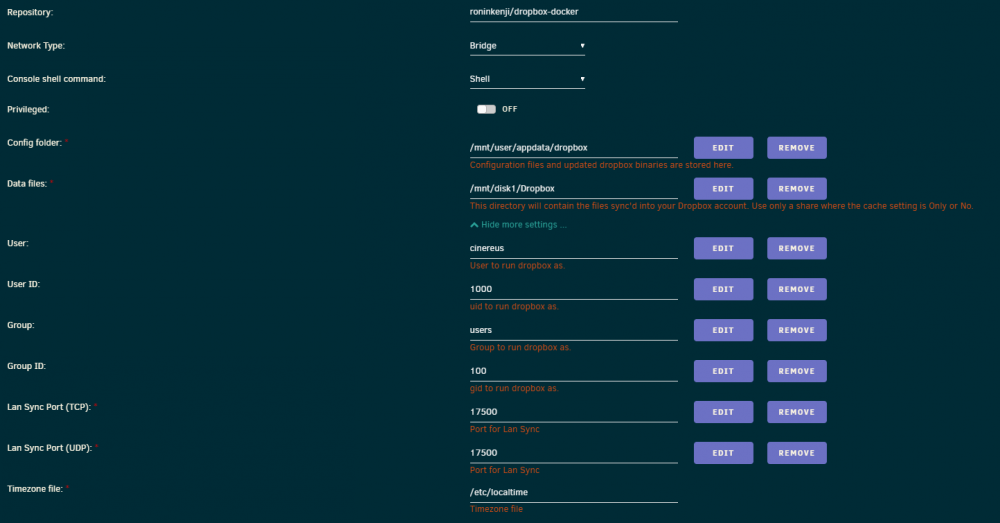
usermod: no changes dropbox: locating interpreter dropbox: logging to /tmp/dropbox-antifreeze-4dqNxc dropbox: initializing dropbox: initializing python 3.7.5 dropbox: setting program path '/dropbox/.dropbox-dist/dropbox-lnx.x86_64-101.3.424/dropbox' dropbox: setting python path '/dropbox/.dropbox-dist/dropbox-lnx.x86_64-101.3.424:/dropbox/.dropbox-dist/dropbox-lnx.x86_64-101.3.424/python-packages.zip' dropbox: python initialized dropbox: running dropbox dropbox: setting args dropbox: applying overrides dropbox: running main script dropbox: locating interpreter dropbox: logging to /tmp/dropbox-antifreeze-4dqNxc dropbox: initializing dropbox: initializing python 3.7.5 dropbox: setting program path '/dropbox/.dropbox-dist/dropbox-lnx.x86_64-101.3.424/dropbox' dropbox: setting python path '/dropbox/.dropbox-dist/dropbox-lnx.x86_64-101.3.424:/dropbox/.dropbox-dist/dropbox-lnx.x86_64-101.3.424/python-packages.zip' dropbox: python initialized dropbox: running dropbox dropbox: setting args dropbox: applying overrides dropbox: running main script dropbox: load fq extension '/dropbox/.dropbox-dist/dropbox-lnx.x86_64-101.3.424/cryptography.hazmat.bindings._constant_time.cpython-37m-x86_64-linux-gnu.so' dropbox: load fq extension '/dropbox/.dropbox-dist/dropbox-lnx.x86_64-101.3.424/cryptography.hazmat.bindings._openssl.cpython-37m-x86_64-linux-gnu.so' dropbox: load fq extension '/dropbox/.dropbox-dist/dropbox-lnx.x86_64-101.3.424/cryptography.hazmat.bindings._padding.cpython-37m-x86_64-linux-gnu.so' dropbox: load fq extension '/dropbox/.dropbox-dist/dropbox-lnx.x86_64-101.3.424/apex._apex.cpython-37m-x86_64-linux-gnu.so' dropbox: load fq extension '/dropbox/.dropbox-dist/dropbox-lnx.x86_64-101.3.424/psutil._psutil_linux.cpython-37m-x86_64-linux-gnu.so' dropbox: load fq extension '/dropbox/.dropbox-dist/dropbox-lnx.x86_64-101.3.424/psutil._psutil_posix.cpython-37m-x86_64-linux-gnu.so' dropbox: load fq extension '/dropbox/.dropbox-dist/dropbox-lnx.x86_64-101.3.424/tornado.speedups.cpython-37m-x86_64-linux-gnu.so' dropbox: load fq extension '/dropbox/.dropbox-dist/dropbox-lnx.x86_64-101.3.424/wrapt._wrappers.cpython-37m-x86_64-linux-gnu.so' dropbox: load fq extension '/dropbox/.dropbox-dist/dropbox-lnx.x86_64-101.3.424/PyQt5.QtWidgets.cpython-37m-x86_64-linux-gnu.so' dropbox: load fq extension '/dropbox/.dropbox-dist/dropbox-lnx.x86_64-101.3.424/PyQt5.QtCore.cpython-37m-x86_64-linux-gnu.so' dropbox: load fq extension '/dropbox/.dropbox-dist/dropbox-lnx.x86_64-101.3.424/PyQt5.QtGui.cpython-37m-x86_64-linux-gnu.so'
-
It has been working without issue for weeks and I haven't even rebooted the server.
-
What about those of us who don't use it as a PVR and just want to download the odd PID via command line? Is it possible to change the download directory when using the console? (it defaults to appdata/data which is not ideal) I assume you do this by changing the /data/ mapping Is it possible to run the get_iplayer program from normal terminal or only from the docker console?
-
su - nobody doesn't seem to work sh-4.3# su - nobody sh-4.3# whoami root and while dropbox.py works it still thinks it's unlinked sh-4.3# dropbox.py Dropbox command-line interface commands: Note: use dropbox help <command> to view usage for a specific command. status get current status of the dropboxd throttle set bandwidth limits for Dropbox help provide help puburl get public url of a file in your dropbox's public folder stop stop dropboxd update download latest version of dropbox running return whether dropbox is running start start dropboxd filestatus get current sync status of one or more files proxy set proxy settings for Dropbox autostart automatically start dropbox at login exclude ignores/excludes a directory from syncing lansync enables or disables LAN sync sharelink get a shared link for a file in your dropbox ls list directory contents with current sync status sh-4.3# dropbox.py status Starting... To link this computer to a dropbox account, visit the following url: https://www.dropbox.com/cli_link_nonce?nonce=db1975361235bad5644aa4186c225ec3 The files in the Dropbox folder are owned by my user account not nobody. But if I use the user account I can't start it either. sh-4.3# su - cinereus cinereus@6ee6f0503f8b:~$ dropbox.py filestatus Dropbox isn't running! cinereus@6ee6f0503f8b:~$ dropbox.py status Dropbox isn't running! cinereus@6ee6f0503f8b:~$ dropbox.py start Dropbox isn't running! Dropbox is already running! cinereus@6ee6f0503f8b:~$ dropbox.py filestatus Dropbox isn't running! cinereus@6ee6f0503f8b:~$ dropbox.py start Dropbox isn't running! Dropbox is already running!
-
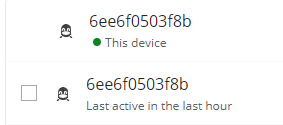
Seems it's not running? Why would that be? Def only three devices. sh-4.3# dropbox.py status Dropbox isn't running! sh-4.3# dropbox.py start Starting Dropbox... The Dropbox daemon is not installed! Run "dropbox start -i" to install the daemon edit, it's now asking me to relink even though it seems to have been "active" in the last hour:
-
No errors I can see in the log but no changes to my Dropbox folder are syncing to the cloud.
-
Graph disappeared for me on Wednesday and the button/schedule also doesn't work. However, running speedtest-cli through the terminal is still fine.
-
https://forums.unraid.net/topic/38108-plugin-ipmi-for-unraid-61/page/50/?tab=comments#comment-854913
-
I'm still completely unable to get even the backup working (which is frustrating as other NAS software seems to work as expected with Time Machine).


