





Linguafoeda
Members
-
Joined
-
Last visited
Everything posted by Linguafoeda
-
So i followed the guide in this video and used the KEY 4= custom and KEY 5 = wireguard and generated wireguard .conf files for Windscribe from here and placed them in /mnt/cache/appdata/binhex-qbittorrentvpn/wireguard/. When i right click on the container -> command line and run "curl ifconfig.io", it is showing an IP related to the VPN location i selected from that wireguard configurator. Does that mean everything for VPN is setup and fully running? I tried a test Ubuntu torrent and it peaked at around 80MB/s which seems pretty good for my gig connection. I want to make sure my torrent client is bound so that there is no IP leakage. When I googled this, people universally recommended that I need to go into Qbittorrent settings -> advanced -> network interface and select the VPN interface to permanently bind it. Does anyone know which one I need to select (i see "lo", "wg0" and "eth0")? Or is this automatically already done via the container and I don't need any further tweaking to prevent ip leakage (I saw a reddit comment here referencing iptables saying it's already "implemented")
-
Could someone tell me how I can setup Windscribe VPN with this container? I'm a bit confused as I see the template having Key 4: PIA, AirVPN, Custom and Key 5: openVPN / wireguard. I heard Wireguard is the optimal protocol for speed, do i need to just put in my windscribe username/password in Key 2 (vpn username) and key 3 (vpn password) and select wireguard? Also how do i enable the client to exclusively use VPN i.e. bind the qbit client to the adapter with VPN? I believe this is separate from "kill switches" built into the VPN itself. I want to make sure there's no possibility of leakage of IP
-
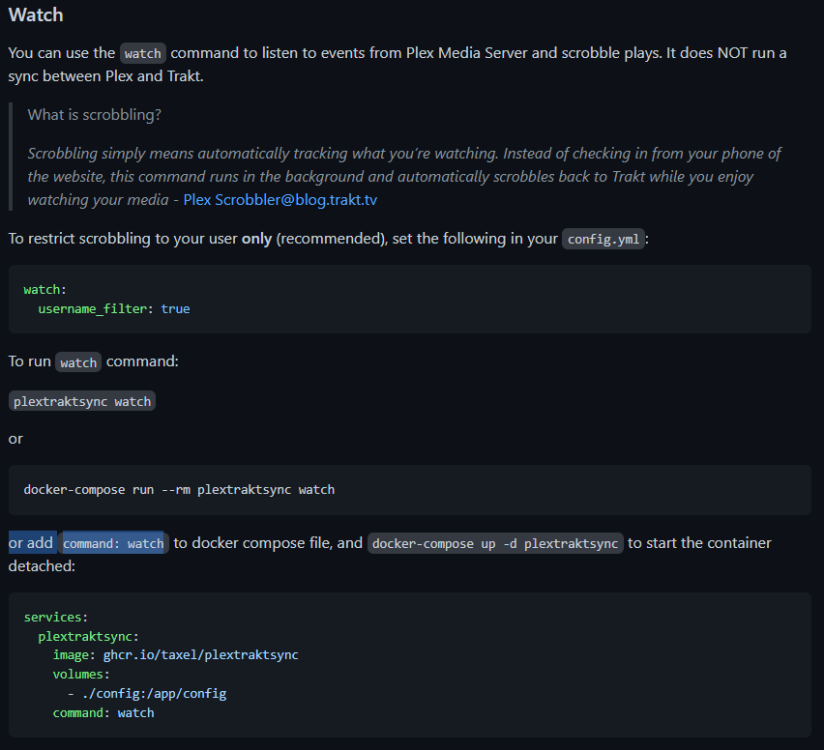
If you want PlexTraktSync to watch / actively scrobble, are you meant to add "watch" to either your container template post argument or as a separate line in the script? Referencing this part of the setup I have a cron setup as custom at 4a daily (0 4 * * *): #!/bin/bash docker start PlexTraktSync
-
thank you so much for this!
-
hmm anyone else know the native way? There should be one right?
-
Hello - I was wondering if anyone had a tutorial on how to setup a VPN (in this case, PIA) with a LinuxServer container such as Qbittorrent (lscr.io/linuxserver/qbittorrent). I know there is a Binhex container for QbittorrentVPN but I would like to learn how to use a third-party VPN (i.e. PIA / NordVPN / Mullvad etc.) to integrate with various containers that don't have VPN built in (because eventually i will want to setup VPN-only access for a bunch of containers though first priority is just getting my qbittorrent client setup). I asked in the LinuxServer discord and they pointed me towards this link but i don't really follow it at all as it relates to how to replicate this functionality with the built-in Unraid GUI (i.e. VPN Manager in settings or editing linuxserver's qbit container variables). I also want to make sure the qbit interface is bound to the VPN so there is no potential for leak of my existing IP (i.e. fullproof from getting notices from ISP). Anyone have a tutorial on how to get VPN working on non-binhex related containers like LinuxServer's Qbittorrent?
-
does anyone have instructions on how to make linuxserver's qbittorrent route all traffic through PIA VPN in Unraid? Trying to understand how to do this without using the binhex docker as i would like to learn this step for other linuxserver containers later on
-
Hello - I'm thinking of signing up for PIA VPN (its $79 for 39 months which is pretty good deal). How do I edit the docker template to make sure that qbit only runs when vpn is active / "kill switch" works without any leaks? Want to protect against my internet provider knowing anything about what I'm DL'ing.
-
according to the GitHub thread, the issue has been fixed in the latest commit.
-
Edit docker and change the repository to "lscr.io/linuxserver/qbittorrent:4.4.3.1-r1-ls200"
-
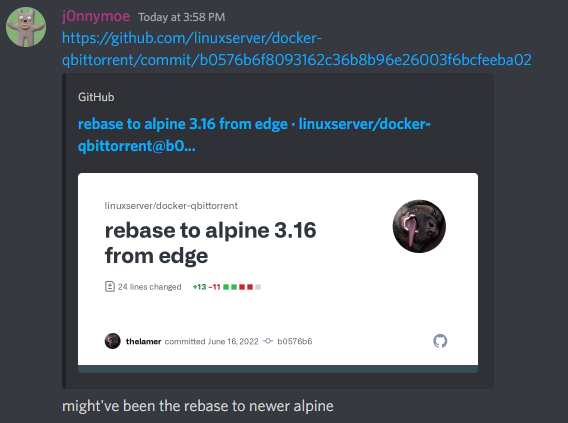
ah damn i'm having the same issue too. any idea what could fix this or if there is an alternative way for files created by qbit docker to be editable when accessed via Windows mounted shares? running docker safe new perms every time i download a file is really cumbersome. The github issue is located here for reference. edit: I guess a stop-gap for now is rolling back to the old version of "lscr.io/linuxserver/qbittorrent:4.4.3.1-r1-ls200". According to discord server, the issue may be related to ls203 commit update which changed the below.
-
#### What is the problem you are having with rclone? I am running Unraid and everytime a log file is created from the command I'm trying to log, it defaults with no linux permissions which doesn't allow me to read/write the .txt file generated. Any idea how to make it so that the default permissions given is RW so i can access the log file via Krusader or windows mounted samba share? The terminal is running as "root@Unraid:~#" for reference. rclone sync --transfers 8 --checkers 16 --progress --delete-during --no-update-modtime --contimeout 60s --timeout 300s --retries 3 --low-level-retries 10 --drive-chunk-size=64M --drive-upload-cutoff=64M --stats 1s --stats-file-name-length 0 --fast-list --drive-acknowledge-abuse --log-level DEBUG --log-file=/mnt/user/Personal/Logs/rclone_$(date +%Y%m%d_%H%M%S).txt "/mnt/user/MOV" "GD:GD/MOV" #### Run the command 'rclone version' and share the full output of the command. rclone v1.58.0- os/version: slackware 14.2+ (64 bit)- os/kernel: 5.10.28-Unraid (x86_64) - os/type: linux - os/arch: amd64 - go/version: go1.17.8 - go/linking: static - go/tags: none
-
so for reference, did this with another server. here's the instructions I referenced: current system has 3x14TB drives and 2x8TB drives and no parity. Want to replace both the 8TB drives with a 18TB drive. what steps do i need to follow to move all the files off the two 8TB's to put them on my newly bought 18TB drive and make sure all my docker/everything works fine when i startup array again (I want the 18TB disk to be labeled "disk #4 vs. my 8TB are disk #4 and disk #5 today): 1. insert new 18TB drive into physical slot #6, stop array, assign 18TB drive as disk #6 into array 2. start array, format 18TB disk in array as XFS 3. open unbalance, PLAN then COPY all files from Disk #4 (8TB) and Disk #5 (8TB) 4. stop docker service in settings, stock VM service in settings, stop mover service 5. Stop array, remove disk #4 & Disk #5 from array, physically remove Slot #4 and Slot #5 drives (both 8TB drives), move new 18TB disk from slot #6 to Slot #4 6. Run new config process ("select all"; note this resets any custom settings like temperature for all disks!), then go back to Main and add 18TB drive as Disk #4 7. Change share settings that previously included Disk #4 & Disk #5 of the old 8TB drives to include Disk #4 (new 18TB drive is now Disk #4) 8. Restart docker / VM / Mover services
-
Bump - is there a way to setup multiple resolutions so that I don't need to mess with opencore config whenever i want to switch between say 1920x1080 to 2048x1536?
-
anyone know how to do this (I don't have an external GPU)? I used opencore configuration -> Tools -> Mount EFI -> Mount Partition / Open Partition -> navigate to "EFI/OC/config.plist" and opened in BBEdit. Below is what I get. I'm looking for a way to be able to switch resolutions dynamically within the system settings (i.e. from 1920x1080 to 2048x1536 based on when i'm remoting in from my ipad vs. my desktop PC). <key>Output</key> <dict> <key>ClearScreenOnModeSwitch</key> <false/> <key>ConsoleMode</key> <string></string> <key>DirectGopRendering</key> <false/> <key>ForceResolution</key> <false/> <key>IgnoreTextInGraphics</key> <false/> <key>ProvideConsoleGop</key> <true/> <key>ReconnectOnResChange</key> <false/> <key>ReplaceTabWithSpace</key> <false/> <key>Resolution</key> <string>Max</string> <key>SanitiseClearScreen</key> <false/> <key>TextRenderer</key> <string>BuiltinGraphics</string> <key>UgaPassThrough</key> <false/> </dict>
-
Just restored from database and also edited all my docker apps to directly source the appdata folder from the cache drive instead of the unRAID share. I heard that was better way to eliminate overhead that is created for apps that are openly writing to data base constantly. Haven't had any issues since
-
perfect - thank you!
-
is there a settings menu / how do i use this software?
-
@tjb_altf4 I installed "python-2.7.11-x86_64-2.txz" as well as both WoL / VM WoL plugins. Do i need to do anything else?
-
bump
-
Ah I see - thank you. So: 1. make sure array is stopped. eject old 4TB drive in slot #5 2. place new 8TB drive in slot #5 3. run new config process, shrink array / remove "slot #5" disk from all shares, then when new config process is done, add new 8TB drive into that same slot 4. start array? 5. use rclone / rsync / krusader to copy files to the 8TB drive in slot #5 using the old 4TB drive connected via USB? How do you copy files from one disk to another without starting an array? Usually I just use krusader and copy everything from usb device -> /mnt/disk5/, but that would conflict with starting the array which would cause a ton of issues with all my dockers / torrents that are looking for files in an empty drive before copying?
-
bump
-
Sorry last thing - I am trying to fix this separate issue of mac hanging on shutdown ocassionally. I can't seem to figure out how to access the recovery boot partition. I have tried pressing the 0 button held down, spammed it (both tried via the VNC window pre-opened and starting up the VM from fresh as well as restarting inside). Do you have any idea how i can access the recovery partition if those don't work? I seem to remember tweaking something in openconfig to "disable picker", not sure if that disabled me accessing the recovery partition.
-
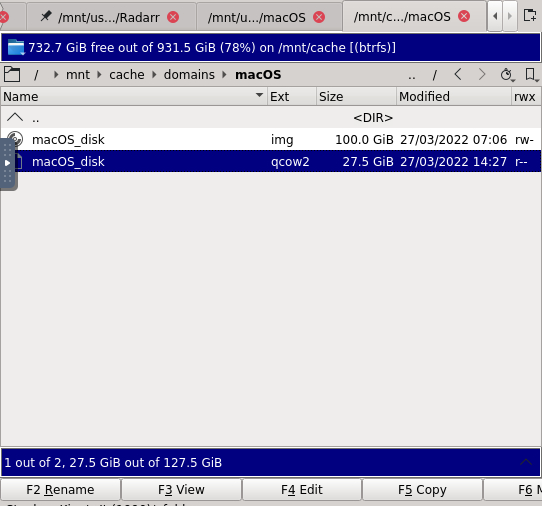
amazing - I edited the XML (type='qcow2' + source fil=/.../macOS_disk.qcow2) and that worked!!! Thank you so so much
-
thank you - do i need to change the resulting file back to .img after? my Windows vdisk is "Windows_disk.img" but believe it's still qcow2




