






bmartino1
Members
-
Joined
-
Last visited
Everything posted by bmartino1
-
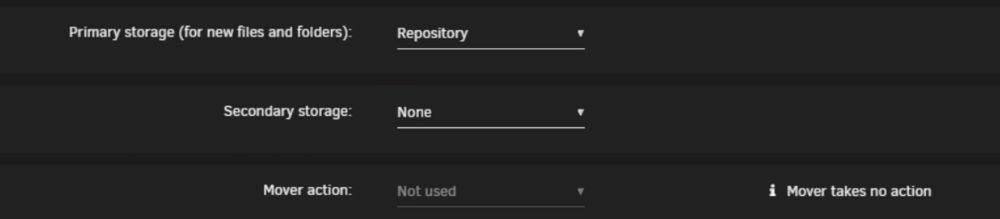
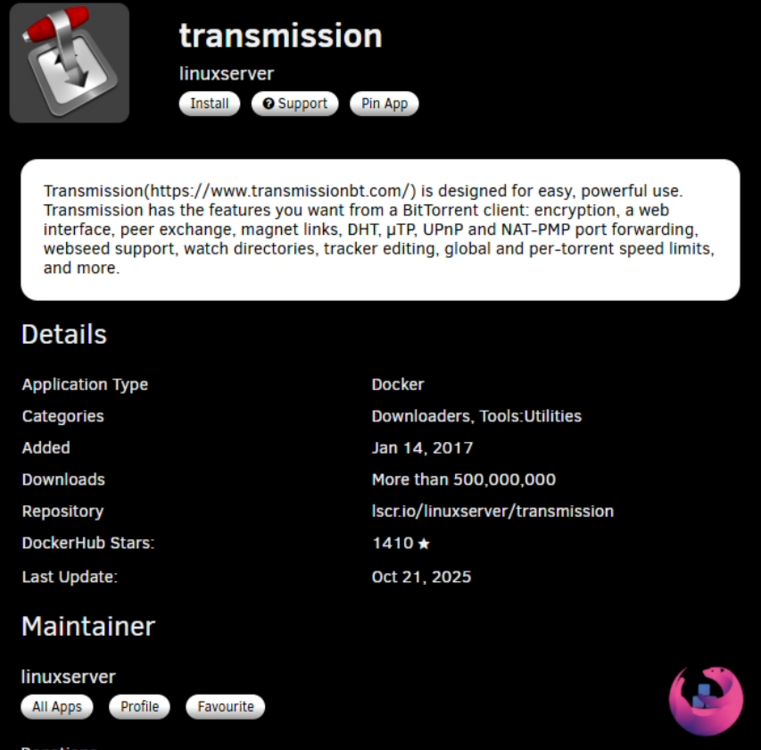
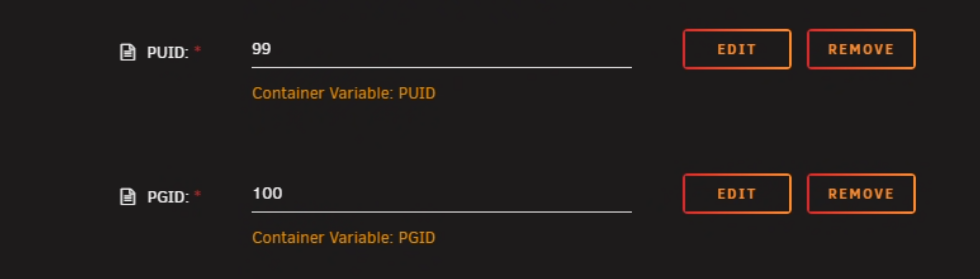
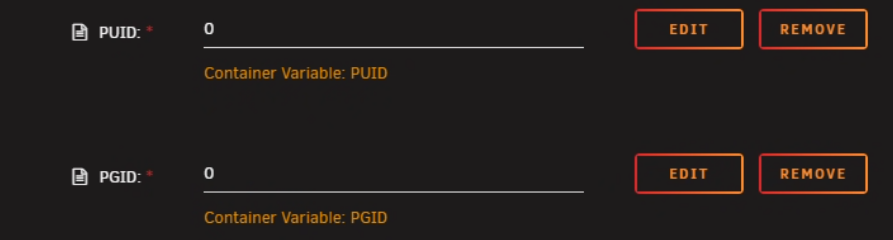
most likely Permission and share settings misconfiguration... not enouth data and info to diag nose... please post a unraid diag file... Make sure only primary is set... confirm your share settings... I prefer the linux server / linux IO transmission docker. lib torrent. https://docs.linuxserver.io/images/docker-transmission/ note the advance toggle at the top and show more... change UID and PID to 0 to use the root user. pre make the file paths on cache disk.... mkdir -P /mnt/user/appdata/torrent-download cd /mnt/user/appdata/torrent-download chmod 777 -R * chown nobody:users -R *


-
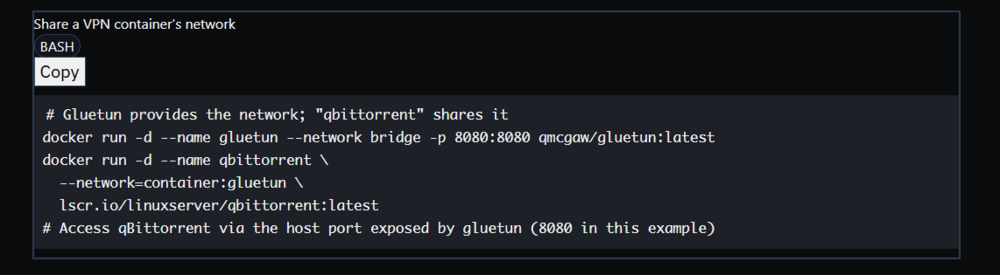
Brandon Martino - Personal SiteGuide-DockerNetworksBrandon Martino - Personal Site Exit node: https://tailscale.com/kb/1033/ip-and-dns-addresses Please review the above links. You may also need to look into the tailscal docker sidecar method. you would implemnt a contaner network to the vpn. the vpn like gluetn for example would have adational port mappings. in my docker weebly guide I use qbit torrent for example this means that the qbit torrent docker will use gluten for its only netowrk data adn what gluten has it will use. this also means to access qbit torent the ports need to be open in the gluten docker. https://www.reddit.com/r/unRAID/comments/1ar02ij/tailscale_sidecar_docker/ https://forums.unraid.net/topic/186777-need-help-understanding-implementing/
-
This could be weird network issues due to cross traffic with your reverse proxy and totp with authentik. as multiple request could be crossing over and colliding with the process for your authentication and access to the webpage and setups. I would double check your docker lgos on those dockers at those would be my high check potential problem with this setup. are you separating docker bridges to unraid host IP or using custom br0? https://bmartino1.weebly.com/guide-dockernetworks.html
-
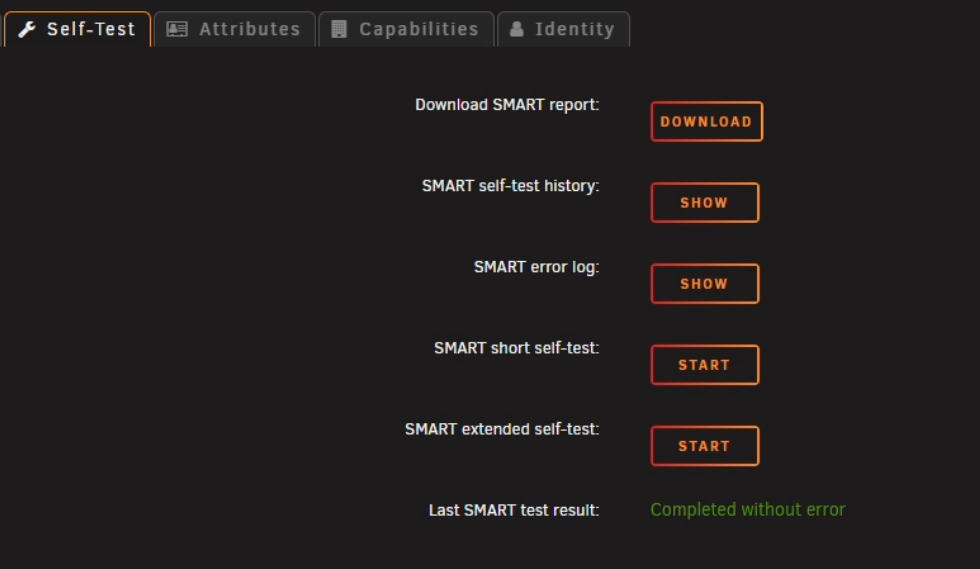
Looks like the cache disk died and the disk is dead. It needs to be replaced. Please click cache and check smart and do a disk test: run a SMART short self test.
-
while in a pe you can run and use cpuz as well to get voltage data so prime 95 to stress test and cpuz to monitor voltages...
-
they make usb boots for things like runnign prime 95 that will force max the cpu ... hiren boot cd runnign windows pe and runnign prime 95 I'm a fan of this PE distro of free software for widnows support: https://www.hirensbootcd.org/ other prime 95 info: https://www.infopackets.com/news/10113/how-fix-bootable-prime95-stress-test-hardware https://forums.unraid.net/topic/29571-using-prime95-effectively/
-
what dockers are you running diad / syslog doen't give full story. ITs normal to see docker sys log with a docker turns on making a veth .. if a docker is constanly stoping and starting that can ause a spam in the syslog... so you need to find the culprit docker that is stoping and starting...
-
you will need to downlaod and install the plugin... looks like your edit says you solved this.
-
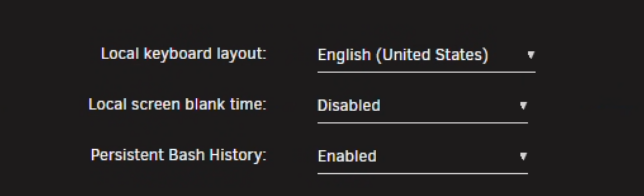
This was added as a setting in v7 Settings> Console settings> Disable Screen Blank Time. Otherwise you need to edit the main>flash and add a append option of consoleblank=0 Main > Flash > Syslinux

-
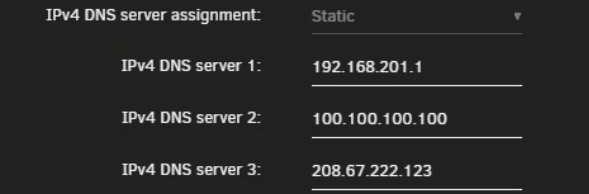
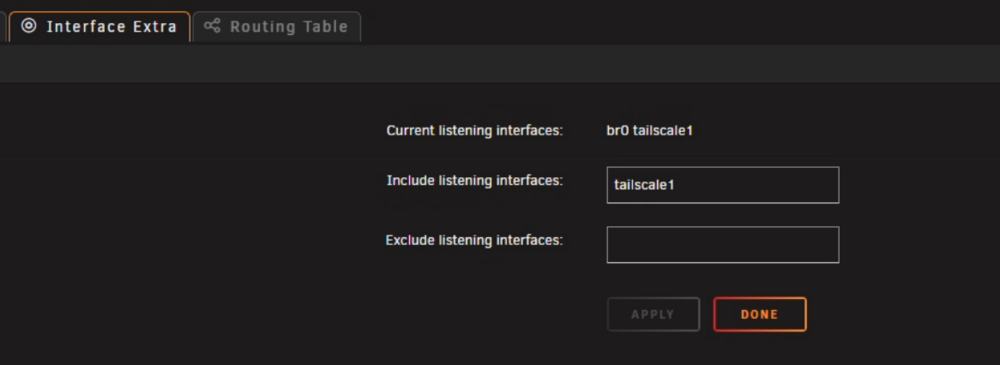
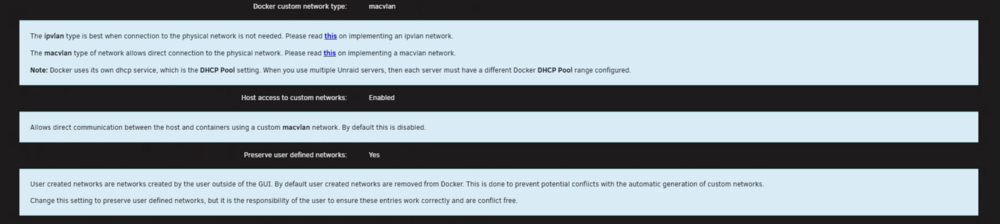
diag don't give us everything. Post is too limited, not sure what you mean by can't connect??? Your issues seem to be misconfiguration with dockers and networking... What are you using for plex for instance? the docker network... Docker network options is set to what? host?bridge?custom br0? what does your network look like??? IE: ?Internet(?Cgnat?) > ?ISP MODEM > Router ??? 192.168.1.x? > ?switch? > PC nic... https://bmartino1.weebly.com/guide-dockernetworks.html some unraid network side setups I recomend to help diag set unraid to a static IPv4 Addresss: set your router, tailscale magic dns and a public dns you trust. 1.1.1.1 cloud flare, 8.8.8.8 google, 9.9.9.9 quad 9 208.67.222.123 cisco open dns family filter... since using tail scale. My data shows some of my router network is 192.168.201.x/24 VM settings: Docker settings: You may also need to define extra parameters line for DNS depending on how you setup tailscale... edit docker > advance tolge and add the --dns=8.8.8.8 to make sure the docker has internet access... https://forums.unraid.net/topic/186038-docker-intermitten-dns-issues-sometimes-due-to-tailscale-with-resolvconf/#findComment-1527048 IF using tailscale magic dns and set dns to ture/yes this will override unriad resolve config and dns and can cause intermitten network issues... and use custom br0 setting plex and other dockers to there own static IP ...



-
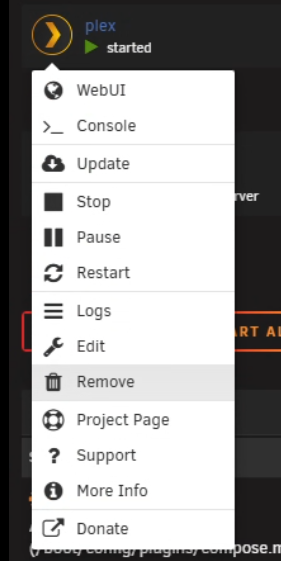
to truly delete and start fresh, you need to delete the appdata folder (this also delete the plex database. You will need to reclaim with a new Plex claim key. When hitting remove, you also want to delete the docker image by default Plex dockers on unrad will have a appdata folder. delete that folder: root@The-Borg:~# cd /mnt/user/appdata/plex root@The-Borg:/mnt/user/appdata/plex# ls Library/ root@The-Borg:/mnt/user/appdata/plex# I usually use mc in the web terminal and hit f8 to delete the folder... then install fresh...


-
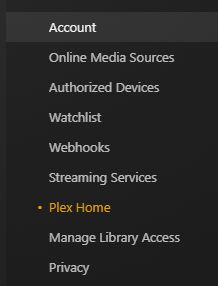
If I'm reading that corectly... I mis read adn understood your issue. due to the recent plex security breach it sounds like your plex home users libray access is broken. Once verfied you are loged in at the top right go to Plex Home and click on teh affected account to grant library access. example: https://forums.unraid.net/topic/193388-attention-all-plex-users/#findComment-1579965 as After the Plex security event server re-claim I had to re-edit all of the plex users and re grant them libray access to the content. It sounds like your home admin user needs access regranted.
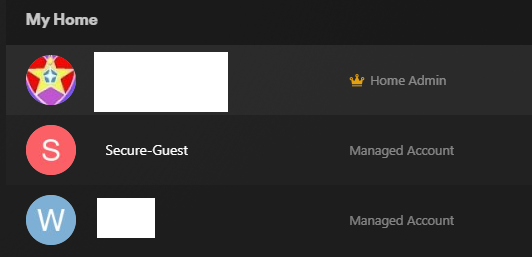
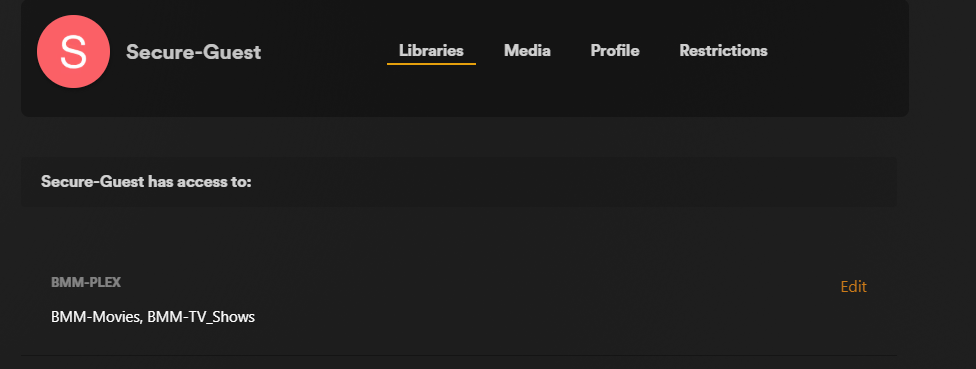
-
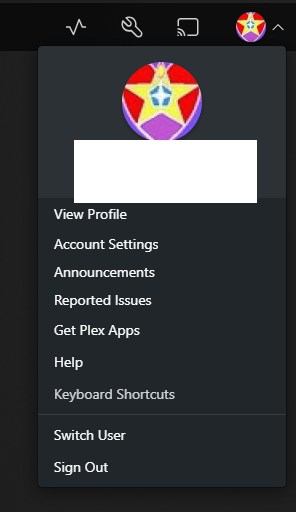
at the top right you need to sign in. Double check the circle at the top right and login to your plex account. as there is a difference of hitting the settings wrench/tool icon and some plex settings without being logged in. once able to login and edit your plex settings fix some network settings... you should have a lan netowrk area. It is best practice to set the local host network, the urniad IP, the plex IP(if using ipvlan/macvlan custom br0)
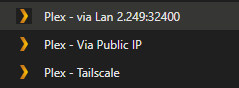
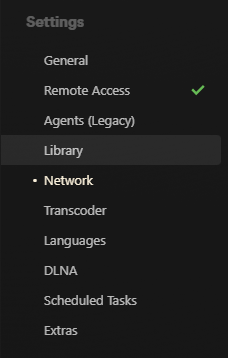

-
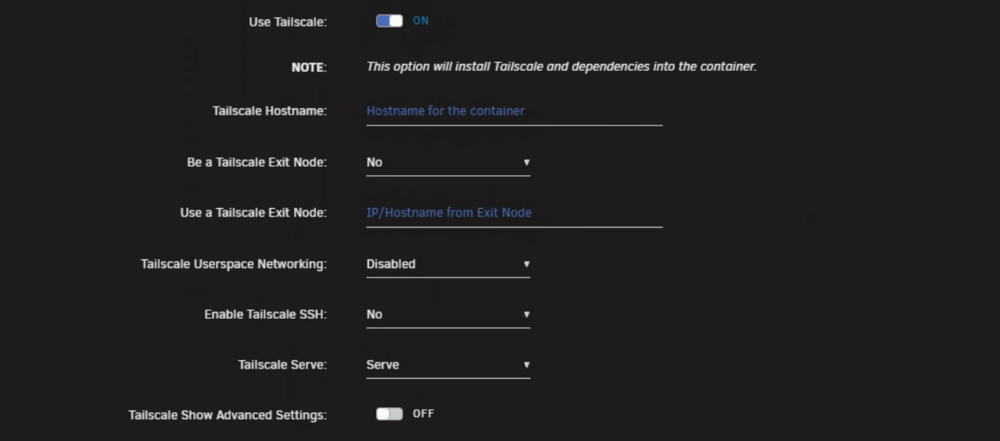
Tail scale is a API web based VPN system. It uses WireGuard technology underneath. It use tailscale.net as a broker server to handle query and requests. Tailscale has Known documents 3 setups for use. Exit node: https://tailscale.com/kb/1033/ip-and-dns-addresses Funnel mode: https://tailscale.com/kb/1223/funnel serve mode: https://tailscale.com/kb/1312/serve Depending on what your trying to do and how you want to interact with it. I prefer to use a funnel or subnet route. As I don't want to have to connect to my tail net to access my connected services over the vpn. This means I can setup example "docker name.tailscale name .net" and going to that link I can forward and access web passed systems like a reverse proxy, to access things like immich, plex, etc.. Unriad makes this fairly easy once you have the tailscale admin side setup... You first need to setup some admin things Especial if you want to funnel. https://login.tailscale.com/admin/machines Settings beta - funnel Unraid Funnel example I'm using tailscale to vpn remote access my plex system (due to cgnat)... You need to install the tail scale plugin. to start a docker needs to be in a acceptable docker network mode. Ipvlan/macvaln - docker Bridge network... then fill in some bare min tailscale data info *Note the tailscale serve option, this is where you can change it to funnel Then check the docker log and grab the tailscale invite link and sign in to your tailscale account to add it to the list of machines. Thats it that docker is now in the tailscale VPN. and if done correctly you can hit the plex web ui by goin to the 100 address or name.tailnet name address... However, I prefer subneting for tailscale auth and access to my entire netwrok... What I normally do... to not have a end point and any device to be secured and protected. is not use server or funnel... nor exit node. I just want to have a device use tailscale and connect to my tail net. so each device that will access my network but auth and connect to my tail net... with the plugin installed. (Only for the latest and current working unraid tailscale binary. Install the plugin only and don't use the web ui to configure... instead, use a user script plugin and run the tailscale up command your self like so: (While possible to due with the plugin in the web UI I find it easier to just run the dam command...) example script: #!/bin/bash tailscale up --accept-routes --accept-dns=false --advertise-routes=192.168.201.0/24 *You have to allow the subnet route in the tailscale admin console. And it will generate a tailscale link to grant you access. Then any device conected to tail scale can ping and access a docker lets say i set plex to 192.168.201.254 via custom br0 (ipvlan/macvlan) Since i'm vpn connected to my tailscale I can use that device connected and call 192.168.201.254 and hit plex without port forwarding no other access setups... This allows the connected device anywhere in the world full subnet access to my class c 192.168.201.x so I can talk and access if i'm on that network or if i'm at my house. Samba share, other web services other devices... home assistant with remote locations... So Tailscale is a VPN that can be used to remote access and secure access unraid system anywhere in the world.






-
Potential Flash has a max write and depending on how they fail a max read. All Hardware is built on a average MTF (Mean time to failure) If you have logs or other things that write to the flash drive even time with USB volts to the flash device. It will fail eventually... Slower writes is a sign of the eprom in the flash starting to degrade. eventual it will lose its abilty to write. Usualy that mean there are at 80% of ther MTF at that time. so 20 % on teh clock So short term make a flash backup so you can recvoer easily. Long term look into replacing the falsh drive.
-
nexcloud plugin memories... photoprism... rejetto HFS... Really depends on what you're trying to do with photos
-
Definitely immich... https://bmartino1.weebly.com/immich-on-unraid-docker-compose-guide.html https://bmartino1.weebly.com/immich-on-unraid-ca-docker.html support: https://forums.unraid.net/topic/146106-immich-docker-self-hosted-google-photos-setup/ forum pages:
-
??? https://forums.unraid.net/topic/194341-solved-oidc-microsoft-config-nightmare/ https://docs.goauthentik.io/add-secure-apps/flows-stages/stages/authenticator_totp/ https://www.youtube.com/watch?v=N5unsATNpJk&pp=0gcJCdgAo7VqN5tD https://www.reddit.com/r/unRAID/comments/u46n92/authentik_how_to_install_with_docker_and_why_you/
-
I use unraid no disk 1 array setup Pool devices only. I implement a sinlge nvem/ssd cache disk for docker appdata. I implement a raid z1 pool for main data stores. I run quite a bit of service systems and applications. I've settled with sftp and fail2ban for file sharing and access I've use plex for media shaing and access I've use immich for phone backups and sahring I've implemented tail scale where i can conect and access all my content Each may require some fiddling setup and configs but once up that's it no more fus and it works / lasts. 2fa totp can be a bit trickey to implement and honestly its not worth the fight for some.... I would recommend checking out the CA https://unraid.net/community/apps
-
It all comes down to what you want it to do and how you want to interact with it. I persaonly don't like synolgy software, os eco systems... there HD caddy are ok but its a bare min nas nothing more... Simlar to the unifi UNAS... ITs for this one specfic use case... unraid would implement dockers VMs and LXC to esental run the equilven software. We could use user script plugin and bash scripting to implament a greate deal of things. Per your list here is a general Table of dockers one would implement on Unraid... Synology feature Unraid-native / plugin Well-established alternatives (Docker on Unraid) Notes / when to pick QuickConnect (easy remote access, no port-forwarding) WireGuard VPN (built into Unraid) Tailscale (mesh VPN, 1-click on most devices), ZeroTier, Cloudflare Tunnel (no open ports) For “just works” family access: Tailscale. For self-hosted VPN: WireGuard. For public URLs without opening ports: Cloudflare Tunnel. Drive (sync + on-demand fetch) — Nextcloud (desktop client supports Virtual Files/placeholder sync), Seafile (fast delta sync), Syncthing (pure P2P, no server), Resilio (proprietary, robust) If you want a “Drive + web suite”, pick Nextcloud. If you care most about sync performance, Seafile. If you want zero server and LAN-smart, Syncthing. Photos (family gallery, face recognition) — Immich (best-in-class mobile backup + face/places), PhotoPrism, LibrePhotos, Nextcloud Photos Immich is the current favorite for families migrating from Synology Photos. Store originals on a ZFS/Btrfs pool. 2FA authentication (for admin & apps) Unraid GUI 2FA (TOTP) Authelia or Authentik in front of your apps (with Nginx Proxy Manager or Caddy) Unraid itself can do TOTP. For all app UIs, put a single-sign-on/2FA gateway (Authelia/Authentik) in front. Supports TOTP/WebAuthn. Notifications (no personal SMTP) Settings → Notifications (multiple agents) Apprise (sends to 70+ services), ntfy, Pushover, Telegram, Discord Unraid can notify via non-SMTP channels. If you want one tool to fan out to many, run Apprise and point jobs at it. Hyper Backup (versioned backups to local/remote) Appdata Backup/Restore (plugin for Docker configs) Kopia, Restic, Borg (Vorta GUI), Duplicati, UrBackup, rclone (copy/sync to S3/Backblaze/Wasabi) “Set-and-forget” + dedupe/encryption: Kopia/Restic. Windows/Mac endpoints: UrBackup. Simple mirror/tiers: rclone. many rsync scripts exist on the forum as well... Antivirus — ClamAV container (clamd + clamscan), ICAP/ClamAV with proxy, client-side AV on PCs Schedule clamscan against shares or scan on-upload behind a proxy. Most home setups rely on endpoint AV + periodic ClamAV. Snapshots ZFS pools (Unraid 6.12+), Btrfs (cache/pools) Sanoid/Syncoid (ZFS snapshots + replication), zrepl, znapzend; for Btrfs: btrbk, snapper Unraid’s parity array has no snapshots. Put important data on ZFS (recommended) or Btrfs pools to get snapshots/replication. Depends on how you setup your uraid disks.... Replication — ZFS send/recv via Sanoid/Syncoid or zrepl; rclone/rsync for file-level ZFS is the closest feel to Synology’s snapshot-replication. For cloud/object storage, use rclone or Kopia/Restic backends. A sane starter stack (mirrors Synology feel) Remote access: Tailscale (family devices) or WireGuard (built-in) + Cloudflare Tunnel for public links without port-forwarding. Drive + Photos: Nextcloud (files, sharing, web) plus Immich (phone auto-backup, face/places). Many folks keep media in Immich and documents in Nextcloud. Reverse-proxy + SSO/2FA: Nginx Proxy Manager (easy) or Caddy (auto-TLS) + Authelia/Authentik (enforce login + 2FA for all app UIs). Backups: Kopia or Restic to Backblaze/Wasabi/S3 (encrypted, deduped, versioned). Appdata Backup/Restore plugin for Docker configs. Optional UrBackup for PC images/file versioning. Snapshots/replication: Use a ZFS pool for important shares → Sanoid/Syncoid for scheduled snapshots + push to another server/NAS. Notifications: Configure Unraid Notifications to Pushover/Telegram/Discord, or centralize with Apprise. AV: Run ClamAV weekly over shared folders or rely on endpoint AV + upload-time scanning if you proxy. Practical tips migrating from SynologyData layout: Put “needs snapshots” data on ZFS. Keep bulk, cold data on the Unraid array if you like its expandability; you can still cache it via ZFS/Btrfs pools. Shares: Export via SMB/NFS as before. Unraid’s Users/Shares UI maps cleanly. Photos import: Point Immich at your existing library; it will (re)index faces/places. Keep originals immutable via ZFS readonly snapshots. Drive clients: Nextcloud desktop supports Virtual Files (on-demand), close to Synology Drive’s behavior. No-ports remote: Prefer Tailscale for family; if you need public links, add Cloudflare Tunnel to just the reverse proxy. Alot of people migrate off synology for unraid abilty to run dockers and systems. If it exsit on docker hub and will most likley run on unraid. Quite a bit of content exist in the unriad CA https://hacktobeer.eu/posts/synunraid/
-
https://docs.docker.com/reference/cli/docker/network/create/ Requires the command ran any time the docker that's connected to goes down... the ip table's command I gave above is constant once setup... doesn't require interactions or running xyz command for other dockers... https://bmartino1.weebly.com/guide-dockernetworks.html OR you can use Docker compose to set 2 networks at once...
-
for your docker appdata folder corect. it need to only have a single primary location move should take no action to move either the docker appdata folder nor the dokcer.img file
-
https://trash-guides.info/File-and-Folder-Structure/How-to-set-up/Unraid/ https://trash-guides.info/File-and-Folder-Structure/



