Thomas_H
Members
-
Joined
-
Last visited
Everything posted by Thomas_H
-
@itimpi Thanks for the detailed explanation. By “minor” errors, I mainly meant how easy they were to fix and why the system can't provide better guidance in those cases. In any case, thanks again for the great support.
-
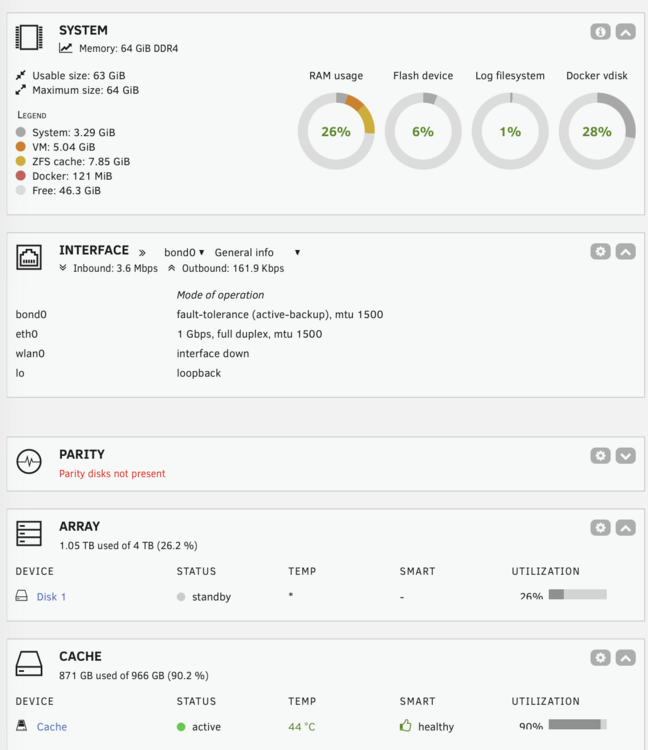
@itimpi You’ve saved the day for me. ❤️ I’ve reduced it to 50 GB and now it’s working again. As a layman, I’m surprised that such a ‘minor’ error could bring the system to a standstill. How did you spot my mistake so quickly?
-
Hello, since yesterday some of my dockers don't start anymore. Which surprises me. There’s plenty of storage space, etc. Here for example the log of AdGuard and my diagnostics. text error warn system array login 2026/03/30 11:30:24.352088 [info] starting adguard home version="AdGuard Home, version v0.107.73" 2026/03/30 11:30:24.354203 [info] dhcpd: warning: creating dhcpv4 server err="dhcpv4: invalid IP is not an IPv4 address" 2026/03/30 11:30:24.354539 [info] tls_manager: using default ciphers 2026/03/30 11:30:24.355283 [info] safesearch: reset rules count=0xcfa360 2026/03/30 11:30:24.356243 [fatal] writing config file: open /opt/adguardhome/conf/.AdGuardHome.yaml3817209365410585793: no space left on device 2026/03/30 11:30:38.306794 [info] starting adguard home version="AdGuard Home, version v0.107.73" 2026/03/30 11:30:38.309744 [info] dhcpd: warning: creating dhcpv4 server err="dhcpv4: invalid IP is not an IPv4 address" 2026/03/30 11:30:38.310053 [info] tls_manager: using default ciphers 2026/03/30 11:30:38.310567 [info] safesearch: reset rules count=0xcfa360 2026/03/30 11:30:38.311786 [fatal] writing config file: open /opt/adguardhome/conf/.AdGuardHome.yaml6758689776098561474: no space left on device 2026/03/30 11:45:10.650826 [info] starting adguard home version="AdGuard Home, version v0.107.73" 2026/03/30 11:45:10.654053 [info] dhcpd: warning: creating dhcpv4 server err="dhcpv4: invalid IP is not an IPv4 address" 2026/03/30 11:45:10.654445 [info] tls_manager: using default ciphers 2026/03/30 11:45:10.655378 [info] safesearch: reset rules count=0xcfa360 2026/03/30 11:45:10.656714 [fatal] writing config file: open /opt/adguardhome/conf/.AdGuardHome.yaml6343088051533144700: no space left on device tower-diagnostics-20260330-1123.zip
-
Hello, is Nobody using this container?
-
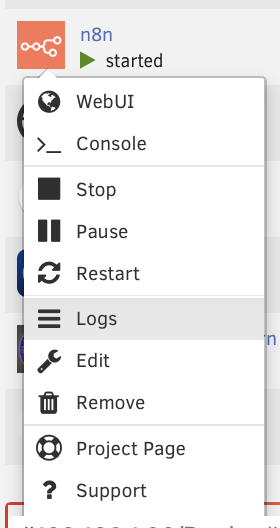
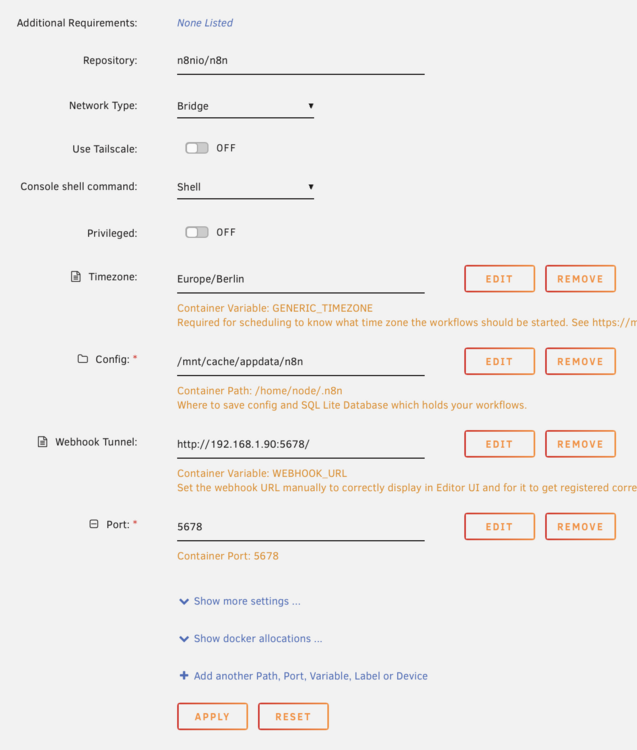
Initial setup fails Hello, I would like to install N8N. I have the default settings and I am not getting any error messages. However, the page will not open and when I try to look at the logs, the window closes again immediately. Is there a tutorial or guide somewhere? Thank you.
-
@PeteAsking Thank you for the tip and the detailed description in the original post. 👍
-
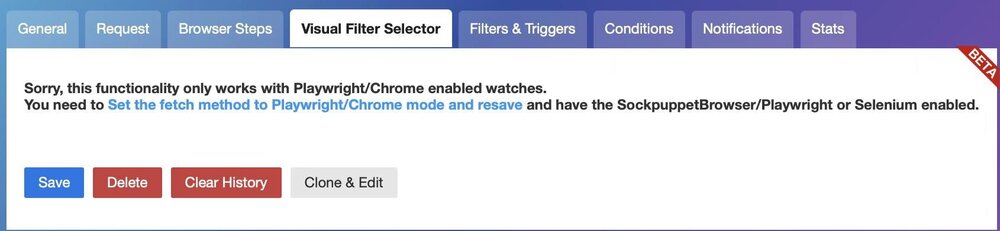
Changedetection.io". Hello, I would like to use the visual selection from "Changedetection.io". Do you have a tutorial how to setup? https://github.com/dgtlmoon/changedetection.io/ Thanks in advance.
-
Thank you very much, that helps. Is there a recommendation/experience as to which version can be used without hesitation?
-
Hello, I just installed this new docker. The Repository entry is "11notes/unifi:8.6.9-unraid" What do I need to enter to get the latest version? Thanks in advance. :-)
-
Klingt gut, dann beschäftige ich mich mal hiermit: Installing and Configuring NGINX Proxy Manager on Unraid
-
Hallo, das Thema ist etwas liegen geblieben, nun aber wieder aktuell. Den FileBrowser finde ich schön simpel gehalten. "Natürlich" funktioniert das erstmal nur intern; was muss ich denn noch installieren, damit ich einen Link erhalte, womit man auch außerhalb meines Netzwerks Zugriff darauf bekommt? Danke euch! :-)
-
Somit konnte ich einen clean install machen, danke dir. Mir war nicht bewusst, dass nach dem Löschen noch Config Dateien übrig bleiben. Nun kann ich weiter experimentieren. 😁
-
@k3vbert danke schon mal für den Schupser in die richtige Richtung. Hab jetzt den Container einfach noch mal neu installiert, im Log kann ich aber auch hier nichts finden, was nach einem Login/Passwort aussieht!? In der Hilfe steht ja "Onboarding On startup, an admin user and password are generated and printed in the logs. " Irgendwie leider ziemlich komisch gelöst!?
-
Hallo, ich habe frigate installiert, werde beim Aufruf der Webseite aber nach User und Passwort gefragt? Was muss ich denn da eingeben? Konnte dazu nichts finden. Danke euch.
-
@SpaceInvaderOne thank you very much for this great app. Worked for me out of the box. 👍🏼 I've got two questions/sugestions: What is the best way to work with the VM Backup Plugin? Is there a way to extend the docker to monitor further VMs? Thanks in advance!
-
HomeBridge-with-webGUI I installed the app but it seems that there is still an issue regarding the logging. I tried to understand the hints in the link but I didn't get it. Can someone help me out what to do? Thanks in advance. 😁

-
@Rouloy did you find a solution. I've got the same problem. Thank you.
-
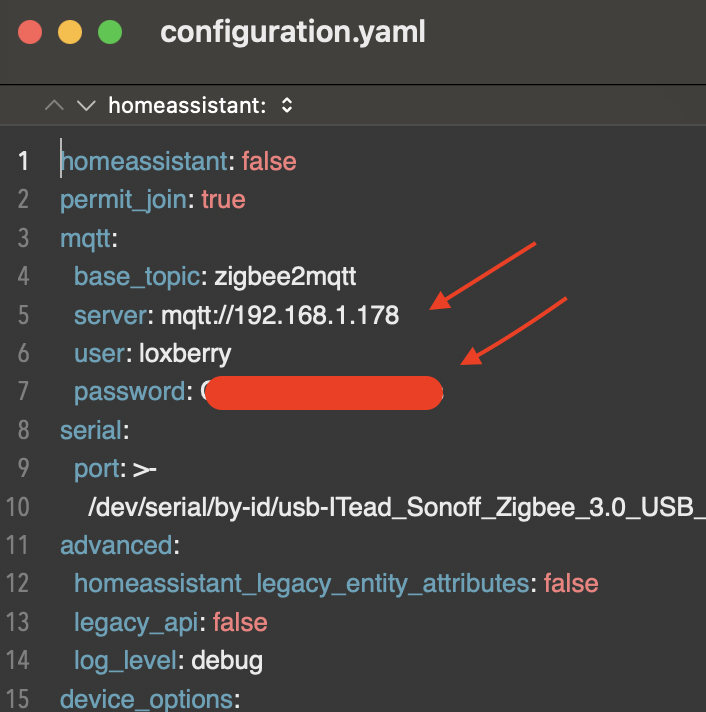
Hi guys, I've got a strange problem. My current setup works fine but I have to switch my MQTT-server. Therefore I download the configuration.yaml and changed the IP and the password. Then I uploaded the file and set the right permissions. But then the docker will start but I can't enter into the webinterface anymore Any idea where my fault is? Thank you.
-
the tab "Virtual Machines" ist empty no data for "Docker usage" no data for "Network Load" As @BVD wrote it seems that the app is dead even if you can still purchase it in the AppStore.
-
Yes, I did. I also tried to remove everything and start from scratch. But it is the same issue. Here's my xml, perhaps it could be an indicator what I'm doing wrong. <?xml version='1.0' encoding='UTF-8'?> <domain type='kvm' id='6' xmlns:qemu='http://libvirt.org/schemas/domain/qemu/1.0'> <name>Macinabox Monterey</name> <uuid>e8b63d07-9f76-4af8-a93c-329c95d5a582</uuid> <description>MacOS Monterey</description> <metadata> <vmtemplate xmlns="unraid" name="Windows 10" icon="default.png" os="osx"/> </metadata> <memory unit='KiB'>4194304</memory> <currentMemory unit='KiB'>4194304</currentMemory> <memoryBacking> <nosharepages/> </memoryBacking> <vcpu placement='static'>4</vcpu> <cputune> <vcpupin vcpu='0' cpuset='2'/> <vcpupin vcpu='1' cpuset='8'/> <vcpupin vcpu='2' cpuset='4'/> <vcpupin vcpu='3' cpuset='10'/> </cputune> <resource> <partition>/machine</partition> </resource> <os> <type arch='x86_64' machine='pc-q35-4.2'>hvm</type> <loader readonly='yes' type='pflash'>/mnt/user/system/custom_ovmf/Macinabox_CODE-pure-efi.fd</loader> <nvram>/etc/libvirt/qemu/nvram/e8b63d07-9f76-4af8-a93c-329c95d5a582_VARS-pure-efi.fd</nvram> </os> <features> <acpi/> <apic/> </features> <cpu mode='host-passthrough' check='none' migratable='on'> <topology sockets='1' dies='1' cores='2' threads='2'/> <cache mode='passthrough'/> </cpu> <clock offset='utc'> <timer name='rtc' tickpolicy='catchup'/> <timer name='pit' tickpolicy='delay'/> <timer name='hpet' present='no'/> </clock> <on_poweroff>destroy</on_poweroff> <on_reboot>restart</on_reboot> <on_crash>restart</on_crash> <devices> <emulator>/usr/local/sbin/qemu</emulator> <disk type='file' device='disk'> <driver name='qemu' type='raw' cache='writeback'/> <source file='/mnt/user/domains/Macinabox Monterey/Monterey-opencore.img' index='3'/> <backingStore/> <target dev='hdc' bus='sata'/> <boot order='1'/> <alias name='sata0-0-2'/> <address type='drive' controller='0' bus='0' target='0' unit='2'/> </disk> <disk type='file' device='disk'> <driver name='qemu' type='raw' cache='writeback'/> <source file='/mnt/user/isos/Monterey-install.img' index='2'/> <backingStore/> <target dev='hdd' bus='sata'/> <alias name='sata0-0-3'/> <address type='drive' controller='0' bus='0' target='0' unit='3'/> </disk> <disk type='file' device='disk'> <driver name='qemu' type='raw' cache='writeback'/> <source file='/mnt/user/domains/Macinabox Monterey/macos_disk.img' index='1'/> <backingStore/> <target dev='hde' bus='virtio'/> <alias name='virtio-disk4'/> <address type='pci' domain='0x0000' bus='0x03' slot='0x00' function='0x0'/> </disk> <controller type='usb' index='0' model='ich9-ehci1'> <alias name='usb'/> <address type='pci' domain='0x0000' bus='0x00' slot='0x07' function='0x7'/> </controller> <controller type='usb' index='0' model='ich9-uhci1'> <alias name='usb'/> <master startport='0'/> <address type='pci' domain='0x0000' bus='0x00' slot='0x07' function='0x0' multifunction='on'/> </controller> <controller type='usb' index='0' model='ich9-uhci2'> <alias name='usb'/> <master startport='2'/> <address type='pci' domain='0x0000' bus='0x00' slot='0x07' function='0x1'/> </controller> <controller type='usb' index='0' model='ich9-uhci3'> <alias name='usb'/> <master startport='4'/> <address type='pci' domain='0x0000' bus='0x00' slot='0x07' function='0x2'/> </controller> <controller type='pci' index='0' model='pcie-root'> <alias name='pcie.0'/> </controller> <controller type='pci' index='1' model='pcie-root-port'> <model name='pcie-root-port'/> <target chassis='1' port='0x10'/> <alias name='pci.1'/> <address type='pci' domain='0x0000' bus='0x00' slot='0x02' function='0x0' multifunction='on'/> </controller> <controller type='pci' index='2' model='pcie-root-port'> <model name='pcie-root-port'/> <target chassis='2' port='0x11'/> <alias name='pci.2'/> <address type='pci' domain='0x0000' bus='0x00' slot='0x02' function='0x1'/> </controller> <controller type='pci' index='3' model='pcie-root-port'> <model name='pcie-root-port'/> <target chassis='3' port='0x12'/> <alias name='pci.3'/> <address type='pci' domain='0x0000' bus='0x00' slot='0x02' function='0x2'/> </controller> <controller type='pci' index='4' model='pcie-root-port'> <model name='pcie-root-port'/> <target chassis='4' port='0x13'/> <alias name='pci.4'/> <address type='pci' domain='0x0000' bus='0x00' slot='0x02' function='0x3'/> </controller> <controller type='virtio-serial' index='0'> <alias name='virtio-serial0'/> <address type='pci' domain='0x0000' bus='0x02' slot='0x00' function='0x0'/> </controller> <controller type='sata' index='0'> <alias name='ide'/> <address type='pci' domain='0x0000' bus='0x00' slot='0x1f' function='0x2'/> </controller> <interface type='bridge'> <mac address='52:54:00:d4:ec:ed'/> <source bridge='br0'/> <target dev='vnet5'/> <model type='virtio'/> <alias name='net0'/> <address type='pci' domain='0x0000' bus='0x01' slot='0x00' function='0x0'/> </interface> <serial type='pty'> <source path='/dev/pts/3'/> <target type='isa-serial' port='0'> <model name='isa-serial'/> </target> <alias name='serial0'/> </serial> <console type='pty' tty='/dev/pts/3'> <source path='/dev/pts/3'/> <target type='serial' port='0'/> <alias name='serial0'/> </console> <channel type='unix'> <source mode='bind' path='/var/lib/libvirt/qemu/channel/target/domain-6-Macinabox Monterey/org.qemu.guest_agent.0'/> <target type='virtio' name='org.qemu.guest_agent.0' state='disconnected'/> <alias name='channel0'/> <address type='virtio-serial' controller='0' bus='0' port='1'/> </channel> <input type='tablet' bus='usb'> <alias name='input0'/> <address type='usb' bus='0' port='1'/> </input> <input type='mouse' bus='ps2'> <alias name='input1'/> </input> <input type='keyboard' bus='ps2'> <alias name='input2'/> </input> <graphics type='vnc' port='5903' autoport='yes' websocket='5703' listen='0.0.0.0' keymap='de'> <listen type='address' address='0.0.0.0'/> </graphics> <audio id='1' type='none'/> <video> <model type='qxl' ram='65536' vram='65536' vgamem='16384' heads='1' primary='yes'/> <alias name='video0'/> <address type='pci' domain='0x0000' bus='0x00' slot='0x01' function='0x0'/> </video> <memballoon model='virtio'> <alias name='balloon0'/> <address type='pci' domain='0x0000' bus='0x04' slot='0x00' function='0x0'/> </memballoon> </devices> <seclabel type='dynamic' model='dac' relabel='yes'> <label>+0:+100</label> <imagelabel>+0:+100</imagelabel> </seclabel> <qemu:commandline> <qemu:arg value='-usb'/> <qemu:arg value='-device'/> <qemu:arg value='usb-kbd,bus=usb-bus.0'/> <qemu:arg value='-device'/> <qemu:arg value='************************'/> <qemu:arg value='-smbios'/> <qemu:arg value='type=2'/> <qemu:arg value='-cpu'/> <qemu:arg value='Penryn,kvm=on,vendor=GenuineIntel,+kvm_pv_unhalt,+kvm_pv_eoi,+hypervisor,+invtsc,+pcid,+ssse3,+sse4.2,+popcnt,+avx,+avx2,+aes,+fma,+fma4,+bmi1,+bmi2,+xsave,+xsaveopt,+rdrand,check'/> </qemu:commandline> </domain>
-
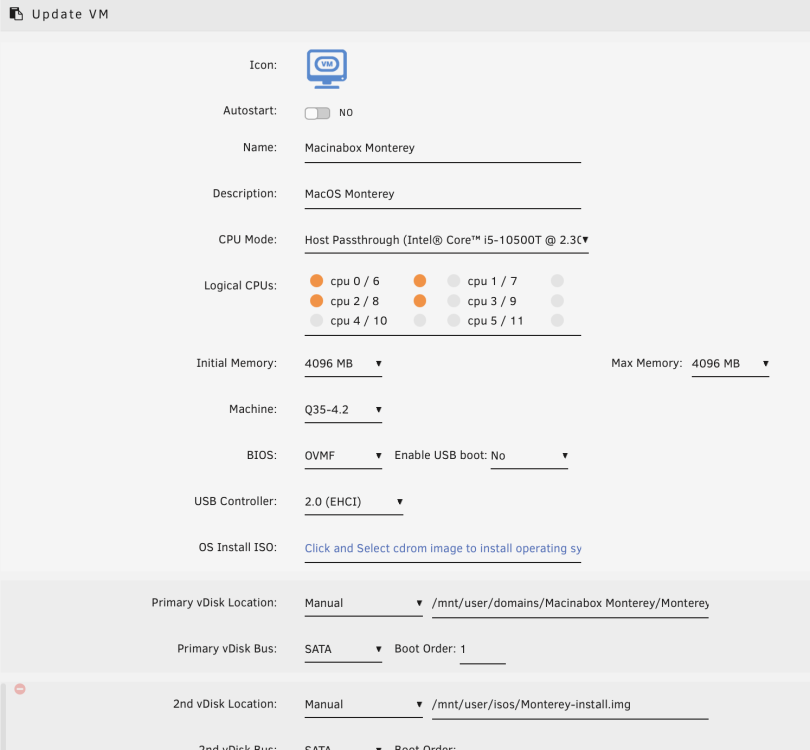
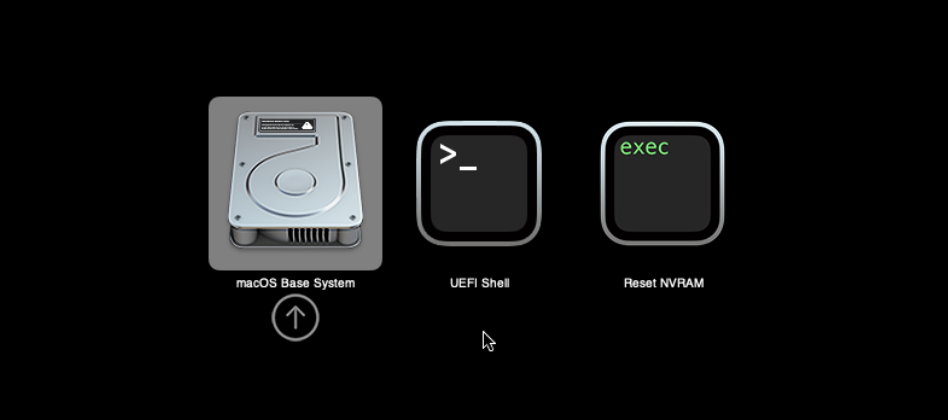
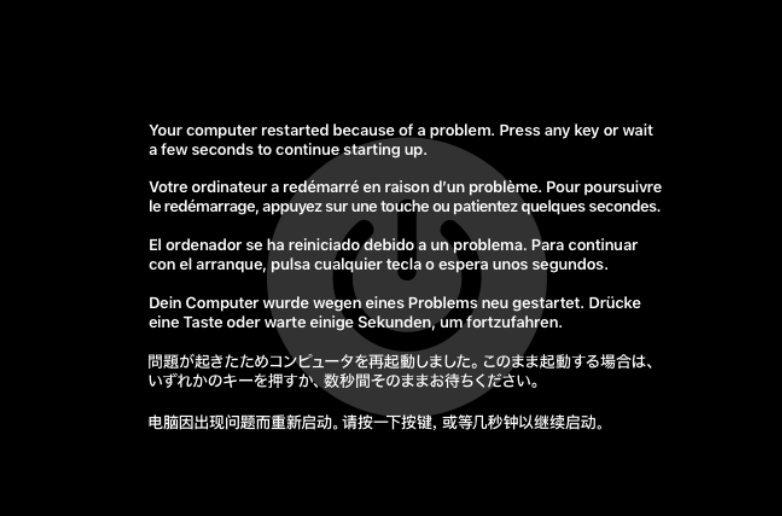
Hi guys, I looked the video from the first post and did the same steps. I didn't change anything except the logical CPUs. Unfortunately I always get a reboot. Do you have a hint for me where my fault is? Thank you.

-
@MarcelCliff and @wgstarks thank you for your hints.
-
Come on, where are the Mac Users!? 😁
-
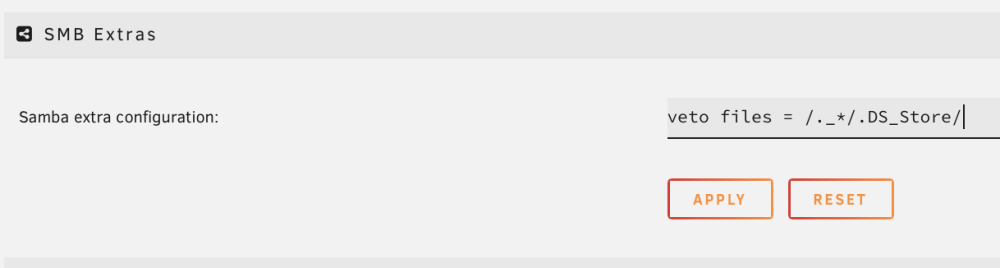
Hello, I want to prevent that MacOs (via SMB) is creating ._* files on Unraid (6.11.3) I looked the video from Spaceinvader (18:28) and added "veto files = / ._*/.DS_Store/" to my settings. Unfortunately these files are still created. Do I miss something? Thanks in advance. Thomas 😎
-
Hello, when I already have an docker.image can I switch to "directory" and my docker containers still work?