Sptz87
Members
-
Joined
-
Last visited
Everything posted by Sptz87
-
Did you find a solution? I'm kind of seeing the same situation as you.
-
More or less, did you read the post? It's still pretty slow right? This drive should be writing at around 3000-4000 MB/s...
-
After trimming: This is bizarre right? Pystone seems ok for this CPU but the disk speeds should be at least 2000MB/s each
-
No, actually. Gonna do that, but surely that shouldn't create this type of impact right?
-
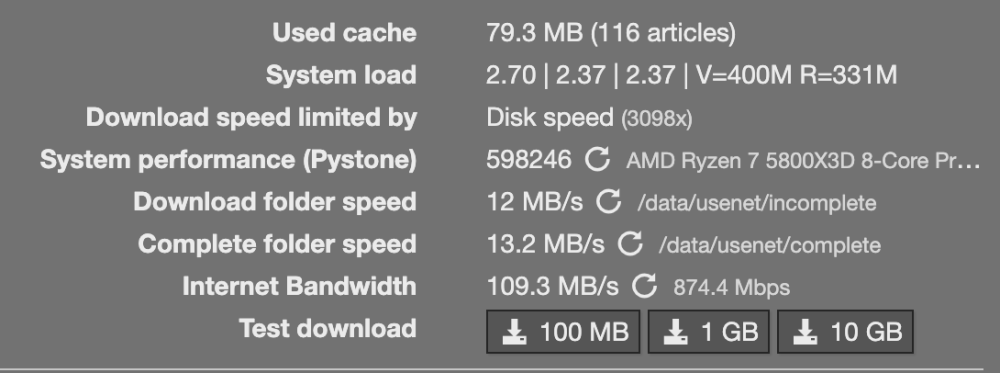
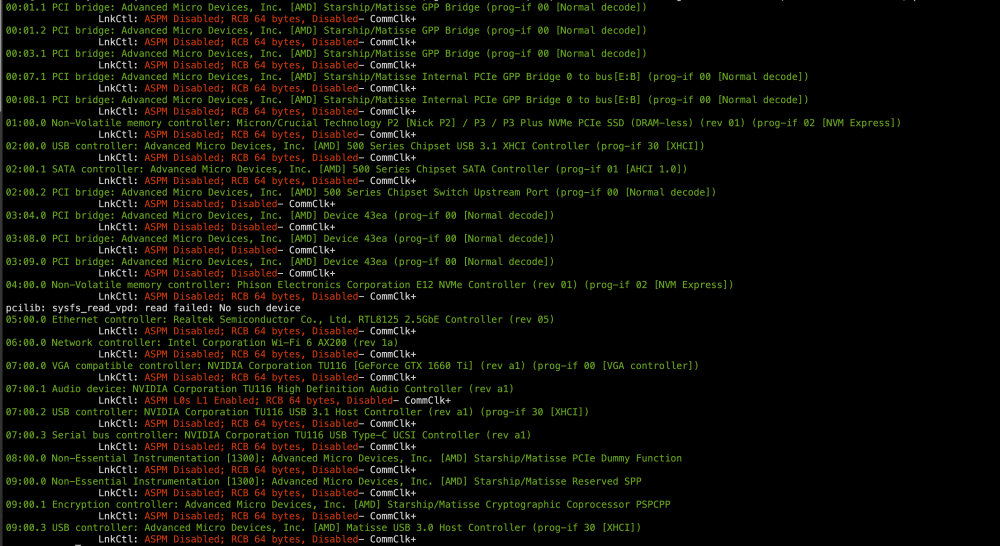
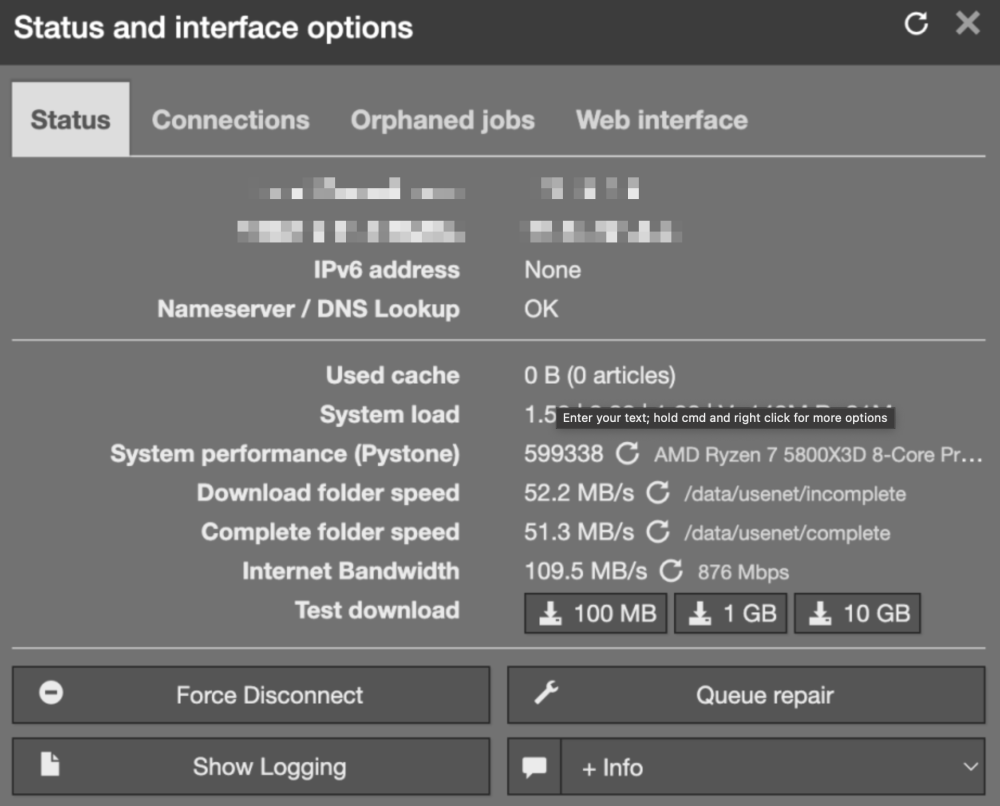
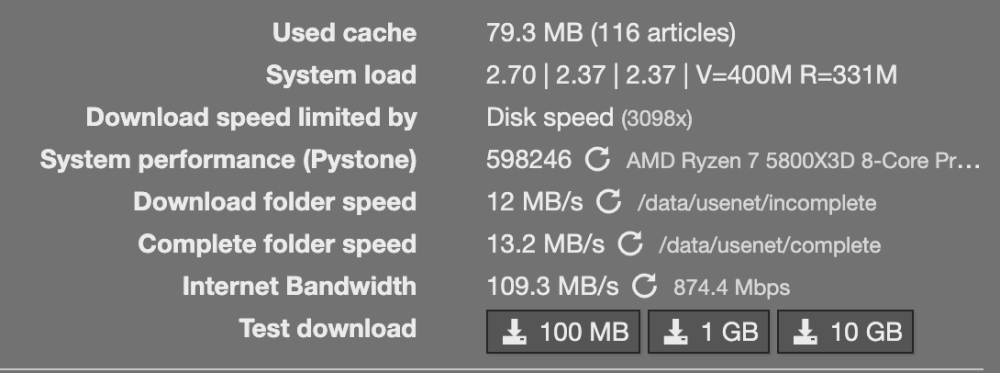
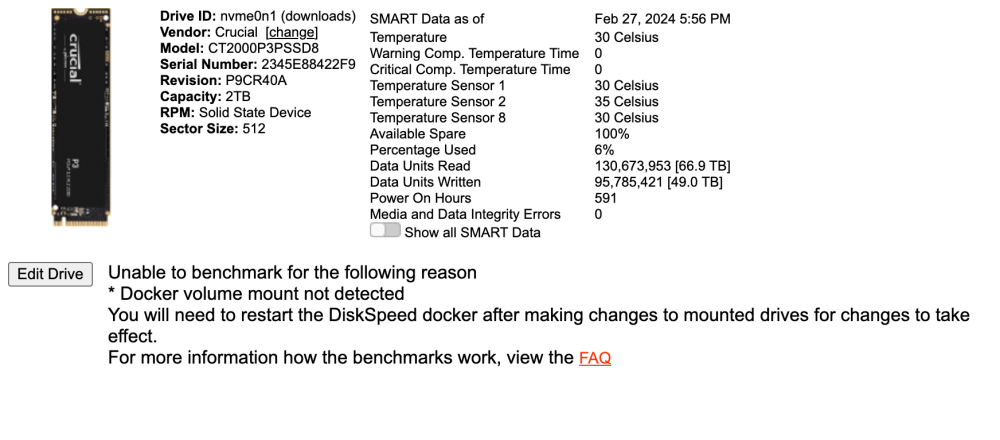
So, I mentioned this in another thread I made but was off-topic from the original question. Basically, I'm having appalling speeds with my dedicated nvme drive for downloads. I used to have both NVMEs as a BTRFS pool but decided to separate them, one for appdata another for downloads literally due to more space. Now I tried ASPM (L0+L1) on my motherboard to attempt to lower energy usage and found out that it was taking 30 minutes to unpack a download. Even SABNZBD's 10GB test took over a minute. Which for my setup isn't normal at all (5800x3d,32GB@3200,Gigabyte B550i). This is what the benchmark showed: And the devices with enabled ASPM: Device: 00:01.1 PCI bridge (AMD Starship/Matisse GPP Bridge) ASPM Level: L1 Enabled Device: 00:03.1 PCI bridge (AMD Starship/Matisse GPP Bridge) ASPM Level: L1 Enabled Device: 01:00.0 Non-Volatile memory controller (Micron/Crucial Technology NVMe PCIe SSD) -> Download NVME ASPM Level: L1 Enabled Device: 07:00.0 VGA compatible controller (NVIDIA GeForce GTX 1660 Ti) ASPM Level: L1 Enabled Device: 07:00.1 Audio device (NVIDIA High Definition Audio Controller) ASPM Level: L0s L1 Enabled Device: 07:00.2 USB controller (NVIDIA USB 3.1 Host Controller) ASPM Level: L1 Enabled Device: 07:00.3 Serial bus controller (NVIDIA USB Type-C UCSI Controller) ASPM Level: L1 Enabled So I decided to head into the bios and noticed that even shutting down took around 5 minutes. It used to take seconds. Went into the BIOS and turned off ASPM and now ASPM is reported as disabled except for Nvidia's Audio Controller apparently... regardless, ASPM is disabled for the drive: So I benchmarked again and got 800-900MB/s in folder speed. That's good news right? So I tried another 10GB test and unpacking took a little long, a few more seconds than I hoped, after that was done I decided to benchmark it again and got this: So... yeah back to square one. It seems to tank soon after boot looks like. And I can see there's no activity on the drive... I'm a bit at a loss here. No idea where to go from here?
-
Update: Fixed the hardlinks by changing ownership to "nobody" instead of "root". No idea how that works but it fixed it. But, still having atrocious speeds with the download pool (nvme 1.4 pcie4) is it possible this is related to ASPM? Because I have ASPM L0 and L1 (only options are Disabled, L0, L1 or L0 and L1) in BIOS and this is the only drive from the 2 NVMe's that has it enabled: lspci -vv | awk '/^[0-9a-f]{2}:[0-9a-f]{2}\.[0-9a-f]/{dev=$0} /ASPM.*abled/{print dev; print}' Cleaned up: Device: 00:01.1 PCI bridge (AMD Starship/Matisse GPP Bridge) ASPM Level: L1 Enabled Device: 00:03.1 PCI bridge (AMD Starship/Matisse GPP Bridge) ASPM Level: L1 Enabled Device: 01:00.0 Non-Volatile memory controller (Micron/Crucial Technology NVMe PCIe SSD) ASPM Level: L1 Enabled Device: 07:00.0 VGA compatible controller (NVIDIA GeForce GTX 1660 Ti) ASPM Level: L1 Enabled Device: 07:00.1 Audio device (NVIDIA High Definition Audio Controller) ASPM Level: L0s L1 Enabled Device: 07:00.2 USB controller (NVIDIA USB 3.1 Host Controller) ASPM Level: L1 Enabled Device: 07:00.3 Serial bus controller (NVIDIA USB Type-C UCSI Controller) ASPM Level: L1 Enabled
-
Similar question here. Have 2 NVMe's and no idea how to mount them properly? How to even name the path variable?
-
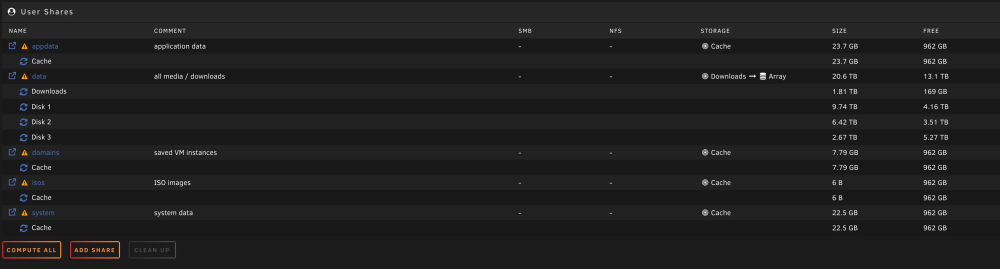
So I followed Trash Guides guide on setting up shares. All is setup correctly but it seems that somehow, radarr/sonarr importing from sabnzbd is taking absolute ages, meaning it's not hardlinking at all, even though the shares on all dockers and hierarchy is absolutely correct. I also confirmed that hardlinks is obviously set to Yes in Global Share Settings as that's unRAIDs default. Example how docker settings are setup, just like Trash Guides: bazarr sonarr plex I had this working before I nuked and rebuilt my unraid server from scratch. So I'm a bit confused on why this isn't working at the moment. Could it be because the usenet / torrents folders owner is root or something? I'm at a loss at the moment!
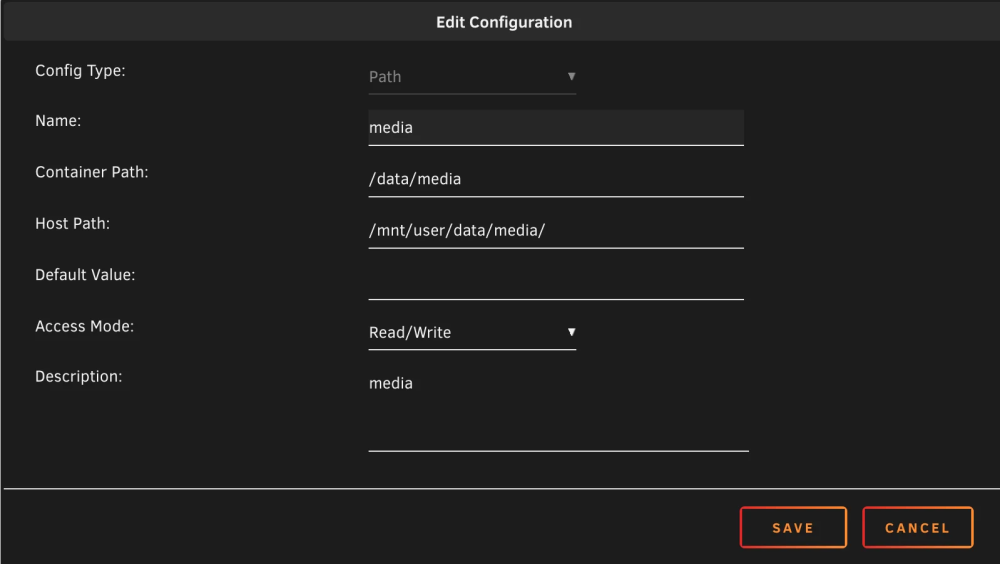
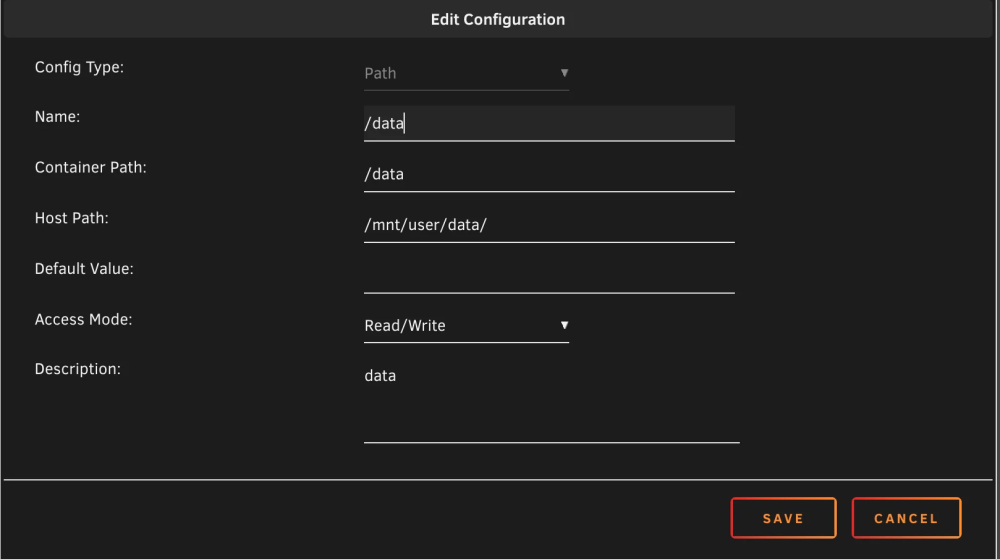
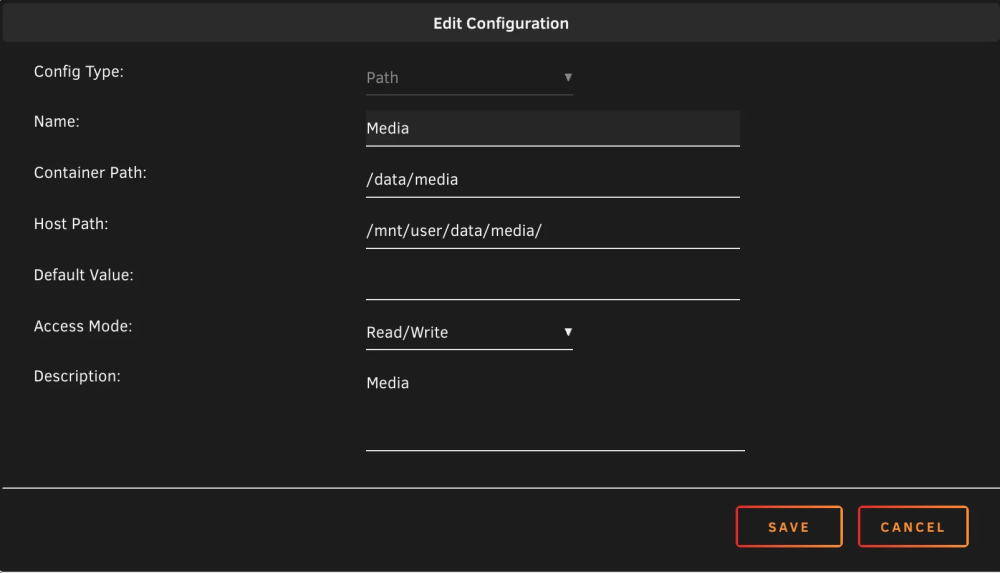

-
Awesome you got it working. Apart from what you did, do we have to actually install anything beforehand? Also, are you still running your build this way? How has it fared?
-
Thank you! Problem with controlling from the bios is literally because there's no "hdd" source to react to in there. Since the Node 804 is segregated, these fans are in the HDD section only. I noticed it doesn't survive reboots as well, which is a bit frustrating. Gonna check that link out. Thank you
-
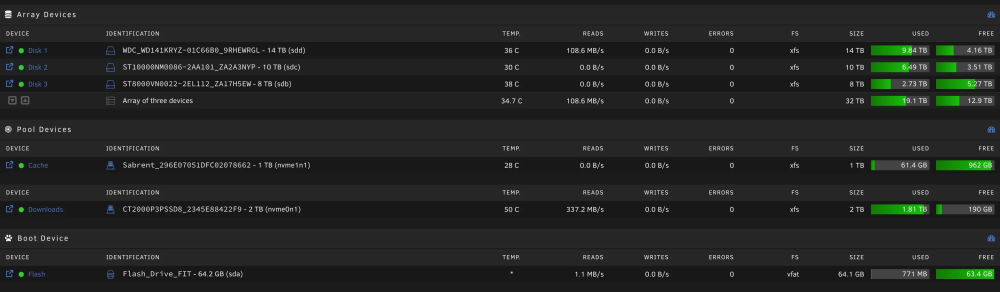
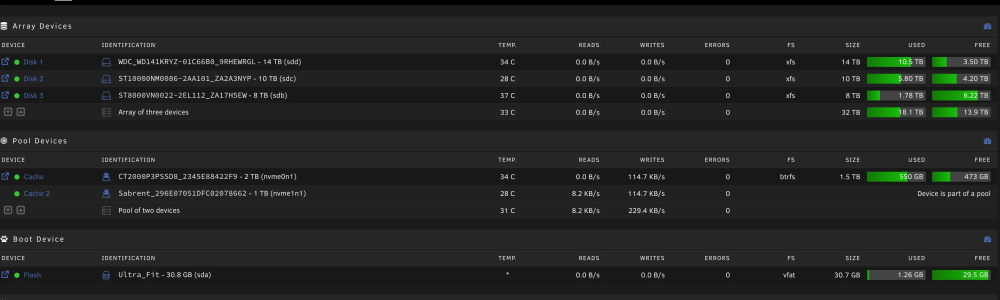
Hi all, So I've been trying out unRAID and have decided to purchase it. I'd like to start on a brand new usb drive (samsung fit) as the current one is years and years old (sandisk). At the same time I'd like to start absolutely fresh but keep all my data. So first of all, how do I purchase a license to a new drive? When I go to purchase it shows my current USB drive GUID. Secondly, below is my drives and shares How would I go about keeping the data intact? Is it just a case of mounting the drives in the correct order? As well as the cache pool? Would that just happen seamlessly if I mount them in the current order? Thank you!

-
I've noticed this keeps getting released without any further discussions here! I was only interested due to comments on amd pstate improvements. I know one can use it with the default kernel but if the only thing I'm looking for is to use amd pstate would the latest versions be worth a try?
-
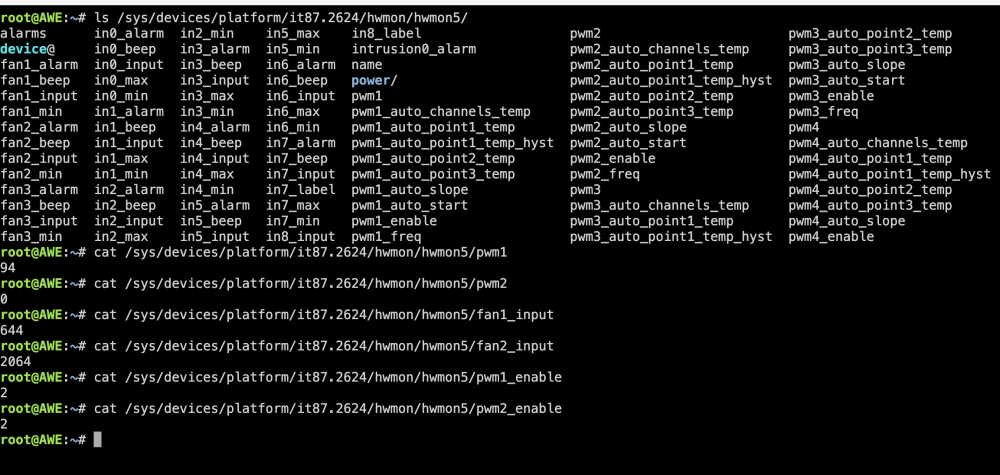
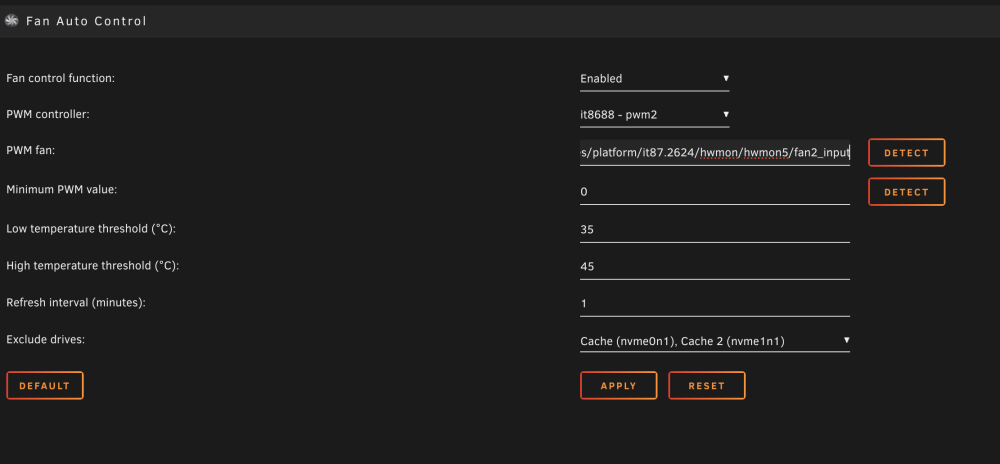
So because the nvidia driver updated I rebooted and attempting to re-check the fans. Right now the HDD fans are on full tilt (as I set in BIOS), so Fan Control isnt doing anything. These are Arctic P12 Slim so they can go to 0 PWM btw. I recorded a video showing how it's affecting the correct fans when I press detect minimum PWM but then it went back to full tilt. All whilst the % is next to the wrong one. CleanShot 2024-02-24 at 10.01.47.mp4 Any ideas? Bit lost P.S.: Also, does anyone know how the temps are calculated? Does it take the minimum / maximum per drive? Average of all drives? Isn't there also something else that can be driven by CPU temp for example?
-
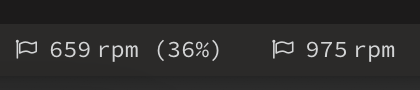
That was my first thought as well but the one on the right is the one being affected by the changes I make. I can literally see it if I change anything. Yet the % parenthesis is showing on the left. Which is the CPU fans. I know 100% be cause I didn't the hdd fans connected to the mobo header before.
-
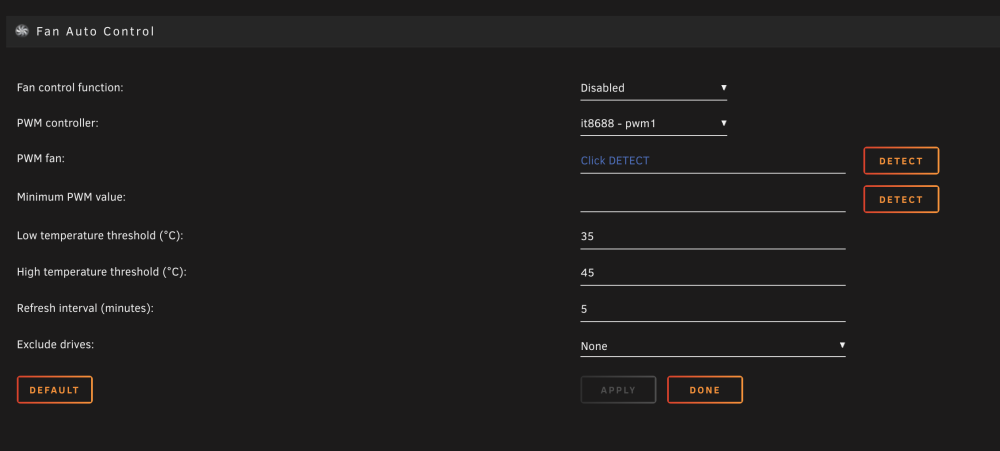
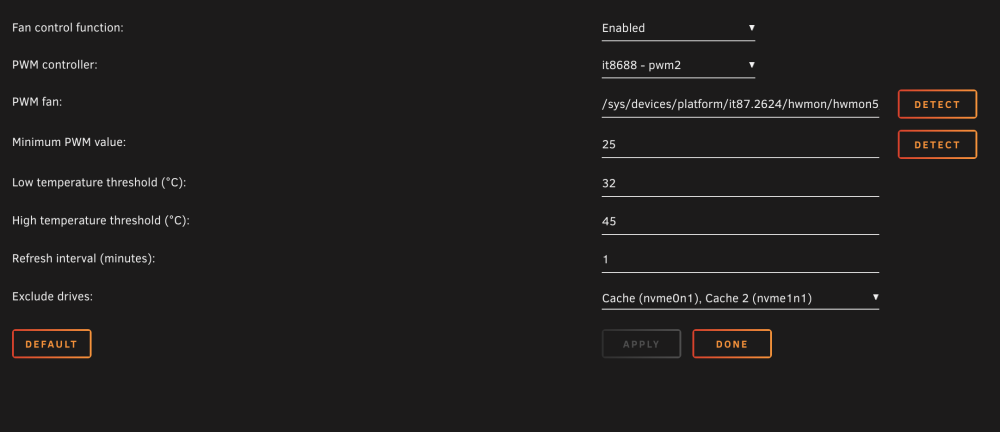
The main issue now is this: It's showing the percentage number next to the PWM1 instead of PWM2 yet it's PWM2 that's being affected. PWM1 (CPU Fans) are fully controlled by bios curve. This is how my settings look: Fan/PWM1 disabled: Fan2/PWM2 Enabled:
-
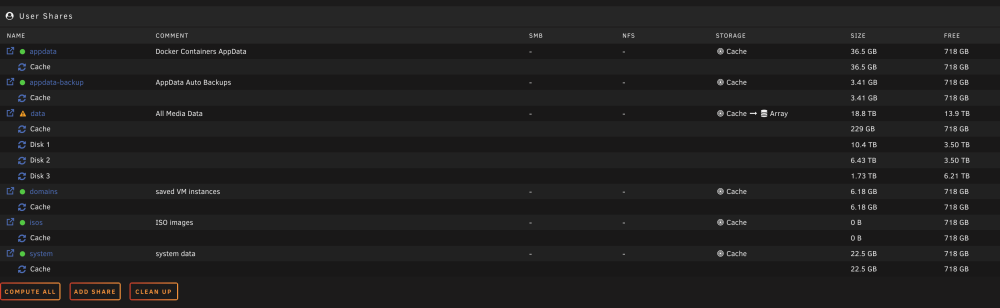
Because I checked and double checked in the terminal. Each disk only have data. nothing else Shares image as well:
-
I'm on a 5800x3d + B550i. My ram was running at XMP 3600C16 which I THINK might've been the culprit of a few unresponsive events I had where I had to force a shutdown. It was either that or Power Supply Idle Control. So I've changed the ram to 3200C16 as well as Power Supply Idle Control to Current. Which would mean effectively disable C6. So that's potentially problematic right? If I want the system to idle better. My 1660Ti is already idling at 8w on P8 which is nice. So is PCIE ASPM (have 2 options, L0 and L1 or just L1) be necessary for anything else? NVME drives maybe? Right now, with powersave governor + 3 HDDs spundown it's idling at 60w. Still very high in my opinion. Would want to push this even lower but don't know where to start. Not sure if it's worth getting powertop running before getting all the correct options in BIOS sorted?
-
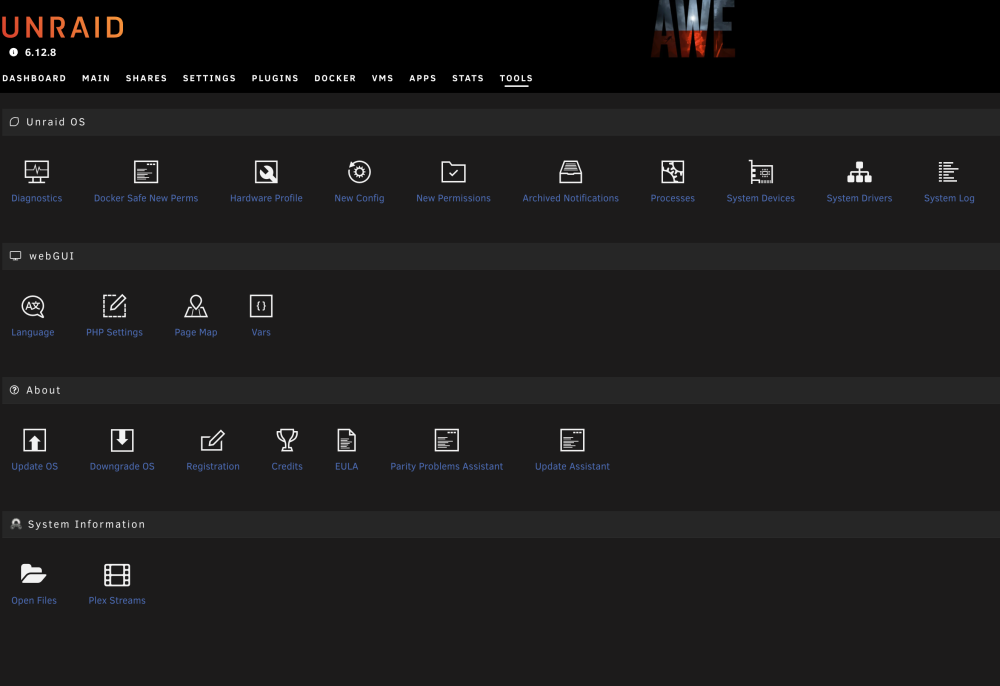
Reboot was because of another thing but it still doesn't show up. No Disk Utilities at all.
-
Not on my PC atm but it was fan2 pwm, so the correct one. But it fixed itself. Took 5 minutes for the sensor to reappear at the bottom and it's reacting accordingly. Bit weird it took a while but not gonna complain
-
I used to run this even tighter than XMP when it was the gaming rig, and tested thoroughly. Not sure why it'd be a problem now at default XMP. Regardless, I just lowered from 3600mhz to 3200mhz. And so far doing tons of unpacks in sabnzbd without a hitch!
-
Updated and can't find it in Tools even after a reboot
-
I have an issue with auto fan. It looks like upon boot it's not detecting anything. I've set the fans I want to control to 100% in the bios PWM. When I run a "Detect" it detects it correctly, I set my values. If I reboot it shows 0% yet its running at 100% If I go back to Auto Fan and try to change any value and save this happens and it also goes missing from System Temp plugin. Any idea what's up? This is using the IT87 driver on a gigabyte board

-
Same thing just happened whilst SABNZBD was unpacking. But now the entire thing is unresponsive, not even SSH.... Could it be a RAM issue? The server is turned on but nothing is accessible. Just "died".
-
Sorry, I thought it was self explanatory in the 2nd image. Only data is in the array (I already removed time machine backup). Everything else is all on cache
-
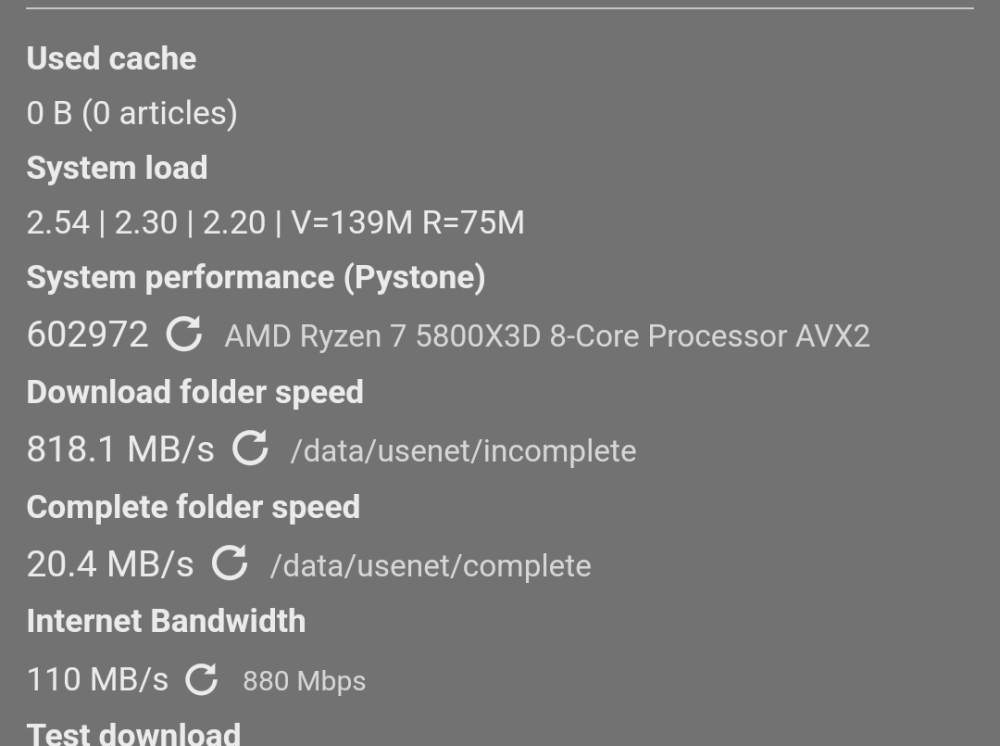
Even with the above Plex Scheduled Tasks settings at exactly 5AM all disks spun up.... These options shouldn't spin up disks right??