Vr2Io
Members
-
Joined
Everything posted by Vr2Io
-
You mean parity check speed ? It doesn't matter how disk are connect in LSI HBA ports. This was happen in long time ago. Error 21 [0] occurred at disk power-on lifetime: 224 hours (9 days + 8 hours) When the command that caused the error occurred, the device was active or idle. 9 Power_On_Hours -O--C- 097 097 000 - 24564 Anyway no cause found.
-
Have good stating for new hardware !!
-
Oops, but fix.
-
As Hoopster reply, you need config the IP_subnet and gateway in corresponding VLAN interface when you start docker service, then you will able to assign to docker.
-
Seems 4600G less 8 PCIe lane then 2600 ( may be wrong ), so pls try 1st PCIe slot.
-
Input some number in eth0 default gateway metric, i.e. 1
-
Then also suggest try HBA at different PCIe slot.
-
Keep monitoring 👍
-
CS380 backplane have two SATA port for each disk, pls ensure connect to correct one. ** Pls confirm this success with onboard SATA first ** How about direct connect disk to LSI ? If no disk show up then it may be cable type wrong, you should forward cable instead reverse cable.
-
It doesn't make sense system with high temp but not on CPU, you should verify it. When system power off with enough long period, what is first reading of different temperature after power on ?
-
BPN-SAS-846EL1 support SATA up to 3Gbps, If device was 6Gbps then negotiation at 1.5 / 3Gbps is normal. ( not must highest speed )
-
I expect all consume similar power usage in idle / light load, different only happen in high load. If you separate in two system, then observe problem was network bandwidth, when you perform file transfer and movie showing in same time, then it may have congestion. And If both system are 7x24, then what benefit got ? Just NAS 7x24 without plex, then NAS no storage ?
-
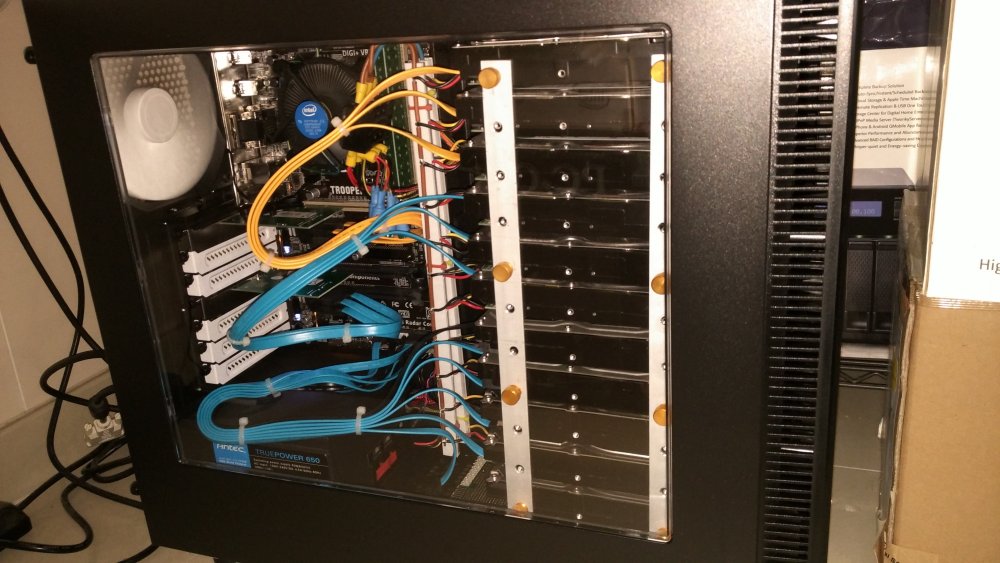
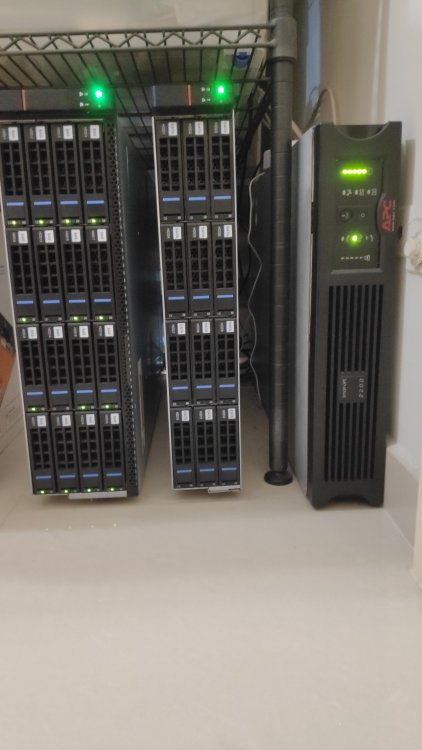
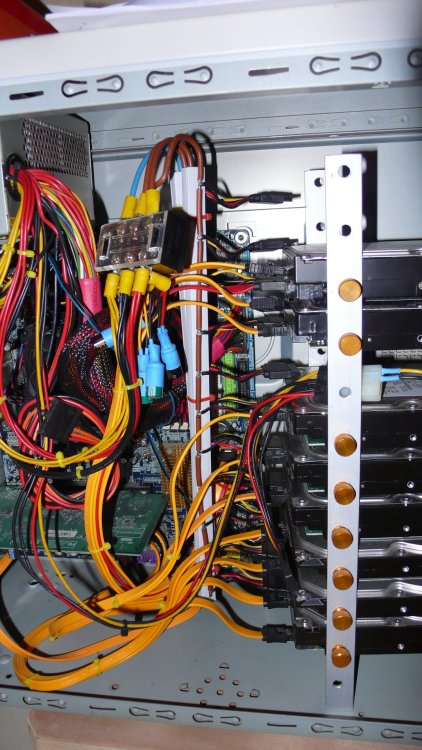
In my standard, it cool well, even they close each other. Below are some photo which take on many years ago, actually they mount in same way, just later I change to use acrylic ( no photo ) for better outlook and little convenience if you need reassembly for disk change. 1st version, a smaller tower and disks need turn to some angle due to lack of space, then 2nd version was Define_S with larger space volume, still massive cabling. ( front side not fully screw, back side fully screw ) Separate in two case, 3U ( with mobo ) + 2U ( no mobo as external enclosure ), case name Gooxi which made from China. ( !!! Rack case often bad cooling !!! )
-
I use Fractal Design define S at that time, there have water cooling area and I put 12 disks there and cooling by three org. 12cm case fan, at the bottom I place a piece of rubber for vibration damping, plus the back have 3 disks, so 15 disks total. This solution have high C/P and I got those acrylic quite cheap. But due to need more disk, I go to rack mount case now, really hard to cooling at all. ( But less cable and plugable )
-
No problem of vibration, my first build in this way, for temperature it also fair, many build actually much worse then that. Sure not enough due to they want put as much as disk in same dimension.
-
Sure not a good choose, TerraMaster mobo was proprietary, you can't found replacement for maintenance and its CPU quite weak. Yes, purchase separate. Your old rig. really out of day, so you need a new system. To make things simple, first should decide mobo form factor, if ITX then you can use all different case, with MATX / ATX / EATX then it further limit the case for choose. The drawback of SFF mobo was limited expansion, but you need decide this. If I were you, I will do the upgrade step by step wil phase A, B, C etc. For example, use back RPC-2212 without disk backplane, after confirm all work well, then change the case if you really need.
-
Pls note on error message Nov 26 19:26:42 odyssey kernel: protection error, dev sdf, sector 0 op 0x0:(READ) flags 0x0 phys_seg 1 prio class 0 And check the SMART, those SAS disk seems format in 4Kn, pls found post for reformat SAS disk to 512e ( I haven't any SAS disk ) === START OF INFORMATION SECTION === Vendor: IBM-ESXS Product: ST14000NM0288 E Revision: ECH8 Compliance: SPC-5 User Capacity: 13,902,809,137,152 bytes [13.9 TB] Logical block size: 4096 bytes Formatted with type 2 protection 8 bytes of protection information per logical block
-
-
Yes, if org. disk confirm mountable.
-
Those relate IPv6, if you doesn't use IPv6 just set IPv4 only. https://blog.apnic.net/2019/10/18/how-to-ipv6-neighbor-discovery/
-
This normal and not found difference if delete it and add same route with different metric.
-
不會是這樣, 由 emulate 嗰一刻, 有就有, 冇就冇 對, 只要一日重建未完成, 讀數據永遠都是由運算生成出來, 直至重建完成, 寫數據就是即時更新 parity 同 重建中的硬盤.
-
Sometimes it can very bad, I will avoid any SMR. Unraid array performance won't that bad level in general.
-
Any SMR disks in array ?
-
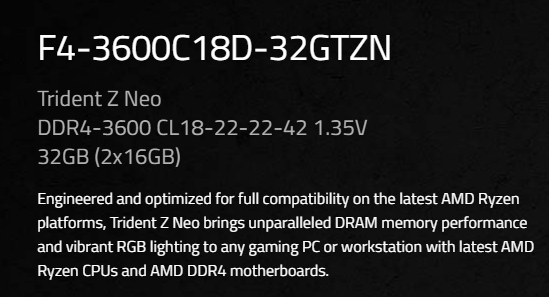
You RAM run in 1.2v @3600MT, if according mfg spec., it is 1.35v, pls tuning your BIOS setting and execute memory test. There are something wrong with "Maximum Voltage: 1.2 V" in SPD detection, you may need lower both speed.