





Vr2Io
Members
-
Joined
Everything posted by Vr2Io
-
1. Double check the CPU fan correctly plug in mobo CPU fan socket. 2. In console, type "sensors", and post.
-
Home assistant have integration for Tasmota and NUT ( should be support APCUPSD too ), so both data will show on Unraid and HA.
-
As eliminate Wimdows issue, pls as previous suggestion to buy / change the cable.
-
This should be know issue.
-
I would doubt change from 8400 to 13500 / 5600 will have big difference. In general, they are 6 core platform. Also same for DDR4 to DDR5.
-
They only accept Seatools, I will take RMA and state Seatools fail ( even actually not ) and waiting for replacement. I believe they won't perform extend test.
-
I won't waste time and electricity to do that, best got RMA.
-
In Web term try press F5 to refresh.
-
No, I never test in this way and I confirm no packet will transmit in/out. ( and 44.3G result only ) Pls try run Unraid in Windows machine, this should ensure no other issue to slow down i.e. firewall / virus application. Connecting to host 192.168.9.6, port 5201 [ 5] local 192.168.9.6 port 60408 connected to 192.168.9.6 port 5201 [ ID] Interval Transfer Bitrate Retr Cwnd [ 5] 0.00-1.00 sec 5.13 GBytes 44.1 Gbits/sec 0 1023 KBytes [ 5] 1.00-2.00 sec 5.16 GBytes 44.3 Gbits/sec 0 895 KBytes [ 5] 2.00-3.00 sec 5.17 GBytes 44.4 Gbits/sec 0 1023 KBytes [ 5] 3.00-4.00 sec 5.16 GBytes 44.3 Gbits/sec 0 1023 KBytes [ 5] 4.00-5.00 sec 5.16 GBytes 44.3 Gbits/sec 0 1023 KBytes [ 5] 5.00-6.00 sec 5.15 GBytes 44.2 Gbits/sec 0 895 KBytes [ 5] 6.00-7.00 sec 5.15 GBytes 44.2 Gbits/sec 0 895 KBytes [ 5] 7.00-8.00 sec 5.16 GBytes 44.3 Gbits/sec 0 895 KBytes [ 5] 8.00-9.00 sec 5.16 GBytes 44.3 Gbits/sec 0 895 KBytes [ 5] 9.00-10.00 sec 5.16 GBytes 44.3 Gbits/sec 0 1023 KBytes - - - - - - - - - - - - - - - - - - - - - - - - - [ ID] Interval Transfer Bitrate Retr [ 5] 0.00-10.00 sec 51.6 GBytes 44.3 Gbits/sec 0 sender [ 5] 0.00-10.00 sec 51.6 GBytes 44.3 Gbits/sec receiver
-
Great. Could you try make both end in Unraid and test again to see any different, trial / non-register Unraid also could make iperf3 test. DAC use much less power, but due to its copper cable, so not good to against noise. ( I use 1m to 6m fiber, I like could use different length for different need )
-
I suspect 3m DAC would be problem cause but I can't confirm, I don't like DAC at all and mainly use X520 ( also ConnectX-3 ) without problem. Pls also note, screen capture indicate have retry error too. "Retr column"
-
You should enable offload and I would recommend use fiber instead 3m DAC.
-
This normal if use ipvlan mode, all docker will use same mac address.
-
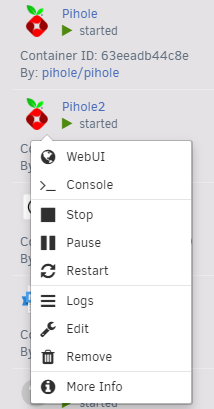
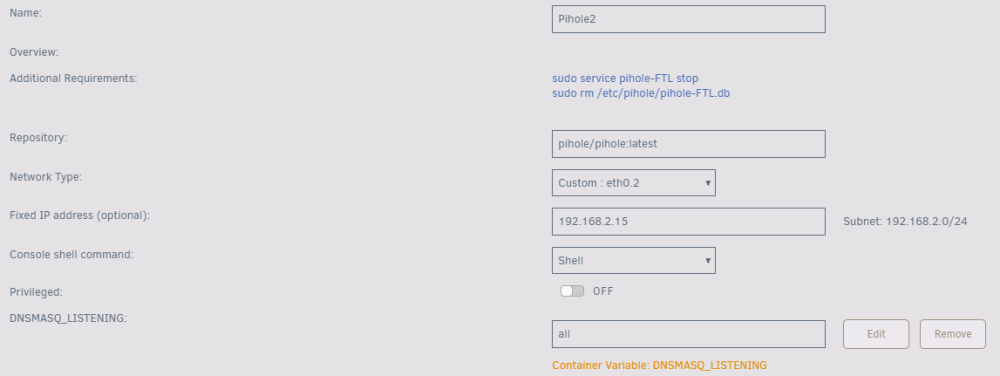
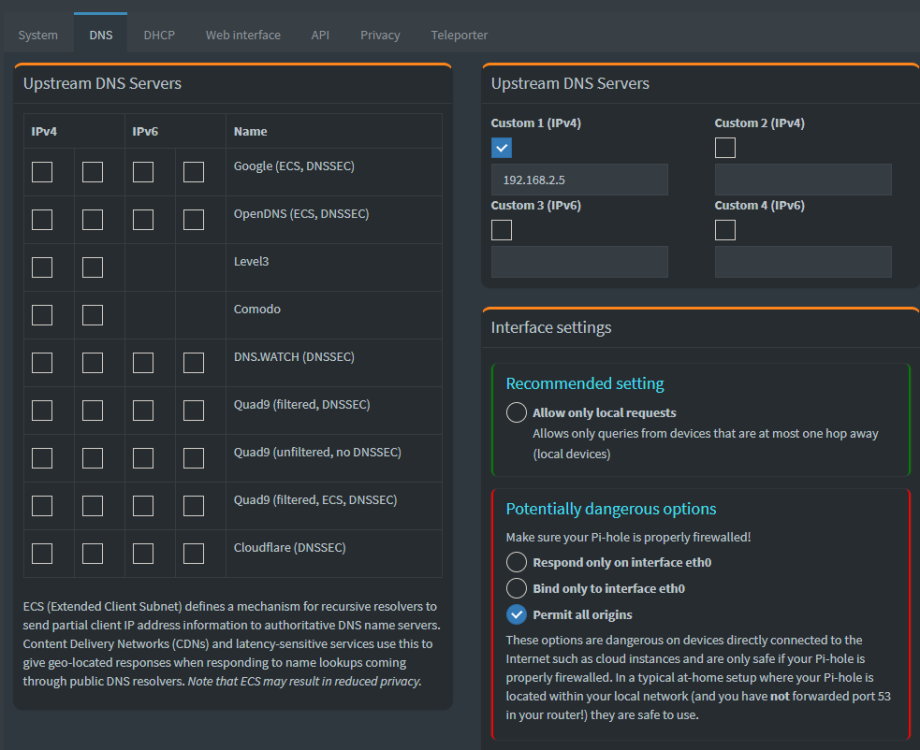
No, both were different IP. You should check the logs and confirm 2nd Pihole have start and you must use separate path mapping for 2nd Pihole. I simple try as below and config 2nd Pihole use custom DNS ( 1st Pihole IP and not set any path mapping because just for testing ), that's all.
-
This cool 👍
-
Those are call trace and problem relate macvlan, you may try in docker setting page change from macvlan to ipvlan.
-
輸入 dmidecode -t 16 就可看到 BIOS max memory info., 但因 memory 實際大於此, 所以會有 * 号. 我的 J1900 BIOS max info. 是 8G, 因為有 16G 所以就有 * 号. dmidecode -t 16 # dmidecode 3.4 Getting SMBIOS data from sysfs. SMBIOS 2.8 present. Handle 0x0028, DMI type 16, 23 bytes Physical Memory Array Location: System Board Or Motherboard Use: System Memory Error Correction Type: None Maximum Capacity: 8 GB Error Information Handle: Not Provided Number Of Devices: 2
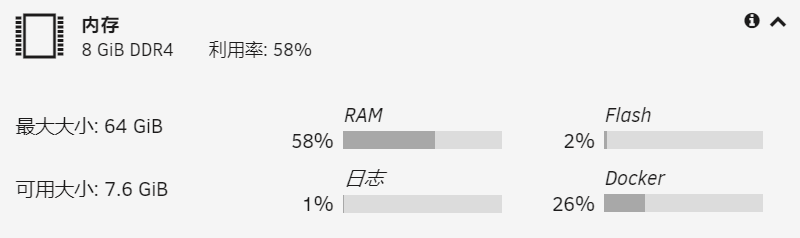
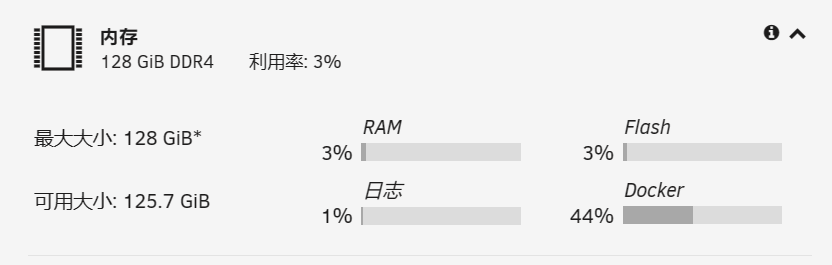
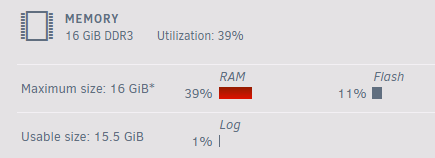 My bad, just because URL have text n5095. New Intel CPU N100, N200 come out... and its product also release, they save more power but only single channel / slot memory and slightly less performance. You may also check MOREFINE M9, have two M2 by SATA (2242) and PCIe (2280).
 The drawback was the M2, SATA only no PCIe and N5095 may be too weak for your application. I also searchig a mini-pc to replace some build, but not yet found the right one.Only e1000-e have such problem.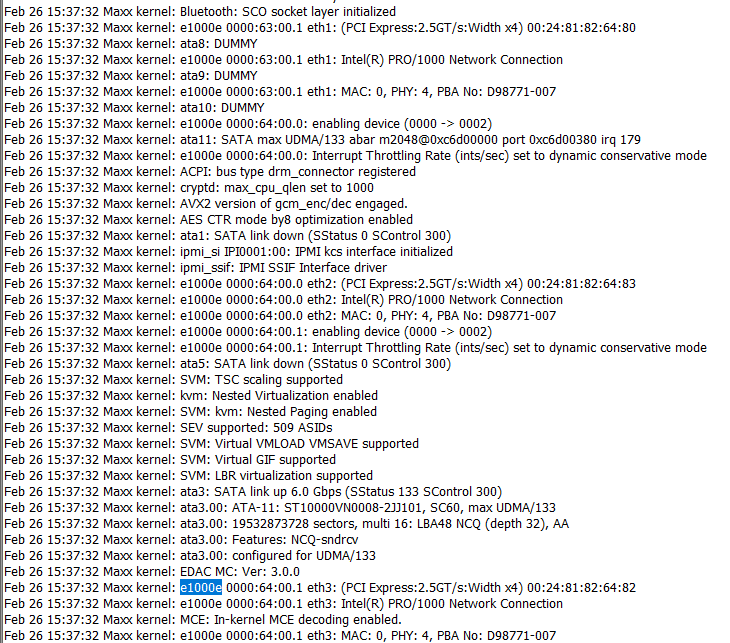
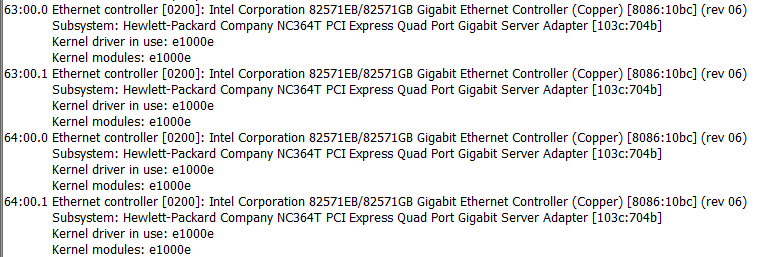 Problem should due to native Windows network interfaces was untag, but you need make it working with tag 40.This symptoms doesn't common, similar as a disk if disconnect and reconnect periodic, disk letter will change from sdc sdd sde etc. You need solve this, i.e. change PCIe slot or mobo. This won't a solution.Yes, don't add non empty disk under Megaraid. No simple way. It not cheap and not a true SAS enclosure, as it running SATA protocol when SATA disk insert then cable can't too long, otherwise will got transmission error. And you can't daisy chain as normal SAS enclosure, so advice should return it.HBA HOST BUS ADAPTER, for LSI name IT mode. Pls note if you swap disk from Megaraid to HBA, it won't mountable, so you need consider change use HBA or not and then build / transfer data.





