





Vr2Io
Members
-
Joined
Everything posted by Vr2Io
-
Should be add each disk in individual RAID, not 100% confirm because never attach disk under Magaraid. Use HBA could solve this problem.
-
17:00.0 RAID bus controller [0104]: Broadcom / LSI MegaRAID SAS 2208 [Thunderbolt] [1000:005b] (rev 03) Subsystem: Broadcom / LSI MegaRAID SAS 9286CV-8e [1000:9291] Kernel driver in use: megaraid_sas Kernel modules: megaraid_sas /sys/kernel/iommu_groups/42/devices/0000:17:00.0 Or passthrough the SAS controller ( group 42 ) to Windows VM then config it.
-
Best and simple.
-
Then it should because you need in BIOS / Windows environment to add SATA disk be RAID members, so that it can recognize. BTW, you won't see RAW disk SMART under RAID controller.
-
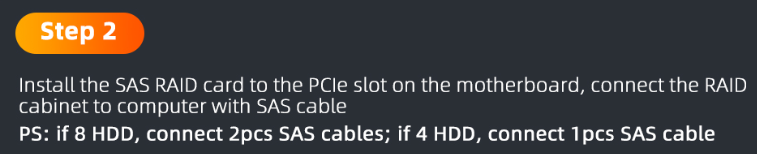
For my understanding, this not a true SAS enclosure, it just a cable extension to external box, so that's why connect 8 disks then need 2 SAS cables. All just use SAS socket / cable but nothing relate SAS. ( I may be wrong ) The RAID function just provide by the RAID controller, nothing relate to enclosure. BTW, you should see the disks, what disk type in enclosure SATA / SAS ?
-
Pls provide the SAS enclosure detail / model.
-
Still same as 1st one.
-
Try <Ctrl><R>
-
This one. Depends on mobo, even Asus X299 AII, the extra lane was support for extra M2 not for PCIe slot.
-
Your SAS controller was RAID type, there are no any SAS device have detect in Unraid. Pls confirm any SAS device found in MegaRAID BIOS first.
-
Docker utiliize not means memory usage, it ref. to docker image file usage for my understanding.
-
Won't be cache / RAM.
-
This indicate something relate router with Unraid, as you have switch, pls make a test to verify, try disconnect the router during large file transfer ( set DHCP lease time longer enough, so no renew during test)
-
Pls note B is Byte and b is bit.
-
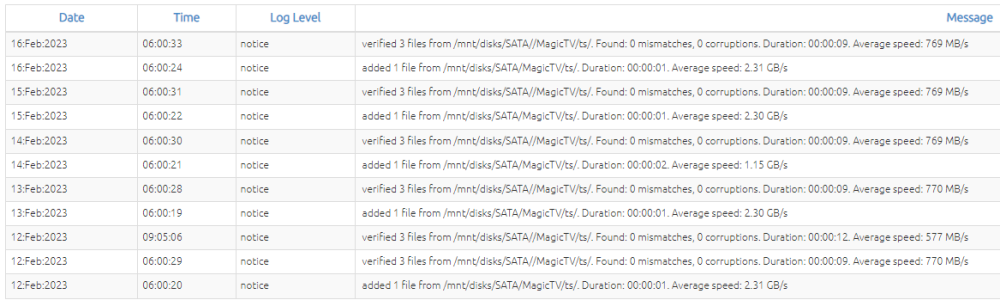
Plugin just call bunker to perform different task, pls check does file permission issue, try use tools - NEW PERMISSIONS to fix that and re-run bunker. Daily add & verify file ( bunker CLI ) without issue. This normal.
-
I miss that your last Ookla speed test got abnormal resut, so it shouldn't storage related.
-
Would it be storage slow issue for writing ?
-
So, it likely not docker / docker network issue. You said other device no problem, speed test over 100Mbps ? Does router have QoS apply ?
-
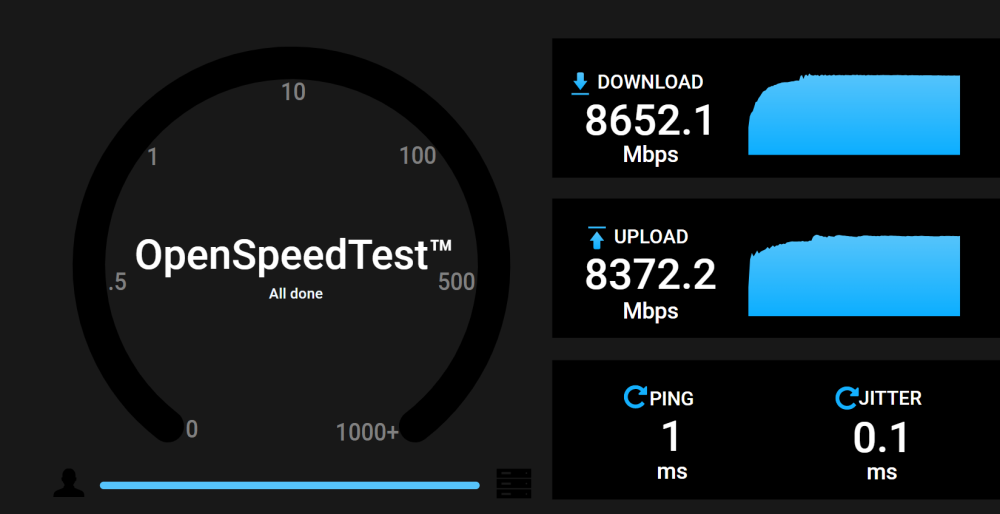
Never got docker network low performance, could you try docker openspeedtest for local test, easy reach 8G actual network traffic. openspeedtest/latest
-
It likely Router / ISP issue, check router WAN linkspeed too. Speedtest by Ookla Server: XXXXXX ISP: XXXXXX Idle Latency: 2.30 ms (jitter: 0.20ms, low: 1.98ms, high: 2.56ms) Download: 395.71 Mbps (data used: 178.6 MB) 9.17 ms (jitter: 1.07ms, low: 2.90ms, high: 12.81ms) Upload: 782.11 Mbps (data used: 372.9 MB) 8.27 ms (jitter: 0.84ms, low: 2.74ms, high: 11.07ms) Packet Loss: Not available.
-
No, I don't need high performance in vitual to vitual, no application need that. I only need real media transfer 1GB/s would be fine, actual media just around this level.
-
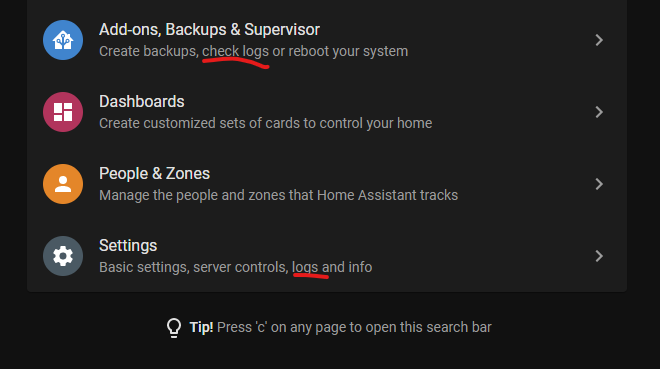
This is direct IP accessing. Pls check does any abnormal found on supervisor log and general log after fail access from LAN PC.
-
No. Try different browser. Do you access at LAN PC ? http://homeassistant.local:8123 or http://192.168.0.125:8123 Post Unraid network setting page screen capture and diagnostic.
-
Log full with "nchan" error. Due to those error / crash, disk error may not relate to disk controller problem. Any VM / Docker running in system ? Pls try memory test to ensure system in health first and post full diagnostic, also try stop all unnecessary docker / VM / applications to rule-out the problem.
-
Set it by command line or use "Tips And Tweaks" plugin setting those two parameter, of course, you must have enough memory to cache whole file.




