






SimonF
Community Developer
-
Joined
-
Last visited
Everything posted by SimonF
-
tainted normally meant that you have used qemu commands in the xml or you have run a command into the guest from the host.
-
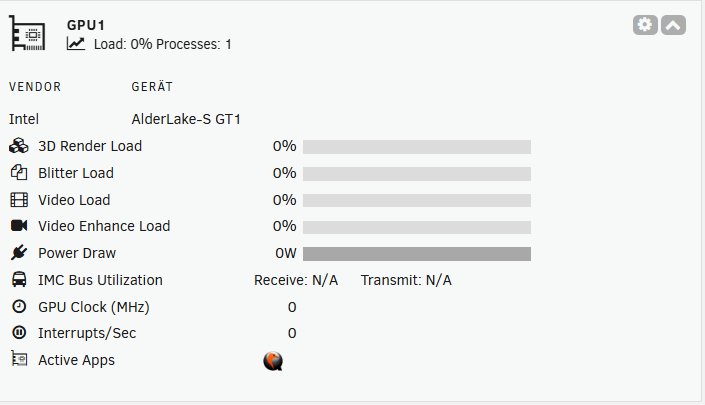
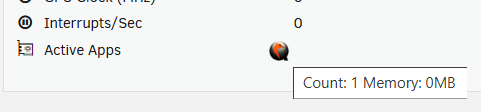
I can make it show number of processes like the Nvidia version. Hover will show number of occurences for a specific app. Intel does not show memory at present.
-
Try setting refresh to 4000 and intel top timers to 1.5 3.0
-
What does intel_gpu_top show?
-
Sorry I mean overlay they appear in the VM directory to hold changes from the base file. Looks like there are no files you can delete using the gui or remove the snapshots.db file. Not sure why it has not removed the entry. I will look to see if I can replicate and fix if I find an issue,
-
Do the override files still exist in the VM Directory?
-
Not been able to reproduce, Do you have any process that is using qemu monitor to query data? i.e. virsh qemu-monitor-command I have been trying to replicate on my 6.12.15 test server and dont see any logs.
-
run btrfs subvolume show pathname and from there you should be able to run btrfs subvolume delete /mnt/data/@some_dir-snapshot-test
-
Have you enabled multichannel in the SMB settings?
-
You will need to enable igpu in the bios when you connect a dgpu most bios will use that and set the igpu to disabled.
-
Post diagnostics
-
Fan should be easy, Temps may be more of an issue or now to work out type. Can you provide some examples of types of labels?
-
As you are using the service you need to change in the reg as per the link I posted. Since command-line arguments can't be assigned to Windows service permanently, virtiofs can parse them from the registry. When command-line arguments are absent the service looks up for the following parameters under HKLM\Software\virtiofs: DebugFlags (DWORD) DebugLogFile (String) MountPoint (String) CaseInsensitive (DWORD) Owner (String) FileSystemName (String)
-
Package has been updated. But may need a reboot to replace.
-
change to HDD icon in latest release.

-
Have a look at this https://github.com/virtio-win/kvm-guest-drivers-windows/wiki/Virtiofs:-Shared-file-system You need to change the mount point
-
I have a 12600k and has been working before Unraid 6.12
-
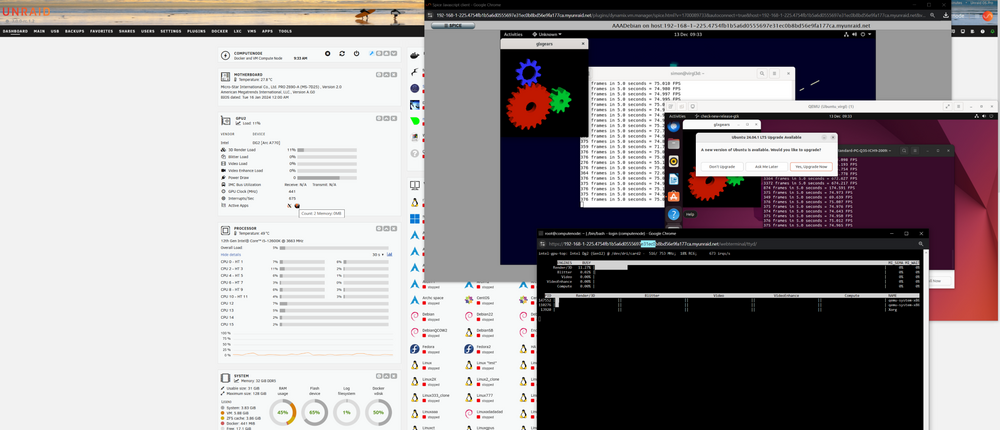
Should work in a VM, just not at the host level.I will release an update with a new package over the weekend as no longer get the directory but just want to tidy up a message that apears on the console. Hugetlbfs is for hugepages used by VMs etc.Are you referring to the package folders or something else?Just the hub. The way it works is it will read all the devices under the hub and connect to the VM at start if enabled.Hub processing is not supported on roothubs. It was put in place to support an external hub, i.e. in the monitor. I normally use device mappings as that will connect a device on any port. I then use a few ports for connecting devices to for ad-hoc requirements. Not sure what your use case for mapping that many ports.From what I can see gpu top is showing 8% for video also DG cards do not show power usage and other stats. RC6 is used for power. XE driver and later kernels will be required for DG improved reporting. This is how my A770 shows. This is showing testing for virgl for a future release.
 Have you added the /dev/dri path to the dockers?



