plantsandbinary
Members
-
Joined
Everything posted by plantsandbinary
-
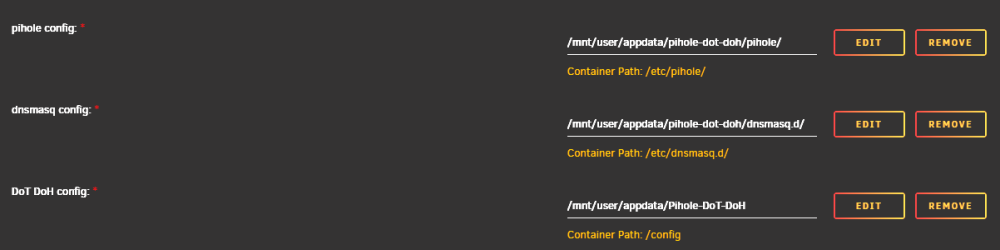
So I have to say, this container is set up in an extremely ....... bad way... When I installed this, I noticed later I have 2 folders in my /appdata... Pihole-Dot-Doh and pihole-dot-doh I removed the latter, second one. As I expected it was a left-over folder from another docker container that didn't work/was from an older docker image or repository. It's name didn't match case-sensitive the name of this docker container either. Welp. I just lost all of my settings. Now obviously I should have double checked, but ugh... due to the default spelling this container is making TWO directories with the SAME names in my /appdata directory... those above 2 I just listed. Now I bet 99% of people will not notice when creating or editing the container and checking the mapped directories... Gonna be great fun to completely remake my entire config... and add all those whitelisted domains again.. FFS! I highly recommend you change this. I have 41 containers on my system and none of them have ever made 2 directories in /appdata ever.
-
Is there anything I have to do with my router to ensure that qBittorrent-VPN is port forwarding properly that I am able to seed correctly?
-
I don't have this container, but I do have the Cloudfare-DNS container which updates the A Record automatically. I've since not got this error after removing the following containers: Nextcloud Cloudreve MariaDB
-
Agreed.
-
I figured it out. I had DHCP on my phone. It was set to use 192.168.1.1 as DNS 1 which is my router (blank for DNS 2). I changed from DHCP to static and 192.168.1.51 for DNS 1 which is my PiHole. I also enabled DNSSEC on my PiHole because it was enabled on my router. PiHole > Tools > Network was showing that not a single query had been made from my phone to the PiHole. As soon as I changed these settings it worked fine. Now it shows green for my phone in the PiHole that it is using the PiHole.
-
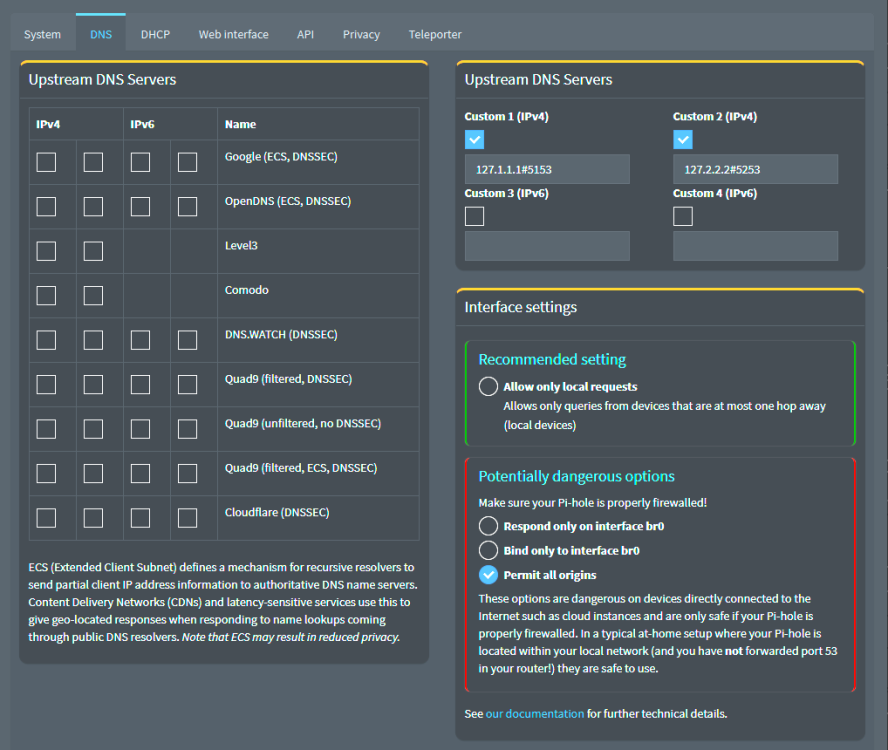
All apps on my Android phone are not receiving connections after installing the PiHole. The strange thing is that the PiHole log isn't showing any blocked connections at all. Apps like Supercell's Boom Beach aren't connecting to servers, and neither is another package tracking app Aftership. Both apps just report no connection at all. Taking them off my Wifi network which I am using the Pihole on, they work immediately. I think this is something to do with DoT/DoH. Does anyone have any ideas? I haven't changed any PiHole settings at all. Just installed it, set it as my default DNS etc. on my router. Nothing more.
-
I'm still offering a cash bounty for this. The problem does not occur if I don't proxy a url through Cloudfare but then I am exposing my IP address.
-
This is why: It's an issue with Unraid still present in the latest version which the team hasn't commented or acknowledged it seems.
-
Yeah it's still happening on the latest version 6.11.5. I think some of us really need to push this issue and ask Unraid to drop nchan which is what is causing this error. It's been happening now for at least 3 years... I'm quite certain this is what caused some serious instability for me in previous versions of Unraid where my log would fill up and crash my entire server like many other people were reporting. I just had no idea why or where this problem was. As it's an issue specifically with Unraid and not with some Docker container, I really think it needs more eyes on it.
-
Same here, just noticed. It's polluting my logs really badly. Please someone? EDIT: Seems this is why: It's an issue with Unraid still present in the latest version which the team hasn't commented or acknowledged it seems.
-
That's what I did. Put ghcr.io/alexjustesen/speedtest-tracker:latest in the repository box when making a container. You can just swap the current speedtest-tracker one with this one. Then check instructions here: https://docs.speedtest-tracker.dev/settings/authentication
-
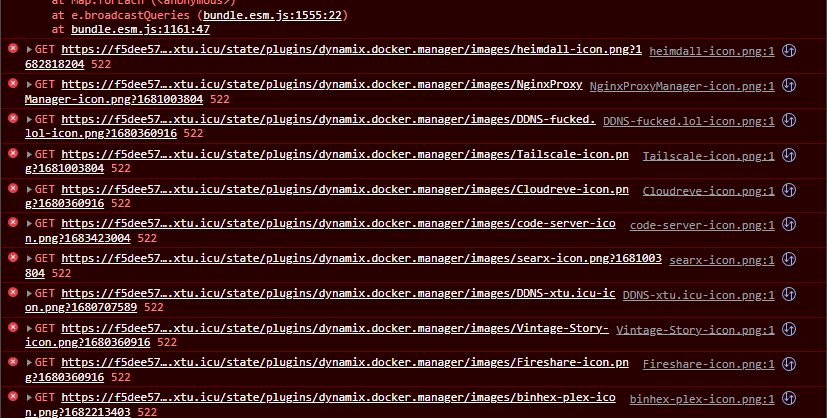
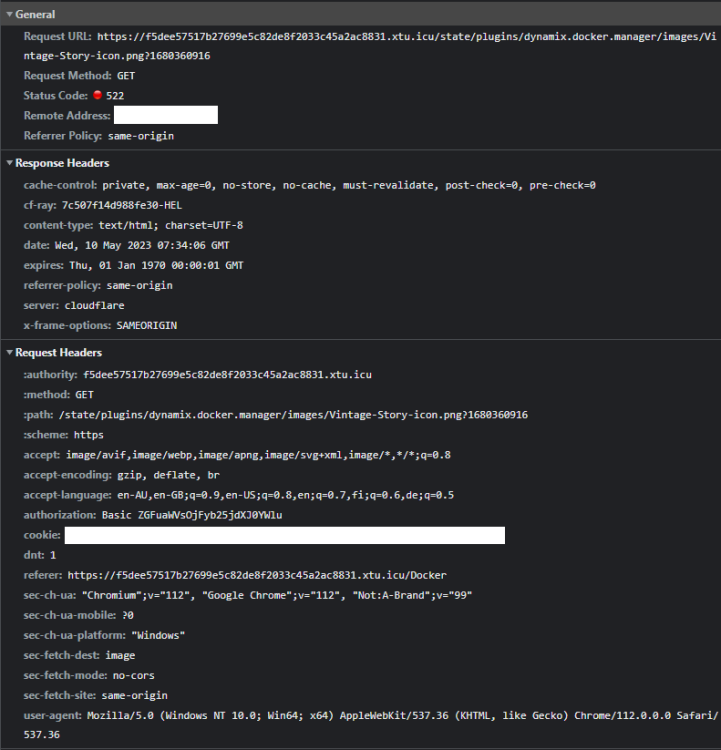
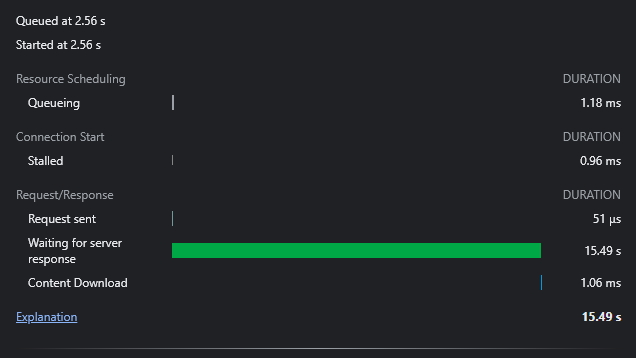
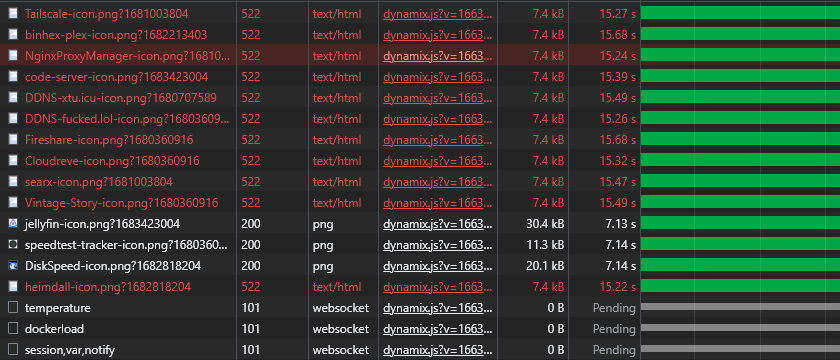
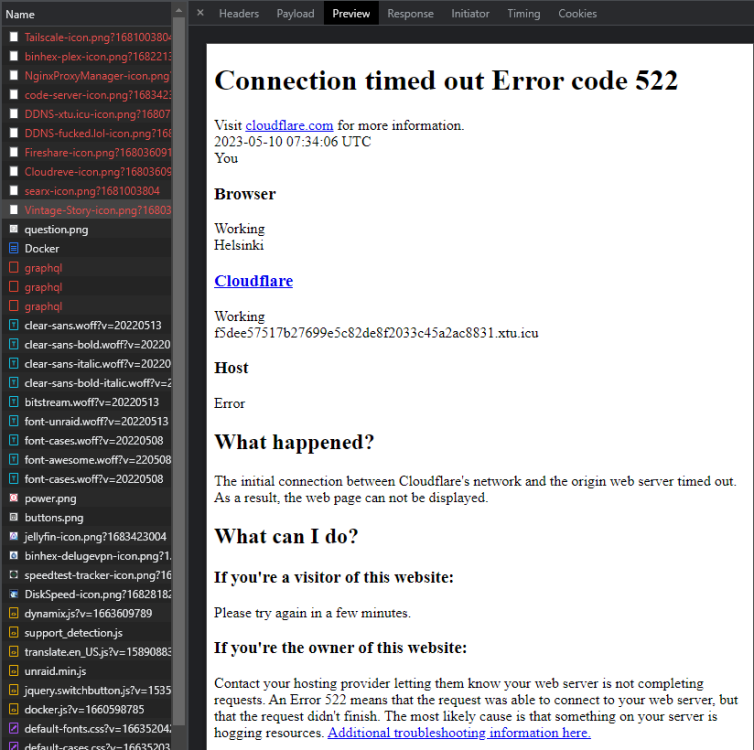
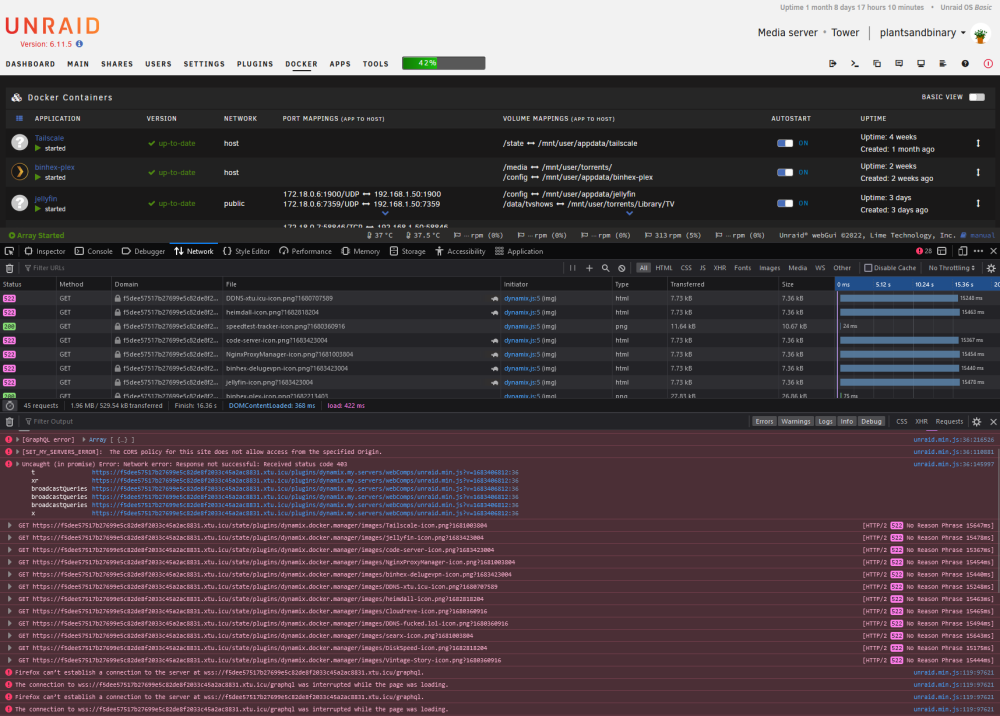
Here's some more information because I am serious about getting this fixed: An example of resources that failed to load. A more deep example of the request: Proof that it's the "waiting for server" issue. So some Firewall problem, but where? Some of the images loaded, some did not? Why? This shows that it's text/html requests which are being blocked. Websocket requests and direct image requests seem to be fine? Same problem on Firefox btw, so it's not Chrome. Here's the plain request preview, so this is the response it's getting:
-
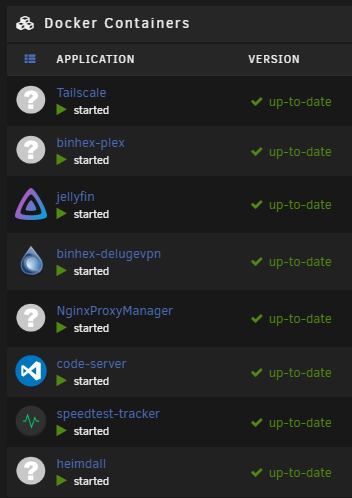
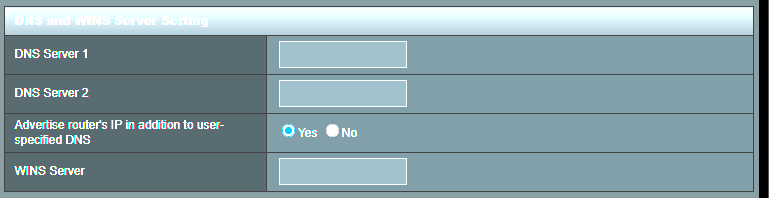
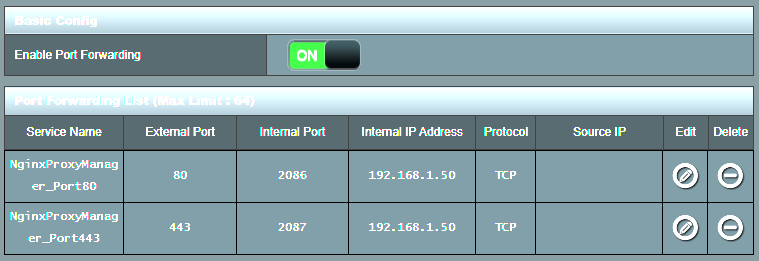
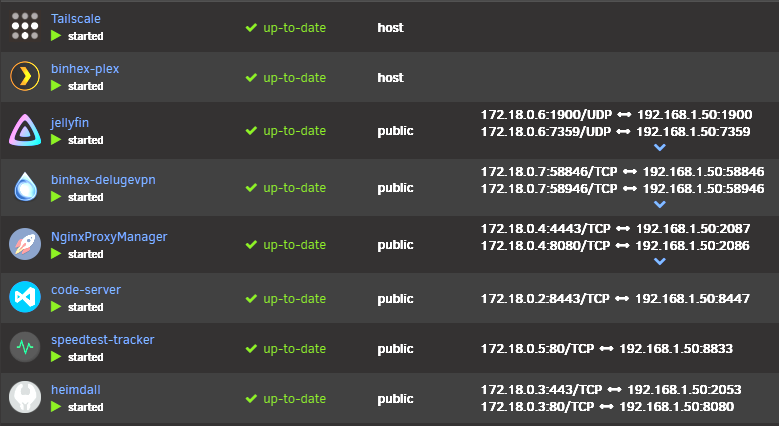
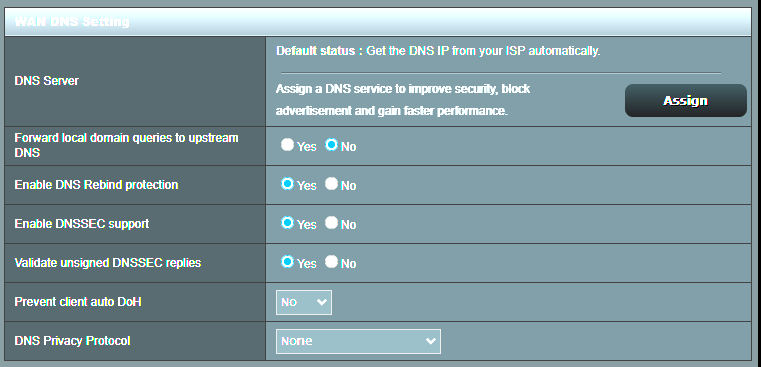
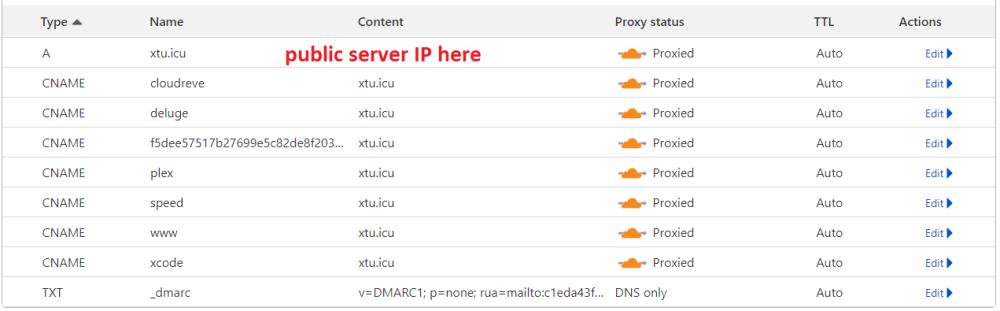
I am adding a bunch of images here to show my current setup, it should be super basic and nothing out of the ordinary at all: 1. LAN and WAN DNS pages on my router = Blank/use ISPs 2. NginxProxyManager Portforward for: 2086 (HTTP) and 2087 (HTTPS) [both these ports are accepted when proxying your connection in Cloudfare] 3. All my Docker containers on a separate network called "Public" which I made via one of the Youtube SpaceInvaderOne videos 4. Cloudfare set up as my site's DNS with all of my subdomains and host domain proxied through Cloudfare. 5. I am still getting the Cloudfare HTTP 522 errors on images etc. on my site... the weird thing is that they do load and a few refreshes of the page will generally make things work but something super weird is going on. I'll now PayPal the person who has the solution which fixes this issue $100 USD.
-
Sorry, I didn't see this reply. Kind of gave up hope that someone could help. I checked this: https://www.dnsbl.info/dnsbl-database-check.php My IP isn't listed at all. So I don't think it's in any blacklist. The domain and TLD combo is brand-new. It's only been registered one month and has never been used or registered before from what I could see. It's a pretty unique domain and tld also. I changed my router DNS back to <blank> and told it to use my ISPs DNS. I still get the same problem. Do you have any other ideas? I was getting support from Cloudfare but they stopped responding... as I said it only seems to be images and other things on the server which is so weird. I'm using Cloudfare explicitly because I like that they proxy my IP so I don't need to give away my home IP.
-
I still haven't managed to figure this out at all.
-
Anyone at all?
-
I'm running an Unraid server with a couple of containers: plex, heimdall, deluge, etc. I'm using Nginxproxymanager container on Unraid to expose these to the web, handle SSL and to access them with my own domain. I have Cloudfare set up as my site's DNS provider. Whenever I try to browse to eg. *https://deluge.mysite.tld* I get a whole bunch of 522 timeout errors. Most of the page resources like .css, html, etc. all load fine immediately but for some reason the **images** and other resources just take forever to load, or never load at all. Here is an example: https://imgur.com/a/ONr17kC My lab setup is pretty simple. Router (AX88U) > Dual Gig Ethernet > Unraid Homelab > Containers (eg. deluge, plex, etc). Here's the router settings: https://imgur.com/a/yp72dc2 The only thing I've changed on my router was the DNS. I changed to Adblock DNS just so I could block most ads on my home network without any extra fanciness. I have a pretty decent homelab and 1gig fiber connection. So it's weird that I am getting these timeout errors. Model: Custom M/B: ASRock X570M Pro4 Version - s/n: M80-XXXXXXXXXXXXX BIOS: American Megatrends Inc. Version P3.70. Dated: 02/23/2022 CPU: AMD Ryzen 5 5600 6-Core @ 3500 MHz HVM: Enabled IOMMU: Enabled Cache: 384 KiB, 3 MB, 32 MB Memory: 16 GiB DDR4 Multi-bit ECC (max. installable capacity 128 GiB) Network: bond0: fault-tolerance (active-backup), mtu 1500 Kernel: Linux 5.19.17-Unraid x86_64 OpenSSL: 1.1.1s Uptime: 59 days, 3 hours, 20 minutes I'd appreciate any ideas on where I should start to debug this issue.
-
Was this deleted from the app repository? It now says "Not available" when checking for updates.
-
>AFAIK you can't use SSDs in the normal array as the TRIM function would break parity. This is a pretty huge setback. I wonder how Unraid would attempt to mitigate this problem then in the future as this is going to be a pretty massive setback as SSDs become cheaper. I guess I will just figure out about having a much larger cache drive and keeping movies there that I need to watch before moving them onto the slower drives.
-
I'm getting sick of the performance of my WD REDs. I have 4x 4TB of them (3 + Parity) and the 130MB/s speeds just aren't cutting it. I've upgraded my local network and ethernet to 2.5GbE and these drives, whilst insanely reliable are starting to show that they are absolutely the weakest link in my home server. I realise that people will tell me to just use a bigger cache drive but with the mover just moving everything off the cache, I usually have to move files manually back onto it. I do realise I can also permanently set a specific share to "always" be on the cache. But for massive 80GB 4K movies this doesn't really seem like a suitable option for me either. I do have a 2TB cache drive and I don't think it's really worth it buying an even larger one. The biggest problem I'm having is the lack of good I/O performance and read speeds. When it comes to watching movies via Plex etc. it's always complaining that the drives aren't fast enough. Plus with other things running like Torrents downloading etc. the I/O performance is split between the tasks. So I was thinking of grabbing a 4x 2TB of these: https://store.patriotmemory.com/products/copy-of-new-patriot-p400-lite-m-2-2280-pcie-gen4-x4-solid-state-drive-1 They're 100€ a pop with free postage in my country. I also rationalised that I don't need as much storage, I'm only using about 1.2TB per drive at the moment, so they're largely under-utilised. They aren't the fastest SATA SSDs but they have pretty good reviews. I could get up to about 30MB/s read and 90MB/s faster write speeds if I went with the Crucial MX500 drives but they're also quite a bit more expensive per drive. Any arguments against them? I checked also the Crucial BX500 which are close in price but I was seeing wildly ranging views from people saying that they die very quickly. The Patriots seemed a bit slower overall but much longer lasting (960TB write capacity vs. 640TB respectively on most other cheap drives). Thoughts? Especially from anyone who is running all SSDs in their machine, would be really appreciated.
-
In the last few weeks I've been experiencing extremely slow loading times on pages using nginx proxy manager. qBittorrent, rTorrent, Heimdall, Plex, etc. everything is really, really slow to load. It can take like 2 minutes for a page to resolve for some reason. Some images are not loading at all and I basically have to refresh the page a dozen times before the site seems to "wake up" and actually load fully. I have an extremely fast connection and before these pages would load almost instantly. I haven't changed any settings either. Could someone please give me some tips on how to debug this?
-
I did not get a manual with this router which explains port forwarding. Also 0.0.0.0 - 255.255.255.255 are not valid IP addresses it says. Any more information?
-
Can someone help with this? I am running the container in "host" mode so there should not be any port-forwarding needed? Yet I am getting these complaints in the logs: 2023/01/02 10:48:55 portmapper: failed to get PCP mapping: PCP response not ok, code 8 2023/01/02 10:48:55 magicsock: endpoints changed: 85.xxx.xxx.249:57588 (stun), [2001:xxxxxxxxxxxxxxxxxxxxxxxxxxxxxxxxx:f0e5]:51047 (stun), 172.17.0.1:54030 (local), 172.18.0.1:54030 (local), 192.168.1.50:54030 (local), [2001:999:484:47a3::19a]:54030 (local), [2001:xxxxxxxxxxxxxxxxxxxxxxxxxxxxxxxxx:2428]:54030 (local), [2001xxxxxxxxxxxxxxxxxxxxxxxxxxxxxxxxx:f0e5]:54030 (local) 2023/01/02 10:48:55 portmapper: failed to get PCP mapping: PCP response not ok, code 8 2023/01/02 10:48:55 portmapper: PMP probe failed due result code: {OpCode:128 ResultCode:NetworkFailure SecondsSinceEpoch:2830 MappingValidSeconds:0 InternalPort:0 ExternalPort:0 PublicAddr:0.0.0.0} How do I fix this?
-
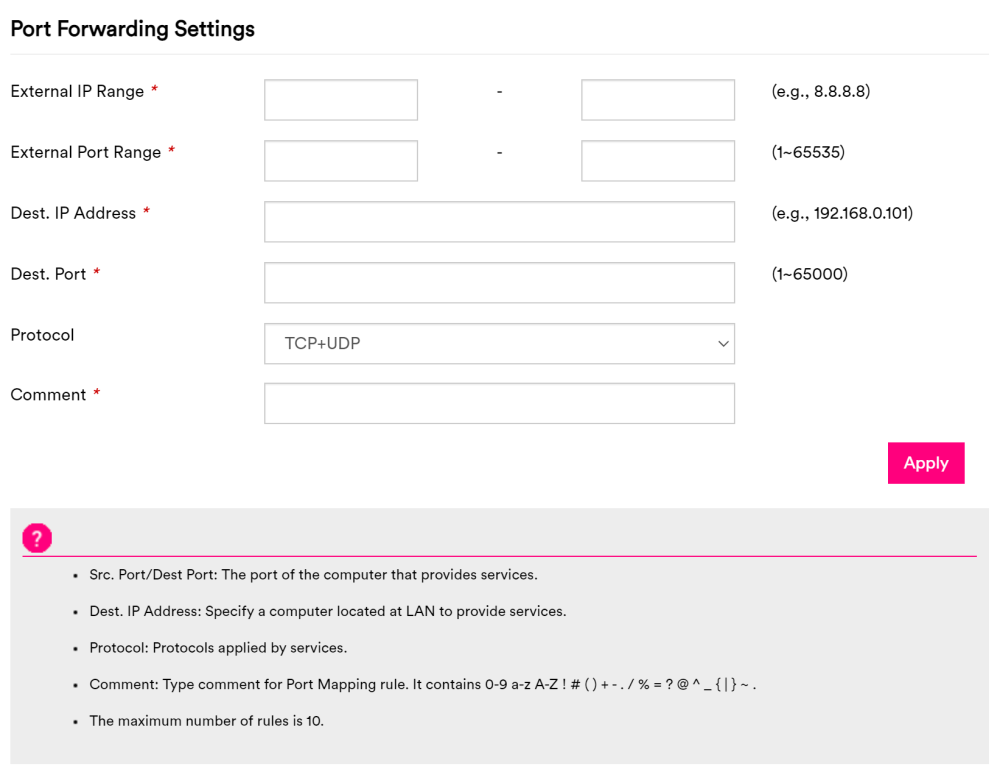
I just got a new router. Any idea how I am supposed to port forward NginxProxyManager? I'm confused what it means by providing an external IP range. All of the asterisk* options are required.

-
Thanks man ❤️