plantsandbinary
Members
-
Joined
Everything posted by plantsandbinary
-
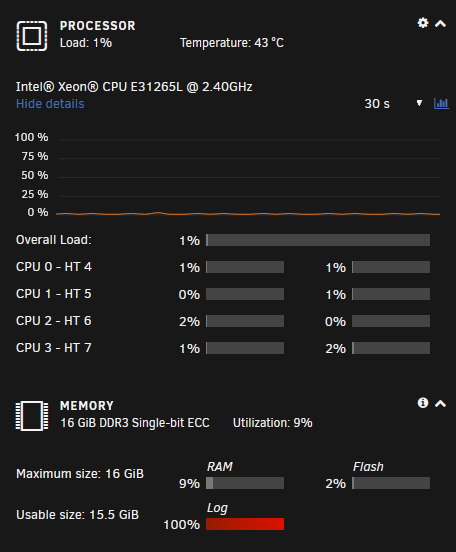
It looks like the cache drive is just dead? I backed up the data with CA Backup and Restore. Formatted the drive, booted it in maintenance mode and this is what I get: [1/7] checking root items [2/7] checking extents checksum verify failed on 8355840 wanted 0x00000000 found 0xb6bde3e4 checksum verify failed on 8355840 wanted 0x00000000 found 0xb6bde3e4 bad tree block 8355840, bytenr mismatch, want=8355840, have=0 checksum verify failed on 5783552 wanted 0xdaed5a47 found 0x77236f47 checksum verify failed on 5783552 wanted 0xdaed5a47 found 0x77236f47 Csum didn't match checksum verify failed on 7684096 wanted 0x13f0f7b0 found 0x578f2147 checksum verify failed on 7684096 wanted 0x13f0f7b0 found 0x578f2147 bad tree block 7684096, bytenr mismatch, want=7684096, have=2969063443 checksum verify failed on 7700480 wanted 0x13f077b1 found 0xcdece909 checksum verify failed on 7700480 wanted 0x13f077b1 found 0xcdece909 bad tree block 7700480, bytenr mismatch, want=7700480, have=2977452051 checksum verify failed on 7716864 wanted 0x00000000 found 0x22b4c582 checksum verify failed on 7716864 wanted 0x00000000 found 0x22b4c582 bad tree block 7716864, bytenr mismatch, want=7716864, have=0 checksum verify failed on 7733248 wanted 0x00000000 found 0xb6bde3e4 checksum verify failed on 7733248 wanted 0x00000000 found 0xb6bde3e4 bad tree block 7733248, bytenr mismatch, want=7733248, have=0 --------------------------- there is a billion lines of similar info here ---------------------- skip to the bottom ... root 5 inode 75857766 errors 2001, no inode item, link count wrong unresolved ref dir 260 index 89 namelen 8 name jellyfin filetype 2 errors 4, no inode ref root 5 inode 75857768 errors 2001, no inode item, link count wrong unresolved ref dir 260 index 90 namelen 8 name Jellyfin filetype 2 errors 4, no inode ref ERROR: errors found in fs roots Opening filesystem to check... Checking filesystem on /dev/sdf1 UUID: 7026cabb-40c4-4fd4-9d10-135feb1312ea The following tree block(s) is corrupted in tree 5: tree block bytenr: 6094848, level: 1, node key: (5494035, 108, 696893440) found 30542331904 bytes used, error(s) found total csum bytes: 2828108 total tree bytes: 109182976 total fs tree bytes: 80052224 total extent tree bytes: 23707648 btree space waste bytes: 21342871 file data blocks allocated: 389063712768 referenced 17720246272 I've formatted it as xfs, back to btrfs etc. and the check gives these errors every time. Also for some reason during this my /var/log is giving the following error: Either your server has an extremely long uptime, or your syslog could be potentially being spammed with error messages. A reboot of your server will at least temporarily solve this problem, but ideally you should seek assistance in the forums and post your More Information My /var/log partition is 568MB in size to account for the statistics plugin etc. I have no idea why it instantly went from 15% to 100% after this. I guess it wrote the above billion lines of SSD errors to file?
-
How do I fix this? Seems that Unraid doesn't have rights to write to my cache drive and the docker.img can't be created. Apr 14 10:54:12 Tower emhttpd: shcmd (310): /usr/local/sbin/mount_image '/mnt/user/system/docker/docker.img' /var/lib/docker 40 Apr 14 10:54:12 Tower root: Creating new image file: '/mnt/user/system/docker/docker.img' size: 40G Apr 14 10:54:12 Tower root: touch: cannot touch '/mnt/user/system/docker/docker.img': Read-only file system Apr 14 10:54:12 Tower root: failed to create image file Apr 14 10:54:12 Tower emhttpd: shcmd (310): exit status: 1 Apr 14 10:54:13 Tower avahi-daemon[31433]: Server startup complete. Host name is Tower.local. Local service cookie is 633978188. Apr 14 10:54:14 Tower avahi-daemon[31433]: Service "Tower" (/services/ssh.service) successfully established. Apr 14 10:54:14 Tower avahi-daemon[31433]: Service "Tower" (/services/smb.service) successfully established. Apr 14 10:54:14 Tower avahi-daemon[31433]: Service "Tower" (/services/sftp-ssh.service) successfully established.
-
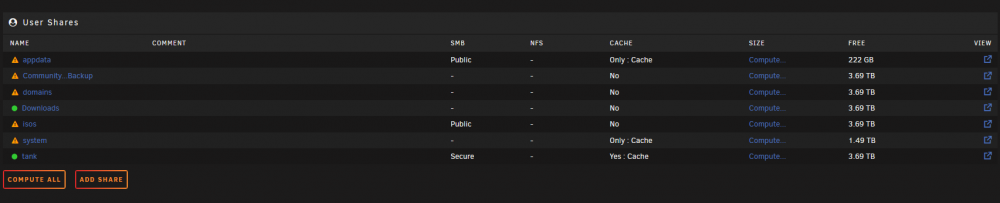
For some reason also some of my shares are being reported as only partially protected, eg. the cache despite the fact that I have appdata set to "cache only".
-
So I updated to 6.10.0-rc4 , to solve an issue I was having and Docker seems to have spontaneously died. Logs indicated something wrong with my cache drive. I get this error even after multiple reboots: Apr 13 11:01:36 Tower kernel: ata5: SATA max UDMA/133 abar m2048@0xfacd0000 port 0xfacd0300 irq 36 Apr 13 11:01:36 Tower kernel: ata5: SATA link up 3.0 Gbps (SStatus 123 SControl 300) Apr 13 11:01:36 Tower kernel: ata5.00: supports DRM functions and may not be fully accessible Apr 13 11:01:36 Tower kernel: ata5.00: ATA-9: Samsung SSD 850 EVO 250GB, EMT03B6Q, max UDMA/133 Apr 13 11:01:36 Tower kernel: ata5.00: disabling queued TRIM support Apr 13 11:01:36 Tower kernel: ata5.00: 488397168 sectors, multi 1: LBA48 NCQ (depth 32), AA Apr 13 11:01:36 Tower kernel: ata5.00: Features: Trust Dev-Sleep NCQ-sndrcv Apr 13 11:01:36 Tower kernel: ata5.00: supports DRM functions and may not be fully accessible Apr 13 11:01:36 Tower kernel: ata5.00: disabling queued TRIM support Apr 13 11:01:36 Tower kernel: ata5.00: configured for UDMA/133 Apr 13 11:01:36 Tower kernel: sd 5:0:0:0: [sdf] 488397168 512-byte logical blocks: (250 GB/233 GiB) Apr 13 11:01:36 Tower kernel: sd 5:0:0:0: [sdf] Write Protect is off Apr 13 11:01:36 Tower kernel: sd 5:0:0:0: [sdf] Mode Sense: 00 3a 00 00 Apr 13 11:01:36 Tower kernel: sd 5:0:0:0: [sdf] Write cache: enabled, read cache: enabled, doesn't support DPO or FUA Apr 13 11:01:36 Tower kernel: sdf: sdf1 Apr 13 11:01:36 Tower kernel: sd 5:0:0:0: [sdf] Attached SCSI disk Apr 13 11:01:36 Tower kernel: BTRFS: device fsid 7026cabb-40c4-4fd4-9d10-135feb1312ea devid 1 transid 21806631 /dev/sdf1 scanned by udevd (700) Apr 13 11:01:47 Tower emhttpd: Samsung_SSD_850_EVO_250GB_S3R0NF0J888231T (sdf) 512 488397168 Apr 13 11:01:47 Tower emhttpd: import 30 cache device: (sdf) Samsung_SSD_850_EVO_250GB_S3R0NF0J888231T Apr 13 11:01:48 Tower emhttpd: read SMART /dev/sdf Apr 13 11:01:56 Tower emhttpd: shcmd (42): mount -t btrfs -o noatime,space_cache=v2 /dev/sdf1 /mnt/cache Apr 13 11:01:56 Tower kernel: BTRFS info (device sdf1): flagging fs with big metadata feature Apr 13 11:01:56 Tower kernel: BTRFS info (device sdf1): using free space tree Apr 13 11:01:56 Tower kernel: BTRFS info (device sdf1): has skinny extents Apr 13 11:01:56 Tower kernel: BTRFS info (device sdf1): bdev /dev/sdf1 errs: wr 0, rd 0, flush 0, corrupt 844, gen 0 Apr 13 11:01:56 Tower kernel: BTRFS info (device sdf1): enabling ssd optimizations Apr 13 11:01:59 Tower kernel: BTRFS error (device sdf1): bad tree block start, want 7700480 have 2977452051 Apr 13 11:01:59 Tower kernel: BTRFS error (device sdf1): bad tree block start, want 7716864 have 0 Apr 13 11:01:59 Tower kernel: BTRFS error (device sdf1): bad tree block start, want 7733248 have 0 Apr 13 11:01:59 Tower kernel: BTRFS error (device sdf1): bad tree block start, want 7749632 have 0 Apr 13 11:01:59 Tower kernel: BTRFS error (device sdf1): bad tree block start, want 7684096 have 2969063443 Apr 13 11:01:59 Tower kernel: BTRFS error (device sdf1): bad tree block start, want 8323072 have 0 Apr 13 11:01:59 Tower kernel: BTRFS error (device sdf1): bad tree block start, want 8339456 have 0 Apr 13 11:01:59 Tower kernel: BTRFS error (device sdf1): bad tree block start, want 8339456 have 0 Apr 13 11:01:59 Tower kernel: BTRFS error (device sdf1): bad tree block start, want 8323072 have 0 Apr 13 11:01:59 Tower kernel: BTRFS error (device sdf1): bad tree block start, want 8339456 have 0 Apr 13 11:06:58 Tower kernel: BTRFS error (device sdf1): bad tree block start, want 8355840 have 0 Apr 13 11:06:58 Tower kernel: BTRFS error (device sdf1): bad tree block start, want 8355840 have 0 Apr 13 11:06:58 Tower kernel: BTRFS error (device sdf1): bad tree block start, want 10780672 have 0 Apr 13 11:06:58 Tower kernel: BTRFS error (device sdf1): bad tree block start, want 10764288 have 0 Apr 13 11:06:58 Tower kernel: BTRFS error (device sdf1): bad tree block start, want 10780672 have 0 Apr 13 11:06:58 Tower kernel: BTRFS error (device sdf1): bad tree block start, want 10780672 have 0 Apr 13 11:06:58 Tower kernel: BTRFS error (device sdf1): bad tree block start, want 10780672 have 0 Apr 13 11:06:58 Tower kernel: BTRFS error (device sdf1): bad tree block start, want 10780672 have 0 Apr 13 11:06:58 Tower kernel: BTRFS error (device sdf1): bad tree block start, want 10780672 have 0 Apr 13 11:06:58 Tower kernel: BTRFS error (device sdf1): bad tree block start, want 10780672 have 0 Apr 13 11:07:09 Tower kernel: BTRFS error (device sdf1): bad tree block start, want 41320448 have 18446719884523653056 Apr 13 11:07:17 Tower kernel: BTRFS error (device sdf1): bad tree block start, want 701038592 have 0 Apr 13 11:07:29 Tower kernel: BTRFS error (device sdf1): bad tree block start, want 1017528320 have 4096 Apr 13 11:07:29 Tower kernel: BTRFS: error (device sdf1) in __btrfs_free_extent:3069: errno=-5 IO failure Apr 13 11:07:29 Tower kernel: BTRFS info (device sdf1): forced readonly Apr 13 11:07:29 Tower kernel: BTRFS: error (device sdf1) in btrfs_run_delayed_refs:2150: errno=-5 IO failure I'm now getting the error in fix common problems that the cache drive can't be written to. Obvously due to the above readout of "forced readonly" I've also deleted my docker.img and then run the docker safe permissions script. I cannot get docker to start again though no matter what. Diagnostics attached. What's the steps to follow in this case? I haven't formatted the cache drive because I am quite sure that there's some system files there. root@Tower:/mnt/cache# ls CommunityApplicationsAppdataBackup/ appdata/ domains/ isos/ system/ root@Tower:/mnt/cache# cd system root@Tower:/mnt/cache/system# ls docker/ libvirt/ This is a pretty big catastrophe for my system. I've lost over 50 docker images and a lot of working services. tower-diagnostics-20220413-1114.zip
-
Could someone please share a way to generate an SSL cert for tailscale on Unraid? The tailscale cert doesn't work either from inside the container, nor on my host machine.
-
Nope. I stopped using it. It's overall too unstable for me.
-
Input a password on the main login screen that is wrong a bunch of times to get locked out It will say that too many attempts happened Input the correct password It will still tell you too many attempts happened and nothing will happen Refresh the page, you are now logged in and at the Unraid menu This has to be a bug. Basically it seems the login page takes the password even though it spits the message "too many attempts" and you get a cookie which stores that you are logged in. Reloading the page pushes you straight to the Unraid menu and bypasses the 'login lock' which you had from all the failed attempts. Even though you put the password in correctly, you should expect to be locked out until the lock expires. Tried this on 3 different browsers. Found it by accident.
-
OOF. It was the setting in the shares > 'share name' > Case-sensitive names: lower Changed it to 'Auto' and it works fine. Explains why filenames with all lowercase were fine, and those with mixed case or Capital case were inaccessible.
-
It said there were no updates available and I was on the default branch that came with the container. I'm running the linuxserver one now without any problems. Not sure what it was.
-
edited
-
For some reason in the last few hours none of my devices can read samba shares. The files DO exist on the drive and can be seen in the terminal or by apps in Docker, but in Samba? Some show up and some are not accessible at all. For example in my: //TOWER/tank DIR I have the following files: DIR1, DIR2, DIR3, FILE1, FILE2, FILE3 etc. DIR1, DIR2 give an error, which is different depending on which app I use. FILE1, FILE2, also don't work but DIR3 and FILE3 are fine for some reason... The error when trying to open the folder/file has been: r2 resource not available, unable to find requested file or directory, file/directory not available etc. Here are my /etc/smb/ .conf files (as attachments) They look fine to me. I haven't done anything or changed anything. Why has this suddenly happened? I rebooted and ran a full parity check and got no errors either. How do I get samba working fine again? smb.conf smb-names.conf smb-shares.conf
-
Is this even updated anymore? Getting error now on my devices "Current version 10.6.4 but requires 10.7.0, please update your server to connect"
-
As JorgeB said, start with the basics. Leave it running spun down. If it doesn't crash, spin the array up, but keep Docker disabled. If it still doesn't crash, enable Docker. If it crashes then, start with eliminating some of the containers. You've got a lot of different things connected and from my own experience, in such a situation there can always be one piece of hardware that doesn't properly display temperatures etc. I had one device on my own machine that reported no temp in the UI but when I inspected it myself physically I burned the s**** out of my finger touching it for even a second. After removing it I didn't have any issues.
-
It seems to me like you're definitely having hardware issues here. Faulty PSU or some overheating maybe or something? No reason why it should shut anything down unless the system is being told to do so either due to user command or to prevent damage to hardware. Do the basics: 1. Update BIOS 2. Check temperatures 3. RAM test 4. Replace any possibly faulty drive etc 5. Stress test the machine (read/write, CPU etc) If I was you I'd basically put my machine through hell to see if I can get it to fail on a specific task etc. monitor temps etc. This smells like a temperature issue to me, especially if everything was working fine before.
-
Try it and see
-
Figured it out. On the unraid server: cat /etc/exports There's the actual full path of the nfs share. nfs://192.168.1.50/mnt/user/tank >> works fine
-
Hi, I want to use nfs:// instead of smb:// on my server. I was following these instructions: https://unraid.net/blog/deploying-an-unraid-nfs-server I've disabled SMB and enabled NFS I have gone to the shares tab and "exported" the locations I want but eg. nfs://192.168.1.50 doesn't work In Pop_OS! I get "Unable to access location, mount point does not exist" How am I supposed to use this?
-
Thanks so much for making this. How often is it updated? It seems to be quite a few versions behind the latest version.
-
The latest update just killed my entire Pinry. Every single one of my images is gone. The page loads but there are no pins anymore at all.
-
So if I am using Cloudflare-DDNS container. If I give it a subdomain eg. www It will update the IP of www.mysite.com but it will not update https://mysite.com Why is this? I need both to update. Especially as all my connected services are at https://subdomain1.mysite.com etc.
-
This does not seem possible at all. Basically my containers update automatically (or manually when I press the button) but it is not possible to prevent the container from updating EVER. I tried to remove the link to the repository from the "edit container" page but it demands a value there and there does not seem to be any other way to turn off updates for a container. Even in the advanced view. This is important because I have one container in particular that updates so often that it actually kills the connection to many of my other containers, which causes them all to shut down. I would like to disable updates for this container in particular, or reduce the update interval to something like bimonthly etc. How is this not a feature already?
-
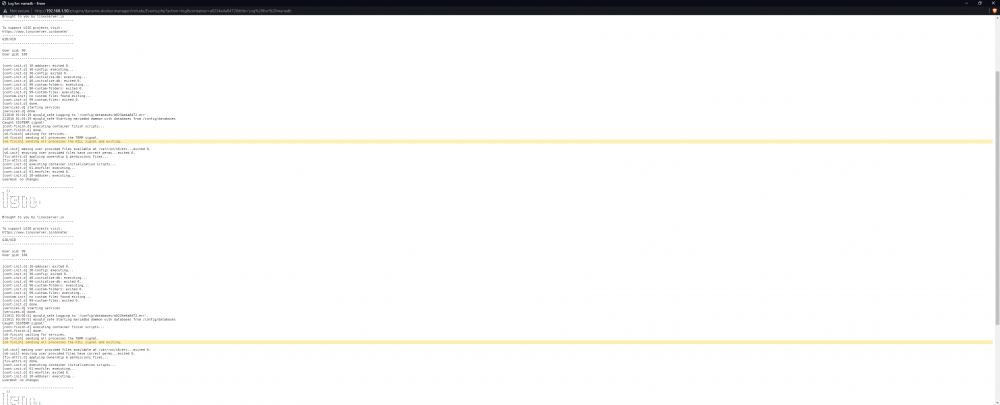
Why does MariaDB keep rebooting on its own? It's kicking my Ghost blog offline all the time...
-
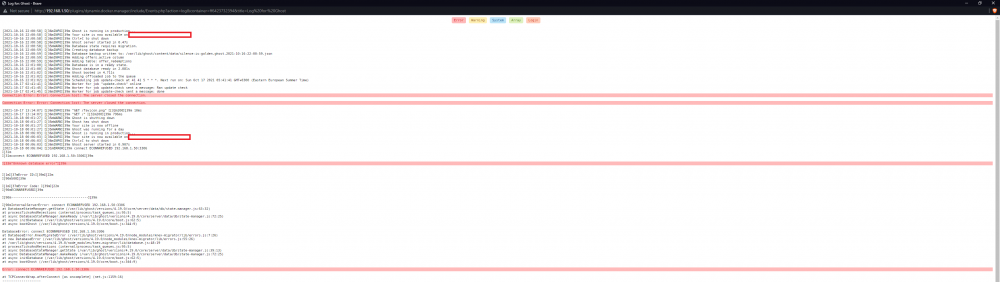
Why is this still happening? This container has had this issue for months and months now...
-
Ok I figured out what the problem has been. So first of all, I was trying to install the synapse-admin container, thinking that it actually contained Matrix along with it. So naturally I couldn't add the admin user I wanted etc. I initially had some problems with the Matrix container also because it's missing so many things, like the config file etc. So how I installed Matrix was like this: 1. Download the official image from Docker Hub and run it with the generate argument to generate a config. 2. It'll make 3 files. Copy them to some DIR and add your matrix server URL etc. 3. Install A75G's Matrix container and make sure you set an extra "data" DIR like "/data/". I mapped it to "/appdata/matrix" 4. Dump the config files there. 5. Run the container and go to eg. 192.168.1.35:8010 and it'll tell you that Matrix is working You'll need to edit the config to eg. allow registration so you can actually register on your own server etc. After that you can install the synapse admin container. Make an admin account (on the previous Matrix instance) following the instructions in the container description and then use the WebUI to login and admin it. I blame Matrix for being pretty vague about the steps of getting synapse installed and the constant name changes they have made. It also could be clearer on A75G's side regarding the container descriptions like "synapse-admin - requires a running matrix server!" and so on. In any case, it's working for me now. There are additional steps to set up a federation but I don't care about that.
-
Could you please provide it again. It's expired and what container are you using to run synapse? Just the admin one of yours, that comes with actual synapse for making accounts that work via Matrix right?