





KoNeko
Members
-
Joined
Everything posted by KoNeko
-
Curently 56 TB. But i am in the process of replacing my parity for 24TB. and later the 8 and 12 tb's also. And i still have some slots free to add in more.
-
only Firefox. Avoiding anything that uses chromium/google.
-
i did a powerdown via ssh which is a unclean shutdown. Gui is working again and its doing now a parity check which is slow. Normally it isnt slow. it goes by 3-4 MB/second. All smart information seems to be good for now. might need to do a check on that to see if the values changed. But im still interested why the web gui stopped working. This is the first time in a LONG time this happened. i have not changed any settings.
-
server been running for 48 days currently. So out of the blue the web gui stopped working. i can still access everything on unraid. i also tried a reload. /etc/rc.d/rc.nginx reload rc.nginx: Reloading Nginx server daemon... rc.nginx: Checking configuration for correct syntax and then trying to open files referenced in configuration... rc.nginx: Reloading Nginx server daemon configuration... Stopping nchan processes... Starting nchan processes... if i go to the http i get a Error code: 500 Internal Server Error for https i get 404 Not Found nginx thanekos-diagnostics-20250830-1249.zip
-
I also had that problem with the HTTPS: as its rebased and https is now needed. So i added poort 3001 to 3001 which is the https port and it works again here.
-
banaction = iptables-multiport [Vaultwarden] enabled = true port = https filter = bitwarden logpath = /log/vaultwarden.log maxretry = 1 bantime = 14400 findtime = 14400 [Definition] _daemon = Bitwarden-Identity failregex = ^%(__prefix_line)s\s*\[(?:W(?:RN|arning)|Bit\.Core\.[^\]]+)\]\s+Failed login attempt(?:, 2FA invalid)?\. <ADDR>$ failregex = ^.*Username or password is incorrect\. Try again\. IP: <ADDR>\. Username:.*$ This is mine and here it works.
-
Im trying to get this container to Work. When i setup thing the container starts but all directories in /data are just empty like jail.d etc. but when i check inside the container the files are in /etc/fail2ban/ all files are there. But when i link to that the contain just fails to start. So no way i can edit the files. And im not going inside the container it self to edit all files each time i want to change something. So something goes wrong. I also dont use cloudflare.
-
I installed a new VM with nobara with passthru nvidia 1080TI i used the Nobara-40-Official-NV-2024-08-15.iso. When i start it its limited to 1024x768. it does see my gpu and i even removed the nvidia and let it reinstall the drivers. buts still stuck at the low resolution. I have the gpu on order 1 no VNC setup on this vm Im running the latest Unraid 6.12.13. When i use the VNC and the gpu. i can change the resolution of the Virtual card but not of my nvidia/hdmi one.
-
i got a compose file i cant get working. https://github.com/jsuto/piler/blob/master/docker/docker-compose.yaml keep getting errors it cant find things etc. I removed the memory limit in my yaml for the rest its the same. I also tried with the volumes. as here a a file is with ./ in front and in these Complete its links to a file but it creates a directory. Looked into manuall create the dockers with all the options but thought this was easier the yaml Edit: this is the first time i use Compose my self. I had to use the full path for the volumes.
-
I got it working. what i forgot was giving the user. so redis:default:password@ip:port
-
i did both. set a password and put it on the allow without password "yes" and changed it on paperless also to the redis:pass@ip:port
-
I have installed redis no problem it seems With paperless when i start im getting an error Waiting for Redis... Redis ping #0 failed. Error: Authentication required.. Waiting 5s Redis ping #1 failed. Error: Authentication required.. Waiting 5s Redis ping #2 failed. Error: Authentication required.
-
Hi, Im looking for a nice email archieve program in docker (easyest?) I dont need a complete mail server to send email or filter etc. Only want to download emails via Imap and view them. got gmail accounts and other email domain. Is that easy possible with this docker without setting up a whole mailserver?
-
How can i get this to work? i did try to add the Yaml to my HA automation. but when i add the code im getting error Message malformed: required key not provided @ data['trigger'][0]['platform'] I took from 1 of the posted here and eddited the mac and name
-
I had the same problem again. it seems after i stop my VM and try to start it again. it gives that error. When i restart my whole server. the VM works again as long as it keeps running.
-
mine got solved. at least i can start the VM again. I updated the Nvidia driver on my unraid and restarted the server. I also changed the machine to Q35 not sure if that last one helped. But after it got back up i could start my VM again.
-
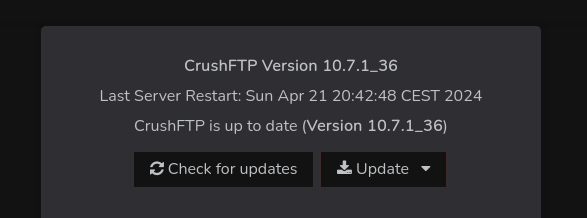
i just always update via the webgui/ admin and update there. the update restarts the docker it self. but i have to do another manual restart of the docker and than it works again. just in docker update works fine. But seeing V1 is out https://www.crushftp.com/crush11wiki/Wiki.jsp?page=CrushFTP11New i wonder how long v10 keeps getting updates.. About the currently problem i dont have any of the web functions open outside my network. So that limits it a lot. and for the secure ftp etc its all on IP lock. But still updating it manually.
-
I have the same problem. VM always works perfectly. Wanted to start it today and got this error. I have a windows 10 VM with a nvidia GPU pass-thru. But i also removed the GPU from the VM so its VNC only still same problem. I think i have the problem since i updated to the latest unraid 6.12.10 and i also updated the windows 10 VM as i always do. i also run a win11 VM without pass-thru and also no extra gpu-drivers installed but that one still runs.
-
i have had this for some versions. the server it self doesnt seems to become unresponsive. just the webgui. and sometimes the VM disconnects but i can just reconnect it and its all good. so the internet connection on the VM it self doesnt drop.
-
Sometimes my webgui just stops working after a while 5-10 minutes or so it works again. Often when i have a VM open that one also gets disconnected. When i cant access the webgui all dockers still seems to work fine. and the VM's also. I cant lay my fingers on it why it does it randomly. diagnostics-20240330-1619.zip
-
I was using Banktrans application Which works ok but its computer bound etc. So was looking for a solution on docker. So i found firefly III it looks great so i am trying the importer but have a few problems with it. I have exported data from my banktrans to CSV and im trying to import but it says all done but nothing is showing up in Firefly III. I also tried GoCardless which works but only seems to get back to 15 oct of last year everything past that i cant seems to import. Also tried a bank export but same as the CSV i tried from my banktrans. getting Line #0: transactions.0.date: transactions.0.date is verplicht. (original value: "") Line #1: transactions.0.date: transactions.0.date is verplicht. (original value: "") verplicht = mandatory
-
I had this same problem my excisting VM win 10 just works. but wanted to install win 11 in a VM and it just didnt want to start the VNC windows. So i tried windows 10 img same problem. Im using firefox. So i clicked on the Schield and it was blocking 2 things so i disabled that projection for my unraid IP. POEF it works for both windows 10 and my windows 11. So the VM it self wasnt the problem it was Firefox that was blocking some VNC things.
-
I had this same problem my excisting VM win 10 just works. but wanted to install win 11 in a VM and it just didnt want to start the VNC windows. So i tried windows 10 img same problem. Im using firefox. So i clicked on the Schield and it was blocking 2 things so i disabled that projection for my unraid IP. POEF it works for both windows 10 and my windows 11. So the VM it self wasnt the problem it was Firefox that was blocking some VNC things.
-
been running swag for a very long time now but this is the first time my swag container does not want to update. It says there is a update but when i click apply it seems like it updates and all is fine and after that it still says there is a update. the Container does work and no other problems. Wondering if more people have the same problem? I have the same with the vaultwarden docker ( which is behind Swag) Edit: i did restart my router and it started working again. for all containers
-
When i check my Swag log i see this But when i check the files in that directory. the Dates are different. For like the nginx.conf ( and the nginx.conf.sample) the date on the server is 2023-05-19 as i just updated the container but in the log it keeps saying i should check the file. Is this a static thing of does it actually check it ? Edit: Ah i see it takes the that date from inside the file. so going to check the differences now.


