






drdebian
Members
-
Joined
-
Last visited
Everything posted by drdebian
-
2020-04-04 04:15:46.138925 [info] PUID defined as '99' 2020-04-04 04:15:46.299542 [info] PGID defined as '100' 2020-04-04 04:15:46.847706 [info] UMASK defined as '000' 2020-04-04 04:15:46.889934 [info] Permissions already set for volume mappings 2020-04-04 04:15:46.914962 [info] TRANS_DIR defined as '/config/transcode' 2020-04-04 04:15:47.627790 [info] Deleting files in /tmp (non recursive)... 2020-04-04 04:15:48.468482 [info] Starting Supervisor... 2020-04-04 04:15:54,129 INFO Included extra file "/etc/supervisor/conf.d/plexmediaserver.conf" during parsing 2020-04-04 04:15:54,129 INFO Set uid to user 0 succeeded 2020-04-04 04:15:54,151 INFO supervisord started with pid 6 2020-04-04 04:15:55,152 INFO spawned: 'plexmediaserver' with pid 55 2020-04-04 04:15:55,153 INFO reaped unknown pid 7 2020-04-04 04:15:56,154 INFO success: plexmediaserver entered RUNNING state, process has stayed up for > than 1 seconds (startsecs) 2020-04-04 04:16:25,146 DEBG 'plexmediaserver' stderr output: connect: Connection timed out 2020-04-04 04:16:31,162 DEBG 'plexmediaserver' stderr output: connect: Connection timed out 2020-04-04 04:16:37,178 DEBG 'plexmediaserver' stderr output: connect: Connection timed out 2020-04-04 04:16:37,178 DEBG 'plexmediaserver' stderr output: connect: Connection timed out 2020-04-04 04:16:43,194 DEBG 'plexmediaserver' stderr output: connect: Connection timed out Is this also due to the version upgrade? How to get it working again?
-
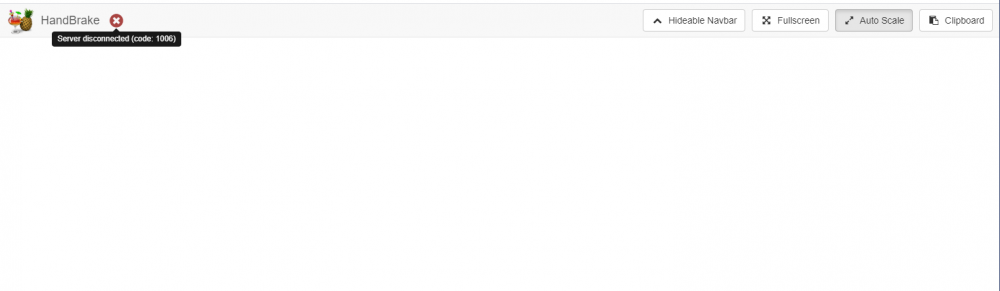
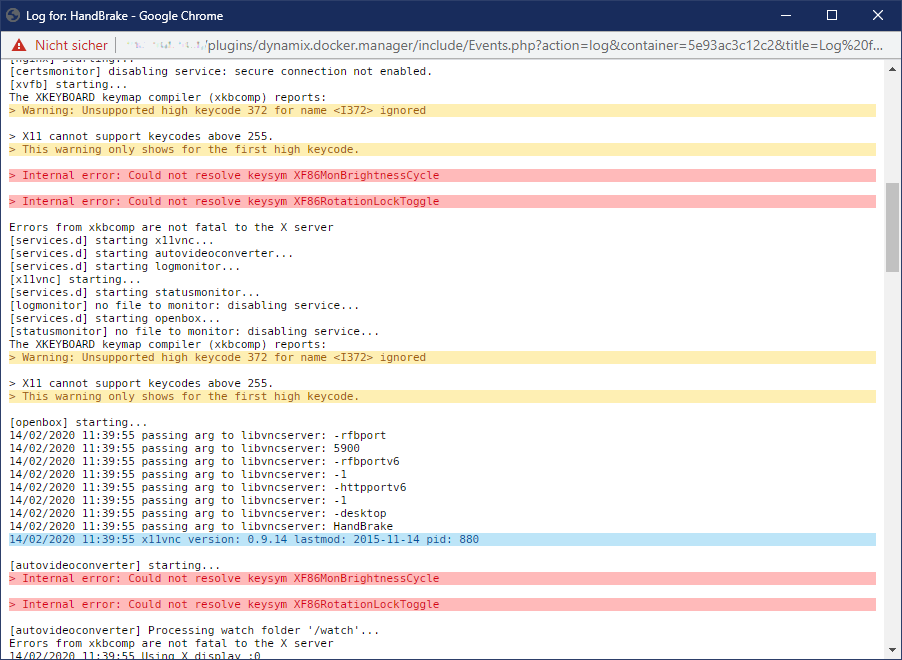
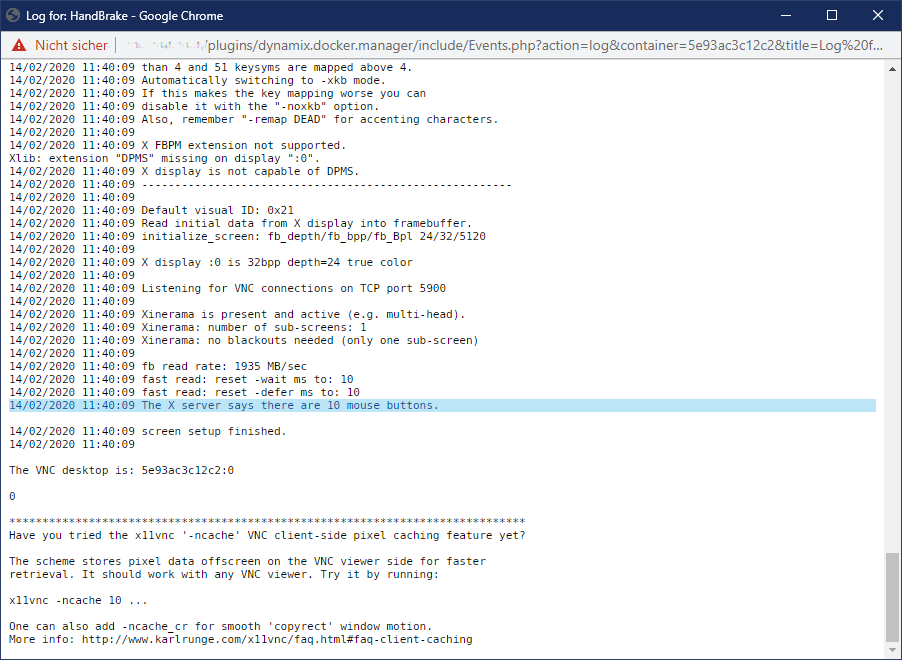
Sorry to bother you guys, but one of the last updates seems to have broken my Handbrake setup... Automatic conversion no longer works, the log says that the conversion failed. Trying to get at the web UI, I get nothing but an empty screen saying that the "Server disconnected (code: 1006)": According to unRaid, the docker container seems to be running fine: I even removed the image, renamed the folder in appdata to get a fresh start and reinstalled Handbrake... Same result... Looking at the logs I see nothing unusual, apart from these strange errors: The end of the log (while nothing is working) looks like this: Any ideas? EDIT: I reverted back to v1.19.0 and now it all works again, so there's definitely something funky going on with v1.20...

-
There seems to be a minor bug in the docker subsystem though. When updating to a new image, the web UI sometimes "loses connection" to the process and gets stuck, all the while the update either went smoothly or crashed in the background. Anybody else seeing this?
-
Upgrading the main server also went smoothly, very good procedure. I just wish it hadn't triggered a parity check right after migrating...
-
Out of the options above, having ZFS would be the most appealing. As for items not on the list, I'd really like to see the inclusion of DVB-drivers into the default kernel.
-
Alright, my test-server survived the upgrade no sweat... Gonna try upgrading main-server in a few days... Any chance of getting DVB drivers and firmwares into mainstream kernel in the future?
-
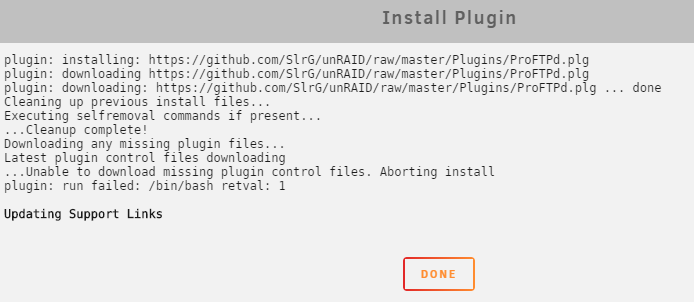
Is there any known problem preventing the download of the "missing plugin control" files? EDIT: Turns out that my Pihole DNS blocked the download... Should I feel worried?
-
I seem to need some help setting up basic authentication. I've created a proxy configuration that works perfectly without authentication, added the user and password to /config/nginx/.htpasswd using the htpasswd command (which I've verified to work using the -v option) and now I only get 403/Forbidden when accessing the proxied page despite entering the correct username/password. I haven't found anything useful in the logs, so I'd be very interested to hear from the experts where to start looking. EDIT: I have now set up another application which is simpler in the proxy configuration, authentication seems to work fine there. So I suspect it's something I had to do in my original proxy configuration that breaks authentication somehow. Here is my proxy configuration: server { listen 443 ssl; listen [::]:443 ssl; server_name tvh.*; include /config/nginx/ssl.conf; client_max_body_size 0; # enable for ldap auth, fill in ldap details in ldap.conf #include /config/nginx/ldap.conf; location / { # enable the next two lines for http auth auth_basic "Restricted"; auth_basic_user_file /config/nginx/.htpasswd; # enable the next two lines for ldap auth #auth_request /auth; #error_page 401 =200 /login; include /config/nginx/proxy.conf; resolver 127.0.0.11 valid=30s; set $upstream_tvheadend 192.168.1.81; proxy_pass http://$upstream_tvheadend:9981; proxy_set_header Host $host; proxy_set_header X-Real-IP $remote_addr; proxy_set_header X-Forwarded-For $proxy_add_x_forwarded_for; proxy_set_header Upgrade $http_upgrade; proxy_set_header Connection "upgrade"; } } The error looks like this: 82.102.24.174 - - [01/Nov/2019:05:26:21 +0100] "GET / HTTP/2.0" 401 179 "-" "Mozilla/5.0 (Windows NT 10.0; Win64; x64; rv:70.0) Gecko/20100101 Firefox/70.0" 82.102.24.174 - test [01/Nov/2019:05:26:25 +0100] "GET / HTTP/2.0" 302 173 "-" "Mozilla/5.0 (Windows NT 10.0; Win64; x64; rv:70.0) Gecko/20100101 Firefox/70.0" 82.102.24.174 - test [01/Nov/2019:05:26:26 +0100] "GET /extjs.html HTTP/2.0" 403 129 "-" "Mozilla/5.0 (Windows NT 10.0; Win64; x64; rv:70.0) Gecko/20100101 Firefox/70.0" 82.102.24.174 - test [01/Nov/2019:05:26:26 +0100] "GET /favicon.ico HTTP/2.0" 403 129 "-" "Mozilla/5.0 (Windows NT 10.0; Win64; x64; rv:70.0) Gecko/20100101 Firefox/70.0" To me this looks like a 401, which gets me redirected somewhere, only to end up at a 403 error it can't seem to get out of. Any ideas?
-
I see... Right now I copy and paste the command from the cron file to the CLI and trigger it like that... Not very elegant, but it works...
-
How does one trigger a manual grab run?
-
For those of you who are struggling with TVHeadend messing up in handling a Hauppauge WinTV-QuadHD card, I just came up with a workaround that separates the two and provides great stability: tl;dr: Install minisatip in a separate Docker and let it handle the /dev/dvb instead of TVHeadend, which in turn only gets to use the DVB-C stuff through the SAT>IP network protocol. Problem solved.
-
Can't wait... In the meantine, Jottacloud's support sent me this: I tried it and it actually works, which is good enough until the updated plugin arrives...
-
-
hi there... are there any known issues with the jottacloud remote? I can't seem to authenticate agains the jottacloud servers anymore with rclone... rclone v1.48.0 - os/arch: linux/amd64 - go version: go1.12.6 2019/08/14 06:24:10 Failed to create file system for "ula-jottacloud:": couldn't get account info: failed to get endpoint url: error 401: org.springframework.security.authentication.AuthenticationCredentialsNotFoundException: Token mismatch! (Unauthorized) I tried everything, including removing the remote from the config and recreating it... to no avail... any help welcome!
-
May 31 15:26:01 Tower root: error: /plugins/unassigned.devices/UnassignedDevices.php: wrong csrf_token I've been getting this strange message since I added a bunch of new disk to the array... Any ideas? Running the latest 6.7.0 release with the latest version of the plugin...
-
Some time since I updated to the latest version, my binhex-plexpass won't start anymore. Looking at the logs I find this: https://hub.docker.com/u/binhex/ 2019-05-24 18:38:45.014222 [info] System information Linux tower 4.19.41-Unraid #1 SMP Sat May 11 18:09:00 BST 2019 x86_64 GNU/Linux 2019-05-24 18:38:46.621172 [info] PUID defined as '99' 2019-05-24 18:38:47.209716 [info] PGID defined as '100' 2019-05-24 18:38:51.399034 [info] UMASK defined as '000' 2019-05-24 18:38:51.754883 [info] Permissions already set for volume mappings 2019-05-24 18:38:51.777302 [info] TRANS_DIR defined as '/config/transcode' 2019-05-24 18:38:51.991930 [info] Starting Supervisor... 2019-05-24 18:39:27,039 INFO Included extra file "/etc/supervisor/conf.d/plexmediaserver.conf" during parsing 2019-05-24 18:39:27,039 INFO Set uid to user 0 succeeded 2019-05-24 18:39:27,489 INFO supervisord started with pid 6 2019-05-24 18:39:28,491 INFO spawned: 'plexmediaserver' with pid 47 2019-05-24 18:39:28,491 INFO reaped unknown pid 7 2019-05-24 18:39:29,493 INFO success: plexmediaserver entered RUNNING state, process has stayed up for > than 1 seconds (startsecs) 2019-05-24 18:39:53,679 DEBG fd 8 closed, stopped monitoring <POutputDispatcher at 23113827220008 for <Subprocess at 23113827664168 with name plexmediaserver in state RUNNING> (stdout)> 2019-05-24 18:39:53,679 DEBG fd 10 closed, stopped monitoring <POutputDispatcher at 23113827218208 for <Subprocess at 23113827664168 with name plexmediaserver in state RUNNING> (stderr)> 2019-05-24 18:39:53,679 INFO exited: plexmediaserver (exit status 255; not expected) 2019-05-24 18:39:53,679 DEBG received SIGCLD indicating a child quit 2019-05-24 18:39:54,680 INFO spawned: 'plexmediaserver' with pid 52 2019-05-24 18:39:54,738 DEBG fd 8 closed, stopped monitoring <POutputDispatcher at 23113826857544 for <Subprocess at 23113827664168 with name plexmediaserver in state STARTING> (stdout)> 2019-05-24 18:39:54,738 DEBG fd 10 closed, stopped monitoring <POutputDispatcher at 23113826906624 for <Subprocess at 23113827664168 with name plexmediaserver in state STARTING> (stderr)> 2019-05-24 18:39:54,738 INFO exited: plexmediaserver (exit status 255; not expected) 2019-05-24 18:39:54,738 DEBG received SIGCLD indicating a child quit 2019-05-24 18:39:55,739 INFO spawned: 'plexmediaserver' with pid 57 2019-05-24 18:39:55,827 DEBG fd 8 closed, stopped monitoring <POutputDispatcher at 23113826857544 for <Subprocess at 23113827664168 with name plexmediaserver in state STARTING> (stdout)> 2019-05-24 18:39:55,827 DEBG fd 10 closed, stopped monitoring <POutputDispatcher at 23113827218352 for <Subprocess at 23113827664168 with name plexmediaserver in state STARTING> (stderr)> 2019-05-24 18:39:55,827 INFO exited: plexmediaserver (exit status 255; not expected) 2019-05-24 18:39:55,827 DEBG received SIGCLD indicating a child quit 2019-05-24 18:39:57,829 INFO spawned: 'plexmediaserver' with pid 62 2019-05-24 18:39:57,854 DEBG fd 8 closed, stopped monitoring <POutputDispatcher at 23113826857544 for <Subprocess at 23113827664168 with name plexmediaserver in state STARTING> (stdout)> 2019-05-24 18:39:57,854 DEBG fd 10 closed, stopped monitoring <POutputDispatcher at 23113826906624 for <Subprocess at 23113827664168 with name plexmediaserver in state STARTING> (stderr)> 2019-05-24 18:39:57,854 INFO exited: plexmediaserver (exit status 255; not expected) 2019-05-24 18:39:57,854 DEBG received SIGCLD indicating a child quit 2019-05-24 18:40:00,857 INFO spawned: 'plexmediaserver' with pid 67 2019-05-24 18:40:00,881 DEBG fd 8 closed, stopped monitoring <POutputDispatcher at 23113826857544 for <Subprocess at 23113827664168 with name plexmediaserver in state STARTING> (stdout)> 2019-05-24 18:40:00,881 DEBG fd 10 closed, stopped monitoring <POutputDispatcher at 23113826906984 for <Subprocess at 23113827664168 with name plexmediaserver in state STARTING> (stderr)> 2019-05-24 18:40:00,882 INFO exited: plexmediaserver (exit status 255; not expected) 2019-05-24 18:40:00,882 DEBG received SIGCLD indicating a child quit 2019-05-24 18:40:01,883 INFO gave up: plexmediaserver entered FATAL state, too many start retries too quickly Any ideas?
-
yes, that fixes the problem. definitely a bug in the template.

-
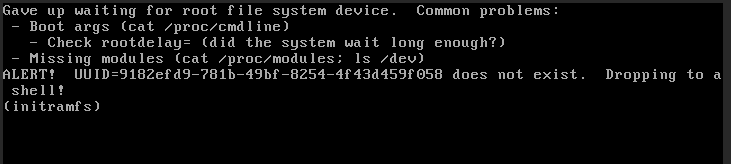
somehow it doesn't find the root filesystem with these settings... any ideas?
-
Is there anything special to watch out for when uninstalling this plugin? I found that after uninstalling, the mover does no longer do anything at all... Any ideas?
-
yes, that seems to have fixed it, thanks!
-
I can't seem to get this container to work. Going with the defaults, there are a number of erros in the log: Connecting to the WebGUI gives me an empty page: any ideas?


-
thanks, that's a good read. Good to see that it also supports Slack and Pushbullet, I'll have to look into those as well now.
-
First off, this is a really helpful docker, thanks for creating and maintaining it! To make it perfect for me, I'd like to enable email notifications of alerts, but can't figure out where to start. Any ideas?
-
I seem to be having a hard time setting this up... Using the default settings (minus redefining port 80 for the webinterface) I get the following error when trying to launch this docker: /usr/bin/docker: Error response from daemon: driver failed programming external connectivity on endpoint pihole (846d19887a647cd73a7f4d9d940d6dd7ae3b7c3943a6b6df336c1c2705227f32): Error starting userland proxy: listen tcp 0.0.0.0:53: bind: address already in use. The command failed. Any ideas?
-
didn't see it in the post, so let me just recommend getting hardware acceleration using Intel QSV going, decreased the transcoding time by factors of 10+ for me.




