





mihcox
Members
-
Joined
-
Last visited
Everything posted by mihcox
-
output: root@Bi:~# cd /usr/local/emhttp/plugins/gpustat/ && php ./gpustatus.php {"clock":"N\/A","fan":"N\/A","memclock":"N\/A","memutil":"N\/A","memused":"N\/A","power":"N\/A","powermax":"N\/A","rxutil":"N\/A","txutil":"N\/A","temp":"N\/A","tempmax":"N\/A","util":"N\/A","error":[{"code":302,"message":"Vendor command returned unparseable data.","extra":""}]}root@BigRig:/usr/local/emhttp/plugins/gpustat# error":[{"code":302,"message":"Vendor command returned unparseable data.","extra":""}]
-
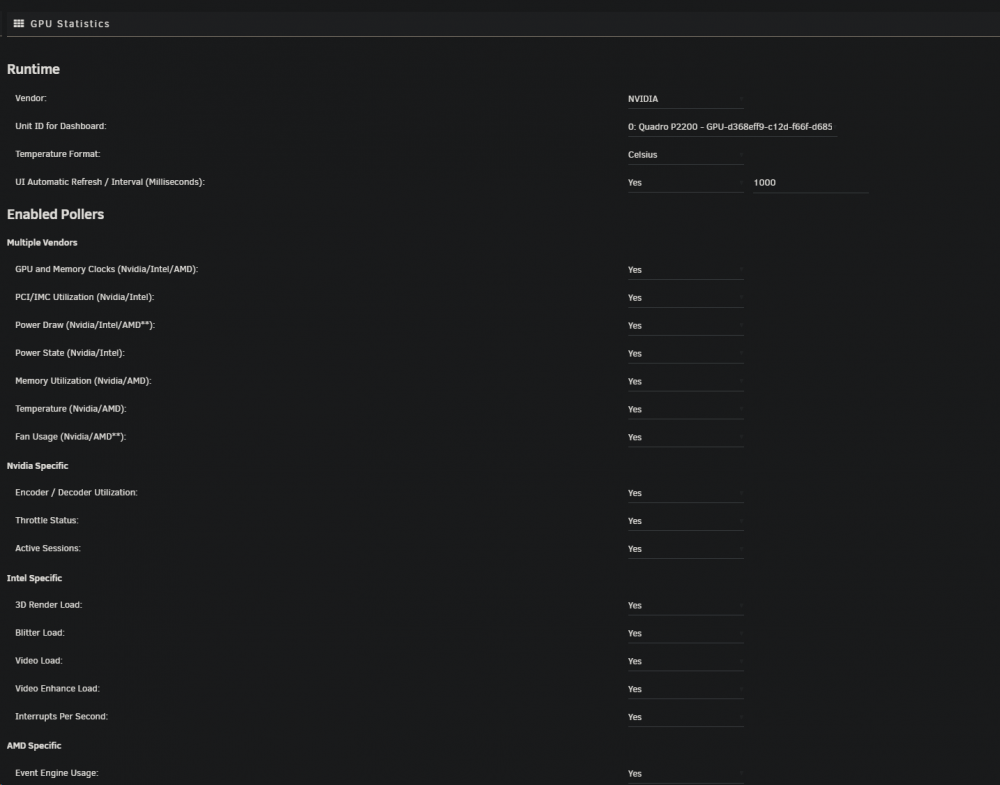
Yes, with all options toggled to on.
-
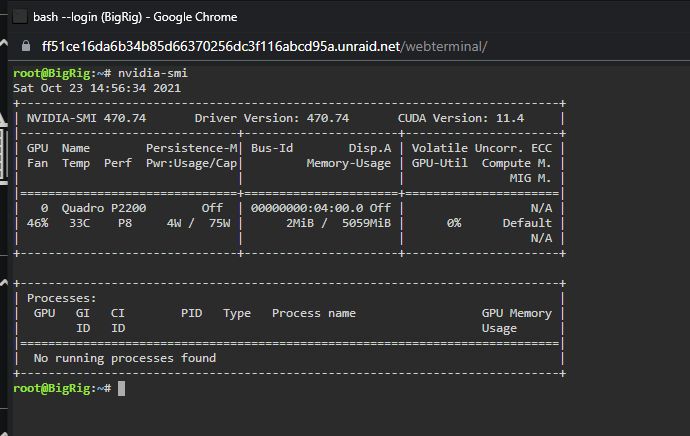
nvidia-smi attached below:
-
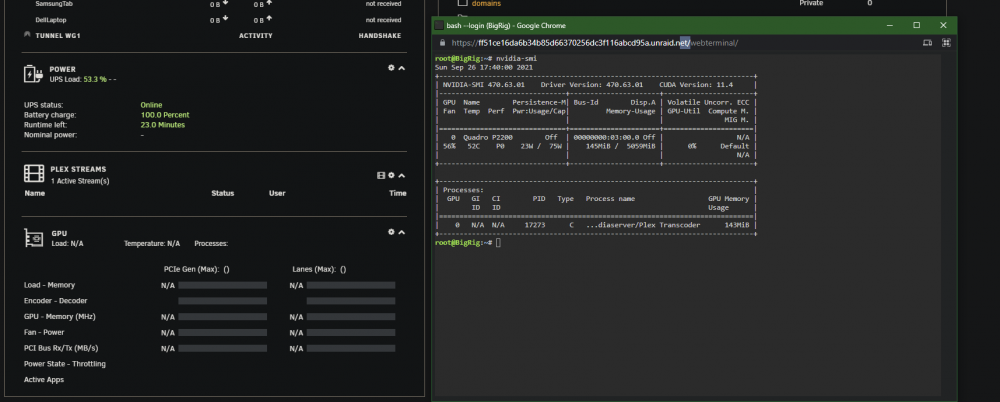
Im having issues with my p2200. It works and transcodes as excpected, but no statistics load on the homepage. NVIDIA-SMI still works in the command line though. Any ideas?
-
It did take longer than usual to boot, thanks for the clarification. Thanks for all your work
-
If i was using 6.9-rc2, and upgraded through OS update, do I need to perform anything from an NVIDIA driver side, or is the code still effective and there is no need to uninstall and reininstall?
-
After trial and error based on what you provided, the unbound server I was using as a part of my pihole was blocking this flow. Pointing my dns back to google/cloudflare worked fine. So other than disabling it so this works, is there a workaround? Otherwise how can I switch back to just using my local ip, instead of the unraidhash?
-
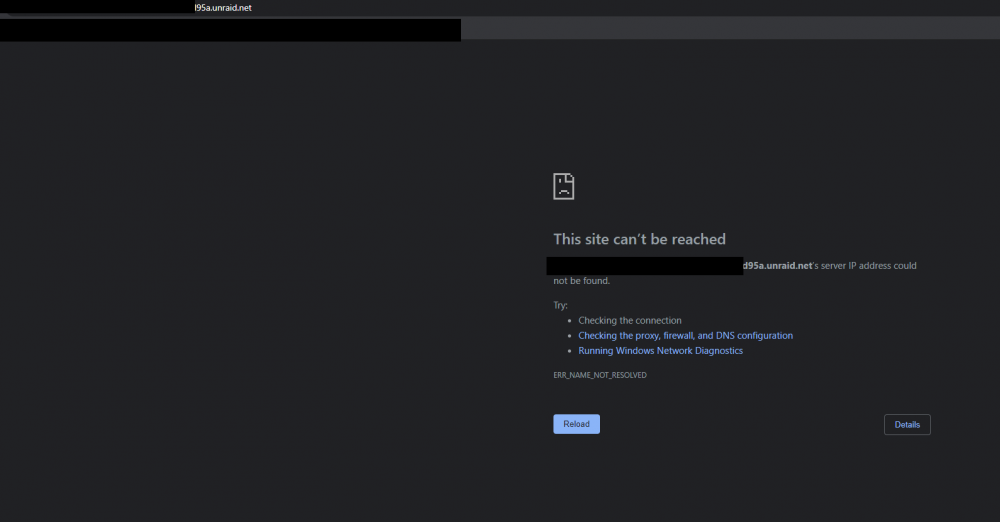
No issue, the same is true for chrome/firefox/edge as well. Just wanted to be clear, i can use https://192.168.xxx.xxx fine, but with the .unraid.net it will not load Chrome:
-
After doing that, i get the following error in IE when trying to load the page: DLG_FLAGS_SEC_CERT_CN_INVALID
-
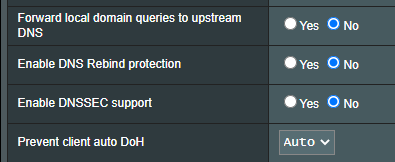
I dont think thats it, im using a pihole and these are my router settings: https://192.xxx.xxx.xx is working though it is showing as "not secure"
-
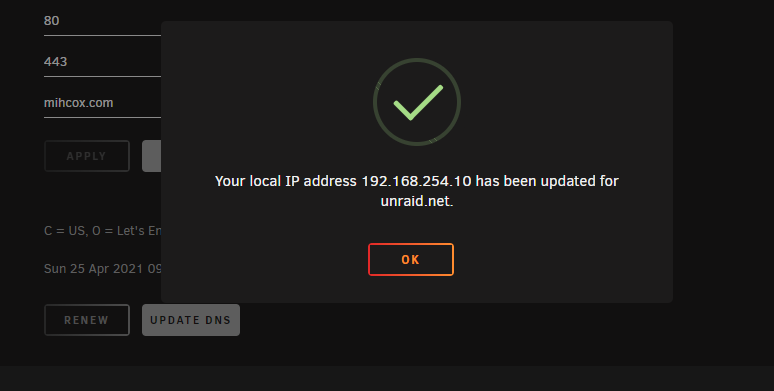
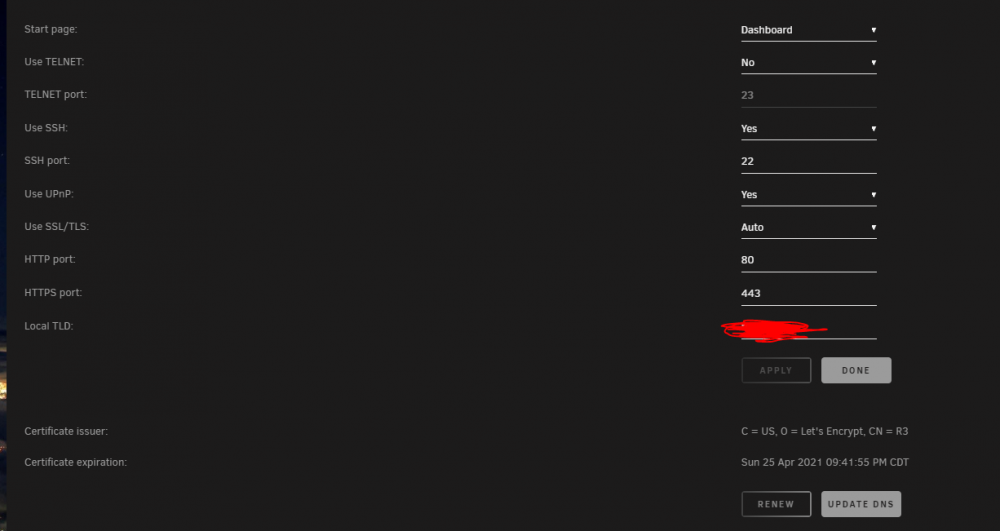
I am unable to access my server without using its https://"local ip", and using the **********.unraid.net is not working, instead showing "ERR_NAME_NOT_RESOLVED" in chrome. I am unable to hit renew, which I believe would resolve this issue. Any suggestions?
-
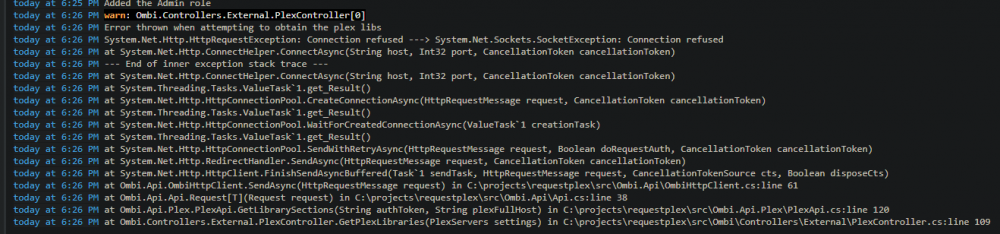
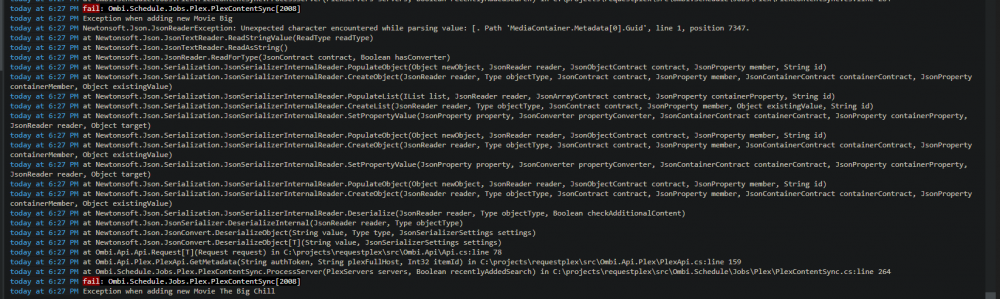
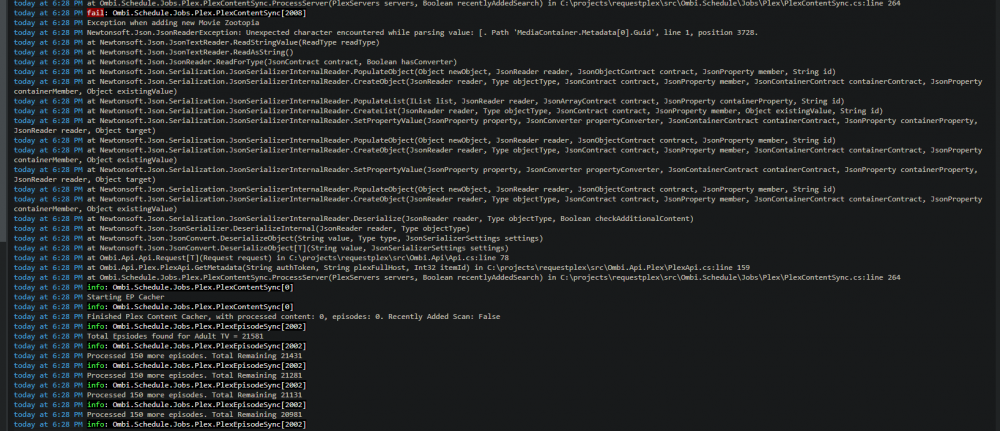
I have the same issue, posting screenshots here. Appears not to be all of my library or any of them in particular causing this. Is there a known resolution?
-
I have this working over OpenVPN but cannot get it working on NGINX Proxy Manager. Is there a configuration guide as to what port should be forwarded from controlr? Inside my network server:80 works currently to access it.
-
Resolved both issues, thank you!
-
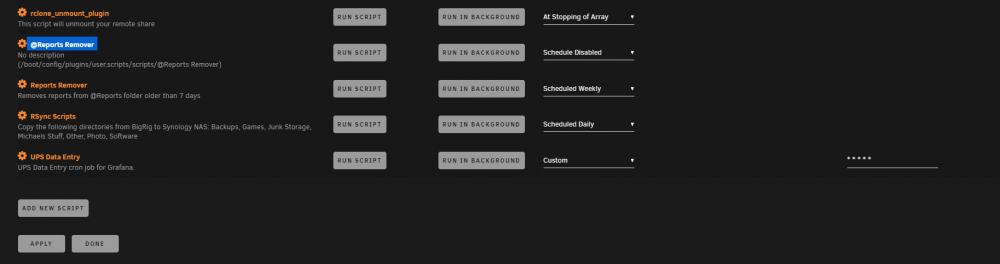
Errors appear related to the @Reports... How can i manually remove this, as the gui does not respond when i click on it.
-
I have been using User Scripts with no problem for a long time. I tried to modify the timings of my some of my tasks, and APPLY and DONE does nothing. The button is clicked, but no action is taken and refreshing the page leads to old settings. Not working in chrome, IE or Firefox. How can i save my updated changes. NOTE: I also have one user script with an @ in the title and the cog is completely unclickable, not sure if this is related. If i could remove that too would be great. bigrig-diagnostics-20200815-1326.zip
-
Thanks for this, do i just boot into the LSI, then run this from there and it should be fine?
-
Solved my issue, thank you so much! I do see a lot my lines returning the following, is this something i should be concerned about: 2020/05/27 14:51:58 [ERROR] json: cannot unmarshal object into Go struct field SDMetadata.data of type []struct { Aspect string "json:\"aspect\""; Height string "json:\"height\""; Size string "json:\"size\""; URI string "json:\"uri\""; Width string "json:\"width\"" } 2020/05/27 14:54:34 [G2G ] Deleted Program Informations: 0 { "status": true }{ "status": true }<html><head><title>Unauthorized</title></head><body><h1>401 Unauthorized</h1></body></html>
-
I downloaded and installed this today. I get no .yaml or .xml file created after running "guide2go -configure Frontier.yaml" and then going through the options Output from console: 2020/05/26 17:36:13 [G2G ] Version: 1.1.0 2020/05/26 17:36:13 https://json.schedulesdirect.org/20141201/token 2020/05/26 17:36:14 [SD ] Login...OK 2020/05/26 17:36:14 https://json.schedulesdirect.org/20141201/status 2020/05/26 17:36:14 [SD ] Account Expires: 2020-07-26 21:18:49 +0000 UTC 2020/05/26 17:36:14 [SD ] Lineups: 1 / 4 2020/05/26 17:36:14 [SD ] System Status: Online [No known issues.] 2020/05/26 17:36:14 [G2G ] Channels: 650 2020/05/26 17:34:53 [G2G ] Create XMLTV File [Frontier.xml] 2020/05/26 17:35:08 [G2G ] Clean up Cache [Frontier_cache.json] 2020/05/26 17:35:22 [G2G ] Deleted Program Informations: 0 What can i do to help troubleshoot?
-
Yes, I am able to use locally with no problem. Only an issue though NGINXProxyManager, where the password prompt is, I see that error. There are no errors in the docker log for the app.
-
I am using the VNC Web Browser, which linked to this support thread. I have successfully created a reverse proxy for this at web.xxxxxx.com and can pull up the main page. The problem is it says "Something went wrong, connection is closed". How can i resolve this?
-
So after doing this, i was able to get no error and it seems to be working. How can I validate that I am infact using the onlyoffice container?
-
I am using NGINX Proxy manager, so I do not see any specific cert files, only .pem files.
-
Thanks for this. I am using NGINXProxyManager with the gui, so im not exactly sure how to translate what you have to that.
-
I have a problem with the connection between onlyoffice document server and nextcloud. I have installed onlyoffice, and have it mapped to onlyoffice.stupiddomain.com and it shows up as https://onlyoffice.stupiddomain.com/welcome/ with "document server is running". I have nextcloud setup the same way, and its running fine on its own at nextcloud.stupiddomain.com. I have added it to the trusted domains on nextcloud as well. When I add the https://onlyoffice.stupiddomain.com to nextcloud, i get the following response: Error when trying to connect (Error occurred in the document service: Error while downloading the document file to be converted.)✖ Log from nextcloud: None Log from onlyoffice: at TLSSocket.onConnectSecure (_tls_wrap.js:1058:34) at TLSSocket.emit (events.js:198:13) at TLSSocket._finishInit (_tls_wrap.js:636:8) [2020-03-23T21:24:15.373] [ERROR] nodeJS - error downloadFile:url=https://192.168.254.10:2443/apps/onlyoffice/empty?doc=eyJ0eXAiOiJKV1QiLCJhbGciOiJIUzI1NiJ9.eyJhY3Rpb24iOiJlbXB0eSJ9.XRT2j2-sIoP28rkYLf2N_WtUSJ1tygL3e7k749DjGr4;attempt=3;code:DEPTH_ZERO_SELF_SIGNED_CERT;connect:null;(id=conv_check_1524422705_docx) Error: self signed certificate (my onlyoffice ports should be 9075 (http) and 4540 (https)





