MrLinford
Members
-
Joined
-
Last visited
Everything posted by MrLinford
-
Maintainerr Overlay HelperrProject inspired by Maintainerr Poster Overlay This project is a helper script that works with Maintainerr to add a Netflix-style "leaving soon" overlay to your media. It integrates with Plex and Maintainerr to download posters, add overlay text, and upload the modified posters back to Plex. It runs periodically to ensure posters are updated with the correct information. Using Calculated Date Using Days Left FeaturesCollections: All types of collections are supported. The script can process multiple collections at once and reorder each Plex collection in ascending or descending order based on deletion date, allowing you to easily manage upcoming removals. Customizable overlay: use custom text, colour, size, shape & positioning of the overlay Overlay reset & deletion: revert to the original poster & delete the generated overlay poster from the Plex metadata folder Automatic poster update: The overlay's deletion date automatically updates to match any modifications you make to Maintainerr rules, ensuring your visual overlays always reflect the latest media removal schedules. Display days left vs exact date: choose between showing the calculated date of removal (Netflix style) or days leading up to it (countdown) CRON scheduling: schedule when the script should run using CRON expressions RequirementsDocker Plex Media Server Maintainerr Please post any questions/issues relating to this Docker template you have in this thread.
-
FIXED: Had to add a label for Traefik to use port 8080. It was picking the first TCP port in numeric order: `traefik.http.services.amp.loadbalancer.server.port`
-
I have just installed and got AMP up and running. Even got it externalised through Traefik for managing the instances. After adding my first server and then applying the Ports to the Docker Container, I get 502 ERROR when trying to access using the domain via Traefik, Any thoughts?
-
It only doesn't work for me when using the Global Icon here: The WebUI option in the Docker menu works all the time for me:

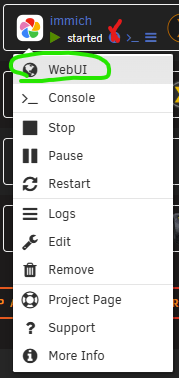
-
I also had this. Uninstall the plugin version you have installed. Then follow the manual steps to install: https://github.com/VladoPortos/folder.view
-
I restarted the container today and the PIA Wireguard is not working, the logs show: OpenVPN works fine still.
-
This is not to be done in the container but to UNRAID itself: This is a Redis requirement (from their documentation), but I wasn't sure if you were aware - to remedy this, you'll log in to the shell of your unraid and run the command noted: sysctl vm.overcommit_memory=1 To make it permanent, you might have to work around the lack of system permanence by adding the sysctl vm.overcommit_memory=1 as a line to /boot/config/go
-
I use EMBY and will be looking to do the same thing
-
Thank you for sharing!! Apart from Plex pannel (as i don't use it) this will be used daily.
-
Holy Cow! I would love to see the full release when you can.
-
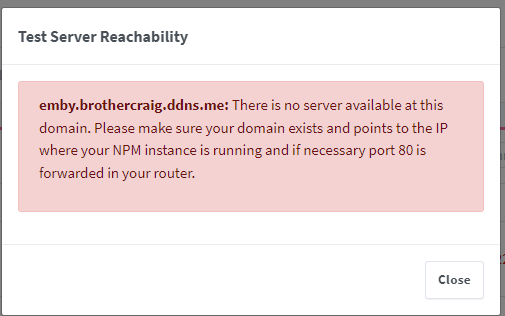
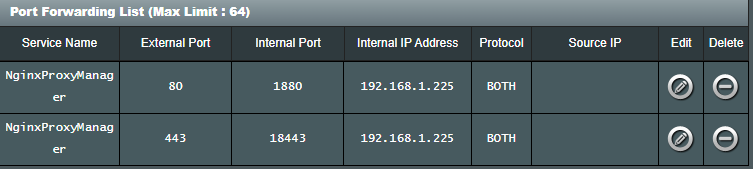
On to my next issue, challenges are failing for some reason today at 06:50:02[8/26/2022] [6:50:02 AM] [SSL ] › ✖ error Error: Command failed: certbot renew --non-interactive --quiet --config "/etc/letsencrypt.ini" --preferred-challenges "dns,http" --disable-hook-validation today at 06:50:02Failed to renew certificate npm-10 with error: Some challenges have failed. today at 06:50:02Failed to renew certificate npm-11 with error: Some challenges have failed. today at 06:50:02Failed to renew certificate npm-12 with error: Some challenges have failed. today at 06:50:02Failed to renew certificate npm-13 with error: Some challenges have failed. today at 06:50:02Failed to renew certificate npm-15 with error: Some challenges have failed. today at 06:50:02Failed to renew certificate npm-16 with error: Some challenges have failed. today at 06:50:02Failed to renew certificate npm-17 with error: Some challenges have failed. today at 06:50:02Failed to renew certificate npm-18 with error: Some challenges have failed. today at 06:50:02Failed to renew certificate npm-19 with error: Some challenges have failed. today at 06:50:02Failed to renew certificate npm-20 with error: Some challenges have failed. today at 06:50:02Failed to renew certificate npm-21 with error: Some challenges have failed. today at 06:50:02Failed to renew certificate npm-22 with error: Some challenges have failed. today at 06:50:02Failed to renew certificate npm-23 with error: Some challenges have failed. today at 06:50:02Failed to renew certificate npm-24 with error: Some challenges have failed. today at 06:50:02Failed to renew certificate npm-26 with error: Some challenges have failed. today at 06:50:02Failed to renew certificate npm-27 with error: Some challenges have failed. today at 06:50:02Failed to renew certificate npm-8 with error: Some challenges have failed. today at 06:50:02Failed to renew certificate npm-9 with error: Some challenges have failed. today at 06:50:02All renewals failed. The following certificates could not be renewed: today at 06:50:02 /etc/letsencrypt/live/npm-10/fullchain.pem (failure) today at 06:50:02 /etc/letsencrypt/live/npm-11/fullchain.pem (failure) today at 06:50:02 /etc/letsencrypt/live/npm-12/fullchain.pem (failure) today at 06:50:02 /etc/letsencrypt/live/npm-13/fullchain.pem (failure) today at 06:50:02 /etc/letsencrypt/live/npm-15/fullchain.pem (failure) today at 06:50:02 /etc/letsencrypt/live/npm-16/fullchain.pem (failure) today at 06:50:02 /etc/letsencrypt/live/npm-17/fullchain.pem (failure) today at 06:50:02 /etc/letsencrypt/live/npm-18/fullchain.pem (failure) today at 06:50:02 /etc/letsencrypt/live/npm-19/fullchain.pem (failure) today at 06:50:02 /etc/letsencrypt/live/npm-20/fullchain.pem (failure) today at 06:50:02 /etc/letsencrypt/live/npm-21/fullchain.pem (failure) today at 06:50:02 /etc/letsencrypt/live/npm-22/fullchain.pem (failure) today at 06:50:02 /etc/letsencrypt/live/npm-23/fullchain.pem (failure) today at 06:50:02 /etc/letsencrypt/live/npm-24/fullchain.pem (failure) today at 06:50:02 /etc/letsencrypt/live/npm-26/fullchain.pem (failure) today at 06:50:02 /etc/letsencrypt/live/npm-27/fullchain.pem (failure) today at 06:50:02 /etc/letsencrypt/live/npm-8/fullchain.pem (failure) today at 06:50:02 /etc/letsencrypt/live/npm-9/fullchain.pem (failure) today at 06:50:0218 renew failure(s), 0 parse failure(s) today at 06:50:02 today at 06:50:02 at ChildProcess.exithandler (node:child_process:399:12) today at 06:50:02 at ChildProcess.emit (node:events:526:28) today at 06:50:02 at maybeClose (node:internal/child_process:1092:16) today at 06:50:02 at Process.ChildProcess._handle.onexit (node:internal/child_process:302:5) Checking the letsencrypt.log
-
OK, fixed it following this post: https://community.letsencrypt.org/t/solved-another-instance-of-certbot-is-already-running/44690
-
Done that, even restarted the server.
-
I have just gone to create a new host and it failed. Here is the log: 2022-08-23 19:51:27,153:DEBUG:certbot._internal.main:certbot version: 1.27.0 2022-08-23 19:51:27,153:DEBUG:certbot._internal.main:Location of certbot entry point: /usr/bin/certbot 2022-08-23 19:51:27,153:DEBUG:certbot._internal.main:Arguments: ['--config', '/etc/letsencrypt.ini', '--cert-name', 'npm-40', '--agree-tos', '--authenticator', 'webroot', '--email', '<REMOVED>', '--preferred-challenges', 'dns,http', '--domains', 'eveinsight.brothercraig.ddns.me'] 2022-08-23 19:51:27,153:DEBUG:certbot._internal.main:Discovered plugins: PluginsRegistry(PluginEntryPoint#manual,PluginEntryPoint#null,PluginEntryPoint#standalone,PluginEntryPoint#webroot) 2022-08-23 19:51:27,165:DEBUG:certbot._internal.lock:A lock on /var/log/letsencrypt/.certbot.lock is held by another process. 2022-08-23 19:51:27,165:DEBUG:certbot._internal.log:Exiting abnormally: Traceback (most recent call last): File "/usr/lib/python3.9/site-packages/certbot/_internal/lock.py", line 126, in _try_lock fcntl.lockf(fd, fcntl.LOCK_EX | fcntl.LOCK_NB) BlockingIOError: [Errno 11] Resource temporarily unavailable During handling of the above exception, another exception occurred: Traceback (most recent call last): File "/usr/bin/certbot", line 8, in <module> sys.exit(main()) File "/usr/lib/python3.9/site-packages/certbot/main.py", line 19, in main return internal_main.main(cli_args) File "/usr/lib/python3.9/site-packages/certbot/_internal/main.py", line 1728, in main log.post_arg_parse_setup(config) File "/usr/lib/python3.9/site-packages/certbot/_internal/log.py", line 107, in post_arg_parse_setup file_handler, file_path = setup_log_file_handler( File "/usr/lib/python3.9/site-packages/certbot/_internal/log.py", line 161, in setup_log_file_handler util.set_up_core_dir(config.logs_dir, 0o700, config.strict_permissions) File "/usr/lib/python3.9/site-packages/certbot/util.py", line 183, in set_up_core_dir lock_dir_until_exit(directory) File "/usr/lib/python3.9/site-packages/certbot/util.py", line 157, in lock_dir_until_exit _LOCKS[dir_path] = lock.lock_dir(dir_path) File "/usr/lib/python3.9/site-packages/certbot/_internal/lock.py", line 259, in lock_dir return LockFile(os.path.join(dir_path, '.certbot.lock')) File "/usr/lib/python3.9/site-packages/certbot/_internal/lock.py", line 45, in __init__ self.acquire() File "/usr/lib/python3.9/site-packages/certbot/_internal/lock.py", line 60, in acquire self._lock_mechanism.acquire() File "/usr/lib/python3.9/site-packages/certbot/_internal/lock.py", line 112, in acquire self._try_lock(fd) File "/usr/lib/python3.9/site-packages/certbot/_internal/lock.py", line 130, in _try_lock raise errors.LockError('Another instance of Certbot is already running.') certbot.errors.LockError: Another instance of Certbot is already running. 2022-08-23 19:51:27,165:ERROR:certbot._internal.log:Another instance of Certbot is already running. I also noticed, after check, in the docker logs the renewals are also failing.
-
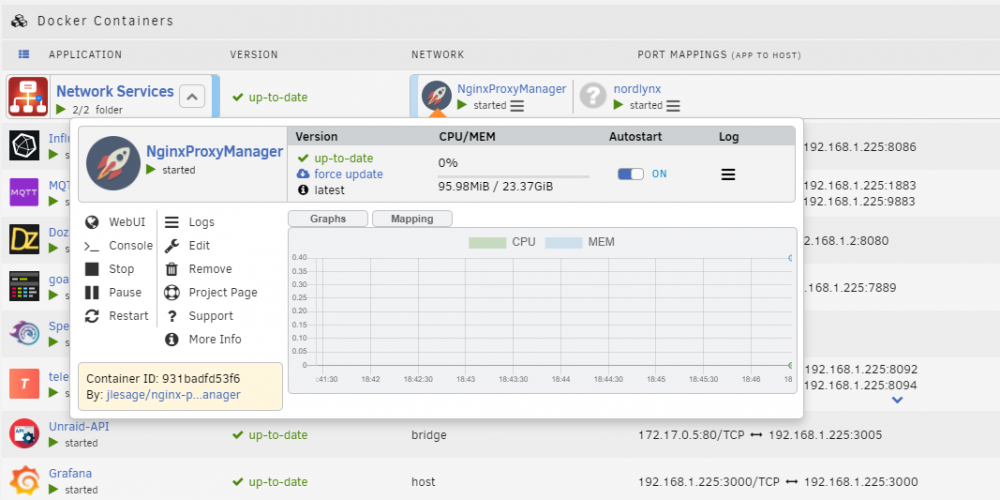
Thank you so much. This is such a good QOL plugin:
-
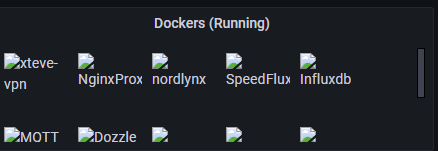
I got this all setup now for my own home server, not a plex use but emby. Thank you for the work you have put in though to deliver this. Now to look at why the docker images aren't loading: Already fixed it. Noticed the BASE URL being https://192.168.1.7, this needs changing to the unRAID API address. Might be worth a mention in the guide
-
@ElectricBrainUK Any idea what could make the above happen?
-
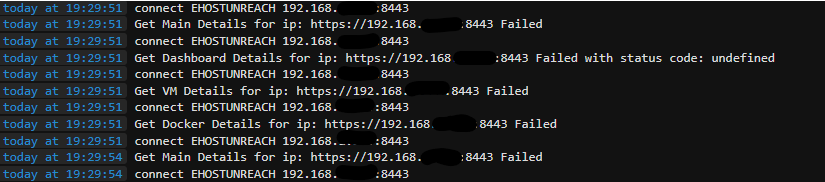
I have done this but still get "Failed with status code: undefined" Also get the same error's with IP
-
-
@fmp4m thank you for sharing this will be useful.
-
Got mine all setup but not showing Proxy Hosts
-
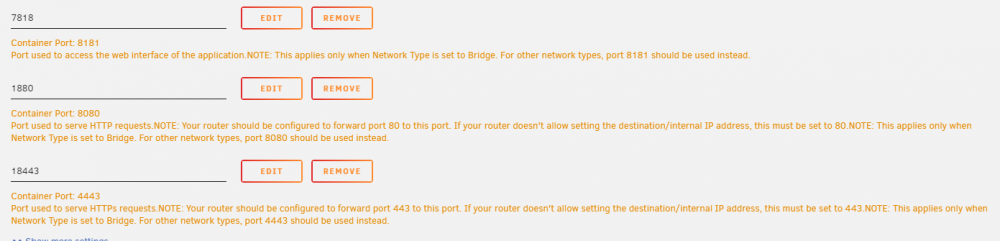
Hello people. I'm trying to setup HTTPS connect to the container. I have add a second port mapping on the container settings: But the container shows its only listening on 8989


-
Thank you all. Doing this tomorrow, as not running VM's this should be simple. But will back important data to be safe.
-
I had to remove the installed docker and clean up after it, then reboot the server as a precaution. After that, I follow your advise and BAM I'm in, thank you.
-
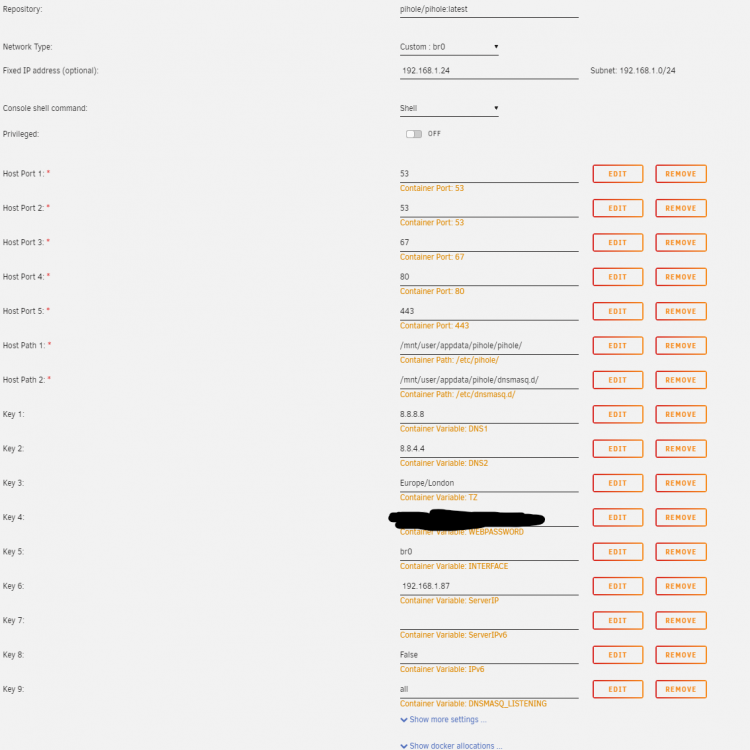
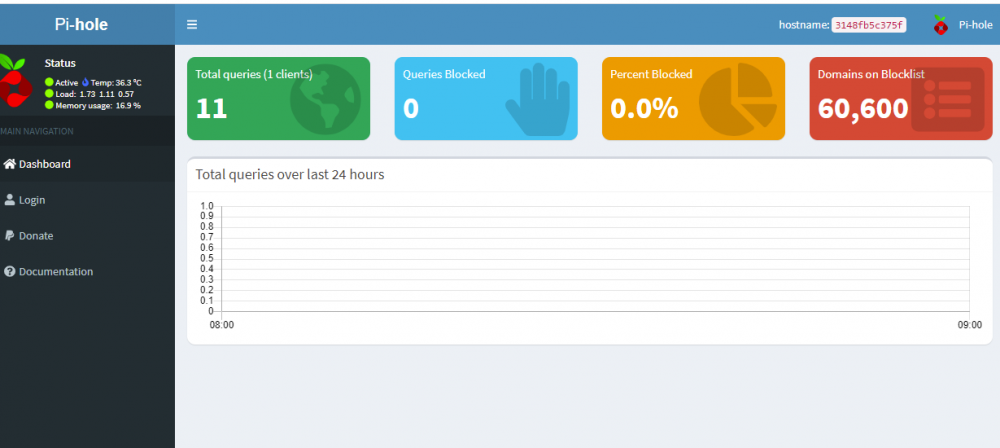
Hello, I installed this docker but I can't access the WebUI. When checking the logs i found: [s6-init] making user provided files available at /var/run/s6/etc...exited 0. [s6-init] ensuring user provided files have correct perms...exited 0. [fix-attrs.d] applying ownership & permissions fixes... [fix-attrs.d] 01-resolver-resolv: applying... [fix-attrs.d] 01-resolver-resolv: exited 0. [fix-attrs.d] done. [cont-init.d] executing container initialization scripts... [cont-init.d] 20-start.sh: executing... [s6-init] making user provided files available at /var/run/s6/etc...exited 0. [s6-init] ensuring user provided files have correct perms...exited 0. [fix-attrs.d] applying ownership & permissions fixes... [fix-attrs.d] 01-resolver-resolv: applying... [fix-attrs.d] 01-resolver-resolv: exited 0. [fix-attrs.d] done. [cont-init.d] executing container initialization scripts... [cont-init.d] 20-start.sh: executing... ::: Starting docker specific checks & setup for docker pihole/pihole [i] Installing configs from /etc/.pihole... [i] Existing dnsmasq.conf found... it is not a Pi-hole file, leaving alone! chown: cannot access '': No such file or directory chmod: cannot access '': No such file or directory chown: cannot access '/etc/pihole/dhcp.leases': No such file or directory /etc/pihole/setupVars.conf: line 4: 192.168.1.87: command not found Converting DNS1 to PIHOLE_DNS_ Converting DNS2 to PIHOLE_DNS_ Setting DNS servers based on PIHOLE_DNS_ variable ::: Pre existing WEBPASSWORD found DNSMasq binding to custom interface: br0 /etc/pihole/setupVars.conf: line 4: 192.168.1.87: command not found [cont-init.d] 20-start.sh: exited 127. [cont-finish.d] executing container finish scripts... [cont-finish.d] done. [s6-finish] waiting for services. [s6-finish] sending all processes the TERM signal. [s6-finish] sending all processes the KILL signal and exiting. Any guidance would be appreciated