





sota
Members
-
Joined
Everything posted by sota
-
I just updated my kid's server to the latest build and added the needed variables and ports for the webUI. that all works, but how do I get the webUI to cleanly disconnect so I can reconnect later? edit: now I just get a blank white screen with 'GoTTY' in tab title, even after a docker restart.
-
also sounds disturbingly like a software RAID4 type implementation. SSD cache drive is far faster, cheaper, already implemented, and reliable.
-
as a matter of fact, you do not. the front cages are expanders already, and have port provisions for connecting the 2 rear bays.
-
Instead of extra parity, I'd rather see multi-array support and/or Gluster-like functionality. And after having done some reading on what Gluster does, I think I'd prefer that over multi-array. Less chance of crashing everything at once if something dumb happens.
-
Posting this here, as it's one of the first threads that comes up talking about a P410 controller, and it could be useful to other people in the future. Setup: HP P420 (possibly P402 and any P-series as well) controller, in JBOD/IT mode. Attaching multiple copies of the same model hard drive (in my case Samsung 256GB SATA SSD drives.) Problem: Only one, possibly none, if the drives, become visible to unRAID. syslog contains entries such as: Oct 29 13:27:12 Cube emhttpd: device /dev/sdh problem getting id Oct 29 13:27:12 Cube emhttpd: device /dev/sdi problem getting id discovered: in folder: /dev/disk/by-id the following is found: lrwxrwxrwx 1 root root 9 Oct 29 13:27 wwn-0x5002538500000000 -> ../../sdh lrwxrwxrwx 1 root root 9 Oct 29 13:27 wwn-0x5002538500000000 -> ../../sdi Because of some interaction between the P-series controller and certain drives , while running in JBOD/IT mode it sometimes will not allow unRAID to generate a unique device ID, and can create the same ID to multiple disks. I am unaware of any "fix" for the controller that will correct this. My solution, swap out the P420 for an H240 controller and put it in JBOD/IT mode.
-
https://www.ebay.com/itm/HP-ProLiant-DL380e-Gen8-Rear-2x-LFF-Drive-Cage-Assembly-Kit-684899-001-2U/153988309647?epid=1329456720&hash=item23da6b228f:g:vrEAAOSwyKhe-kES that will give you the part number for the rear. https://www.ebay.com/itm/HP-DL380eG8-12-Bay-LFF-Drive-Cage-Assy-New-668307-001-684886-001/392127181270?hash=item5b4c99f1d6:g:YLwAAOSw8R9cNjQ5 there's a front. I don't know about the rules for shipping to europe though.
-
10TB are LFF. I know of no one making a 10TB SFF. When I bought the server it came with 14 sleds, as it already had the rear expansion bays installed.
-
are there any suggestions for cheap GPUs that would benefit Shinobi and would work with unRAID? and how do I determine if such an addition is of value?
-
I have WD white label 10TB drives connected to mine. They worked on the P420i controller as well, in JBOD mode, but there's drive ID issues with some manufacturers (namely, Samsung, in my experience.) @Newtious it's 12 LFF up or 25 SFF front, and 2 LFF or 2 SFF in the back (optional.)
-
now i'm running at 7.3GB out of 8GB of memory allocated to the docker. WTH.
-
https://www.amazon.com/PNY-Attache-Flash-Drive-P-FD32GATT03-GE/dp/B003YCOMG4 I use those.
-
thanks!
-
Thanks. Am I on a different version or something? mine are

-
How do I get krusader to run as root user? I'm getting access denied errors for folders and files that are not nobody:users, and I need to manipulate them. Thanks!
-
Yea i've gone through the default wipe and config reload a couple of times. It seems to clear it up for a while, sometimes. For some reason right now, with 4 cameras running, it appears to be pretty stable. I'm getting occasional smearing on 2 of the cameras, and i'm loathe to dicker with it right now, as I need them to document some shenanigans of a bad neighbor (there's lawyers involved, and probably lawsuits.) So i'm kind of suffering right now with any glitches that might appear, as it's giving me good enough data for now. One issue I just had happen though: my storage drive filled up and I didn't get a notification. Is there an option someplace to get a notice that the disk is getting full?
-
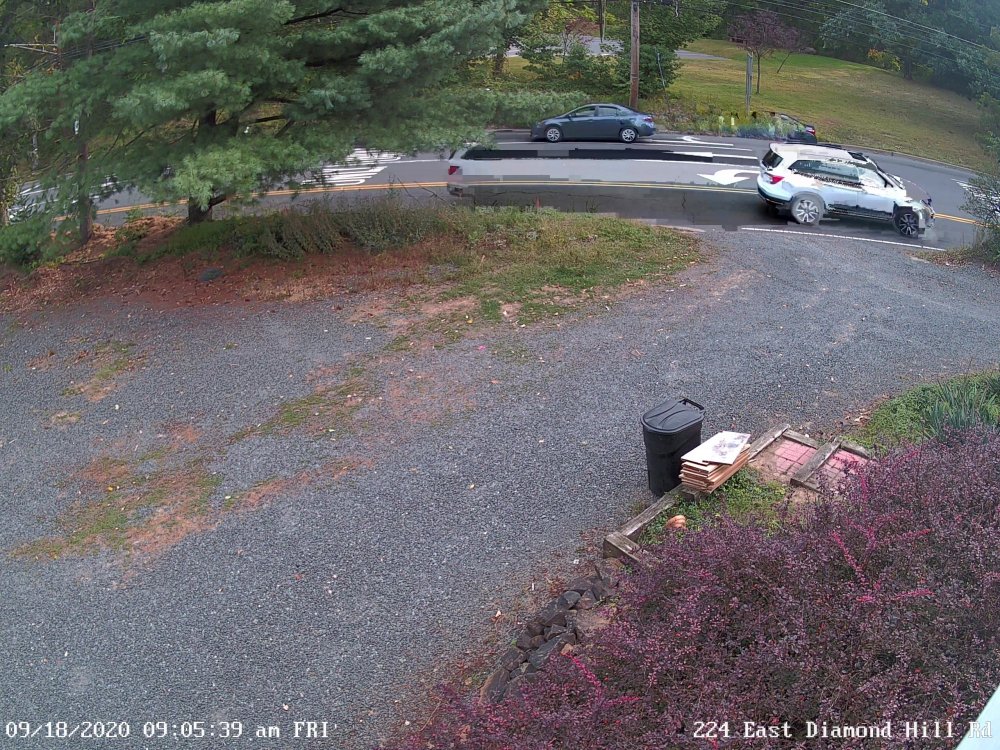
trying to figure out how to prove/disprove this, but apparently the following combination causes some issues: Shinobi Pro Reolink RLC-520 main (clear) stream at 25fps 2560x1920 8192kB max data rate monitor set up to record, with same monitor up on screen. I get tearing/ghosting issues. been fighting with this problem for the past couple days, which is weird since the cameras have been online for almost 2 weeks without issue. it's not just shinobi that's showing the problem either; the cameras record locally on an SD Card, and those files are corrupted as well. i'm thinking, the strain of recording the clear stream locally, the sub-stream (fluent) locally (640x480 7fps 160kB), shinobi recording and monitoring the clear stream, is overloading the camera's internal capabilities? I changed shinobi to watch only on one set of monitors (fluent), record on another set (clear), seems to have maybe calmed things down?
-
and people wonder why I don't update/upgrade things on a regular basis... if it ain't broke, don't fix it!
-
follow up: seems the dirty kills have gone away, after I bumped the docker to 8GB ram. casually glancing at its usage shows it to be between 4.7GB and 4.8GB fluctuating, for now.
-
Does shinobi pro require a tremendous amount of ram? I'm getting a LOT of these in these in the log lately. I've got the docker set at 4GB, and it looks like it runs hard up against that periodically.
-
No problemo. It seems to work well enough for me, at least in the sense I've confidence I can restore whatever I have in cold storage. It's definitely not a real-time solution, but then I don't treat my unRAID server as a device that gets daily changes and needs the same for backups. Mine is more of a warm storage "vault"; a gigantic WORM device. Things that are touched daily are on a completely different server, with a completely different backup/restore model.
-
I only do local backups using removable disks. See sig for details.
-
@bubo et. al.: it seems to me that a non-software driver dependent solution is a much better idea for future expandablilty and dependability.
-
regarding this... the disk most likely was part of a hardware RAID array, in my case from an HP P-series controller. If it hasn't been deleted from an array (even of 1 disk) it'll be "masked" by an H-series controller. I'm researching now a way of fixing that, without having to mount the disk to a P-series controller and delete the array stored on the disk.
-
any ideas when 5.13.32 will be available?
-
personally i'm good with leaving it at 4GB. if I need more ram, I'll go buy some, since the max is 384GB


