





sota
Members
-
Joined
Everything posted by sota
-
so should I do something to update it? the version says up to date in the Docker screen.
-
Odd screen error after doing Rescan Controllers
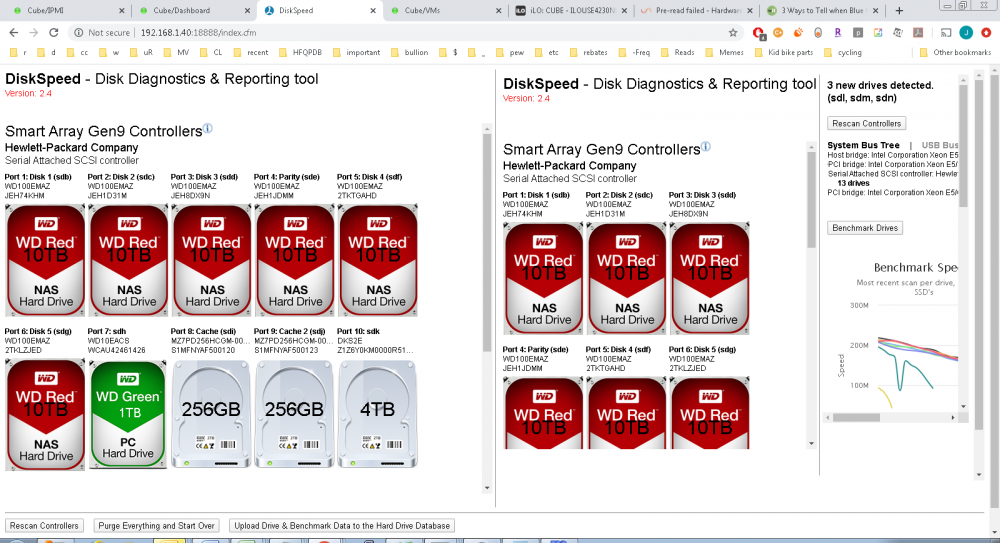
-
Ok... I found the 1 disk of mine that I precleared recently that didn't get tagged as such. I updated the plugin to the latest version. Is there anything pre- or post-check I should do to collect info for you?
-
run the command from a console. that seems to stop it. yes I have to do it after every reboot.
-
Yea, that's pretty common on enterprise class servers.
-
I'll keep it in the back of my mind next time I get a chance.
-
Ok. Just the preclear logs? or do you want anything else.
-
Tell ya what i can do for you on my end: pretty sure there's at least 2 disks of mine that didn't get tagged as precleared. If you want I'll run them through again at some point. Is there any debug settings I can turn on for you, in case it does it again?
-
Huh... I thought it was just me and being weird with having 5 disks running preclear at once. I had the same situation with a disk or 2 (I don't remember, there were 18 of them total) that got to the end of phase 1, but never did phases 2 and 3, and at least one of them started over with the preclear. It was 9 hours to process these 4TB disks. Again it wasn't all of them, just a couple. I didn't take very good notes, i'm sorry.
-
Oh.... that makes sense... Global... Display... Think I need to start drinking coffee or red bull or something, in large quantities. So what does "Available Hard Drives" do then? It doesn't appear to show up anyplace. Except it's showing them in C... i'm an F kind of guy. Curiously enough, when I tag 3 sensors to show in the footer, they're in F. Given I can put up to 4 in the footer, I might just stick with them anyways.
-
That option doesn't appear in my menu, sadly.
-
Definitely like IPMI in that it reads the Sea of Sensors on my HP server. Definitely don't like how it hijacks the Dashboard. Hoping that gets fixed soon. At least make it so it can collapse?
-
Same could have been done with SPP 2016.04.0, if anyone isn't inclined to go the linux/mint route on their own. Also, there's a problem with the way the P420 reports drives by-id, depending on the manufacturer. I experienced it with a pair of samsung SSDs. (Samsung 840 Pro Series MZ-7PD256) do: v /dev/disk/by-id and see if you have any items that are identical. ex: lrwxrwxrwx 1 root root 9 Oct 29 13:27 wwn-0x5002538500000000 -> ../../sdh lrwxrwxrwx 1 root root 9 Oct 29 13:27 wwn-0x5002538500000000 -> ../../sdi probably will see something in the log about it too: Oct 29 13:27:12 Cube emhttpd: device /dev/sdh problem getting id Oct 29 13:27:12 Cube emhttpd: device /dev/sdi problem getting id
-
Guess it could be the expander in the drive cage; H240 is a 2x4 12Gb/s lane controller, but the cage is 12+2. Trying to dig up some info on the cage/expander and see if there's a possible bottleneck there. Not that it's a big screaming deal; throughput is well above my normal needs as it is
-
Curious why the cache disks performed so poorly during simultaneous vs. individual. Only thing notable is they're in the 2 rear chassis bays instead of in the 12 up front.
-
The difference between new WD Red (shucked White WD100EMAZ) and an older WD Green WD10EACS is hysterical. I uploaded my drive stats to add to the collective.
-
<John "Hannibal" Smith> I love it when a plan comes together. </John "Hannibal" Smith>
-
So I recently had the no activity when planning problem pop up too. I tried uninstalling all the extra plugins I have, one by one: File Activity CA Mover Tuning Open Files Fix Common Problems Dynamix SSD Trim Dynamix System Temperature Nerd Tools ... to no effect. I then uninstalled an reinstalled unBALANCE, and it started working again. Finally, I reinstalled all my other plugins, one by one, and tested after each. unBALANCE worked fine after all of them.
-
Cool. It's not a massive screaming deal, as I could probably do it "by hand" so to speak (console.) I just thought it curious that it didn't show UD's, but it does show the array disks individually, and the cache as a collective.
-
Is there a technical reason unBALANCE can't see (or work with) unassigned devices? I have a lot of "scratch" work I need to do on a good collection of files spread across multiple devices, but would prefer not to pound on the array until I'm done folding/spindling/mutilating the collection, and then move everything on to the array in one big shot. Thanks.
-
96GB in 12 sticks. because the cost savings on the build spec was only a couple dollars even if I cut the memory in half.
-
I'm not sure how to interpret the ACPI errors; keep in mind there's 3 controllers on this machine: CD-ROM SATA, HP B210i (not used), HP P420 (used). And of course the USB slot for the unRAID stick (inside the case.) I re-checked the cache settings and --get says they're all set to enabled. However when I did force it for sdf and sdg and refreshed the log I see an entry each for sdf and sdg saying it's now enabled. Weird. eta: dug more on the ACPI errors... they're nothing to worry about. They're related to HP being HP; see https://www.serveradminblog.com/2015/05/kernel-acpi-error-smbusipmigenericserialbus/ I'll worry about dealing with that later.
-
Back to it being slow. Had the machine off for a couple days, waiting on some parts to come in. Moving more data on to it, and write speeds are down again to 30MB/s. Did the WCE thing on all drives, no effect. Will try mounting an NTFS disk in a bit, do a test transfer, and see if things change. Local disk-to-disk transfer of a 4GB file resulted in a 168MB/s data rate. cube-diagnostics-20191026-2353.zip
-
Here you go. I have no idea what changed, but all of the sudden i'm now getting 100MB/s transfer speeds into unRAID. I'm trying to think of what it is I messed with during this time: Hot added a 4th drive to the machine, which showed up as /dev/sde. Mounted sde as /mnt/ntfs1 (it's an NTFS formatted drive.) Did some file copy tests from it to one of the array disks (/mnt/disk2.) Got a computed 112MB/s data transfer rate, which to me is appropriate. Deleted the copied files and unmounted /mnt/ntfs1. After all that, I went back and looked at the network copy activity, and it was running near 100MB/s. i could see on the graph (Windows Server 2012R2 source) the big hump and jump up. I guess whatever Fat Electron cleared out of the wire? cube-diagnostics-20191019-0015.zip
-
I'm apparently having the same problem. My write speeds are in the sub-30MB/s range. I checked the WCE flag and it's enabled on all my drives. This has been consistent across two different builds (other was an HP 8000 Elite SFF C2Q Q9650, 16GB ram, native SATA connectors.) I'm still looking for a solution.

