





Squid
Administrators
-
Joined
-
Last visited
Everything posted by Squid
-
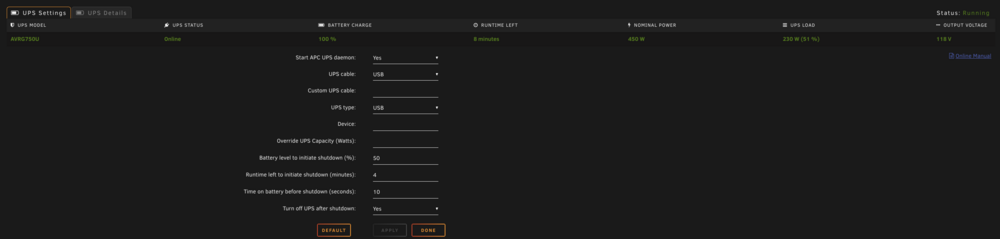
Can you post a screenshot of your UPS Settings
-
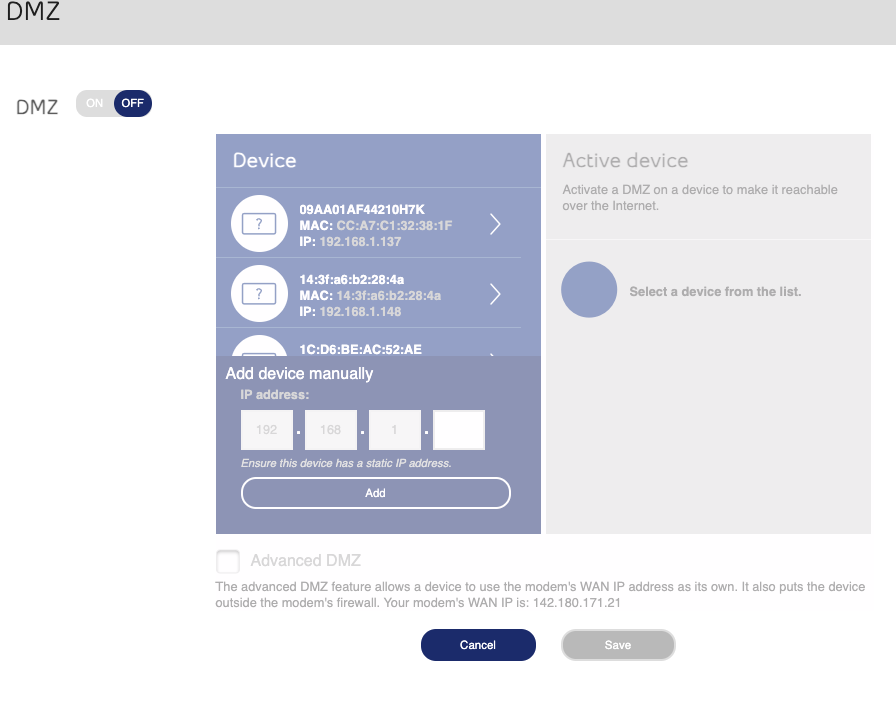
Depends upon your router. Log into it and check for DMZ akin to Placing your server within a DMZ effectively puts the server directly on the internet, and is not recommended. Forward ports instead. Another possibility is that you've forwarded the SSH / SSL ports in which case you should use a reverse proxy (or ideally once 7.x is released TailScale)
-
Looks like you were using an incorrect password to login via SSH Does the webGUI work on the locally attached monitor if you boot via GUI mode?
-
So is Logitech Media Server itself now deprecated?
-
Is your server sitting in your router's DMZ? You do have 800+ login attempts from around the world. Pretty much every script kiddie out there.
-
Try today's update. Couldn't replicate this (or see anything wrong in your diagnostics) unless I enabled PHP Warnings to be displayed.
-
Best to ask in it's support thread
-
Expanding symlinks Either use mover, or alternatively, you could use the backup appdata plugin and then restore the zip to the new location. Much faster than mover, but haven't had to do this in years
-
I never got any notifications of anything weird happening overnight, and it's working fine at the moment. What are you seeing?Try again. There was a glitch in AppsBack in businessBack in businessWorking on itBecause something is messed up... Looking into itHit and miss as to whether it affects anything. (It works fine on my system, but fails on buddy's). Or another option (likely the best) is to move the translations into translations.txt instead since the .page file is inserting itself everywhere.Go into Settings - Network, and make a change (eg: disable bonding) and see if that fixes you up. You've previously had 4 NICs installed, but currently have one and the bond is set to include 4 which may be messing things upEdit the container and add in whatever other paths, variables etc that you needAnd isn't it still unmountable?are you changing $_SERVER['REQUEST_URI']? Edit: The problem @dlandon is L27 of lib.php Because you are including lib.php in Preclear footer.page, you are changing the URI for every single page in the UI, which is going to also impact all translations as any plugin won't be able to get to their own translations. What you'd want to do would be to do something akin to $_SERVER['REQUEST_URI'] = $_SERVER['REQUEST_URI'] . "/Preclear"; or alternatively save the original value and restore it at the end of lib.php Your lower case "p" as existing may properly reference your .txt file, but it also messes up the search becasue "preclear.page" doesn't exist but "Preclear.page" doesRemove the -n from the command options and re-run Any corruption would also be carried over to the parity system, so no. But, in all cases of file system corruption its always a good idea to run memtest from the boot menu, as bad RAM is.a leading cause of corruption.Try today's update. It all worked for me, but there was an HTML error the Chrome was complaining about which may have caused you issues depending upon Browser versions and its settings@dlandon ^^^ Version I tested on had "Preclear" with a capital P. Those screenshots are showing a lowercase "p"Whare share are you writing to?The diagnostics show that there is no ethernet cable connected ethtool.txt





