





Squid
Administrators
-
Joined
-
Last visited
Everything posted by Squid
-
Are your drives all spun down when entering the tab? An issue (I believe fixed next rev) causes all array drives to spin up whenever entering the VM tab
-
I believe this might be fixed on the next release (7.0) of the OS. Can’t 100% remember though
-
You need to whitelist github.com, githubusercontent.com etc. But, at the end of the day, your server and all connections from it should be whitelisted. There are zero ads within the OS, and therefore no reason for adguard to interfere with the transmissions to/from the OS.
-
YMMV. But effectively what the "spinner" is is an overlay (transparent) that covers the entire GUI and prevents any clicking anywhere
-
Container Size on the docker tab will show you where the space is being taken up after you see the size utilized growing in the dashboard for docker
-
When you're using lscr.io you're actually using ghcr.io. Removing the lscr.io means that you're pulling from dockerhub instead of ghcr. Since the system has no speed problems from you pulling from dockerhub instead of github, the issue lies somewhere else other than the OS. Reboot the router / modem / switches?
-
You should post your diagnostics
-
How do you know that the file that it's just moved to the array is also on the nvme?
-
First thing would be to run a memtest from the boot menu for at least a couple of passes. In conjunction with that you should also run your memory at its rated SPD speed of 1600 MT/s instead of your current XMP profile of 2133 MT/s. All overclocks introduce instability to any system.
-
Best thing to figure out CPU usages would be the glances application (or NetData)
-
Basically what @ConnerVT said, but a key difference between the foreground and the background is that the entire "shell" on the foreground stops which closes down everything, but when in the background there is no "shell" so it's a pita to find and close down sub processes.
-
The drives are making a terrible connection. Reseat the bays, and give them an extra little push afterwards also
-
You've got multiple drives resetting themselves and ultimately dropping offline. Reseat all cabling and power both ends
-
The previously posted diagnostics show no additional lines in the go file
-
The system folder contains 22.5 GB (Likely the docker.img) on disk 1 which causes the spin up. Disable the docker service, set the system share for Primary to be cache, secondary to be array and mover operation to move from array to cache. After running mover (main tab), everything should be on the cache pool and you'll be good to go
-
You do/. A share exists named "disks". Likely being created via a docker container, rclone etc due to misconfiguration. ls /mnt/user/disks May offer some glimpses into what is creating it.
-
Can you go to Tools, PHP Settings, and instead of default, set the logging to be "All Categories" After applying, after the next exit 255 upload a new set of diagnostics
-
docker compose isn't included by default in the OS. Have you installed the plugin for this?
-
What is the exact error FCP is saying?
-
You should post your diagnostics after you install the plugin when the shares disappear
-
If you can manage to break Time Machine on 6.12 to an SMB destination, then please let me know how to do it. I've never managed to break it. SMB speeds (particularly finder taking forever to populate) should also be massively improved in the latter versions.
-
Looks like a bad flash drive Jun 8 14:00:12 gabry-nas kernel: critical medium error, dev sda, sector 60087297 op 0x0:(READ) flags 0x0 phys_seg 7 prio class 2 You should transfer it to a new device
-
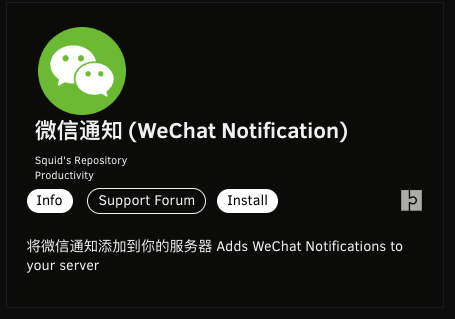
仅限 Unraid 6.13+ 添加对微信企业通知的支持。请注意,此插件不受支持,因为我没有任何测试能力,也没有编写底层代码。我无法联系 Alimighty.Yantao 来发布/维护此插件/脚本。 运行受支持的 Unraid 版本时,可在“应用程序”选项卡中 --- Unraid 6.13+ only Adds support for WeChat Enterprise Notifications. Note that this plugin is unsupported as I do not have any ability to test, nor did I write underlying code. I have been unable to get in touch with Alimighty.Yantao to publish / maintain this plugin / script. Available within the Apps tab when running a supported Unraid version
-
Here But, CA does require the up to date list in order to function at all, so the spinner does have to be there. FWIW the spinner code is identical to the rest of the OS, and when it is there everything is blocked in the GUI regardless of the page you're on.
-
Diagnostics would be helpful, but it's likely going to wind up being a docker container is creating that if it keeps coming back.


