





Squid
Administrators
-
Joined
-
Last visited
Everything posted by Squid
-
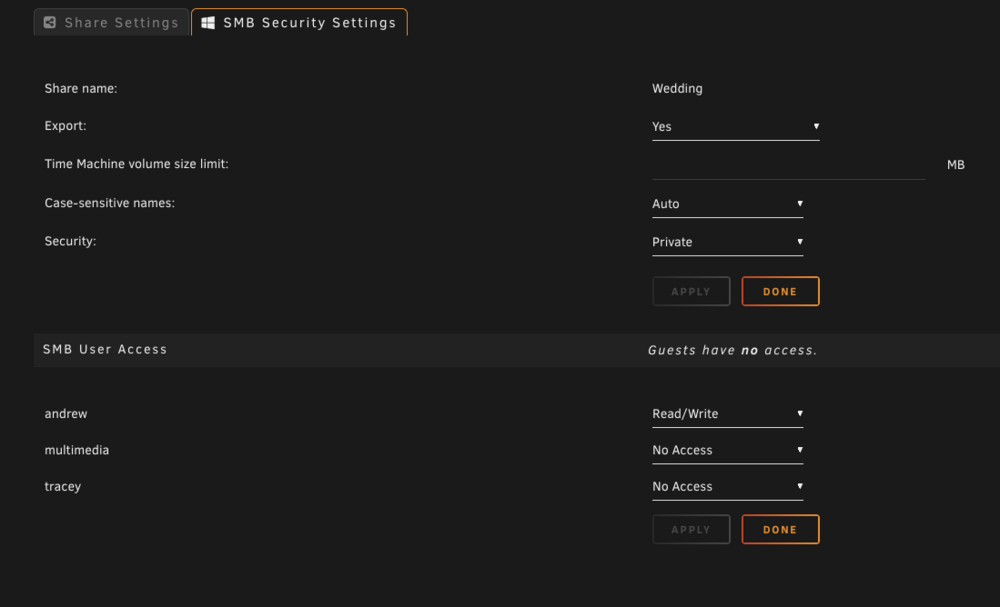
On the share, set the SMB security to Private and you can set visibility for everyone
-
You can only enable user shares globally not on a share by share basis.
-
Click debugging and attach the resulting file here
-
Does disabling all browser extensions (or using a different browser) fix it up?
-
Is the dashboard working fine? (This works fine for me on 6.12.14)
-
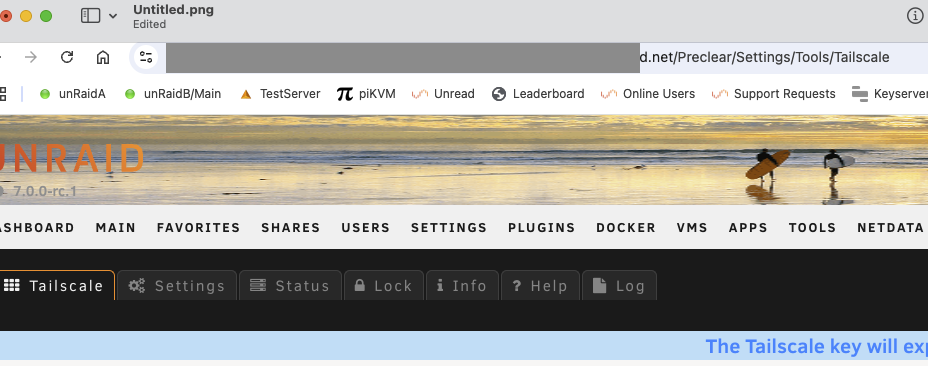
There's absolutely nothing wrong with that URL, and it is 100% correct If you watch the URLs as you navigate around the WebUI, the previous parts are the "history", and is where you wind up when you hit done. Only the last item is really relevant. FWIW, you can manually enter in 192.xx.x.x/Main/Tailscale and wind up at the exact same place as /Settings/Tailscale In your case, you did the search from the settings page of preclear.
-
yes
-
Alternatively if you want to live on the. darkside you can also edit /usr/local/emhttp/plugins/dynamix.docker.manager/include/DockerClient.php with nano at the command line and around line 630 you will see public function updateUserTemplate($Container) { // Don't update templates, but leave code in place for future reference return; delete the line that says "return;" and then force an update of each container. Definitely this isn't tested though
-
The system updating the templates as it updated the containers was removed a couple of years ago as it proved to be more troublesome than it was worth. I would open two tabs to the OS. One on the docker tab, and from there edit each container. In the other tab, open CA and within Settings enable Allow install second instance, then within Installed apps if you hit install second from Actions you can compare the two templates between the tabs and make appropriate adjustments. Other than that, delete and reinstall (not reinstall from previous) is the way to go. So long as the name of the container matches the appdata will still point to the correct location
-
The cleanup appdata plugin within Apps will delete the appdata from previously installed containersFCP reports what docker tell it. Not having the config file (the template) is not the issue, as nothing says you have to have a config file.I don't have all of the answers unfortunately. FCP (and CA, along with installation and checks for updates for plugins) use standard cURL requests, and for some reason on people's networks using the router to resolve the DNS simply sucks. Especially if you've never adjusted the router to use "real" DNS servers eg openDNS (208.67.222.222 / 208.67.220.220) and not the ISP's default values.You can always add in any new additional paths that you choose (eg for Music). Also, for the Nvidia visible devices you have to add in a new variable to support this FWIW, the best place for support on any container from Linux Server is via their discord channel (click on the icon and select discord)Did you try the suggestion it offered and set the DNS address in Settings - Network settings?Something in your Settings - Network settings (misconfigured?) Post your diagnosticsDocker Tab -> advanced view and look there. Delete any orphans. FCP only reports what the system says is thereDisk 3 - HUH721212ALE600 FWIW, you can also on the Main tab click on the image of the disk next to the identification and it will bring up the log for the drive which would also show that errorUse user scripts and set up a new script on whatever schedule you want. Script will be: #!/bin/bash /usr/local/emhttp/plugins/fix.common.problems/scripts/newperms.shPretty sure that the config restriction has been in place for quite a while now.The format of the drives would have nothing to do with whether mover moves the files or not. It will be a setting in the share that is the difference. Post your diagnostics (and the share in question that's not moving) if you can't figure it outLook for a docker container that has a path mapping of /mnt/appdata instead of /mnt/user/appdata.I would just say screw it. But the choice is yours. The mismatched thing isn't an issue, but a common misconception that it means 50% of the drives.With high water and mismatched drives. System will start at disk1 and fill it to 7.5T free, then move to disk 2 until its at 7.5T then disk 3->7.5T Following that it will start again at disk 1 and fill to 3.75T, then disk2 -> 3.75T, then d3 ->3.75T After those drives are done it will fill disks 4->9 to 3.75T then begins again at disk 1 and fills 1-9 to 1.875T and so on.




