





Revan335
Members
-
Joined
Everything posted by Revan335
-
Du solltest dann auch die Anzeige bekommen das die Cache Only Shares dann exclusive sind. Und wenn du den Cache erweitern willst, also mit zwei Disks, dann eher ZFS als btrfs da wie alturismo schon sagte es zickig/empfindlich sein kann. Besonders bei mehr als einer Disk ist davon abzuraten und ZFS die bessere Wahl.
-
Energieeinstellungen oder Settings ggf. im BIOS/UEFI? Wenn in Unraid schon alles konfiguriert ist. BIOS/UEFI Update? Log/Syslog Sicherung kann per Backup Option auf den USB Stick oder anderen Syslog Server erfolgen. Bspw. anderes Unraid oder NAS System.
-
Hast du den die entsprechenden Plugins installiert? Bin mir gerade nicht sicher ob es für die Lüfter ein eigenes gab um dessen Werte zu bekommen. Werden die den im MB/UEFI angezeigt?
-
Halt mich bzw. uns auf dem Laufenden! Bin gespannt!
-
Ja, ist auch in den CAs enthalten!
-
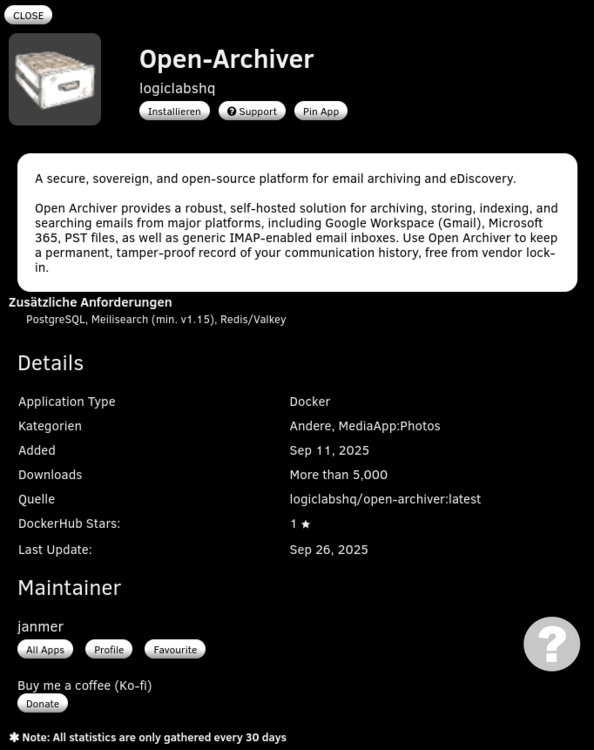
https://openarchiver.com/ Weiß aber nicht ob es das auch schon für Unraid gibt. Docker Container ist vorhanden. GitHubGitHub - LogicLabs-OU/OpenArchiver: An open-source platfo...An open-source platform for email archiving and eDiscovery. - LogicLabs-OU/OpenArchiver
-
Any News about this?
-
Hallo, ich würde gerne nen Ordner sichern aber dort nur die Dateien/Backups der bspw. letzten 30 Tage. Bis jetzt wird der ganze Ordner gesichert und über die Snapshot Angabe älteres irgendwann gelöscht. Damit hätte ich dennoch ein aktuelles Backup aber ältere werden ausgeschlossen um Speicherplatz auf bspw. der USB Platte zu sparen. Vielen Dank! Viele Liebe Grüße Revan335
-
Auf der alten steht auch ne Nr. Spannungsfreiheit herstellen. Netzteil aus per Schalter, Stecker ziehen, Batterie entfernen, x Min warten. Wenn es dann weiterhin nicht geht, mal ohne Batterie testen ob sich dann was zeigt. Monitore/Kabel/Anschlüsse prüfen. Wenigstens der POST sollte dann angezeigt werden. Den Stick auch mal entfernen. Wenn du dann ins BIOS/UEFI kommst, kannst du es konfigurieren und speichern. Danach nochmal mit dem Stick testen. Ggf. direkt davon starten übers Boot Menü und dann im BIOS/UEFI festlegen.
-
Hallo, ich habe einen neuen Docker Netzwerktyp "Container" in den Auswahlmöglichkeiten im Docker Container Template gesehen. Was ist das? In der Unraid Doku finde ich nur die bisher bekannten Bridge als Default und sicherste betitelt, Host und Custom. Sowie keine wenn kein Netzwerk erwünscht. Managing & customizing containers | Unraid DocsThis page is written to help users of all skill levels make the most out of Docker containers on Unraid OS. The tips and best practices come from the Unraid team, who ensure they are tailored to mostVielen Dank! Viele Liebe Grüße Revan335
-
Im Eröffnungspost hier im Thread wird es mit Hardlinks beschrieben. Deshalb ist jedes Backup auch ein Fullbackup. Ob das auch mit luckyBackup geht weiß ich gerade nicht. Kenne dort die Retention die alturismo auf dem Screenshot gezeigt hat. Dann hast du einen Ordner mit dem aktuellen Stand und die alten Änderungen landen in einem Snapshot Ordner mit Datum, Uhrzeit, ... bspw. geändertes, gelöschtes. Zitat aus dem Eröffnungspost:
-
Wenn du nicht mal ins BIOS/UEFI kommst, dann stimmt mit dem Board was nicht. Was ist wenn du CMOS Batterie mal entfernst oder eine andere Möglichkeit zum BIOS/UEFI Reset nutzt? Wenn du so ne Batterie hast und es immer noch Probleme gibt diese mal tauschen. Vielleicht ist die leer oder hat nen defekt.
-
What Docker Container of both is recommended? Can we not combined this for the best of both Docker Containers? The Script from @Masterwishx is the actually Version/Script? Can you add a Option to exluded Files? The Subfolder Feature is Test/Exclude/Test, Test/Not Exclude/Test, Test Not Exclude2/Test2. The Exclude Subfolder "Exclude" is excluded and his subfolders like "Test" to. The "Not Exclude" + "Not Exclude2" Folder are not exclude and his subfolders like "Test" "Test2". Many Thanks for the Work to all!
-
We have a Test, Trying, Requests, Thread in older Versions from @SimonF : https://forums.unraid.net/topic/51179-mover-bar-or-information/ https://github.com/unraid/webgui/pull/1042/commits/a91f1d52a61fb35eae3fc0d5829b8d9f7b906b7f
-
Hervorragend! Das wäre auch mein favorisiertes OS. Bin dann doch bei/m Shift/Shiftphone aus Hessen geblieben in Verbindung mit iodéOS. In der Hoffnung auf ein baldiges Graphene Phone. Da derzeit nur Pixel die Anforderungen erfüllen. Ja, unter Android kann man auch auf Unraid zugreifen. Bspw. über eine App die NFS, SMB, ... kann. Ja, VPN über bspw. Wireguard App, WG-Tunnel wäre eine Möglichkeit.
-
Du schreibst auf die Unraid Shares? Dann werden deine Settings berücksichtigt. Ja, Ordner sind Ebenen. Ordner 1 Ordner 1 Unterordner 1 Ebene 1 Ebene 1 Ebene 2
-
Ne, das ist alles QNAP Kram/Stuff! Findest du dort im App Center oder ggf. auch in der File Station als Install/Erweiterungsoption.
-
Die Backup Station bzw. inzwischen heißt sie Hybrid Backup Station (Meine QNAP und Synology Kenntnisse und Geräte sind nicht mehr so taufrisch) und ihre Add-ons können recht viel. Das wäre ne Möglichkeit QNAP seitig. Abseits der File Station.
-
Wieso packst du die HDD nicht mit ins Array? Dann hast du nur den Cache als schnellen Pool und alle HDDs/Daten durch die Parity Disk/s im Array geschützt. Den Cache kannst du mit bspw. zwei identischen Platten und entsprechender Einstellung sowie Dateisystem ebenfalls absichern/spiegeln. Bei Bedarf gerne mehr Details. Deine derzeitige Konfiguration/Hardware wäre dann hilfreich.
-
Wenn du direkt auf eine Disk schreibst dann wird keine andere genutzt. Wenn du auf den Share schreibst dann hängt dort noch Cache und Array hinter wo dann deine Share Settings/Verteilungsmodi greifen.
-
Genau, dort kannst du definieren welches Boot Device welche Reihenfolge hat und welche gar nicht berücksichtigt werden sollen. Im Zweifel hilft ein Blick ins Handbuch oder du machst Fotos im Zweifel.
-
Moved to a separate Thread: https://forums.unraid.net/topic/192895-cache-setup-help/
-
Information about the Exclusive Share Feature: https://docs.unraid.net/unraid-os/release-notes/6.12.0/#exclusive-shares Have you btrfs or ZFS for the Cache Pool Bundle?
-
You don't do that! Its better thats the System Shares are Cache only and not moved to Array or any mover Actions. Thats prevent many issues. You can used than exclusive Shares and the /mnt/user default Path. Than its your issue correct. The Cache have Files/Data and the Array Disks too. Some Files/Data/Folder are in used and than can not moved by the mover than. And you have significant Performances issues than you have the faster Cache with Flashdisks and the slower Array HDD Disks + the Fused Layer. You can stop all Docker/VM Services or other than have Access to the System Shares like appdata. Used the Mover for moving all of this Shares to Cache, check you have no Data on the Array. Change the Share Settings to Cache only. Check the Exclusive Share state. Double Check you have no Data on the Array from this System Shares. Check your Paths on Docker, VM, Docker Container and Co. for the correct Paths. You can started the Docker/VM Services again. Check everything its working. Maybe a Backup before this all Steps.
-
Not explicit. What's your Cache/AppData ... Configuration? user is the default. You are using Exclusive Share Mode? Maybe its a Docker Container, Script, ... thats are using the wrong Paths. But the Share Settings are the importants. Than we can see the next steps.

