






dopeytree
Members
-
Joined
-
Last visited
Everything posted by dopeytree
-
I think the newer chips I think here's a u300? Are interesting as have more pcie lanes but yeah this is the problem no room for expansion when you decide hey I would like a HBA or a 10G adapter for faster transfers.
-
Someone above asked about a n100 NUC with 2x nvme - the BEST n100 builders are called CWWK they have a special carrier board that I think doubles or triples the nvme slots. Look them up on server the home for reviews or buy on aliexpress & or amazon (cheaper on aliexpress). My n100 box with 8GB ddr5 ram & 128GB SSD cost £115. TDP doesn't really mean sh*t. My 11-900t is supposed to be a 35w TDP but in general the usage is 88w - 130w but this is with HBA, 128GB RAM, 2x nvme ssds, fans & 8x drives but they are spun down. I have a n100 box as a pfsense router as am interested in these low power boxes but I think I would order a proper motherboard so I can use PCIE lanes and have a 13th gen cpu with its energy efficient cores. I'm going to wait and see what boards come out in the next few months and then maybe switch my system over. I now a HBA card kinda kills the energy efficiency but it would still be lower than at current.
-
Are you toggling turbo on / off? Or do you mean you have had turbo turned off for a while like say since 6.12.0 etc and just updated to 6.12.6 and are having no issues. The two statements are different.
-
wget -O - https://get.hacs.xyz | bash - Click on home assistants docker then click console & paste in the above. Then restart home assistant.
-
Catching up on the zimacube and it looks like they have now added 2x pcie slots to the n100 board so that could be a good contender. Limited by Ram Slots but it looks a nice low powered option. https://www.youtube.com/watch?v=3Rk2rHJS80o
-
Is there a simple way to track C states over time?
-
Has anyone else got a system hang up when disabling turbo now in 6.12.6? There is also the power off issue where it hangs at the diagnostics screen. It has successfully unmounted all drives etc but you still have to manually hold the power button for the actual power off. No parity check on reboot. If more people have issues maybe downgrade to 6.12.4?
-
After a reboot I quickly logged in & turned turbo back on and back to normal. There is something wrong in 6.12.6 though as server never powers down it unmounts everything but then stays at the diagnostics collection bit on screen. So you have to do a manual hold of the power button. No parity check though as it does safely unmount drives etc. May downgrade to 6.12.4 Anyway thanks for super fast reply.
-
On reboot the server becomes unresponsive after a few seconds. I can boot unraid and log in on web guy. But as soon as it starts loading the array & docker it seems to lockup. This could be more of a 6.12.6 issue
-
Turned boost off today and then server hang up... never had this before but I haven't tried it since the plugin was updated to have a turbo schedule. am on 6.12.6 Will upload diagnostics if it saved them.
-
Not sure who's designing these but we don't want 4x 2.5Gb ports. I would prefer a single intel 2.5Gb port or possible a 10Gb port that maybe can only do 7/8Gb speeds. I would happily sacrifice the sata ports if it mean the extra pcie lanes could go to a pcie slot and then I could use a HBA card with sas expander build into my backplane. This would make the whole server much more efferent. My personal unraid server today has a 2.5Gb port on motherboard & I have a 10Gb card in but only use for direct network as saves power not needing to run a 10Gb switch 24/7. Plus only use 10Gb for big data transfers. Also the current motherboards out there seem to use a bad sata expander chip which isn't compatible with APSM so you loose c states. This one has 12x sata ports. https://www.aliexpress.com/item/1005004230895985.htmlOn the new Version: 6.12.6 Getting a zfs pool spinning up constantly (when not on the main drive page). and no disks reading happening. Stops if I remove this plugin.No it disappeared. I have updated tho to Version: 6.12.6I have also noticed the server never properly shutdowns. It unmounts everything safely but you have you hold the power button for the final power down. As it unmounted safely there is no parity check on re-start so a minor issue. There is also a lockup if you change DNS servers. My server has Intel I225V 2.5Gbps LAN controller. It normally stays on 24/7 but I was fiddling with getting to it use local pfsense firewall for DNS to enforce encryption. Otherwise all good. Seems to be quicker to cpu idle.Thanks - Ok looked into a bit more. The Data share is split across normal XFS array drives & a ZFS cache pool of x4 2TB sata SSDs. It looks like a few weeks ago I tried to manually move some files from the Zpool to the array drive to free up space on the zfs cache for more downloads. Non of my array drives are zfs. Zfs format is only in separate pools. When I look at the zfs master there are only a few zfs datasets. Will be re watching some of your videos for sure.It was moving files within a share So initially sometimes radarr sets films to download to /data/ rather than /data/media/movies /data is the dataset right? It's not the name root name of a drive. It's the hard links style of working. Anyway so then I manually moved the files to /data/media/movies because they all appeared in PLEX and I chose custom posters for them all. I'm just trying to work out why they've moved back. It's definitely something to do with these 2 updates. At first I thought I'd been hacked but no all the data is here and it's all good. I'll double check my read up on zfs. I am also getting some whinging about files names being too long so it stops an smb transfer. It wouldn't transfer file 41 out of 54. As you can see from the folder list on the server there are many longer names already existing.. No need for support. Diagnostics are included incase anyone wants to explore. moulin-rouge-diagnostics-20231203-2105.zip

 What makes me think it is some kind of ZFS bug is when I move then with 'File Manager' they are moving instantly.. from /data/ to /data/media/movies/ on disk6I've got some really weird sh*t going on with movies being in the wrong folders. Its only one 1 disk. I have no idea whats going on. For the moment I'm going to disable mover plugin. But I think something else is going on. These files were fine before the .5 & .6 updates. The most annoying this is having to back and rejig the plex posters for these movies. Possibly they got some kind of zfs corruption and this .6 fixed this but has put them in the original location. I moved them from here ages ago.Heya HBA's are great but only really once you start to want to connect a lot of drives. People get mixed up thinking that 2x ports means only 8x drives this is not correct they can be used with a sas expander for daisy chaining. The Jonbo n3 case looks like it has 6 drive bays. How many sata ports has your motherboard got? I started with a similar small build case with 8x drive slots I then added a HBA (needs to be half height). I have 10 sata drives in the machine plus the HBA also has a wire going out the case into a self build case that has 2x 12x bay backplanes. This is because the backplanes have built in SAS expander chips. Meaning 1x cable can passthrough to many drives (over 100+). This is the beauty of HBA cards. For you use case you may be better off with a m.2 to sata converter. That might give you 4-6 extra sata ports. It depends how much you want the m.2 slot. - I would buy any sata cards from Amazon for easy returns. - SaS HBA cards I'd buy from ebay with 'IT flashed'.Ok SOLVED. By adding as a 'variable' with the Then going back into homarr an clicking edit on each integration this seems to refresh the settings and then it loaded everything. Have submitted documentation fork & pull request on homarr
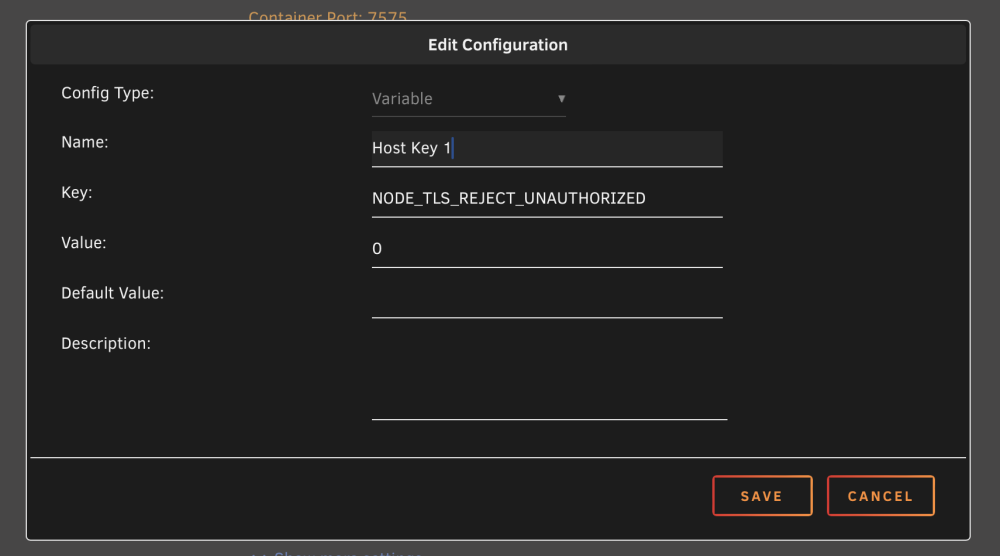 I find quicker default to low C state (and lower wattage) with ASPM on MSI motherboard set to bios controlled. IE native control is off. See if that does anything? Unraids default as all this thread proves is beast mode is permanently on.How do I integrate this into the unraid template? https://homarr.dev/docs/advanced/proxies-and-certificates#allowing-self-signed-certificates I tried adding a variable of: But I still get SSL errors in homarr log: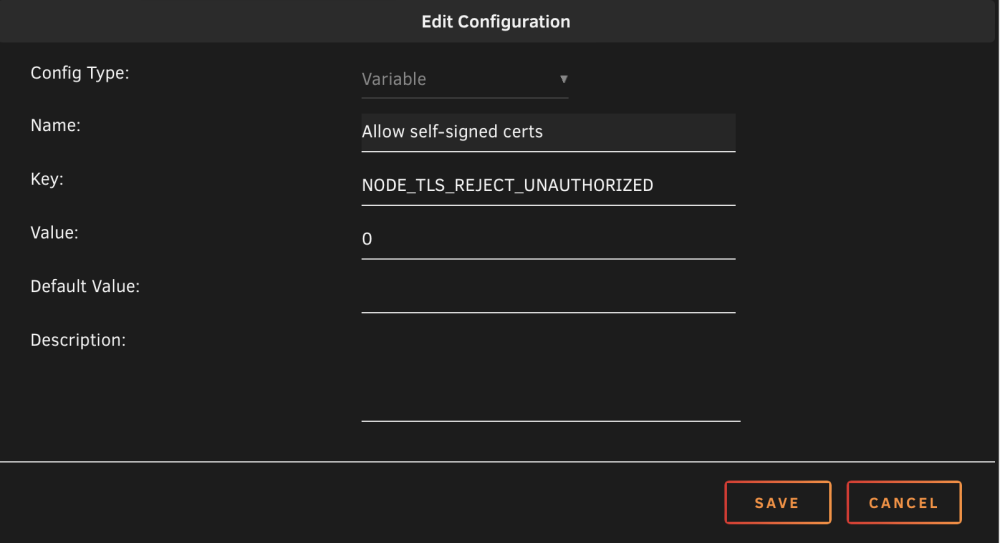
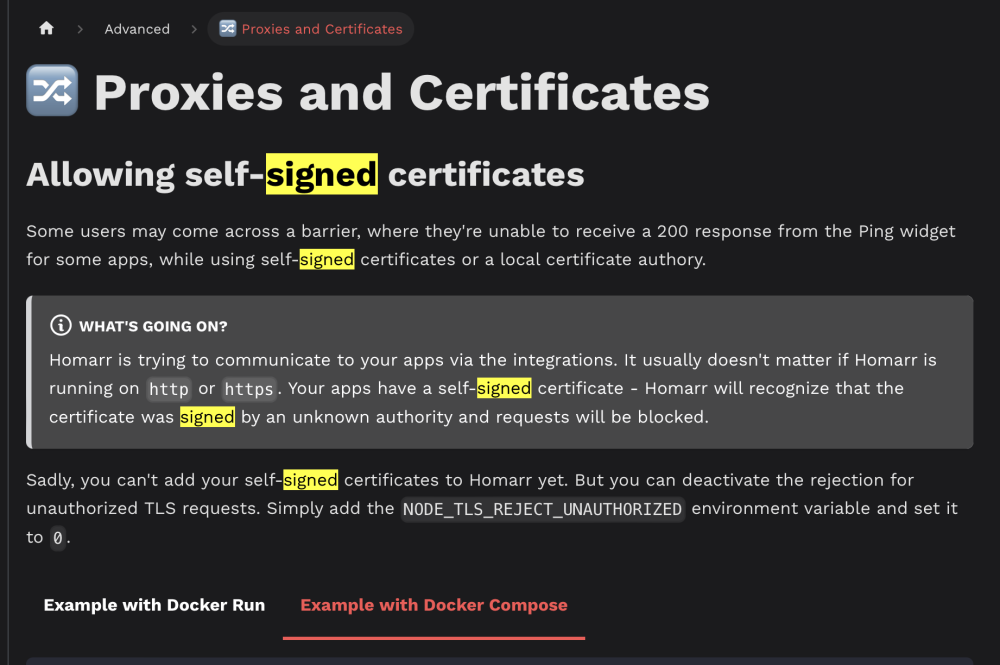
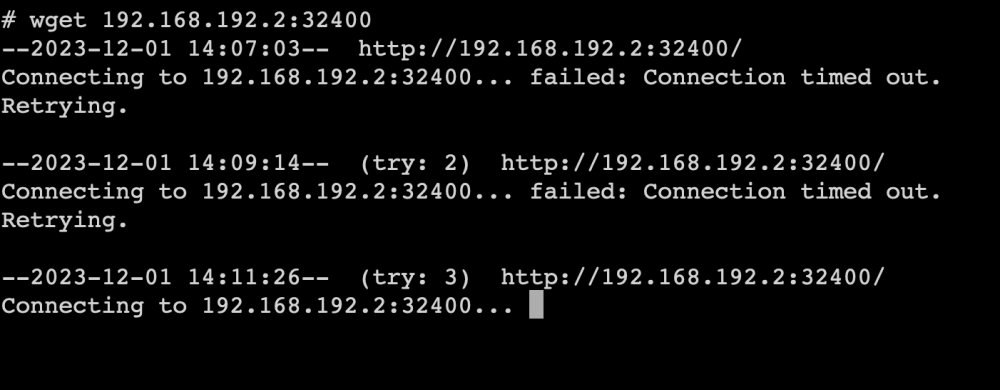
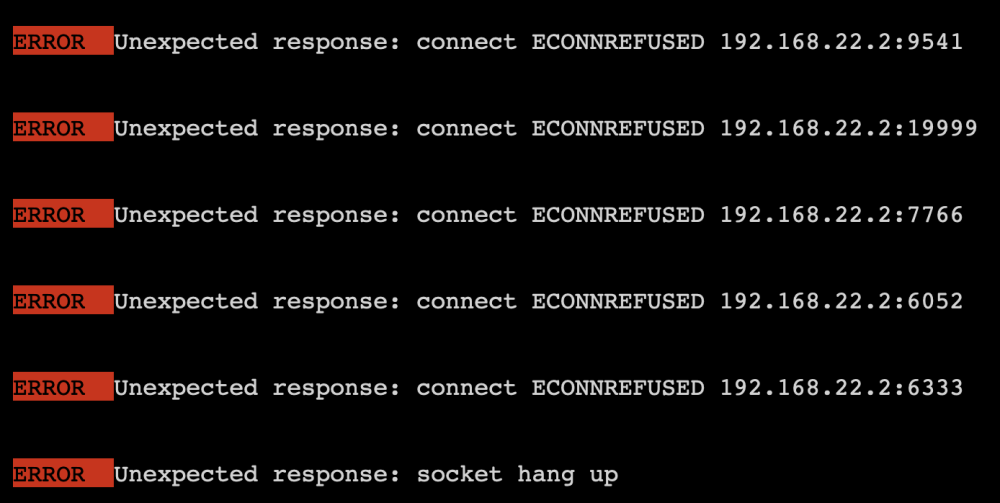 Hey I can't get any of the plex type widgets to work as they get an SSL error. Any idea of anything I can change in this templates settings? Non of my locally hosted containers have authenticated SSL as running locally. If there is a simple way to change this & keep them locally Accessed on unraid I may change it to stop the browser warnings. wget 192.168.22.2:32400 in homarr gives this: I have plex with strict SSL on.
 Buttery smooth upgrade. Noticing this in the logs related to HBA card. Not sure if important as no lockups. Nov 30 22:42:35 Moulin-rouge kernel: phy-2:0: add: sas_addr(0x56c92bf0012727df), phy(0) Nov 30 22:48:28 Moulin-rouge kernel: sd 2:0:1:0: [sdj] tag#6003 UNKNOWN(0x2003) Result: hostbyte=0x0b driverbyte=DRIVER_OK cmd_age=0s Nov 30 22:48:28 Moulin-rouge kernel: sd 2:0:1:0: [sdj] tag#6003 CDB: opcode=0x85 85 06 20 00 00 00 00 00 00 00 00 00 00 40 e5 00 Nov 30 22:48:32 Moulin-rouge kernel: mpt3sas_cm0: log_info(0x31110f00): originator(PL), code(0x11), sub_code(0x0f00) Nov 30 22:48:32 Moulin-rouge kernel: sd 2:0:1:0: [sdj] tag#6004 UNKNOWN(0x2003) Result: hostbyte=0x0b driverbyte=DRIVER_OK cmd_age=3s Nov 30 22:48:32 Moulin-rouge kernel: sd 2:0:1:0: [sdj] tag#6004 CDB: opcode=0x85 85 06 20 00 00 00 00 00 00 00 00 00 00 40 98 00





