dopeytree
Members
-
Joined
-
Last visited
Everything posted by dopeytree
-
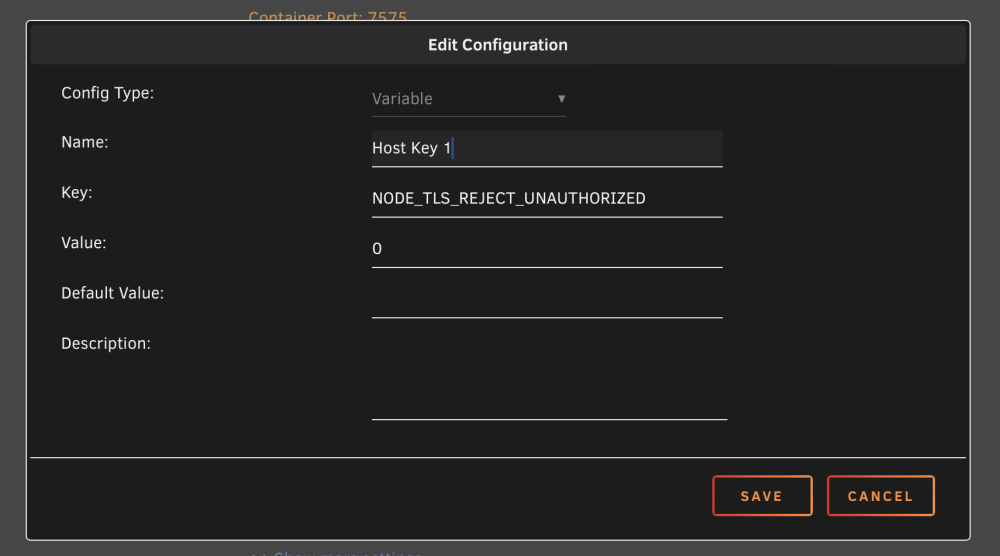
Ok SOLVED. By adding as a 'variable' with the Then going back into homarr an clicking edit on each integration this seems to refresh the settings and then it loaded everything. Have submitted documentation fork & pull request on homarr
-
I find quicker default to low C state (and lower wattage) with ASPM on MSI motherboard set to bios controlled. IE native control is off. See if that does anything? Unraids default as all this thread proves is beast mode is permanently on.
-
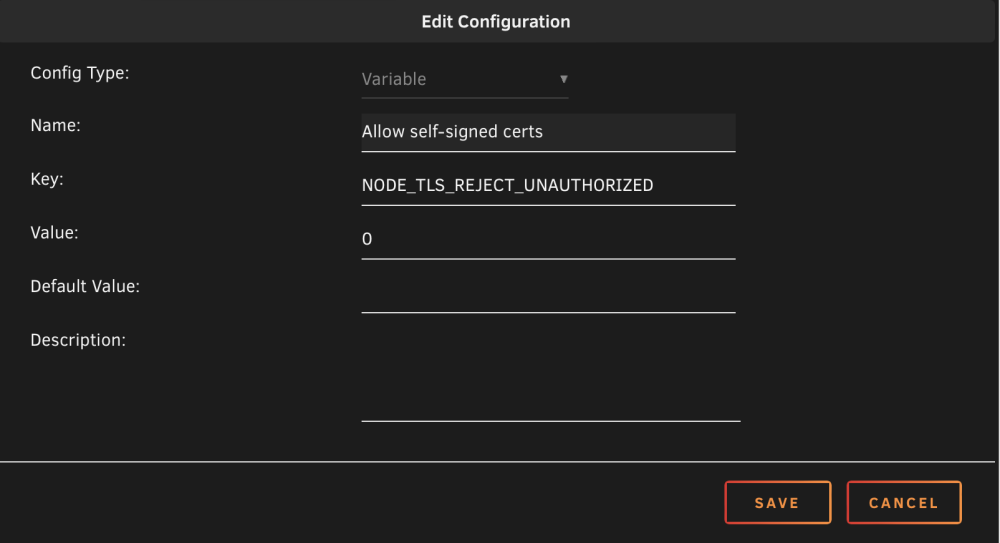
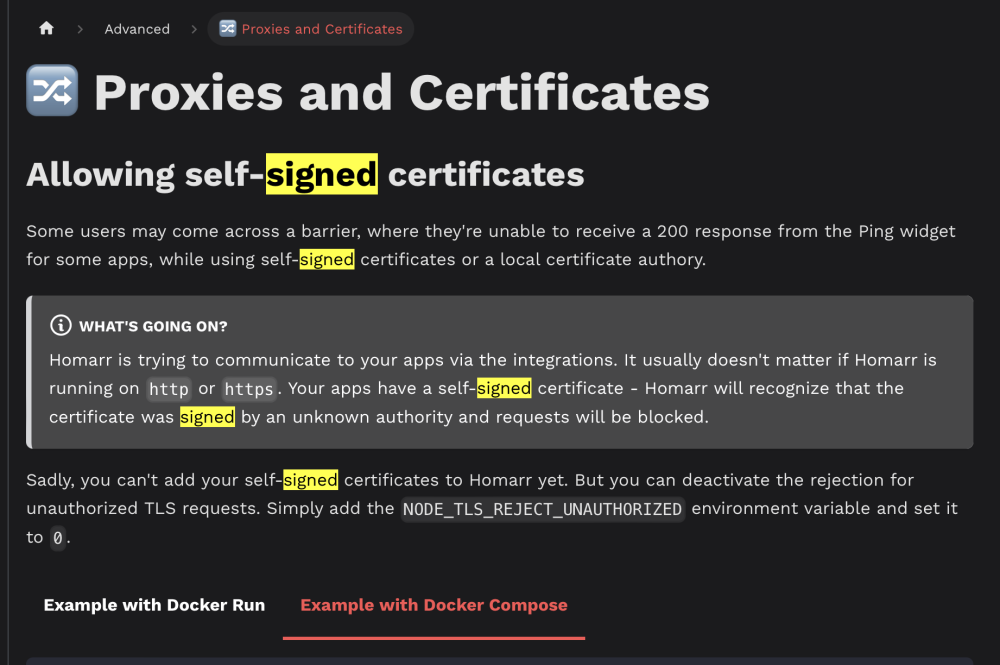
How do I integrate this into the unraid template? https://homarr.dev/docs/advanced/proxies-and-certificates#allowing-self-signed-certificates I tried adding a variable of: But I still get SSL errors in homarr log:
-
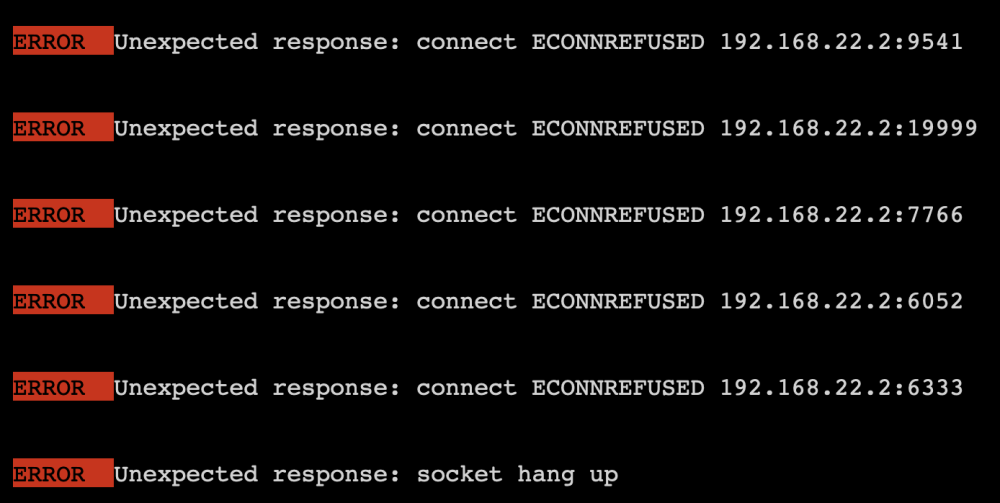
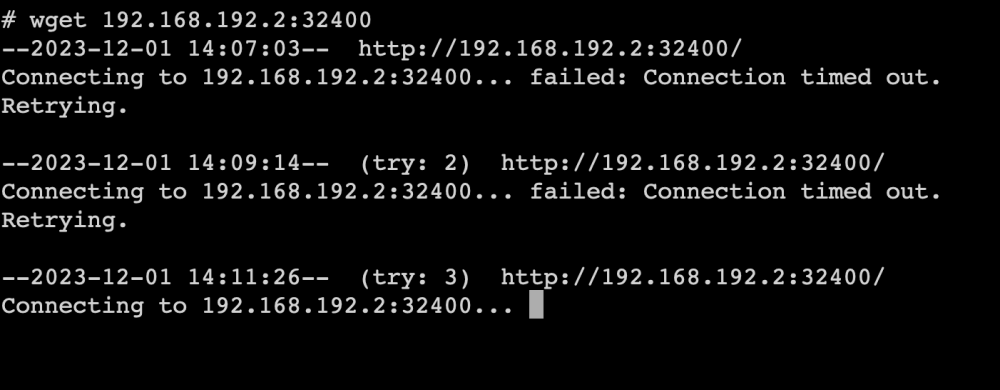
Hey I can't get any of the plex type widgets to work as they get an SSL error. Any idea of anything I can change in this templates settings? Non of my locally hosted containers have authenticated SSL as running locally. If there is a simple way to change this & keep them locally Accessed on unraid I may change it to stop the browser warnings. wget 192.168.22.2:32400 in homarr gives this: I have plex with strict SSL on.
-
Buttery smooth upgrade. Noticing this in the logs related to HBA card. Not sure if important as no lockups. Nov 30 22:42:35 Moulin-rouge kernel: phy-2:0: add: sas_addr(0x56c92bf0012727df), phy(0) Nov 30 22:48:28 Moulin-rouge kernel: sd 2:0:1:0: [sdj] tag#6003 UNKNOWN(0x2003) Result: hostbyte=0x0b driverbyte=DRIVER_OK cmd_age=0s Nov 30 22:48:28 Moulin-rouge kernel: sd 2:0:1:0: [sdj] tag#6003 CDB: opcode=0x85 85 06 20 00 00 00 00 00 00 00 00 00 00 40 e5 00 Nov 30 22:48:32 Moulin-rouge kernel: mpt3sas_cm0: log_info(0x31110f00): originator(PL), code(0x11), sub_code(0x0f00) Nov 30 22:48:32 Moulin-rouge kernel: sd 2:0:1:0: [sdj] tag#6004 UNKNOWN(0x2003) Result: hostbyte=0x0b driverbyte=DRIVER_OK cmd_age=3s Nov 30 22:48:32 Moulin-rouge kernel: sd 2:0:1:0: [sdj] tag#6004 CDB: opcode=0x85 85 06 20 00 00 00 00 00 00 00 00 00 00 40 98 00
-
I've ditched it am using 'dash' to show latest speedtests as a widget on 'homarr' which is my homepage when I open a new tab etc. Also keeping records in home-assistant. Which allows for easy graphs & cards & notifications if something is amis.
-
Anyone with a HBA been able to get anywhere? I have noticed on occasion my system dips from 110w to 88w. Reaches c3. This figure also includes the wifi router and a 10port small switch (powered from ups) so real figure is likely about 10-20w less.
-
I thought linux folks were choosing btrfs over ext4... Though not sure if unraid allows btrfs compression.
-
Hi, How do I pull this GitHub into the store or add it manually as a container? https://github.com/b2un0/silabs-multipan-docker Would like to put it on the store if possible so others can also use it. It's the multi protocol element of the new zigbee usb sticks so also enables matter & thread so you'll be future proof. https://community.home-assistant.io/t/skyconnect-silabs-multiprotocol-and-docker/526779/105
-
Thanks ok have flashed the new stick to multi protocol. (Silabs Multiprotocol) I now need to pull this GitHub container into unraid to enable the slabs multi protocol - https://github.com/b2un0/silabs-multipan-docker This would be useful to other unraid users too. It basically makes the stick send all traffic to the PC for processing instead of doing on chip and by doing this it turns the stick into an SDR and can receive zigbee + matter + thread.
-
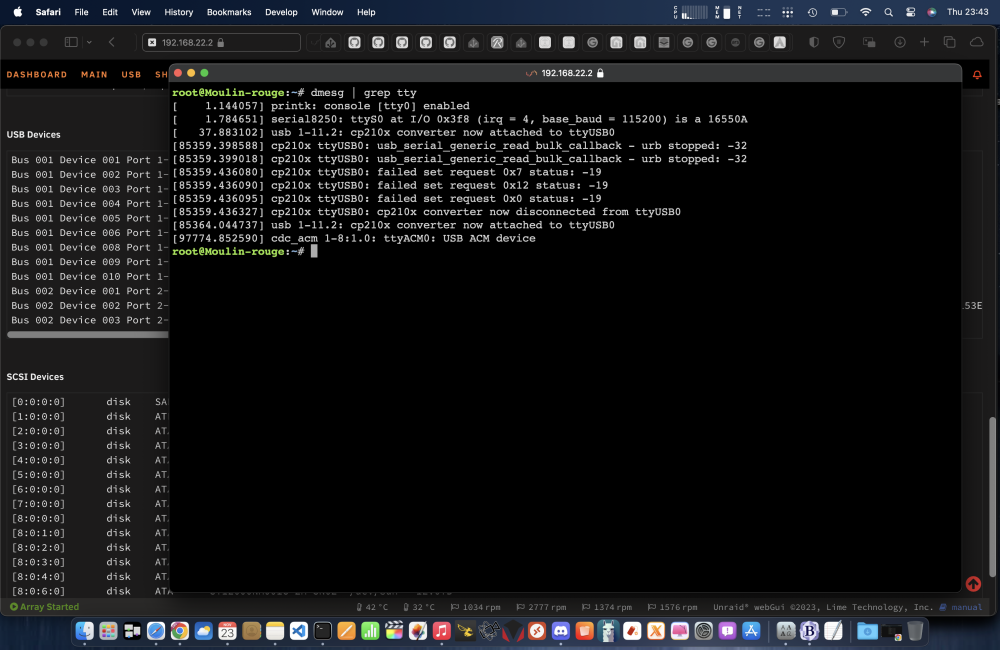
Am also trying to use a newer 'sonoff v2 E' stick as I going to try and flash it with the multi protocol firmware for matter & thread plus zigbee. It's showing this in the logs
-
My motherboard has this intel AX210 bluetooth & wifi chip built in. The bluetooth element shows up as usb. the wifi component shows up as a pcie system device. At the moment I'm using as esp32 as bluetooth proxy because I can't get the built in intel chip to work in docker containers. Works in VMs. I seem to have problems when passing it through to docker containers. Do you think I need to pass both through? Trying to get them into home-assistant container. The alternative method is run a lightweight VM and passthrough exclusively to that VM and run some kind of proxy through to home assistant.
-
Thanks this is neat!
-
Sure will do thanks @JorgeB
-
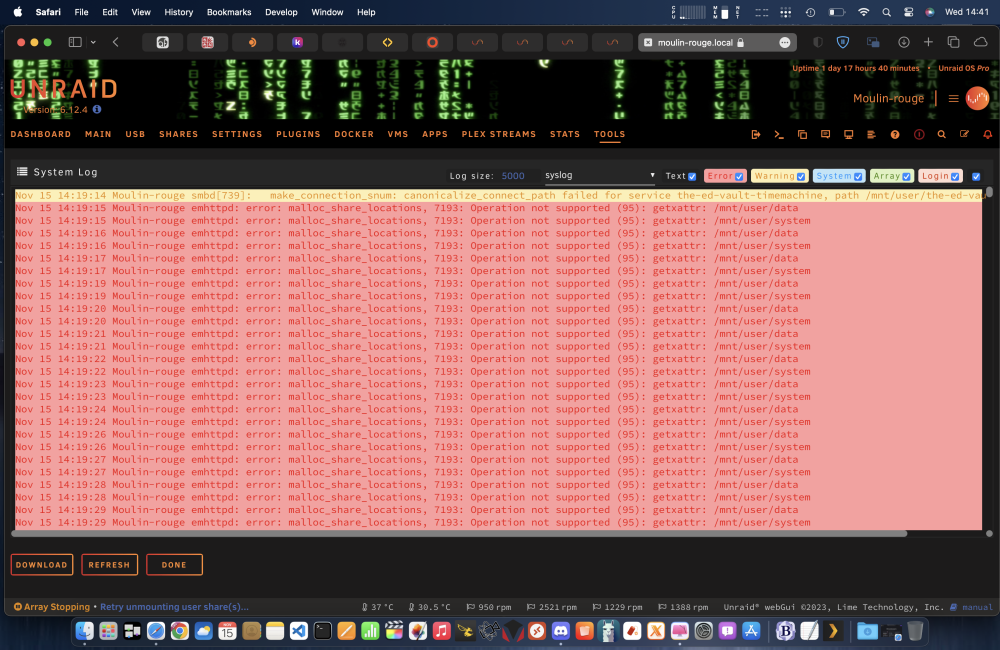
Getting this error every few weeks. It makes me sh*t my pants because all my shares disappear but all fixed with a reboot. Any advice on how to fix? The syslog seems to also get messed up as its lost the previous days / weeks logs. Nov 14 06:50:47 Moulin-rouge emhttpd: error: malloc_share_locations, 7193: Operation not supported (95): getxattr: /mnt/user/data Nov 14 06:50:48 Moulin-rouge emhttpd: error: malloc_share_locations, 7193: Operation not supported (95): getxattr: /mnt/user/data Nov 14 06:50:50 Moulin-rouge emhttpd: error: malloc_share_locations, 7193: Operation not supported (95): getxattr: /mnt/user/data Nov 14 06:50:51 Moulin-rouge emhttpd: error: malloc_share_locations, 7193: Operation not supported (95): getxattr: /mnt/user/data moulin-rouge-diagnostics-20231115-1448.zip
-
Booted up into GUI mode today to try and fix something. Noticed no option to shutdown the server or reboot. Only log out to a menu showing 'username'. I know you can trigger shutdown with a press of the power button but a noob might not know that. Please can we add a button to do this from the login menu. Thanks.
-
Don't think they'll be much use as couldn't run diagnostics during crashing. This is post delete. If no one else comments though maybe it is something else. moulin-rouge-diagnostics-20231113-1722.zip
-
Think the update today of 'file activity plugin' caused my server to stop working. The web GUI would lock up after 2mins of boot. You can login and then it freezes up. Deleted plugin from usb stick and now all working..
-
Hi if I swap from binhex-pluspass to binhex-plex can I just point to the same 'app folder location' or will this fuck the library up? Thanks
-
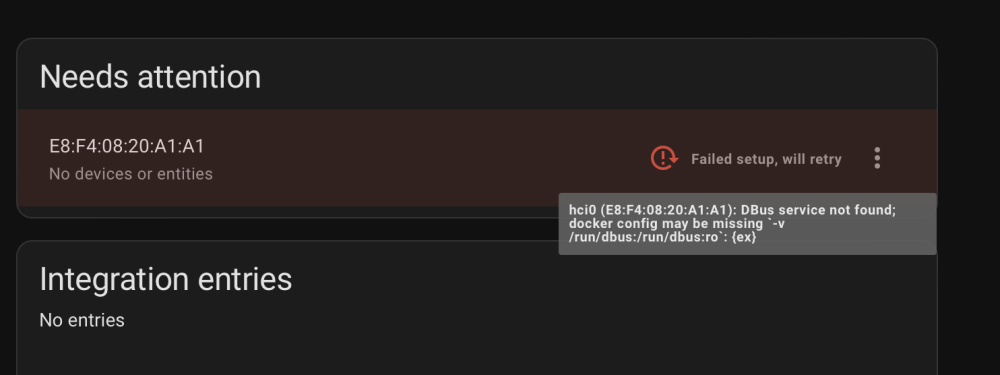
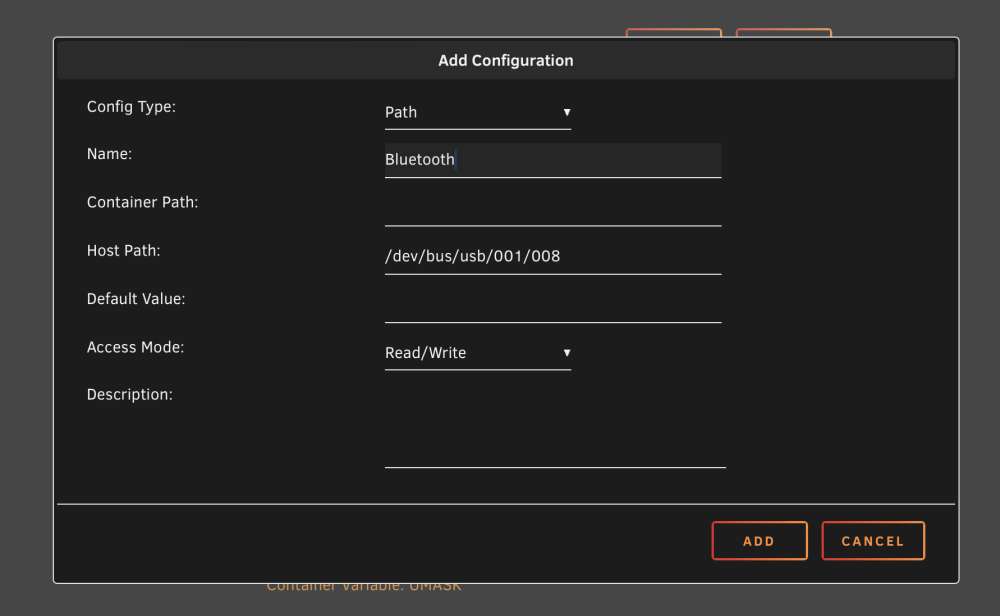
I know this is really for VM's but it would be awesome if it could show the correct mappings that can be copied into docker configs. It's easy enough to go to /bus/usb/001/009 but its not as easy to find the /dev/ttly84575 type code Also bus numbers seem to change on reboots. What do you guys do for docker usb passthroughs? I guess this is why folks run home assistant as a VM lol. Trying to add the motherboard's intel bluetooth chip & a zigbee usb stick.. Strange though as frigate docker using google coral usb was handsfree working.I think I'm missing something.. all the threads seem to use /dev/ttyyll type command yet when I try that by adding a device it doesn't load as if the path is wrong. I can however do /bus/usb/001/009 but the number of a device seems to change with every server restart... My Intel Corp. AX210 Bluetooth was 008 then 010 & now its 009How do you mount /run/dbus ? In home assistant it's saying...
 When you say 'passthrough' what does that mean? Options are extra parameters with --device='/dev/bus/usb/007/005' or can add a 'path' or 'device'? Thanks
 Sure. it's probably something I've mis-set etc. Noticed this: No /tmp/Mover/Custom_Mover_Directory_2023-10-30T180820.list created as no empty directories Files attached. Mover_Tuning_2023-10-30T180820.log Mover_Tuning_2023-10-30T180825.log Mover_Tuning_2023-10-30T181114.log Mover_Tuning_2023-10-30T181129.log Mover_Tuning_2023-10-30T181154.log Mover_Tuning_2023-10-30T181235.log