






dopeytree
Members
-
Joined
-
Last visited
Everything posted by dopeytree
-
Ok... 🤪 wasn't pressing the cable in hard enough. All working now thanks.
-
After having a few usb sticks failing I have a fancy industrial one but is only 2GB. Unraid on my stick is using 1.6GB so no data left to build a zipped version of the stick to upload... for the automatic cloud backups. Please can we add an option to allow the backup to be complied on the CACHE drive say appdata or somewhere and then upload it. Also... https://docs.unraid.net/unraid-os/manual/getting-started
-
Is that being passed through to a VM? Will try some other cables see if I can get it working.
-
Has anyone been able to get a USB 3.2 Gen 2x2 port to work on unraid? My MSI b560 mortar wifi motherboard has a single usb-c port and it is this 'USB 3.2 Gen 2x2' but it does nothing when used. Instead I have to use a usbC to usbA cable plugged into a normal usb3 type A port. Specifically it is our drone SSD which is usbC and would be much faster to backup if leveraging the usb3.2 2x2 (20Gb/s) or even 2x1 (10Gb/s)
-
Removed these plugins: - Recycle Bin - Compose - Custom Tab
-
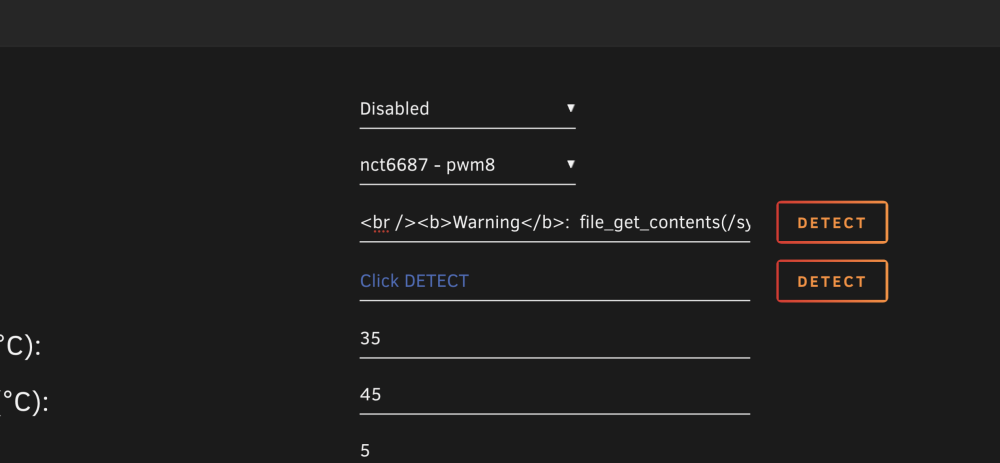
Also noticed this message about s3 sleep plugin while in safe mode: Warning: file_get_contents(plugins/dynamix.s3.sleep/Sleep.php): failed to open stream: No such file or directory in /usr/local/emhttp/plugins/dynamix/include/Translations.php on line 66
-
Had these random reboots / shutdowns for a little while thought it was to do with UPS or sleep plugin. Have just changed UPS the last one was definitely faulty as would randomly loose communication. New one is APC and reports test OK. Have also disabled sleep plugin to see if that helps narrow down culprit. So far the resets seem to happen about 1/3 of the way into a file-transfer of 600GB. Diagnostics attached. Not really even sure how you have a random reboot while on a UPS so it must be a system hangup somewhere? As a precaution also turned off the XMP memory profile incase that was causing an issue but its still happening so don't think so.. moulin-rouge-diagnostics-20230611-1714.zip
-
Just wanted to check is this scenario enabled in the new 6.12? Can we configure mover to work differently for different shares? - For example I'm still working out a way to have new folders on cache copied to the pool drives everyday day or once a week. - But maintain the data downloads cache pool (difference cache pool called TWO) to remain on the SSD cache as much as possible (to avoid spinning up disks where possible) So I want data downloads to keep say 1tb of data on the 2tb cache pool TWO. If I use 'prefer' it will fill up the drive and thus not be able to download any new data. If I set mover to move everyday it will move all the new cache folders from my other shares but leave my data downloads cache pool empty which is a waste of the SSD pool.
-
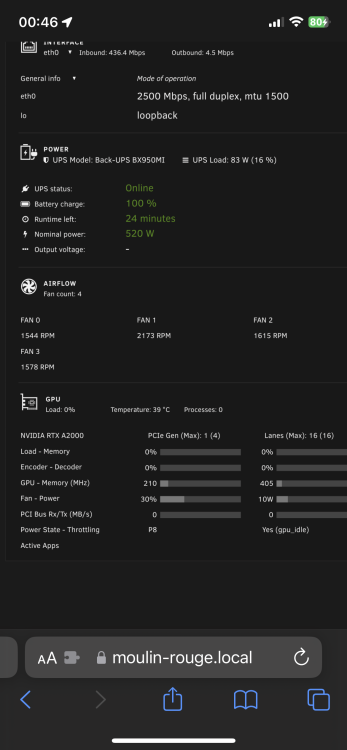
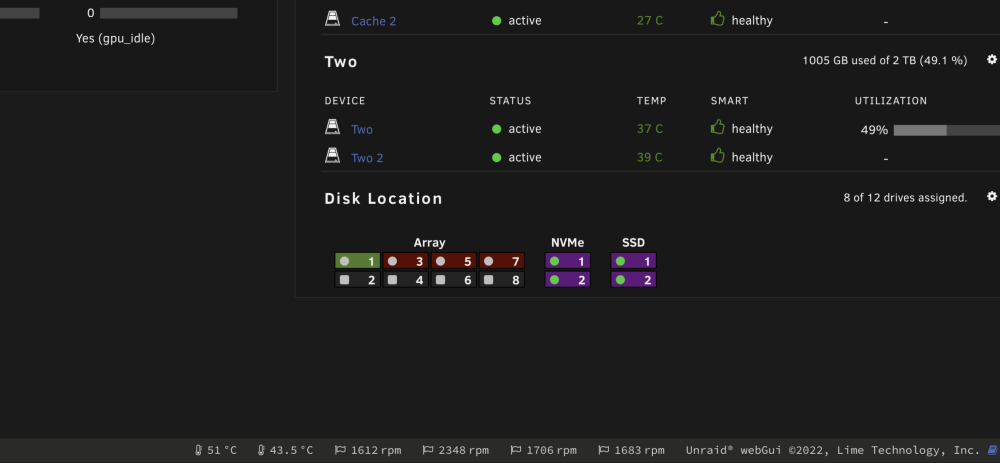
Auto fan plug-in .. error when detecting. but fan temps & rpm show up fine in the other temp plug-in. any idea how to fix? currently fan rpm controller by bios motherboard is MSI b560 mortar wifi
-
Tried running it down with no usb cable. Anyway thanks amazon have said they will take it back & refund (as it's out of stock for a replacement) so will try a new APC this time. 3rd UPS better work 🤪
-
Not sure what's going on. Server thinks the UPS (amazon basics with USB cable) is running on battery mode all the time and thus auto shuts down. Diagnostics attached. Have tried runing in safe mode with no plugins and same result. Only fix is turning UPS Daemon oFF. It's a new UPS less than a few months old. Any ideas? moulin-rouge-diagnostics-20230603-1331.zip
-
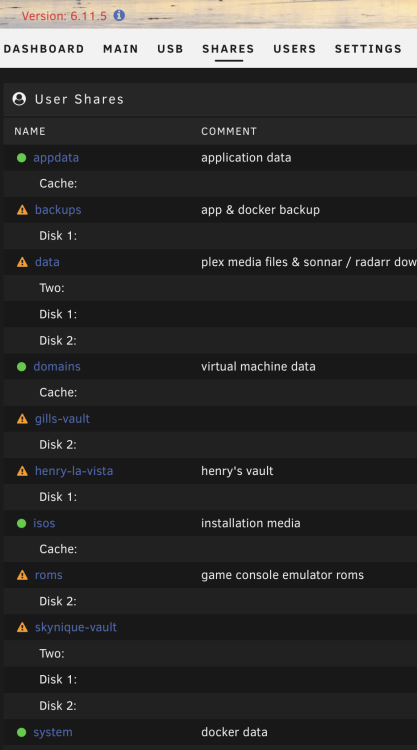
Also why is it saying my array shares are un-protected? I guess this will update once it finishes checking the disk3 drive..
-
Thanks maybe I tried to remove the drive before holiday in preparation for ZFS... Note make notes before holiday next time. It's doing a rebuild of the blank drive.. should I let it carry on?
-
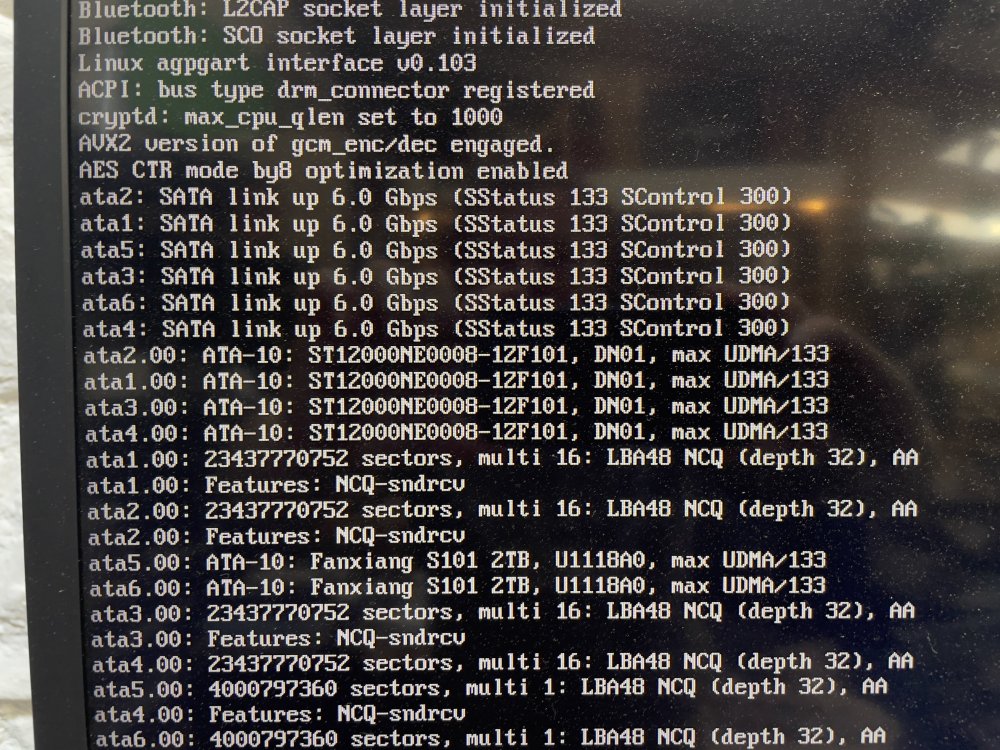
Just come back from 3 week holiday... machine seems ok but Disk3 is disabled... The drive itself is only a hot spare ready to be used. Pretty sure no data on it yet. How do I test the drive? Have tried rebooting & maintenance mode. It's not showing up at the moment. Drive3 is on sata4 port - it shows up on bios & unraid loading screen. Diagnostics attached. moulin-rouge-diagnostics-20230524-1450.zip
-
This is a top plugin. Only thing I would change is maybe add some configuration text or a link to this page on the settings tab. Tell use to open unraid console and run 'tailscale up'
-
This has less bloat (windows) which means you get better performance. Containers have better direct access to hardware than a gaming VM will. Proton is a windows to linux translation layer created and mainted by valve who make steam. It is also used in their steamdeck. It worth trying both out. For me I found I was getting much better raytracing performance in cyberpunk2077 on with this than on my gaming VM. However these days I have a steamdeck so mainly use that (it still uses proton) You could also try a linux VM vs windows VM.
-
moulin-rouge-diagnostics-20230411-1909.zip
-
Apr 11 13:36:26 Moulin-rouge webGUI: Successful login user root from 192.168.44.16 Apr 11 13:36:37 Moulin-rouge nginx: 2023/04/11 13:36:37 [error] 8995#8995: *718187 open() "/usr/local/emhttp/https%3A/apps.modpacks.ch/modpacks/art/99/FTB%20Skies%20512x512.png" failed (2: No such file or directory) while sending to client, client: 192.168.44.16, server: , request: "GET /https%253A//apps.modpacks.ch/modpacks/art/99/FTB%2520Skies%2520512x512.png HTTP/2.0", host: "192.168.22.2", referrer: "https://192.168.22.2/Apps" Apr 11 13:47:39 Moulin-rouge nginx: 2023/04/11 13:47:39 [error] 8995#8995: *718187 open() "/usr/local/emhttp/https%3A/apps.modpacks.ch/modpacks/art/99/FTB%20Skies%20512x512.png" failed (2: No such file or directory) while sending to client, client: 192.168.44.16, server: , request: "GET /https%253A//apps.modpacks.ch/modpacks/art/99/FTB%2520Skies%2520512x512.png HTTP/2.0", host: "192.168.22.2", referrer: "https://192.168.22.2/Apps" Noticed this appearing as an error in the general log. Appears to be something to do with minecraft. I don't have anything minecraft related on my server.. Is this some kind of hack?
-
Any idea when the release candidate moves to general release?
-
My understanding is docker containers are already well optimised on linux. Its not like VM's where you need to dedicate cores & threads. An excellent 2014 IBM research paper “An Updated Performance Comparison of Virtual Machines and Linux Containers” by Felter et al. provides a comparison between bare metal, KVM, and Docker containers. The general result is: Docker is nearly identical to native performance and faster than KVM (Virtual Machines) in every category. https://dominoweb.draco.res.ibm.com/reports/rc25482.pdf
-
Ok self inflicted. I had removed key2 & key3 when toying with cpu's igpu. Used the info on normal binhex-plex to restore the variables.
-
4k HLG is using CPU to transcode instead of the GPU. Pretty sure hardware transcoding way working fine before. Anyone else got any problems? Nvidia GPU
-
You can see the fan speed with the gpu monitor plugin. My fan has a default fan speed of 30% on all the time. I gave it some new paste on the heatsink so the temp only really jumps to 55*c when under a heavy load (gaming etc) the fan might go up to 50%
-
What music do the dev's listen too? I like a bit of trance if it's a early hours session or bbc 6music radio if daytime.
-
New UPS arrived and that seems to have solved the random reboots. Server has been a whole 24hours without a reboot. Yippee.


