






dopeytree
Members
-
Joined
-
Last visited
Everything posted by dopeytree
-
Han anyone been able to get a usb esp32 to show up in this manager? I'm not sure if the CP2102drivers are definitely included in unraid. Thanks
-
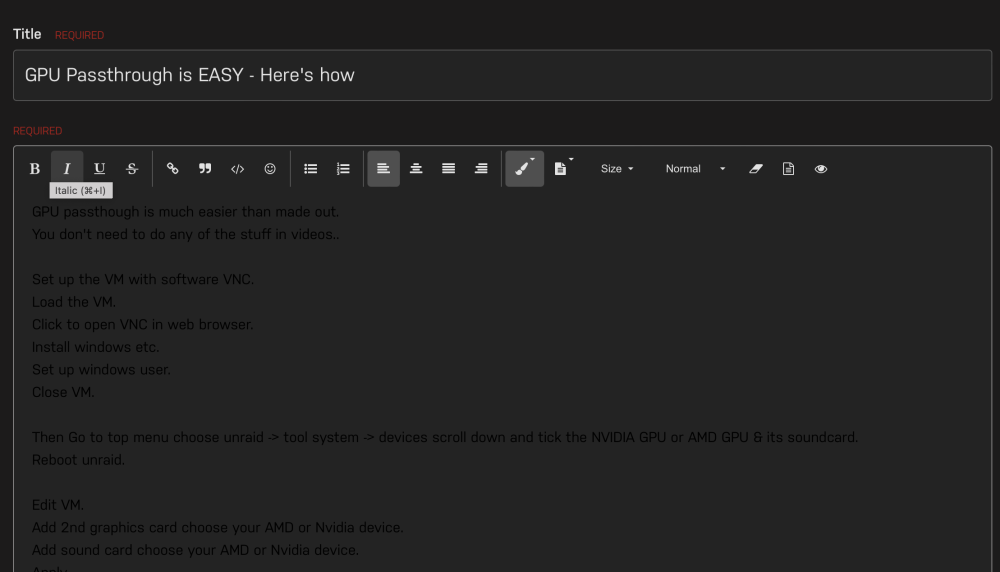
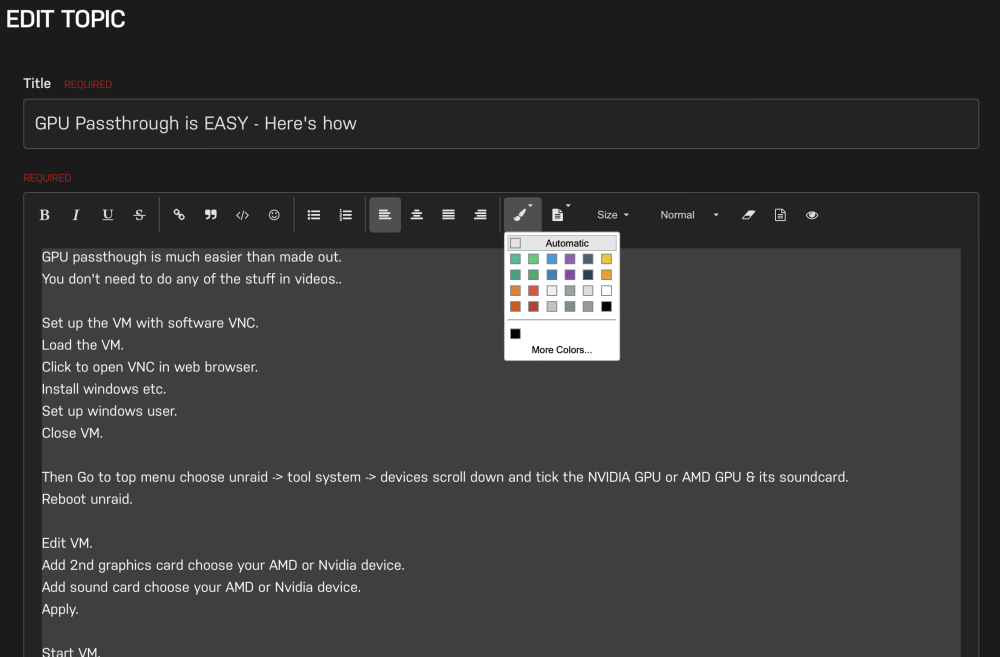
Annoyance bug on forum. Automatic formatting colour doesn't work. Am using the stock dark mode available for the forum. See post below it's set to automatic but it then loads as black. The general theme needs some kind of detect background if black use white that is used as an override.
-
Add comments here:
-
Annoyance bug on forum. Automatic colour doesn't work. Am using the stock dark mode available for the forum. See post below it's set to automatic but it then loads as black. Needs some kind of detect background if black use white.
-
It's the default font using dark mode as provided by limetec. Not sure why no one hasn't fixed the bug yet. Something like detect background if black make text white.
-
I take back my words. Something else happened today which is mover didn't stop during a normal shutdown event. I pressed the power button that instigates the shutdown sequence and mover didn't stop properly causes it to want to do a parity check on power on. I assumed 'mover stop' would be written into the shutdown sequence? If my 4x cache drives wasn't already as ZFS I would downgrade to 6.11 Hope you find a fix soon.
-
6.12.2 Mover does not stop or get interrupted if someone press's the power button to instigate a shutdown. It should just run 'mover stop' as part of the shutdown sequence. I do have mover tuning plugin installed but why would that prevent the shutdown sequence working? moulin-rouge-diagnostics-20230707-1652.zip
-
Not sure if it's this plugin or mover in general or just a 6.12.x issues but unraid doesn't appear to be killing mover process properly when a shutdown is launched causing it to want to do a parity check. I reported this as a bug in 6.12 and was told to use 'mover stop' but surely this is built into unraids shutdown sequence!? Am now on 6.12.2 and same thing's happening
-
This stopped crashing with the new updates. Am currently on 6.12.2
-
Will it spin down manually? yes Will it stay spun down or is something spinning it back up after manually spinning it down? Seems to be staying spun down now. Last night I swapped the drives around so before it was a single ZFS array drive on the HBA. Now it is the (UA) XFS drive. and have removed ZFS master. Think maybe several causes. There is a theory that HBA's and ZFS Master plugin cause spin ups. Is it mounted or unmounted? unmounted. XFS. 2x diagnostics attached. Thanks your plugins are awesome. moulin-rouge-diagnostics-20230704-2348.zip moulin-rouge-diagnostics-20230705-1906.zip
-
Investigating issue of array drives never spinning down or not staying spun down. A small amount of data i.e a few Kb is written everyone & then causing the to stay alive. Nothing is show in file activity or open files. Array is Parity Disk 1 - XFS Disk 2 - XFS Disk 4 - ZFS Cache - ZFS Cache mirror - ZFS Sata-cache - ZFS Sata-cache mirror - ZFS Jorge mentioned this plugin can cause drives to stay spun up. Having a look through this thread, it looked like those with HBA LSI SAS cards were having the issue? Did anyone get anywhere with this? I have a 9207-8i - I did notice the firmware today was on v13 so updated to the latest v20.07 My unraid is on 6.12.2 & didn't notice issue on 6.12 or 6.12.1 May be a general bug with spin down in 6.12.2 as I notice the default spin down is not saved to other drives. And manual setting does not persist. moulin-rouge-diagnostics-20230704-2348.zip
-
Yep can manually spin it down. I'm just trying to pin down why auto spin down isn't working.
-
Interesting the global is set to 15minutes.. maybe theres is a general spin down bug in 6.12.2
-
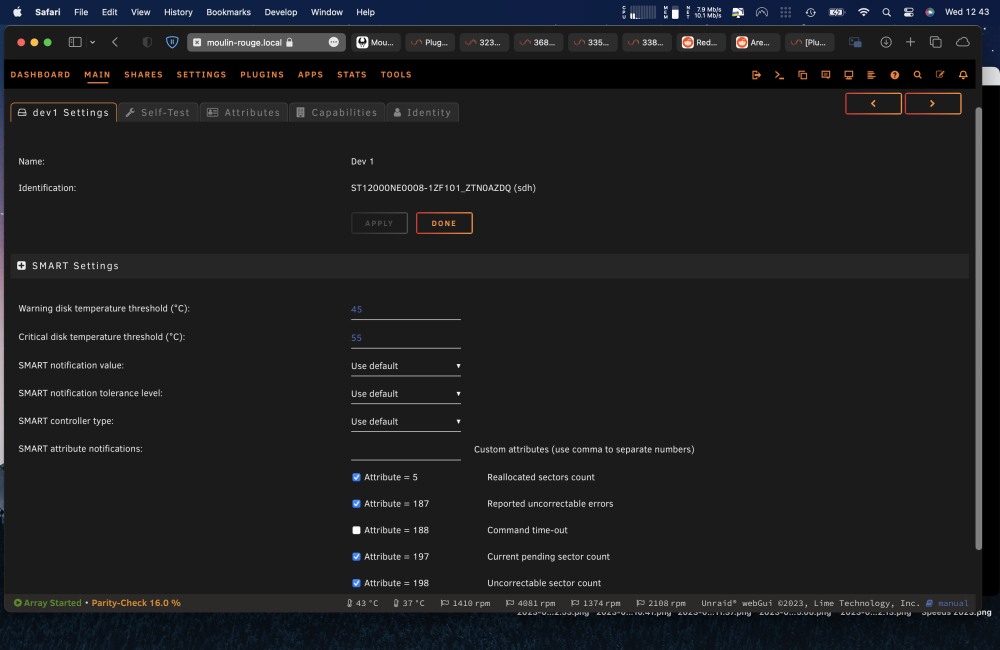
There is no spin down setting for my drive via unassigned.devices am I doing something wrong?
-
Jul 5 08:41:12 Moulin-rouge Parity Check Tuning: Send notification: Array stopping: Restart will be attempted on next array start: Automatic Correcting Parity-Check (62.3% completed) When this situation arrises paused 62.3% is it possible to have an option to continue the saved (paused) parity check or option2 start a new one. Jul 5 09:06:29 Moulin-rouge Parity Check Tuning: ERROR: marker file found for both scheduled and automatic P The default is to disregard the saved (paused) option. Making it slightly less useful as an option. moulin-rouge-diagnostics-20230705-0933.zip
-
Don't trust the ebay sellers when they say flashed to IT mode... 😆 flashed it from FM13 to FW20 all in unraid thanks to this awesome guide.


-
At first I wrote a bug report then deleted it as saw a few posts in which folks say the smart report happens after an IO report. But right now my system is doing a parity check. Docker is turned off. There is NOTHING accessing the sata-cache yet it keeps 'spinning' up when I try to power it down. I'd expect the Sata-cache to power down & also really the NVME cache's to power down during parity check as docker is turned off and nothing is accessing the drives...? When the parity check is done the same will happen to my array. It won't stay asleep for longer than 1m. Two of the drives spins up do a little read then write a few Kb of data. It's like it writing a small log file or something strange. Is there something in the ZFS filesystem that has to write a little bit of data every few minutes? Also noticed the manual set 15min spin down time on each drive is being changed to 'default' which should equal 15mins. Similar happens for any custom smart settings per drive or temperature warnings per drive. They all get over written by the 'default' even if you change them manually in each drive. The array is 4 disks. Parity disk 1 - xfs disk 2 - xfs disk 4 - zfs single drive Cache - zfs cache mirror - zfs sata-cache - zfs sata-cache mirror - zfs There's nothing in the file activity plugin under share or disk to account for this. It happens if the cache plugin is installed or uninstalled. Only happening since updating to 6.12.2 moulin-rouge-diagnostics-20230704-2348.zip
-
6.12.2 Changed my default disk warning temp to 39 & 45. Then went and changed my individual SSD's temps. Have re booted and now every drive has the default disk temp. So the m.2 NVMe is setting off the warning all the time.
-
I like the look and design. Just saying the search function could be improved.
-
Deluge isn't running.
-
Noticed lots of small read & writes to array a few Kb each. Normally i can see what's happening via the file activity plugin but it's not showing array activity just cache activity. They were happening before I installed cache plugin. Thanks moulin-rouge-diagnostics-20230703-2212.zip
-
Thanks
-
Thanks I tried changing the folders to be '.intermediate' and turn on the skip hidden folders option. So this may work for the moment.
-
Thanks for all the updates. I have just used the tailscale SSL certs. Very cool!
-
Is there a way I can tell mover tuning to avoid moving files in a folder. i.e do not move nzbget intermediate downloads folder 'data/usenet/intermediate'


