





Mainfrezzer
Members
-
Joined
-
Last visited
Everything posted by Mainfrezzer
-
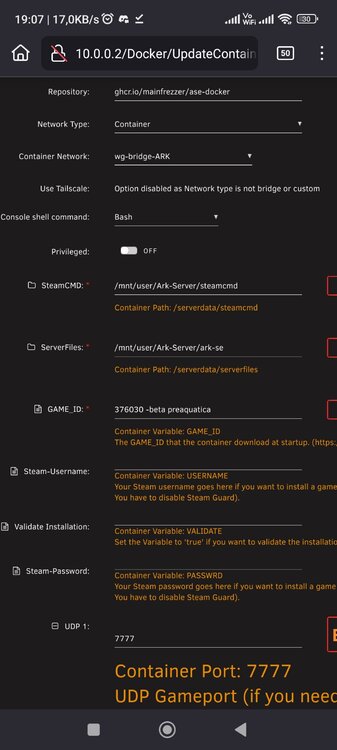
It's all doable in the template
-
The easiest way would be to add in the following files Game.ini [ModInstaller] ModIDS=NUMBERHERE ModIDS=2ndNUMBERHERE then in GameUserSettings.ini [ServerSettings] ...... ...... ...... #some lines are already here ActiveMods=NUMBERHERE,2ndNUMBERHERE and then add -automanagedmods to the extra game parameters in the template
-
ive added the package, should show up as an update soon. While at it, i remove the php.ini message
-
if your are using traefik, its probably due to the broken healthcheck. ill add the missing package later.
-
if youre using my container, you can ignore that line completely. If youre using the official one, you can also ignore it unless youre trying to increase some upload limits
-
You need to ask intel.
-
The offical container runs with a different user and group chown -R 82:82 /mnt/user/appdata/pelican-panel should fix it
-
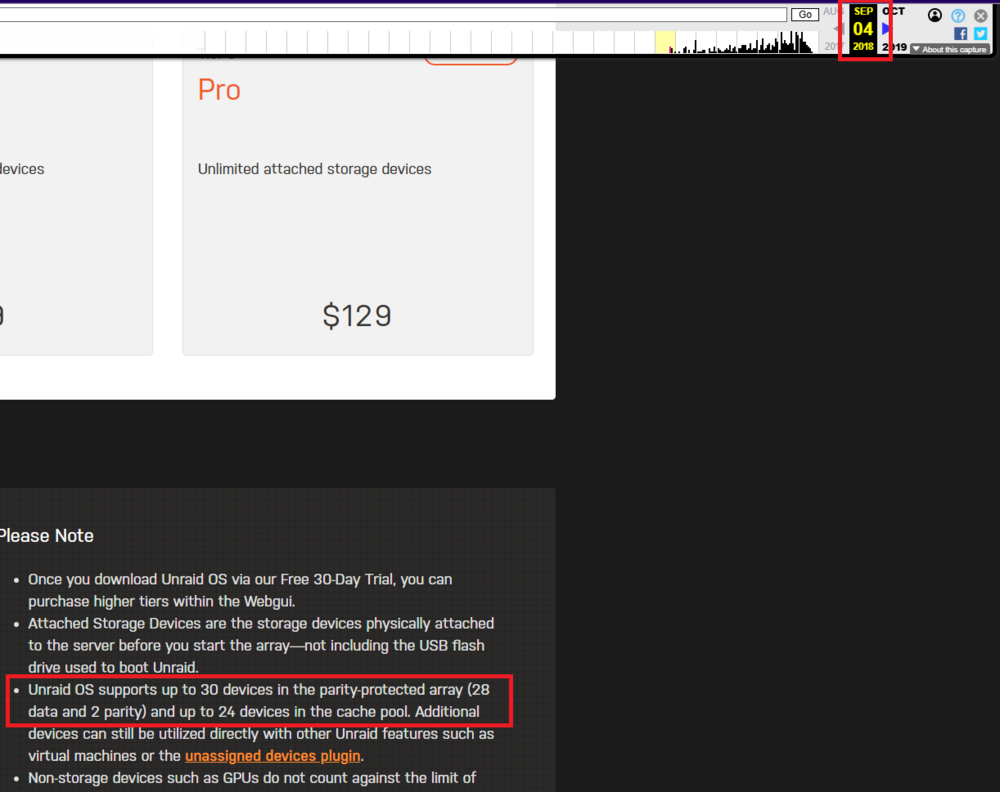
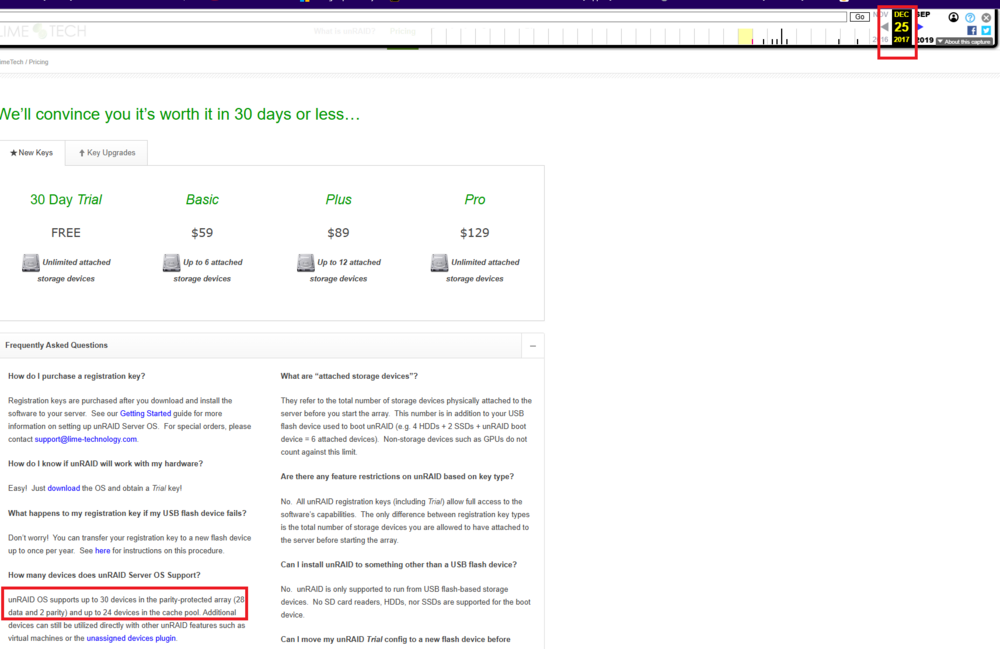
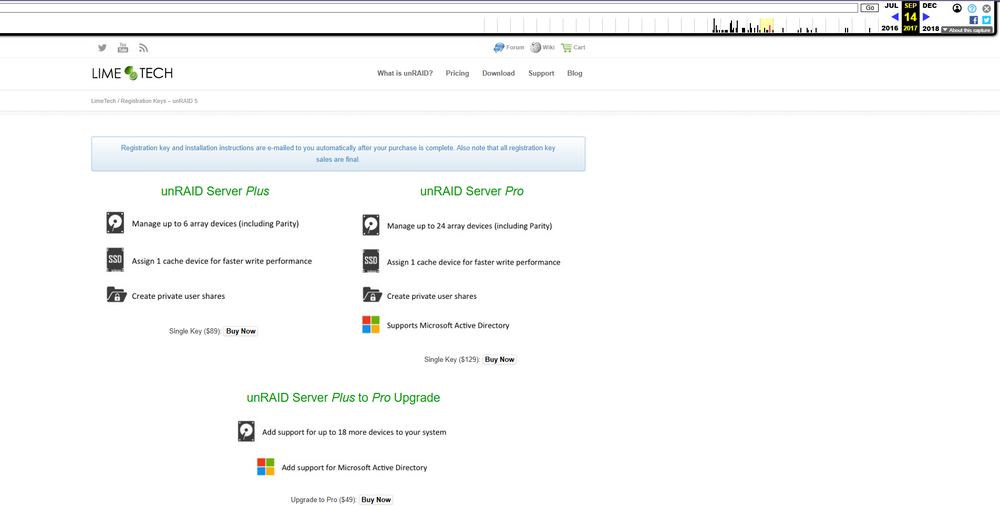
Edit: For completeness sake, this is the "old old old" page

-
That's the file integrity plugin BLAKE3 hash key mismatch (updated), /mnt/disk5/Magnon-Box/NAS Windows Einstellung/Neues Textdokument.txt was modified
-
Abgesehen vom erwähnten Problem mit dem Mainboard im itx Gehäuse, sollte das picoPSU ausreichen, allerdings weiß ich gerade nicht ob es wirklich glücklich darüber ist, wenn der 14100 im Turbomodus ist und die Festplatten gerade im Spinup sind.
-
its literally in the first post for i in /sys/class/net/eth?; do ethtool -s $(basename $i) wol d; doneyou just need to change it to your enp scheme
-
the filebrowser got updated with a breaking change a while ago, you need to change your template Edit: heres the link https://github.com/filebrowser/filebrowser/releases/tag/v2.33.0
-
You would have to use the tailscale sidecar container in this case
-
👍 will have a look Edit: Pushed an update that should prevent any html code from being saved. I do need to look into it why you can add "non existent" entries, but for now, it shouldnt be a problem anymore

-
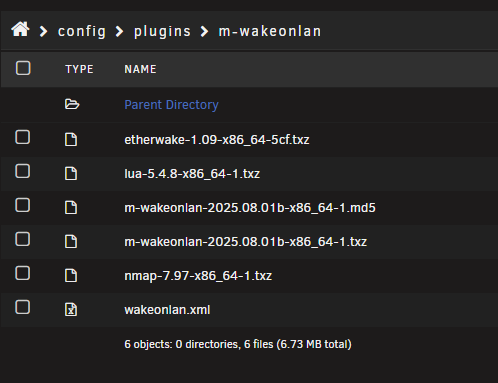
Funky, could you tell me what you did that they appeared in there? so i can reproduce that here To get rid of it quickly, you can go to /boot/config/plugins/m-wakeonlan or in the file manager and then delete them from the wakeonlan.xml
-
Ive wanted to leave this here in case somebody is looking for it, for some reason. Loading the coretemp driver seems to break the cpu temperature readings of htop with anything newer than kernel 6.12.24
-
thank you, thought i might be the only one but that confirms that im not crazy, sole reason i rolled back to 7.1.4 (cause the power draw went crazy high) Do you happen to have spotted 2 threads as well?

-
Fiddling with the chevron/arrow here expands everything and then hides everything.
-
No more CPU / RAM usage, no more timer settings, my poor heart is broken 😭
-
This is a fork ive been keeping of https://forums.unraid.net/topic/36613-wake-on-lan-plugin-for-unraid-61 because i like it and use it a lot https://github.com/Mainfrezzer/unRAID-WOL https://raw.githubusercontent.com/Mainfrezzer/unRAID-WOL/refs/heads/master/plugin/m-wakeonlan.plg fixed it up a bit in the meantime
-
This should be it (minus the required posgres database) <?xml version="1.0"?> <Container version="2"> <Name>terminus</Name> <Repository>ghcr.io/usetrmnl/terminus:latest</Repository> <Registry>ghcr.io/usetrmnl/terminus:latest</Registry> <Network>bridge</Network> <Shell>bash</Shell> <Privileged>false</Privileged> <Support></Support> <Project></Project> <Overview>Placeholder</Overview> <Category>Web</Category> <WebUI>http://[IP]:[PORT:3000]</WebUI> <TemplateURL></TemplateURL> <Icon></Icon> <ExtraParams>--init --memory=1G</ExtraParams> <DateInstalled></DateInstalled> <Config Name="Hanami Port" Target="HANAMI_PORT" Default="3000" Mode="" Description="Port Hanami will run on" Type="Variable" Display="always" Required="true" Mask="false">3000</Config> <Config Name="API URL" Target="API_URI" Default="http://192.168.2.2:3000" Mode="" Description="Base API URI" Type="Variable" Display="always" Required="true" Mask="false">http://192.168.2.2:3000</Config> <Config Name="Database URL" Target="DATABASE_URL" Default="" Mode="" Description="Full Postgres DB connection URL" Type="Variable" Display="always" Required="true" Mask="false">postgres://user:password@database:5432/dbname</Config> <Config Name="Uploads Volume" Target="/app/public/uploads" Default="" Mode="rw" Description="Uploads path" Type="Path" Display="always" Required="true" Mask="false">/mnt/user/appdata/terminus/uploads</Config> <Config Name="App Port" Target="3000" Default="" Mode="tcp" Description="Web port for app" Type="Port" Display="always" Required="true" Mask="false">3000</Config> </Container> you can create that xml in /boot/config/plugins/dockerMan/templates-user as my-PICKANAME.xml and then you can find it in CA under previous apps. I didnt test it, as i didnt wanna setup a DB for it, but given what the compose.yml says, it should be it
-
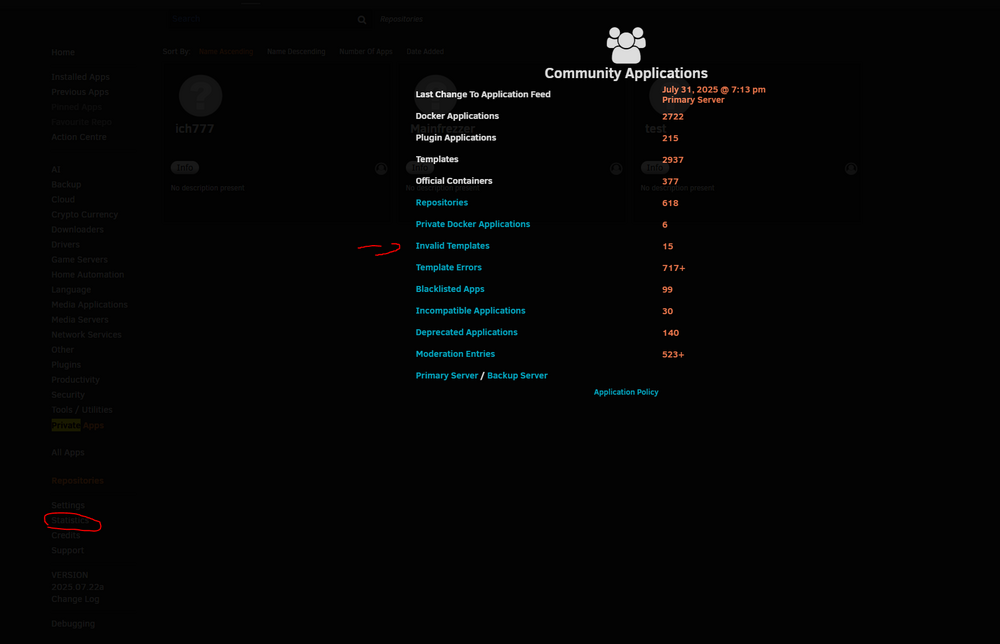
i just checked the appfeed, since the moderation didnt mention any removal. https://raw.githubusercontent.com/Squidly271/AppFeed/master/applicationFeed.json for the private repo its a bit harder, since when it doesnt load the xml, you dont get the invalid template message in here
-
The issue is that your template is broken and thats why its not in the appfeed. Fix it { "TemplatePath": "/tmp/GitHub/repositoryClone/tophat17/jelly-request/template.xml", "errors": [ "EntityRef: expecting ';'", "EntityRef: expecting ';'" ], "FirstSeen": null },For the future, you can create a "fake" repo at /boot/config/plugins/community.applications/private, there create the folder test and place your xmls to check them
-
i changed the template to mention, in the future (whenever its updated in the feed ), the basic docker config file and the more extensive one
-
i agree the config files are a bit of a mess. Their example docker config sets 3923 as port then, they have their docker specific config file but in their docs they use this config file





