






JorgeB
Moderators
-
Joined
-
Last visited
-
Currently
Viewing Topic: How to check if my (new-ish) parity drives are valid after OS crash
Everything posted by JorgeB
-
If you mean GUI errors, pools are not monitored before 7.3.x. If you want to troubleshoot this more, please start a new thread in the general support forum and post the diagnostics.
-
Please post new diags with the array started.
-
There are a lot of plugins installed, some deprecated; my first suggestion would be to boot in safe mode and retest, but before rebooting, do this: Uninstall the Connect plugin first (Plugins tab) Then open a terminal window and type or copy/paste unraid-api stop mv /boot/config/plugins/dynamix.my.servers/ /boot/config/plugins/dynamix.my.servers.bak/ Now reboot in safe mode, reinstall the Connect plugin, and try registering the server once more.
-
You need to re-enable it: https://docs.unraid.net/unraid-os/using-unraid-to/manage-storage/array/replacing-disks-in-array/#re-enabling-a-disabled-disk-rebuilding-onto-itself
-
Not sure what you mean by that, but do it when you can.
-
Please post the diagnostic in case there's something visible there.
-
The server was rebooted after the disk got disabled so we can't see what happened, but SMART looks fine, so most likely a power connection issue, check/replace cables for that disk and resync parity.
-
These should never be used, one SATA plug should never be split into more than two. I think you can just wait, and ideally change that splitter before.
-
Do you see the orange icon?
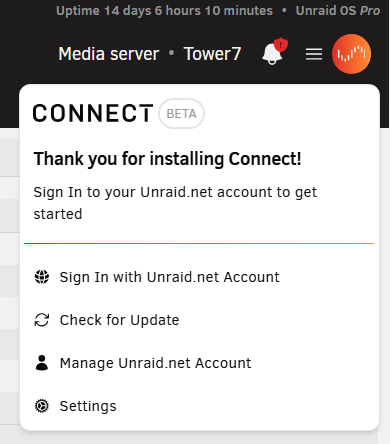
-
It's not logged as a disk problem, so most likely a power/connection issue.
-
See if this thread helps unraid connect showing offline, CSRF Token error - Connect Plugin Support - Unraid
-
Please post the diagnostics
-
Diags are after rebooting, so we can't see what happened, but the disk looks healthy; if the emulated disk contents look correct, you can rebuild on top. It may be a good idea to replace the SATA cable first due to the CRC error; possibly that was what disabled the disk.
-
If contents for emulated disk1 look good, you can reassign the disk to rebuild.
-
If that is a SATA to more than 2 SATA plugs, it should not be used. Also note that the rebuilt disk can have some data corruption due to the read errors on those disks, but they weren't that many, so it should be mostly OK, and not much you can do about that now.
-
Try booting in safe mode and retry.
-
Since the rebuild for disk1 already started, there is not much more you can do now other than trying to also repair that filesystem. But you can unassign the disk first, to repair only the emulated disk only, in case the data on the actual disk can still be used if needed.
-
Let's first see if the io looks normal or if there's one or more disks slowing the resilver: zpool iostat -vyl 10 1 > /boot/1.txt Repeat that command a couple more times (wait a minute or so between runs), changing the destination file name only, e.g., 2.txt and 3.txt, then attach all 3 files here (they will be saved to the flash drive)
-
Like mentioned:

-
Maybe, but that should be unrelated to the pool errors.
-
That's suggests all the config files were not copied, or they are corrupt.
-
Errors on disk1 and disk 2 during the rebuild, which still look like a power/connection issue, any power splitters being used?
-
First step try recreating the flash drive, first backup the current one, then recreate it using the USB tool, then restore only the /config folder from the backup overwriting any existing files. If the issues persist after that, bette to repalce it.
-
This would ideally have been done before starting the revbuild, but it's still the next step; check filesystem for both unmountable disks.
-
And if the second check finds errors, post new diags.



