





bally12345
Members
-
Joined
-
Last visited
Everything posted by bally12345
-
I am having same issue, tried a few bios settings but still no success. Motherboard is MSI B760
-
Tried again and again with all containers stopped this time it worked!
-
Hi I am seeing an error when back up tries to save files /mnt/cache/Backup/unRaid_AppData/ab_20230807_030001-failed/plex.tar /mnt/disk3/Backup/unRaid_AppData/ab_20230807_030001-failed/plex.tar.partial (28) No space left on device Debug Log: eda19c6c-d105-4c07-a556-c63c15995a68 my back up folder is on share set to highwater but it keeps trying to save to disk3 which doesnt have sufficient space. Disk 3 currently has the most space but my backup seems to over 1.5tb which is causing an issue. Can it split the files into smaller chunks? EDIT: Noticed compression wasnt enabled so will try with this on which should help reduced the size.
-
Been a week and not seeing the issue again
-
Ok got it working again... I had Intel i915 SR-IOV (beta) app installed, removed this and rebooted and everything started working again. 4k to lower resolution now working again.
-
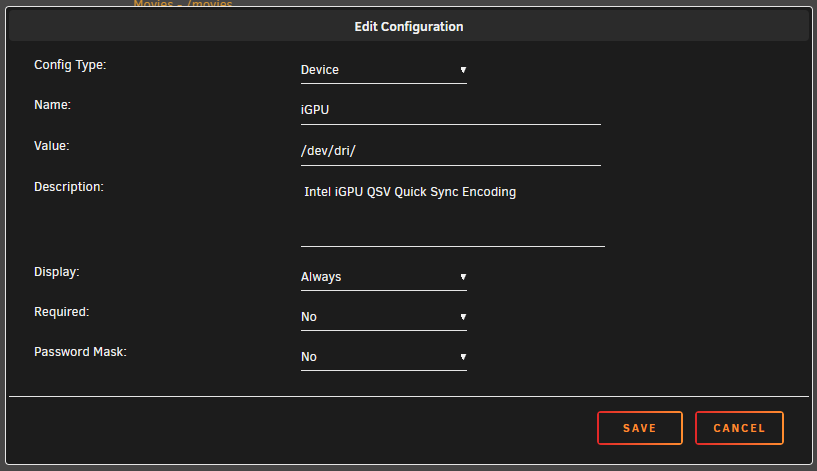
This is how I originally had it set, once removed it works but as soon as I add here or in extra parameters its not working correctly. Might have to add my 1650 back in but the whole point was to use igpu
-
Ok so if I remove --device=/dev/dri to "extra parameters" (switch on advanced view) it works but nothing being passed through.
-
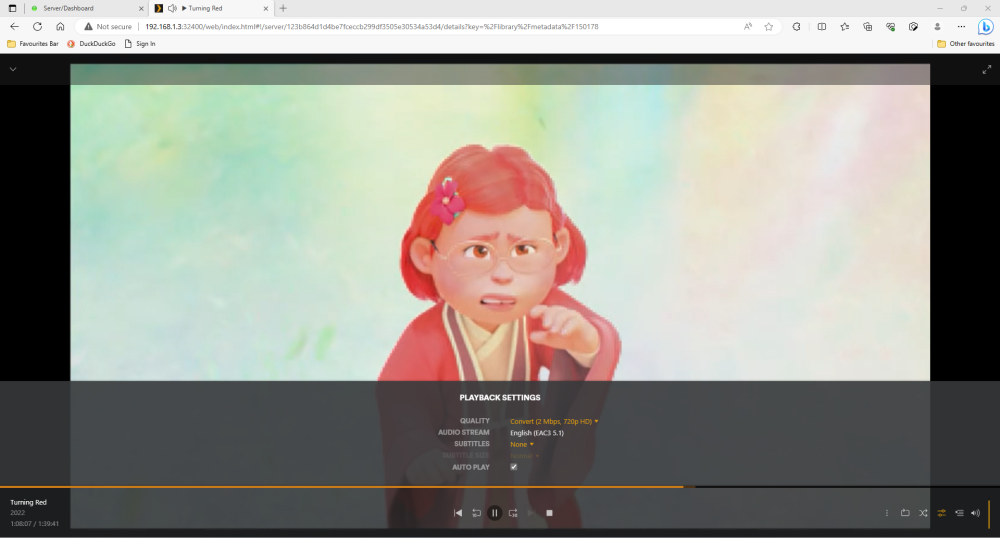
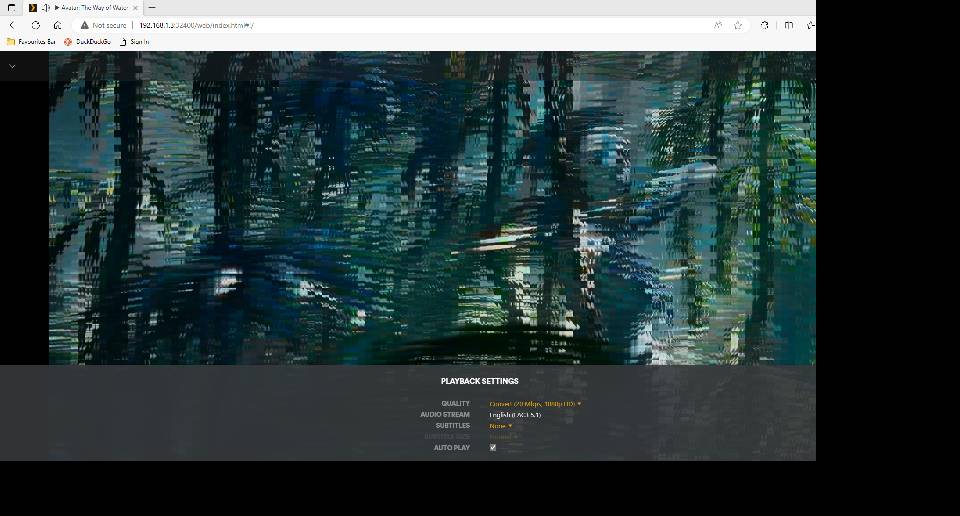
Can't transcode 4k down I have recently upgrade my unraid server and moved from transcoding using nvidia 1650 GPU to now using igpu on a 13th gen i5. When anyone tries to watch a 4k movie and you reduce the quality or it does it automatically it is unwatchable and pixelated. 1080p all the way down to 240p is fine. Hardware transcoding works and I get (HW) displayed but something going on with all 4k movies. Any ideas? Same happens on all devices including nvidia shield. Been running system for a month and never tested it as I always direct play. Can't figure out if it's hardware or config related. Sent from my SM-G991B using Tapatalk
-
Thanks thats detected now moved the usb to another port too so will monitor it
-
Couldn't get the NUT to detect UPS, admittedly its a cheapo amazon basics unit but is enough to shutdown server safely.
-
Found a similar thread and it looks like could possibly be usb from ups but will be moving my unraid usb to as seeing flashback up in the logs too. Sent from my SM-G991B using Tapatalk
-
My Syslog keeps filling up with Server kernel: usb 1-7: input irq status -75 received and have no idea what is causing it. I only have 3 usb devices plugged in, Unraid USB HP Keyboard UPS USB Had a look at the diagnostics and see server-diagnostics-20230702-1142.zip Could it be the Unraid USB as I am using one of these on the USB header https://www.amazon.co.uk/dp/B000IV6S9S I can remove this is just plug in the back of the IO shield if it is this but currently have parity check running.
-
Silly mistake, was running speedtest cli without array started, once started got full speed I was expecting. My 2nd server is not setup yet to test between 2 10gb links
-
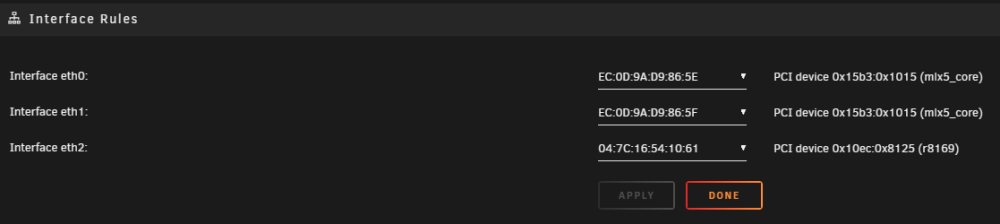
Hi I added a Mellanox 10gb card with 2 ports 2 my server and connected it to my router and thought it would be a simple swap. However after changing the interface rules to make eth0 the 10gb connection. WAN speeds are super slow I have 1gb down but only getting around 100mbps Both router and unraid are showing 10gbe link Network:eth0: 10000 Mbps, full duplex, mtu 1500 Wired Experience 10 GbE Speed test on router shows correct download and upload but a quick speedtest.net and speedtest cli installed on unraid come back with slow speeds This is what my Network settings page looks like Am I setting this up wrong? Dont know if it makes a difference but I updated the firmware using Mellanox plugin. DIdnt see any change.
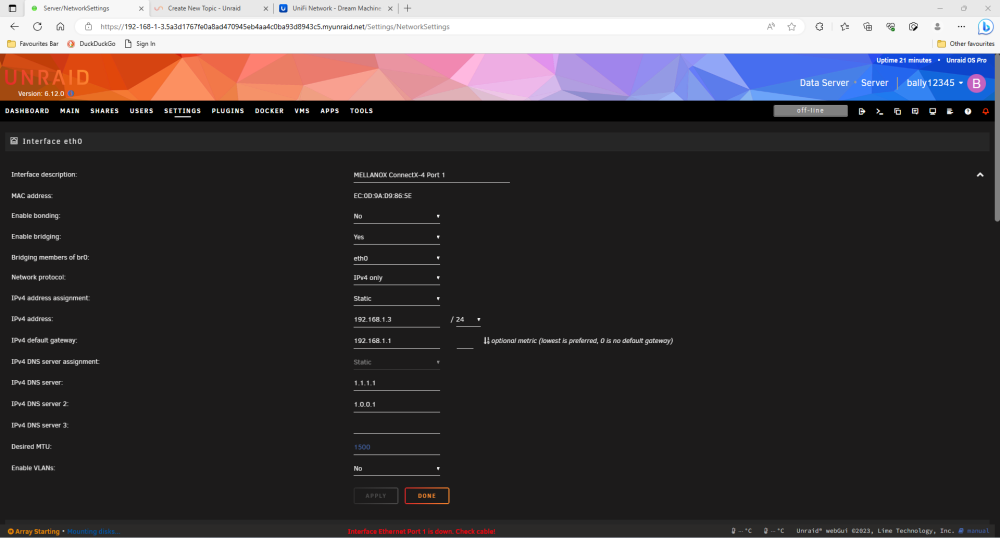
-
Yep, just left it disconnected. Just added the front panel cable extension and usb header for motherboard.
-
Hi just completed a new build using a MSI B760 motherboard. I can't seem to get Auto Fan and System Temps to detect. According to nerd tools my perl packages are up to date. Do I need install anything in addition for this to be detected? Sent from my SM-G991B using Tapatalk
-
System all up and running! Put a trial version on a usb and let it run for a few hours. Everything looks good. Any tips on moving usb and hdd to new system? Or should it just work? Sent from my SM-G991B using Tapatalk
-
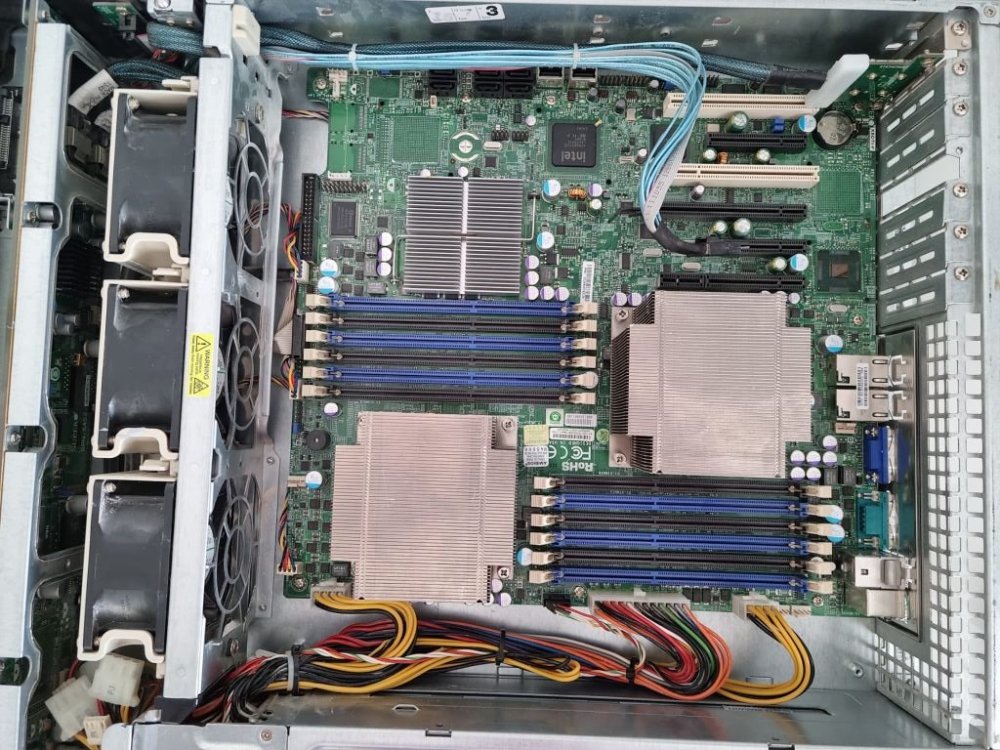
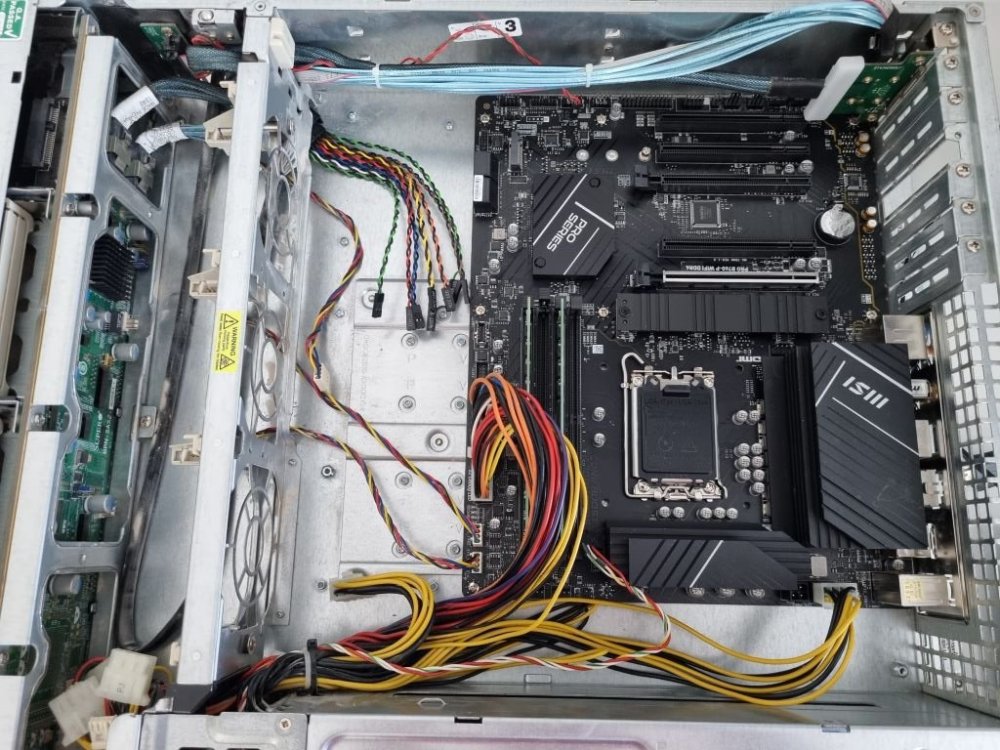
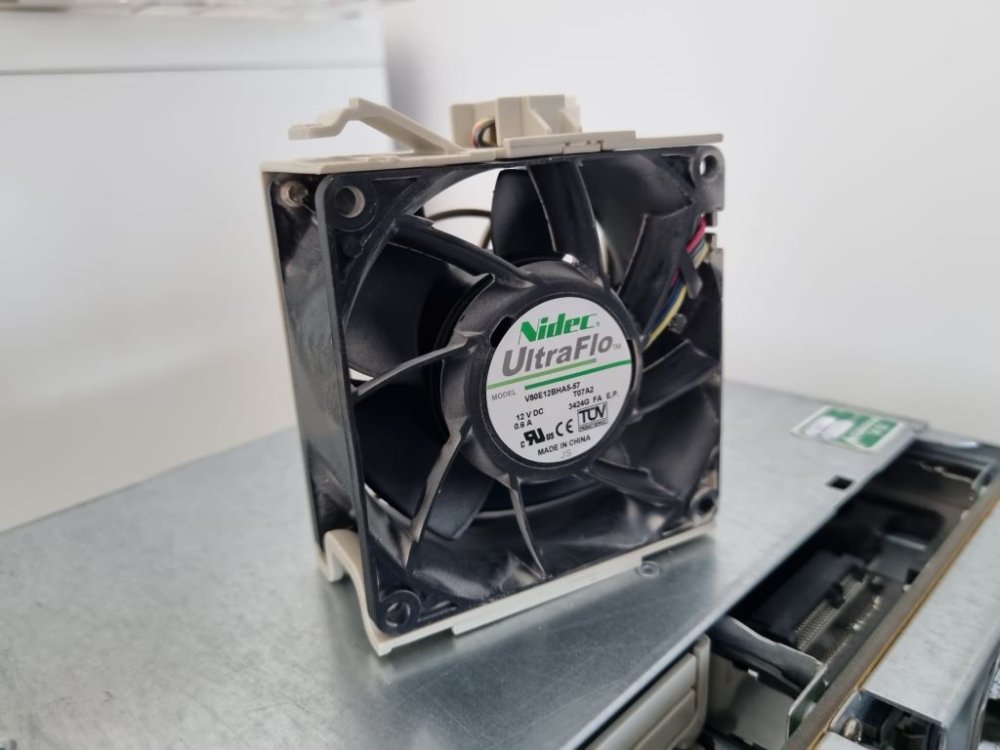
Made some progress today, got motherboard and memory installed, didnt require the ATX extension cable and connected to front panel connections that could be connected. Just waiting for CPU to be delivered and a 4pin 3 way fan splitter Does anyone know if I can still connect the PE Pin to Power Supply I2C (JPI2C1) Assuming this is supermicro specific and not available on MSI motherboard. Before and After pic attached, also pic of fans I would like to replace with something better if anyone has any suggestions?
-
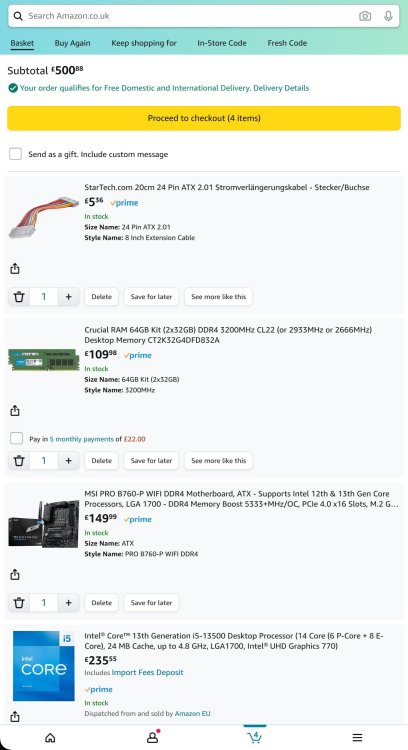
Hi All, just placed an order for an i5 13500 and MSI B760 motherboard to install into a spare supermicro chassis I have. My current server is absolutely fine other than the power consumption so going to move away from the dual xeon I currently have which run constantly at around 150w New build is going to cost just over £500 and the plan is to install into the supermicro chassis get unraid tested using a trial licence and move pro licence and drives over once everything is running smoothly. Ordered a front panel cable extension from ebay Once moved over I am hoping for to cut the power use by half with a bit of luck but will see how it looks. The only other thing I am considering is 10GB nic to connect directly to my 10GB port on the Unifi Dream Machine SE. If anyone has any suggestions on what NIC to buy and use with DAC cable that would be great. This build will mean moving away from ECC I have tried to stick to £500 budget. Might go over if the stock cooler doesnt fit
-
I am having a bit of an issue with using a windows 11 vm with gt 710 passthrough and a HDMI via cat6 KVM. It gets to the windows login page but then once I enter password I just get a blank screen. Cant figure out if its the template or something else. Seemed to be working before I added the USB keyboard / mouse to usb devices <?xml version='1.0' encoding='UTF-8'?> <domain type='kvm'> <name>Windows 11 GFX</name> <uuid>e4c032e9-3fb9-e6e6-4146-ac0ecd1ceb34</uuid> <metadata> <vmtemplate xmlns="unraid" name="Windows 11" icon="Windows_11.png" os="windowstpm"/> </metadata> <memory unit='KiB'>33030144</memory> <currentMemory unit='KiB'>33030144</currentMemory> <memoryBacking> <nosharepages/> </memoryBacking> <vcpu placement='static'>8</vcpu> <cputune> <vcpupin vcpu='0' cpuset='6'/> <vcpupin vcpu='1' cpuset='18'/> <vcpupin vcpu='2' cpuset='7'/> <vcpupin vcpu='3' cpuset='19'/> <vcpupin vcpu='4' cpuset='8'/> <vcpupin vcpu='5' cpuset='20'/> <vcpupin vcpu='6' cpuset='9'/> <vcpupin vcpu='7' cpuset='21'/> </cputune> <os> <type arch='x86_64' machine='pc-q35-7.1'>hvm</type> <loader readonly='yes' type='pflash'>/usr/share/qemu/ovmf-x64/OVMF_CODE-pure-efi-tpm.fd</loader> <nvram>/etc/libvirt/qemu/nvram/e4c032e9-3fb9-e6e6-4146-ac0ecd1ceb34_VARS-pure-efi-tpm.fd</nvram> </os> <features> <acpi/> <apic/> <hyperv mode='custom'> <relaxed state='on'/> <vapic state='on'/> <spinlocks state='on' retries='8191'/> <vendor_id state='on' value='none'/> </hyperv> </features> <cpu mode='host-passthrough' check='none' migratable='on'> <topology sockets='1' dies='1' cores='4' threads='2'/> <cache mode='passthrough'/> </cpu> <clock offset='localtime'> <timer name='hypervclock' present='yes'/> <timer name='hpet' present='no'/> </clock> <on_poweroff>destroy</on_poweroff> <on_reboot>restart</on_reboot> <on_crash>restart</on_crash> <devices> <emulator>/usr/local/sbin/qemu</emulator> <disk type='file' device='disk'> <driver name='qemu' type='raw' cache='writeback'/> <source file='/mnt/user/domains/Windows 10/vdisk1.img'/> <target dev='hdc' bus='virtio'/> <serial>vdisk1</serial> <boot order='1'/> <address type='pci' domain='0x0000' bus='0x03' slot='0x00' function='0x0'/> </disk> <disk type='file' device='cdrom'> <driver name='qemu' type='raw'/> <source file='/mnt/user/iso/virtio-win-0.1.229-1.iso'/> <target dev='hdb' bus='sata'/> <readonly/> <address type='drive' controller='0' bus='0' target='0' unit='1'/> </disk> <controller type='sata' index='0'> <address type='pci' domain='0x0000' bus='0x00' slot='0x1f' function='0x2'/> </controller> <controller type='pci' index='0' model='pcie-root'/> <controller type='pci' index='1' model='pcie-root-port'> <model name='pcie-root-port'/> <target chassis='1' port='0x8'/> <address type='pci' domain='0x0000' bus='0x00' slot='0x01' function='0x0' multifunction='on'/> </controller> <controller type='pci' index='2' model='pcie-root-port'> <model name='pcie-root-port'/> <target chassis='2' port='0x9'/> <address type='pci' domain='0x0000' bus='0x00' slot='0x01' function='0x1'/> </controller> <controller type='pci' index='3' model='pcie-root-port'> <model name='pcie-root-port'/> <target chassis='3' port='0xa'/> <address type='pci' domain='0x0000' bus='0x00' slot='0x01' function='0x2'/> </controller> <controller type='pci' index='4' model='pcie-root-port'> <model name='pcie-root-port'/> <target chassis='4' port='0xb'/> <address type='pci' domain='0x0000' bus='0x00' slot='0x01' function='0x3'/> </controller> <controller type='pci' index='5' model='pcie-root-port'> <model name='pcie-root-port'/> <target chassis='5' port='0xc'/> <address type='pci' domain='0x0000' bus='0x00' slot='0x01' function='0x4'/> </controller> <controller type='pci' index='6' model='pcie-root-port'> <model name='pcie-root-port'/> <target chassis='6' port='0xd'/> <address type='pci' domain='0x0000' bus='0x00' slot='0x01' function='0x5'/> </controller> <controller type='virtio-serial' index='0'> <address type='pci' domain='0x0000' bus='0x02' slot='0x00' function='0x0'/> </controller> <controller type='usb' index='0' model='qemu-xhci' ports='15'> <address type='pci' domain='0x0000' bus='0x00' slot='0x07' function='0x0'/> </controller> <interface type='bridge'> <mac address='52:54:00:46:cd:2e'/> <source bridge='br0'/> <model type='virtio-net'/> <address type='pci' domain='0x0000' bus='0x01' slot='0x00' function='0x0'/> </interface> <serial type='pty'> <target type='isa-serial' port='0'> <model name='isa-serial'/> </target> </serial> <console type='pty'> <target type='serial' port='0'/> </console> <channel type='unix'> <target type='virtio' name='org.qemu.guest_agent.0'/> <address type='virtio-serial' controller='0' bus='0' port='1'/> </channel> <input type='mouse' bus='ps2'/> <input type='keyboard' bus='ps2'/> <tpm model='tpm-tis'> <backend type='emulator' version='2.0' persistent_state='yes'/> </tpm> <audio id='1' type='none'/> <hostdev mode='subsystem' type='pci' managed='yes'> <driver name='vfio'/> <source> <address domain='0x0000' bus='0x05' slot='0x00' function='0x0'/> </source> <rom file='/mnt/user/isos/vbios/GT710-mod.rom'/> <address type='pci' domain='0x0000' bus='0x04' slot='0x00' function='0x0' multifunction='on'/> </hostdev> <hostdev mode='subsystem' type='pci' managed='yes'> <driver name='vfio'/> <source> <address domain='0x0000' bus='0x03' slot='0x00' function='0x1'/> </source> <address type='pci' domain='0x0000' bus='0x04' slot='0x00' function='0x1' multifunction='on'/> </hostdev> <hostdev mode='subsystem' type='usb' managed='no'> <source> <vendor id='0x03f0'/> <product id='0x2b4a'/> </source> <address type='usb' bus='0' port='1'/> </hostdev> <hostdev mode='subsystem' type='usb' managed='no'> <source> <vendor id='0x046d'/> <product id='0xc52b'/> </source> <address type='usb' bus='0' port='2'/> </hostdev> <memballoon model='none'/> </devices> </domain> Also getting the following in the vm log 2023-05-27T18:32:05.741034Z qemu-system-x86_64: vfio: Cannot reset device 0000:03:00.1, depends on group 38 which is not owned. 2023-05-27T18:32:05.741883Z qemu-system-x86_64: vfio: Cannot reset device 0000:05:00.0, depends on group 37 which is not owned. 2023-05-27T18:32:05.747006Z qemu-system-x86_64: vfio: Cannot reset device 0000:03:00.1, depends on group 38 which is not owned. 2023-05-27T18:32:05.747776Z qemu-system-x86_64: vfio: Cannot reset device 0000:05:00.0, depends on group 37 which is not owned. 2023-05-27T18:34:19.708208Z qemu-system-x86_64: vfio: Cannot reset device 0000:03:00.1, depends on group 38 which is not owned. 2023-05-27T18:34:19.720776Z qemu-system-x86_64: vfio: Cannot reset device 0000:05:00.0, depends on group 37 which is not owned. 2023-05-27T18:34:19.725943Z qemu-system-x86_64: vfio: Cannot reset device 0000:03:00.1, depends on group 38 which is not owned. 2023-05-27T18:34:19.730047Z qemu-system-x86_64: vfio: Cannot reset device 0000:05:00.0, depends on group 37 which is not owned.
-
Switched back to Virtual due seeing all cores assigned to VM hitting 100% for some reason.
-
The reason I ask, is I finally after tried GPU passthrough on a WIN11 VM using a old GT710 I had laying around. Did a VBIOS dump, removed the headers passed it through, no code 43 error, latest drivers installed. All good I thought BUT I could swear the VM was better if not the exactly the same! Appreciate its an older card and I use a GTX1650 low profile for Plex but was expecting it to better. Youtube streams on my VM still judder and Core usage on unraid dashboard seems to go up a lot more. This was just a pre-test to make sure everything works but now I am thinking do I need to even bother. Baring in mind I dont game, use a bit of photoshop now and then and have managed for years with just using Virtual GFX. CPU is dual xeon X5690 with no igpu
-
Happened again overnight Apr 24 04:08:52 Server avahi-daemon[14073]: Registering new address record for fe80::44c7:feff:fed6:5844 on vethdbe9494.*. Apr 24 04:08:52 Server kernel: mediasrv[28110]: segfault at 4 ip 0000000000418457 sp 00001536ad31d0f8 error 4 in mediasrv[405000+3c000] likely on CPU 11 (core 10, socket 1) Apr 24 04:08:52 Server kernel: Code: 00 00 00 e9 61 ff ff ff 48 89 df 89 44 24 0c e8 4f d4 fe ff 8b 44 24 0c eb 83 66 0f 1f 84 00 00 00 00 00 48 8b 87 c0 c5 00 00 <8b> 40 04 c3 0f 1f 44 00 00 48 8b 87 c0 c5 00 00 8b 00 c3 66 0f 1f Apr 24 04:08:53 Server sSMTP[28140]: Creating SSL connection to host server-diagnostics-20230424-0932.zip Diagnostics attached
-
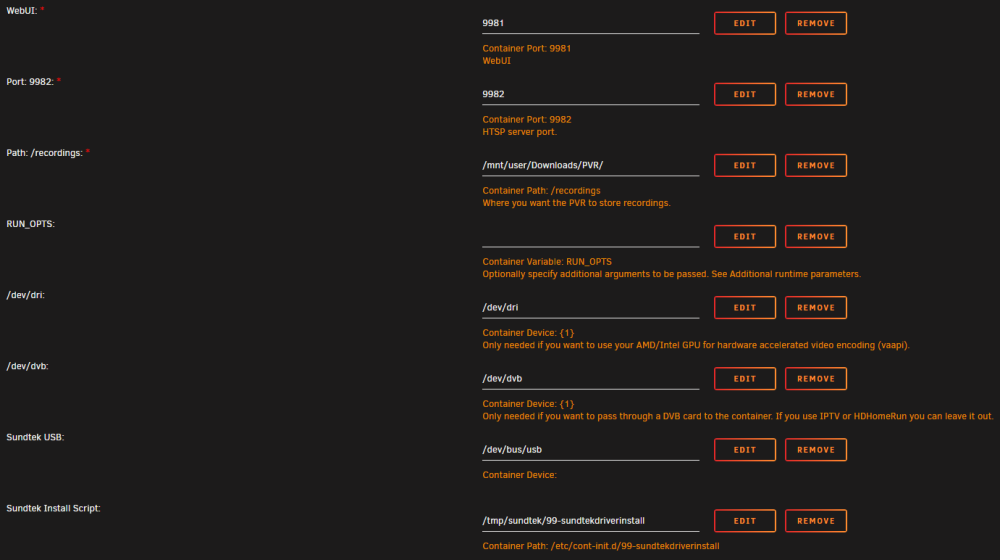
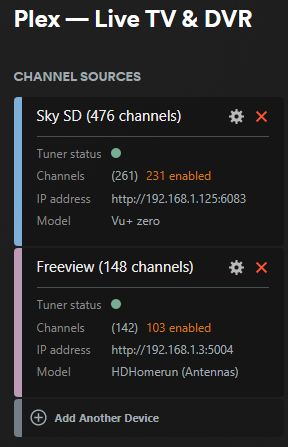
and if my magic its working again, not sure if its because I still had binhex container and I had the same settings in there but that was stopped. Either way now have my sundtek showing up as freeview and my old vu+ zero for freesat in plex
-
Yes same adapter and using lsio. I will give it a try again and share diagnostics. Sent from my SM-G991B using Tapatalk






