





Everything posted by frodr
-
I want to sync the most important folders in a folder to a qnap nas in a single job. But I can't find a dockers allowing to pick several folders at source. I have tested synching, Goodsync, resillio-sync, DirSync Pro, FreeFileSync. It is the same from the Qnap side, Hybrid Backup Sync do not allow multiple folders at source. It does from the backup feature, but I want sync as these folders also is a reserve Plex if the main server is down. Are my observations correct, and is there a solution? (CLI don't work for me as I am cripple at it). Cheers,
-
I tried the two last, but it was nothing on them. After replacing the libvirt.img and starting VM Manager I get this error message: Rebooting and it's ok again. I will add the VM templates manually, it's only 10 VMs or so. Both VM temps and all dockers disappeared after I had to restart after adding iSCSI Target in the Inhibitor plugin. I have to always restart for get iSCSI Target adding in Inhibitor to works. maxx-diagnostics-20230116-1716.zip

-
There's backup. I also made another copy just in case possible over writes. root@Maxx:~# find /mnt -name libvirt.img /mnt/user/backups/libvirt backup/libvirt.img /mnt/user/Backup/Fra backups/libvirt backup/libvirt.img /mnt/user/system/libvirt/libvirt.img /mnt/user0/backups/libvirt backup/libvirt.img /mnt/user0/Backup/Fra backups/libvirt backup/libvirt.img /mnt/cache/system/libvirt/libvirt.img /mnt/disk1/backups/libvirt backup/libvirt.img /mnt/disk1/Backup/Fra backups/libvirt backup/libvirt.img find: ‘/mnt/disks/QNAP_iSCSI_Storage/filmsync1/1917 (2019)’: Remote I/O error find: ‘/mnt/disks/QNAP_iSCSI_Storage/filmsync1/3.10 to Yuma (2007)’: Remote I/O error find: ‘/mnt/disks/QNAP_iSCSI_Storage/filmsync1/All Quiet on the Western Front (2022)’: Remote I/O error find: ‘/mnt/disks/QNAP_iSCSI_Storage/filmsync1/All the President's Men (1976)’: Remote I/O error find: ‘/mnt/disks/QNAP_iSCSI_Storage/filmsync1/Avatar (2009)’: Remote I/O error root@Maxx:~# Cheers,
-
root@Maxx:~# ls /etc/libvirt/qemu 501_win10_gamer.xml autostart/ networks/ nvram/ swtpm/ 501...... is the one I set up manually.
-
I'm sorry, I forgot. Now added in the post.
-
To get iSCSI Inhibitor to work I had to restart the server. Then all Dockers and VMs disappeared from the Docker and VM section. Restoring the Dockers did not bring them back, so I popped the in manually. All VMs are there the domains folder, but is there a way to get the configs back without making new templates? Happy for feedback.. Cheers, maxx-diagnostics-20230115-1626.zip
-
Thanks, I will try these recommendations.
-
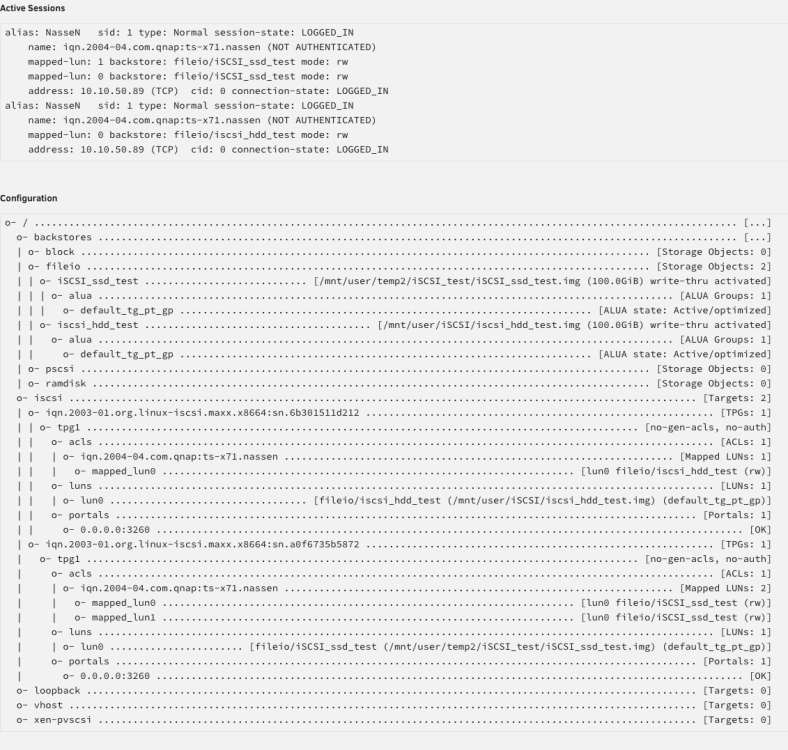
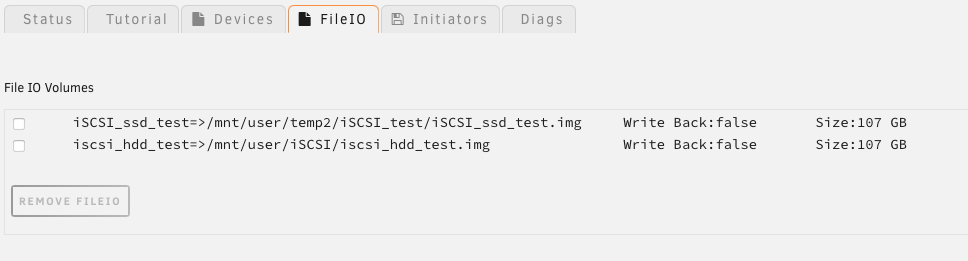
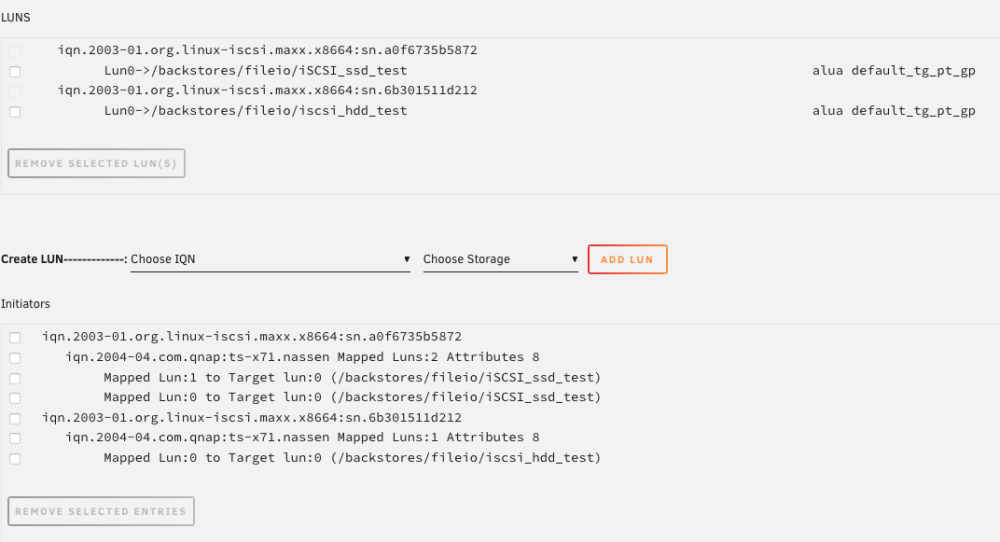
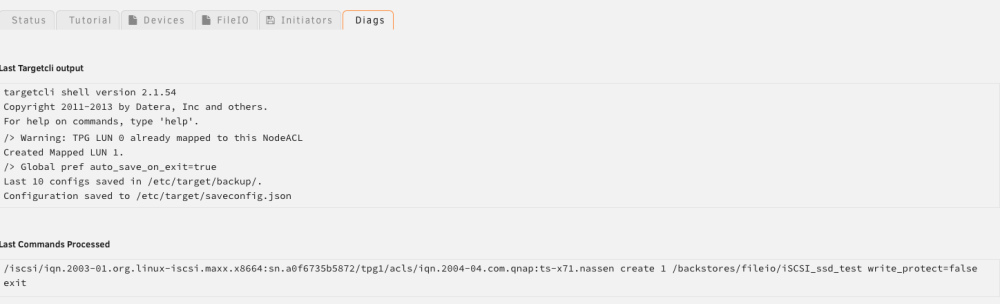
Thanks for your feedback, and sorry for little information. The speeds is average numbers from the sync report in Qnap. Speed is fluctuating, the ssd sync shows up to 10 MB/s. Cheers, Frode
-
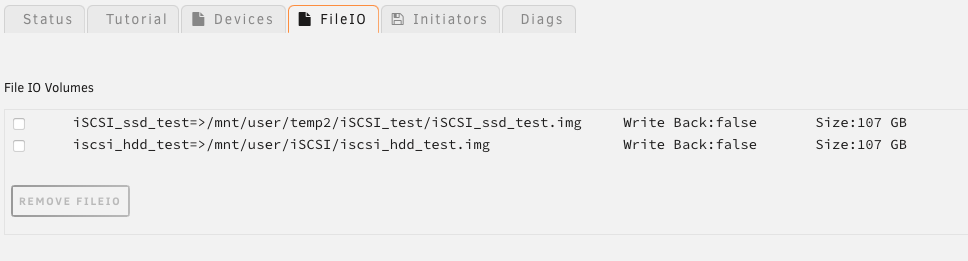
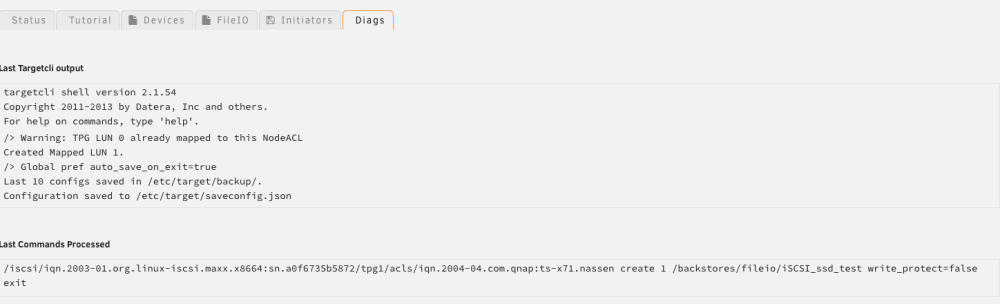
I am getting very low speed when syncing from Qnap to iSCSI Target: Qnap ssd -> iSCSI on hdd: 0.5 MB/s Qnap ssd -> iSCSI on ssd: 4,2 MB/s Any obvious mistakes in my setup, maybe? Diagnostics attached. Cheers, maxx-diagnostics-20230109-2254.zip
-
Mine too.
-
I would be very happy if anyone can point a direction to fix this problem: binhex-delugevpn works fine, but indexers in Sonarr and Radarr can not connect. Error happened during last week. Sonarr and Radarr communicates thru deluge-vpn.
-
I found errors in radarr log file. Can anyone say what I have to do to fix indexer log on issues, please? 2022-12-28 22:38:14.9|Error|Newznab|An error occurred while processing indexer feed. [v4.2.4.6635] System.Net.Http.HttpRequestException: Resource temporarily unavailable (nzbfinder.ws:443) ---> System.Net.Sockets.SocketException (11): Resource temporarily unavailable and [v4.2.4.6635] System.Net.Http.HttpRequestException: Connection refused (localhost:8112) ---> System.Net.Sockets.SocketException (111): Connection refused binhex radarr log file..rtf
-
binhex deluge-ups works fine with PIA. But binhex radarr and sonarr indexer stopped connecting a few days back. Log from binhex-sonarr: 2022-12-28 19:35:22,555 DEBG 'radarr' stdout output: [Warn] RadarrErrorPipeline: Invalid request Validation failed: -- : Unable to connect to indexer, check the log for more details What log is it referring to? Log from binhex deluge-van. 2022-12-28 19:37:20,522 DEBG 'start-script' stdout output: [info] Successfully assigned and bound incoming port '56946'
-
I'm stuck too.
-
I am looking for a plugin that reduces resolution from 4K UHD to 1080p (hevc), but I can't find in the Community section. Anybody have a local plugin that they are willing share? Much appreciated.
-
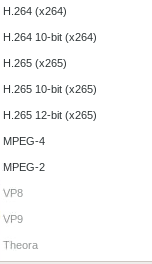
Is handbrake supposed to work with Nvidia GPU with these settings: NVIDIA_VISIBLE_DEVICES value Your gpu id NVIDIA_DRIVER_CAPABILITIES value all extra parameters --runtime=nvidia No Nvenc encoder in the list.
-
Thanks, I done that several times.
-
Yes, I am.
-
Together with a controller card, Mellanox 4 I think, it will do double speed vs. traditional Sata drives. Since it is more than a year since it launched, I wondered if Linux supported it. Yes, if Supported in Unraid with double speed I might. https://www.storagereview.com/news/seagate-exos-2x14-hdd-delivers-524mb-s
-
Anybody know if 6.11 supports this hd? https://www.seagate.com/files/www-content/datasheets/pdfs/exos-2x14-DS2015-3-2007US-en_US.pdf
-
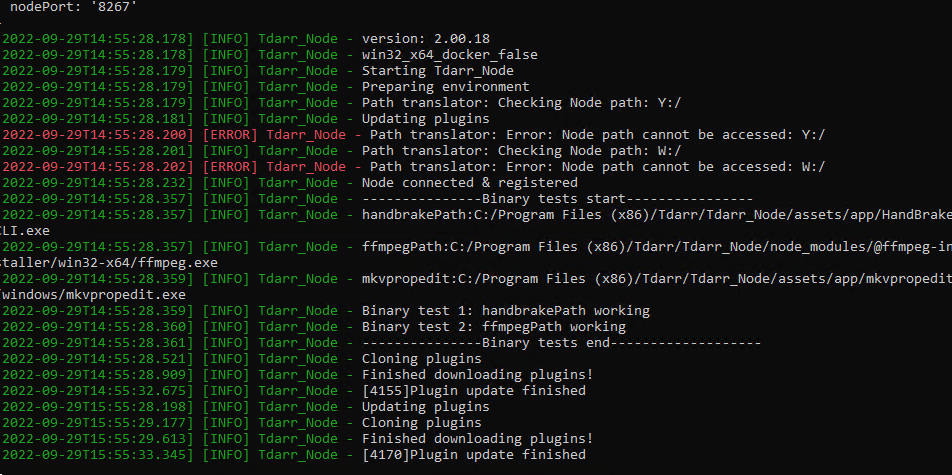
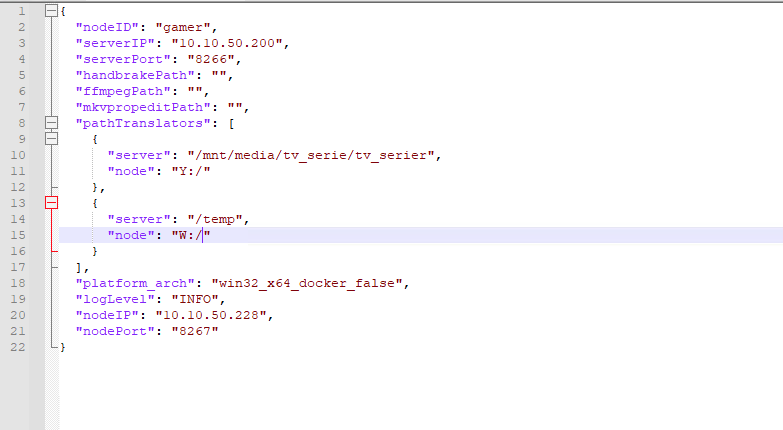
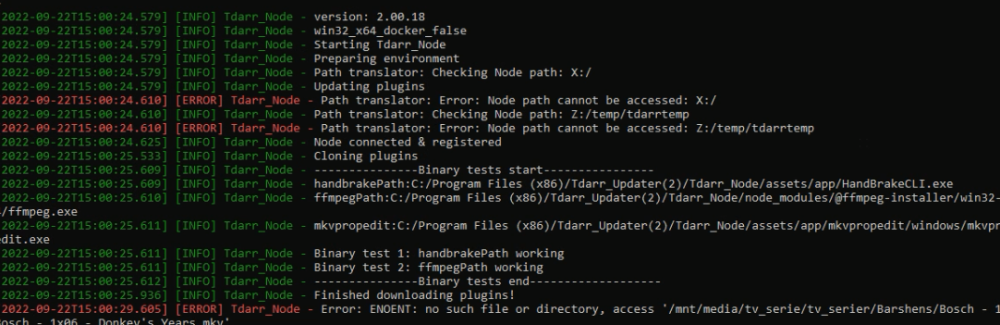
I'm still having an error with the mapping. Most grateful for any tips how to fix this.
-
I am setting up a tdarr node on a PC, but getting an error message on the mapping. Followed SpaceinvaderOne´s video instruction. Hope someone have a tip. Cheers,
-
Is it possible to run several GPU in the node tdarr docker? SpaceinvaderOne have several tdarr videos, but I didn't find one covering this specific topic. Anyoone?
-
Hi, I am stuck with this error. I have updated permissions. From log: /run.sh: line 39: /app/RoonServer/start.sh: Permission denied /run.sh: line 39: /app/RoonServer/start.sh: Permission denied Happy for any help.
-
I see. Thanks for the feedback




