





Everything posted by frodr
-
Good question. I was thinking of removing the Quadro RTX 4000, and sell it. This Quadro card is more modern. K80 is 2 x 2496 cores. Yeah, I think I bury this idea.
-
What are chances that the Nvidia Driver plugin will work on Nvidia Tesla K80? I plan to use it for transcoding.
-
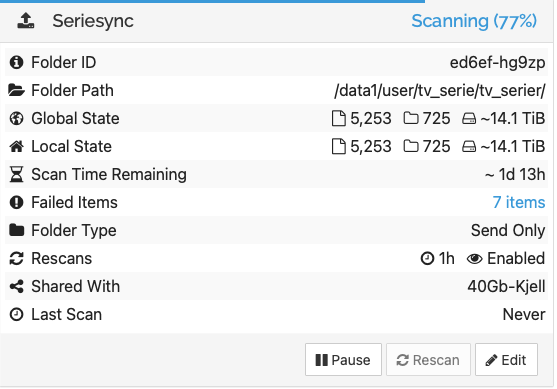
Is it normal that scanning takes as much time as the syncing itself? And eating Processor? It's running on a direct NIC to NIC connection. //Frode Synthing log.rtf.zip
-
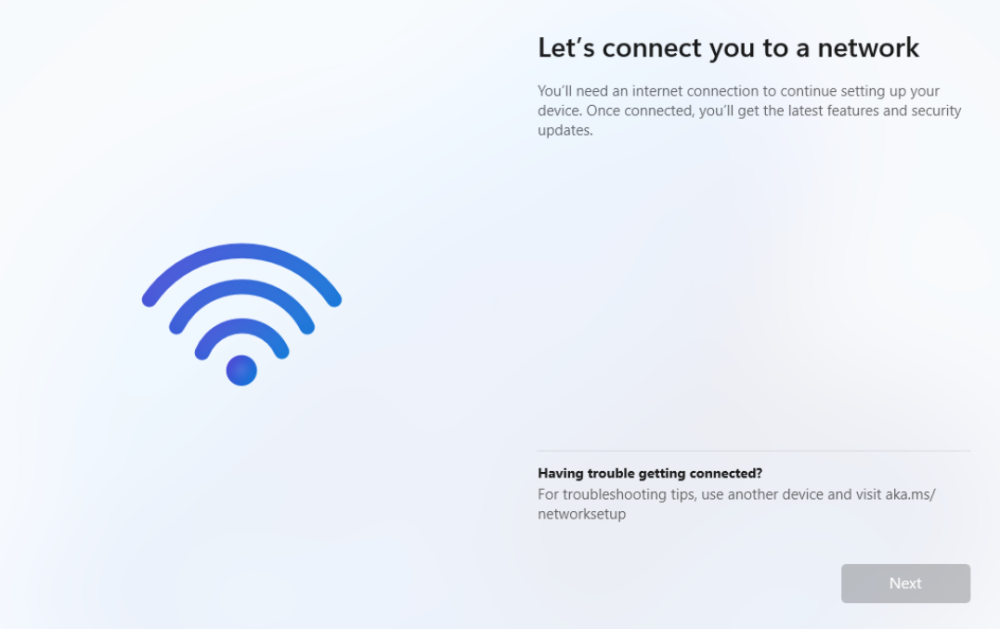
I having problem installing fresh Win 11 (downloaded from MS). Can't come by network page. /W11_log.rtf/
-
Hi. Docker started - no errors I log file - but it freezes in GUI First WebGUI connect I press the noVNC text, then it connects to GUI, but GUI is freezed. I forward the 8080 port. Any ideas?
-
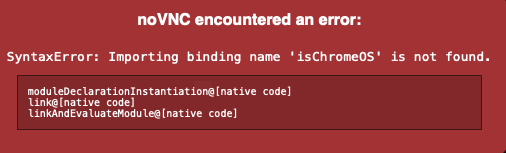
Suddenly I am getting this. Can it be because I run 6.12.0.rc2? I see no errors in the docker log file.
-
I don't have to forward when connecting on a LAN? I have a feeling I do not understand how it is supposed to be working. Is Gameserver for remote gaming, or is it local gaming PC connecting to the Gameserver?
-
I'm a newbie on GameServers, and could use some advise..... - Is there a step by step tutorial somewhere? I could not find one. - Should I be able to connect to ACC with Server IP +9201 port? The log file show: 0 client(s) online New connection received 176 1 client(s) online TCPQueue now: 557 ==ERR: Uninitialized Connection 29 timed out (1191705 - 1189705 = 2000) ==ERR: Uninitialized Connection 29 timed out (1191705 - 1189705 = 2000) Removing dead connection 29 (last lastUdpPaketReceived 1191705) ==ERR: Uninitialized Connection 29 timed out (1191705 - 1189705 = 2000) Alive connections: 0 - Is it Nvidia Support in the Docker - Must the Steam headless docker be configured for ACC to work. Happy for any feedback.
-
Yes, I have rebooted. After doing it once more, the error message was gone. I also removed DirsyncPro docker. This docker app folder reappeared in the old Cache Pool (when it was there, but not removed) after I moved the app folder to a new Pool. SOLVED!
-
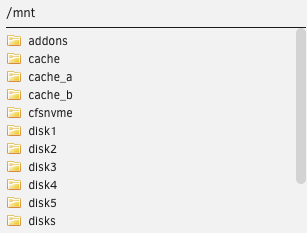
No dockers are having a path to the old cache pool. Their path are either /mnt or /mnt/user. But in path settings the old cache "cache", is still in the list after removing the pool.
-
I have this error after moving the apps folder from one cache to another. The old cache is removed. How can I fix? Cheers, maxx-diagnostics-20230404-1358.zip

-
I have an issue after moving the apps folder to new cache. How can I fix this? Any feedback is much appreciated. maxx-diagnostics-20230404-1358.zip

-
Deleting and installing the dockers with the same settings, now it is working.
-
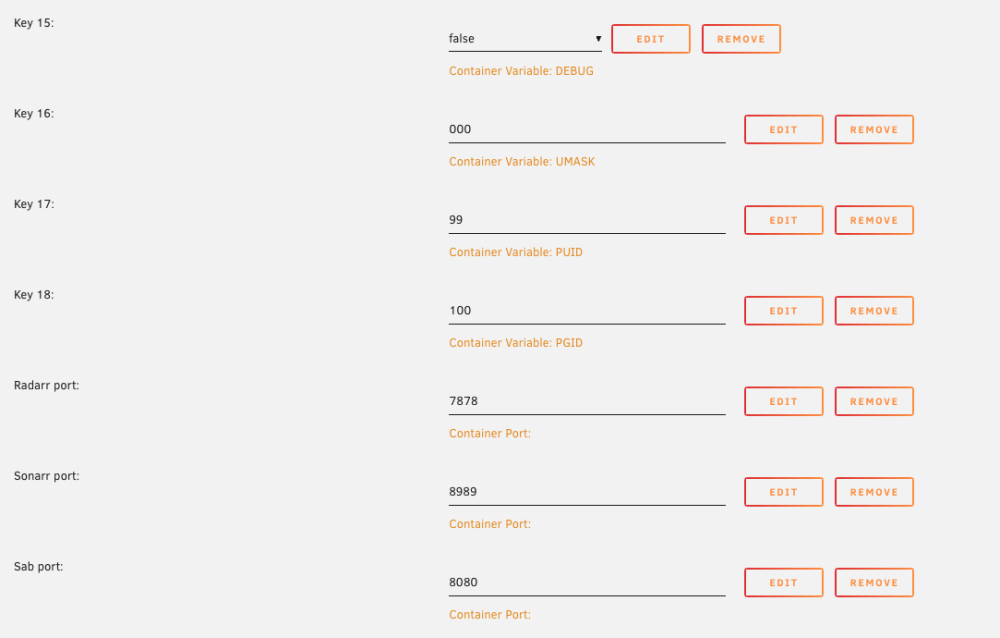
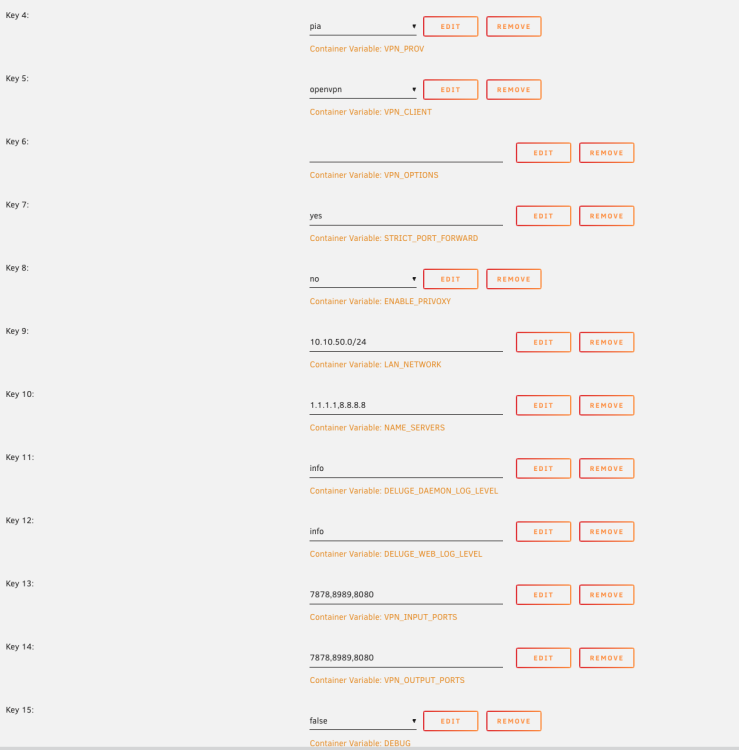
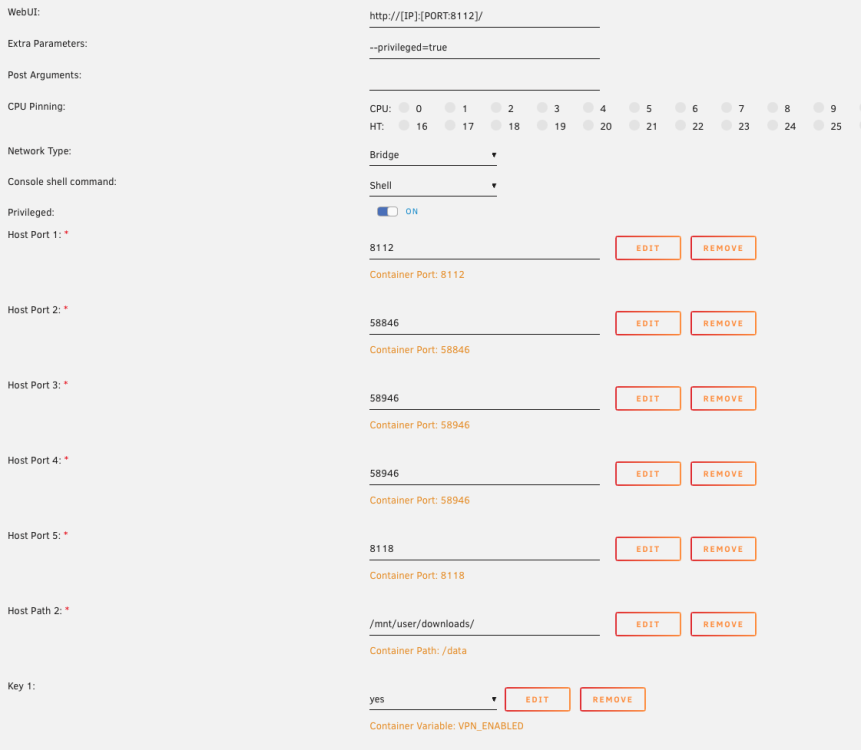
Docker inspect radarr network settings: "NetworkSettings": { "Bridge": "", "SandboxID": "", "HairpinMode": false, "LinkLocalIPv6Address": "", "LinkLocalIPv6PrefixLen": 0, "Ports": {}, "SandboxKey": "", "SecondaryIPAddresses": null, "SecondaryIPv6Addresses": null, "EndpointID": "", "Gateway": "", "GlobalIPv6Address": "", "GlobalIPv6PrefixLen": 0, "IPAddress": "", "IPPrefixLen": 0, "IPv6Gateway": "", "MacAddress": "", "Networks": {} And for binhex-delugevpn: "NetworkSettings": { "Bridge": "", "SandboxID": "d01f3aace4e9118713338e4c584e6dcb2b05b2ec3c9888d19fc199ba78f79de7", "HairpinMode": false, "LinkLocalIPv6Address": "", "LinkLocalIPv6PrefixLen": 0, "Ports": { "58846/tcp": [ { "HostIp": "0.0.0.0", "HostPort": "58846" }, { "HostIp": "::", "HostPort": "58846" } ], "58946/tcp": [ { "HostIp": "0.0.0.0", "HostPort": "58946" }, { "HostIp": "::", "HostPort": "58946" } ], "58946/udp": [ { "HostIp": "0.0.0.0", "HostPort": "58946" }, { "HostIp": "::", "HostPort": "58946" } ], "8112/tcp": [ { "HostIp": "0.0.0.0", "HostPort": "8112" }, { "HostIp": "::", "HostPort": "8112" } ], "8118/tcp": [ { "HostIp": "0.0.0.0", "HostPort": "8118" }, { "HostIp": "::", "HostPort": "8118" } ] }, "SandboxKey": "/var/run/docker/netns/d01f3aace4e9", "SecondaryIPAddresses": null, "SecondaryIPv6Addresses": null, "EndpointID": "d3d77934e8a000e54d50250dd70825af6ea040f48baecb1a762a4151a9880281", "Gateway": "172.17.0.1", "GlobalIPv6Address": "", "GlobalIPv6PrefixLen": 0, "IPAddress": "172.17.0.2", "IPPrefixLen": 16, "IPv6Gateway": "", "MacAddress": "02:42:ac:11:00:02", "Networks": { "bridge": { "IPAMConfig": null, "Links": null, "Aliases": null, "NetworkID": "0e0382951ddc04f6beea006af0c7e0939ca3aa0ff0cc707fed05fa4d3574dd3f", "EndpointID": "d3d77934e8a000e54d50250dd70825af6ea040f48baecb1a762a4151a9880281", "Gateway": "172.17.0.1", "IPAddress": "172.17.0.2", "IPPrefixLen": 16, "IPv6Gateway": "", "GlobalIPv6Address": "", "GlobalIPv6PrefixLen": 0, "MacAddress": "02:42:ac:11:00:02", "DriverOpts": null } Do they look correct?
-
I can't access radarr/sonarr at "server-ip":7878 after I changed Docker network type from macvlan to ipvlan. Radarr/Sonarr is connected thru binhex-delugevpn, PIA OpenVPN. binhex-delugevpn is working fine, no errors in log file. no errors in log files on radarr/sonarr Can it be an issue in the binhex-delugevpn settings? I checked, but can't find any. Added the settings and diagnostics. And hoping for some feedbacks. maxx-diagnostics-20230326-1410.zip
-
Plex is lagging. Sometimes Plex is lagging when streaming 4K material Direct Play, especially when bitrates are at 90-100 Mb/s and above. Material is in HEVC. Streamers are ATV4 (latest) and Shield Pro. The distribution is Server -> Switch -> Unifi Router (UDM) -> Switch ->Shield/ATV -> Trinnov -> TV. Switches are Unifi. 2 servers and a game machine (mostly off). It is not much traffic on my net in general. To me it seems that it is the steamers not being able to keep up. But that's just a guess. Anyone having the same issue? Any suggestion on have to identify the problem? Most happy for any feedback.
-
Great. Adding the line: append pci=realloc=off initrd=/bzroot in syslinux solved the issue. Many, many, thanks. Solved.
-
After upgrading firmware in the module ASMB9-iKVM and bios from 0602 to 1003 on MB Asus Pro WS WRX80E-SAGE SE WIFI, all sata drives (Array) and one nvme ssd went missing. Sata settings in bios is AHCI. Logfile indicates errors: ahci: probe of 0000:27:00.0 failed with error -22 ahci: probe of 0000:28:00.0 failed with error -22 ahci: probe of 0000:2c:00.0 failed with error -22 xhci_hcd 0000:24:00.0: init 0000:24:00.0 fail, -16 xhci_hcd: probe of 0000:24:00.0 failed with error -16 xhci_hcd 0000:2b:00.1: init 0000:2b:00.1 fail, -16 xhci_hcd: probe of 0000:2b:00.1 failed with error -16 xhci_hcd 0000:2b:00.3: init 0000:2b:00.3 fail, -16 xhci_hcd: probe of 0000:2b:00.3 failed with error -16 @apandey said some ASMedia controllers don't correctly identify to Linux and recommended booting pcie_port_pm=off flag. How to do that? Any other suggestions is much appreciated. Cheers. maxx-diagnostics-20230228-0021.zip
-
Thanks. I will issue a new thread on the issue as this one is mixed with several topics.
-
Thanks for help. I removed that pci card, and wile doing some maintenance I upgraded bmc firmware and mb bios. No error messages when upgrading,, but Unraid do not see any drives in the Array. And one nvme ssd placed in an onboard slot. The other 4 cache drives is ok. The sata setting is set to AHCI in the bios. In the log file in diagnoses it is some errors. One seems to be related to Sata, another to USB. Both by Asmedia. Tried to flash the bios again, no change. Is this a hw issue, bios issue or usb-stick? Really happy for any advice. Many hours on this issue today. maxx-diagnostics-20230228-0021.zip

-
What is mobo?
-
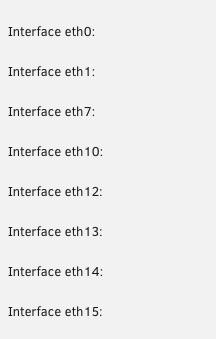
I having some network issues that I would like to solve. Bear with me as my skills on this topic are somewhat limited. Issues: Random Interface numbering, see picture. Interfaces disappeared from Networks setting list, i.e. eth4 with direct setup to another server. I have had different NICs in and out of the the server the last years. Possible solution? If network reset is a way to go, what would be the steps to go? 1) Connect directly to GPU as network connection will be lost when resetting network? 2) Delete "network-rules.cfg# and "network.cfg"? Where and can I delete these file preferably thru GUI. I'm at copy/paste-level in CLI. 3) Restart server and connect thru GPU? 4) Manual setup of server IP. 5) Restart and connect thru IP. I found a handful treads when searching "network reset", one tread marked as solved saying that "network-rules.cfg# and "network.cfg" should be deleted. I still need a fatherly push in the right direction.... // Cheers.. maxx-diagnostics-20230226-1753.zip
-
No, the wheel is spinning forever.
-
How can I remove a VM in the VM-machine listing, when remove in the GUI is not working. I manually removed the folder in "domains". But still not possible remove it in the VM listing. This VM was created with Macinabox. This install started to loop just before the first Mac window, I guess I have to do some Terminal work, but I am a total analphabeth in there. Happy for any tip.

-
Entschuldigung, mein Deutsch ist sehr schlecht. Ich kann nur English schreiben, I found this, and placed a PO for the SATA version. Die frage: Supportiert unRaid die Mach.2 Technologie? // Frode



