





Everything posted by frodr
-
Great. I have some issues which I can't solve. Can you have a look at the log file, please? Cheers Log.rtf
-
Is this the support thread for the docker xmrig? The docker support links here.
-
Some junior questions: 1) NSFMINER_ETHADDRESS: "The Eth wallet account number?" 2) NSFMINER_WORKERNAME: "Any name or a specific one?" 3) "Is about 37 a reasonable for a Quadro RTX 4000 GPU?" 17:07:41 miner Job: 9f90a7d6 blk: 12154310 eu1.ethermine.org:5555 17:07:43 miner 0:26 A12 36.87 Mh - cu0 36.87 47C 0% 123.83W 4) "I get this Quadro error. Do I need to change anything?" ERROR: The attribute 'GPUGraphicsClockOffsetAllPerformanceLevels' specified in assignment '[gpu:0]/GPUGraphicsClockOffsetAllPerformanceLevels=0' cannot be assigned (it is a read-only attribute). ERROR: The attribute 'GPUMemoryTransferRateOffsetAllPerformanceLevels' specified in assignment '[gpu:0]/GPUMemoryTransferRateOffsetAllPerformanceLevels=0' cannot be assigned (it is a read-only attribute). Cheers,
-
djaydev/handbrake I can not get Handbrake to run the GPU. GPU is running latest driver and working with FaH and Plex. The other Handbrake docker in the App Store is the same. Handbrake is running though, only using the cpus. Any ideas?
-
A short video. PS! Camera man is not druknk. https://share.icloud.com/photos/0vEElS3WvYfirNLSmntb3gxbA
-
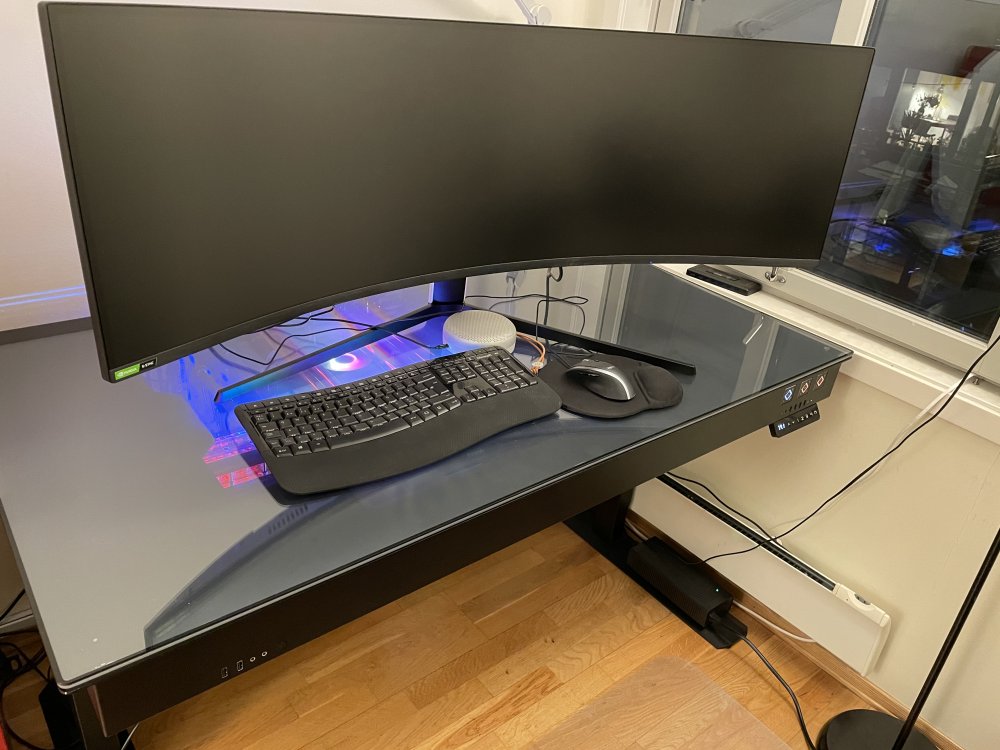
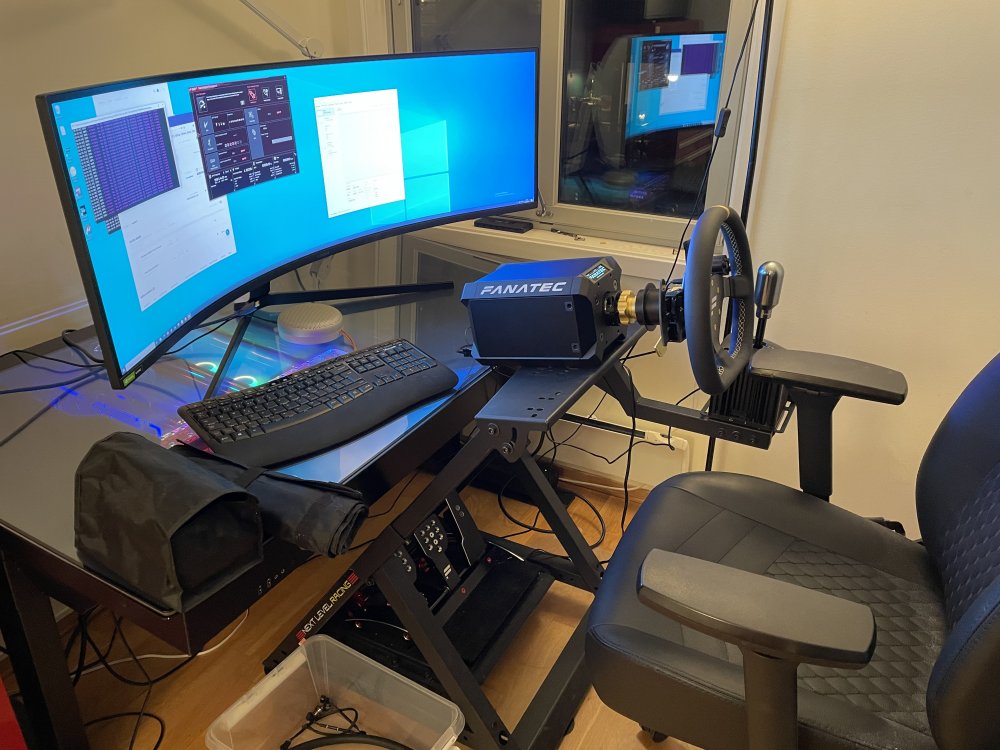
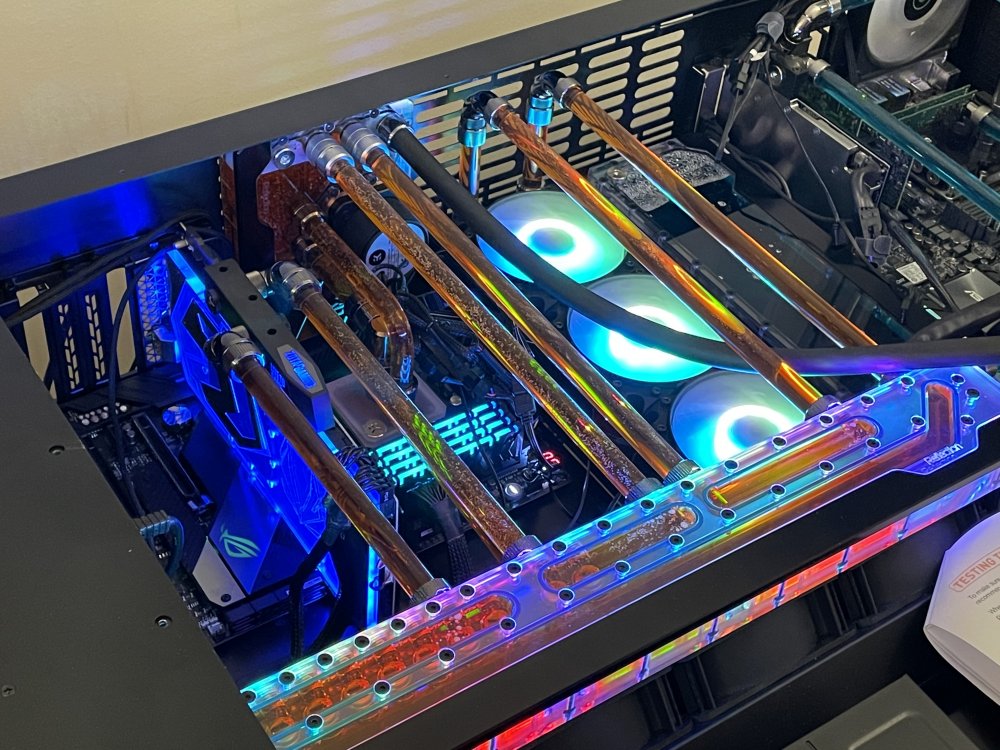
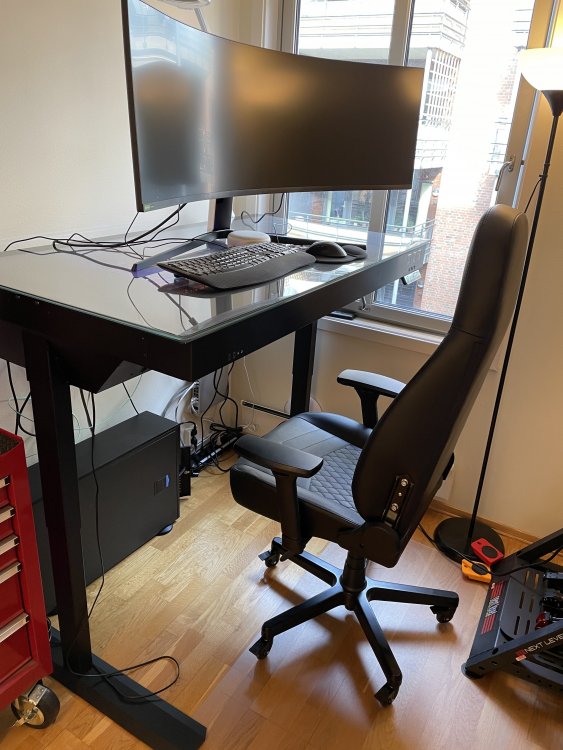
Here is my build, which started very modest a few years back. On the right side of the chassie Unraid Server build on a workstation xeon mainboard: unRAID 6.91 Pro CPU: 2 x Xeon Gold 6226R Motherboard: Asus C621E Sage RAM: 4 x 32 GB Samsung DDR4-2933 RDIMM PC4-23466R Dual Rank x4 Module Case: Lian Li DK-05F Drive Cage(s): 2 x 3 HDD cages Power Supply: CORSAIR AX1600i SATA Expansion Card(s): Using the motherboard NIC: Mellanox MCX314A Cables: ...of God..... Radioators: 1 x EK 480 and 1 x EK 360 Fans: 4 x EK-Meltemi 120ER and 3 x EK-Vardar X3M 120ER D-RGB Parity Drive: 18TB Seagate ST18000NM000J-2TV103 Data Drives: 3x 10TB details later Cache Drive: 4 x Corsair MP510 960GB. Total Drive Capacity: 30TB in the Array. Primary Use: Data storage, Plex streaming, Roon Server, FaH. Likes: No need for apartment heating. Dislikes: No need for apartment heating. Add Ons Used: Details later Future Plans: An AMD Ryzen Threadripper Pro build maybe. In the left side is the Game Machine: Windows 10 Pro CPU: Ryzen 9 3950X Motherboard: Asus ROG Crosshair VIII Hero RAM: 4 x 8 GB (4000Mhz) GPU: Zotac RTX 2080-ti water-cooled Case: Lian Li DK-05F Power Supply: XILENCE Performance X 1250 Watt SATA Expansion Card(s): Using the motherboard Cables: ...of God..... Radioators: 1 x EK 480 and 1 x EK 360 Fans: 4 x EK-Meltemi 120ER and 3 x EK-Vardar X3M 120ER D-RGB OS drive: Samsung 980 Pro NVMe SSD. Data Drives: Samsung 970 Pro NVMe SSD. Primary Use: Gaming, more specific Dirt Rally 2., checking what mining is. FoldingHome. Likes: It works great. Dislikes: Original plan was run run a Game VM on the unRAID server, but I had trouble with the wheel. Which turned out to be the wheel and not the VM. Plex setup: I have setup a Supermicro SuperWorkstation 7049A-T (Mini) as a file server running Windows Server 2019. The content is stored on a 3 tier Storage Spaces share. 2 x 1 TB NVme ssd as cache, 8 TB SSD and 2 x 10 TB. Mini is connected directly to the Unraid server with Mellanox MCX314A-40Gb. I am running a Plex container and Quadro RTX4000 for transcoding. I have followed @mgutt setup for Plex transcoding in RAM. Plex media library is a "remote" share, which is the media share on Mini connected with 40Gb NIC´s. Plex is crisp. Cheers, Frode
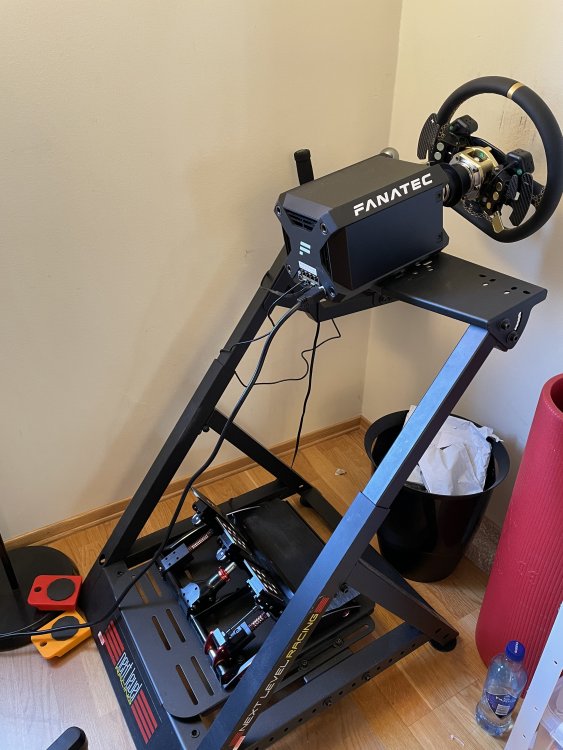
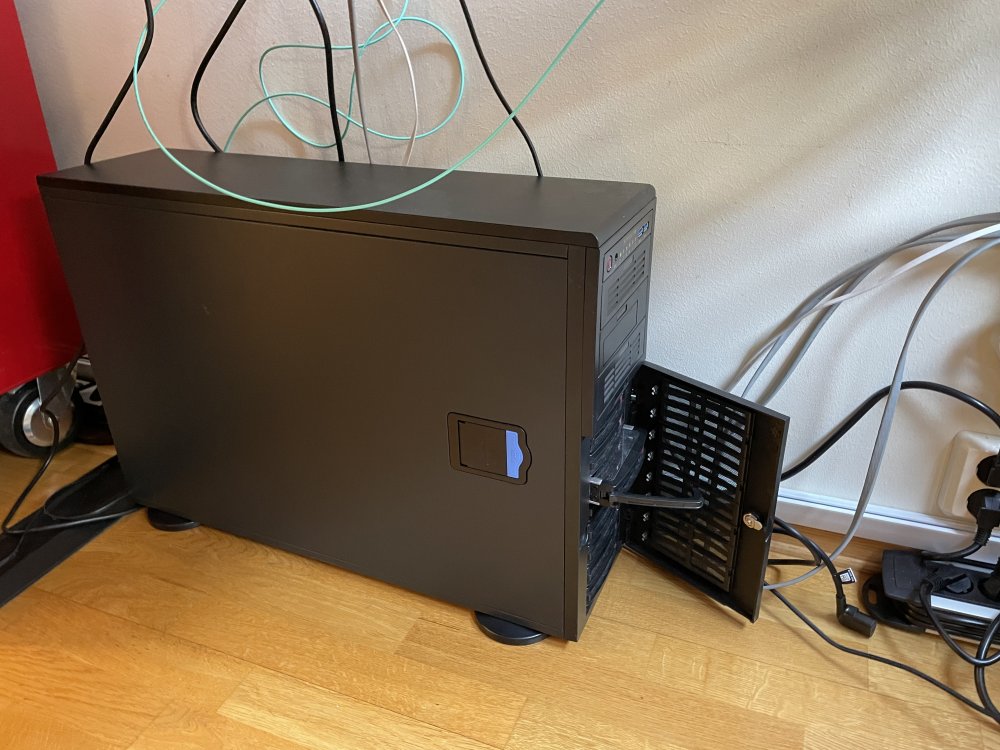
-
Yes, but since we are off topic here, we should make a new thread.
-
I have made a change to my setup where Unraid docker Plex streams from a Windows Server 3 tier (nvme/2.5" ssd/hdd) Storage Spaces share. Unraid server and Windows Server are connected thru a high speed NIC to NIC. Downloads done in Unraid and serves as a parity checked reserve for the Win Server. Very snappy feeling inside Plex.
-
Copying files from Unraid server to Win client with Multichannel + RSS setup will be limited by the disk (if not cached) transfer speed? Right? From the Array I se up to 250MB/s.
-
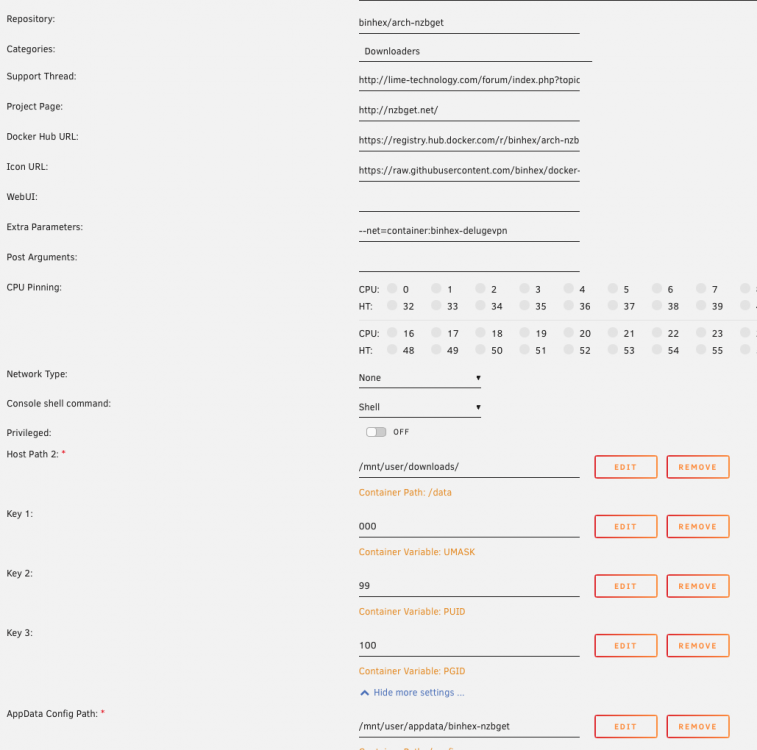
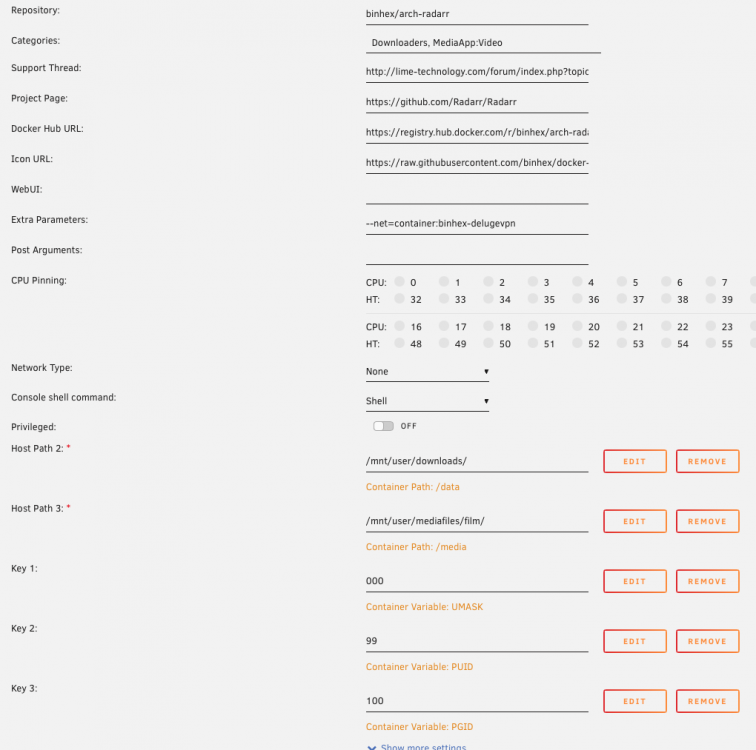
Dear Binhex, I am kind of lost finding a solution, and I am most grateful if you find time to help me. I want to run b-nzbget and b-radar thru b-delugevpn. Delugevpn is running and I can connect to WebUI. Nzbget is running, no log error. But I can not connect to WebUI, "server:6789". Binhex-radar is running and I can connect to WebUI. Testing indexer and download clients = ok, but downloads and media library do not work. Setup pictures are attached. Happy for any help. Cheers, Frode
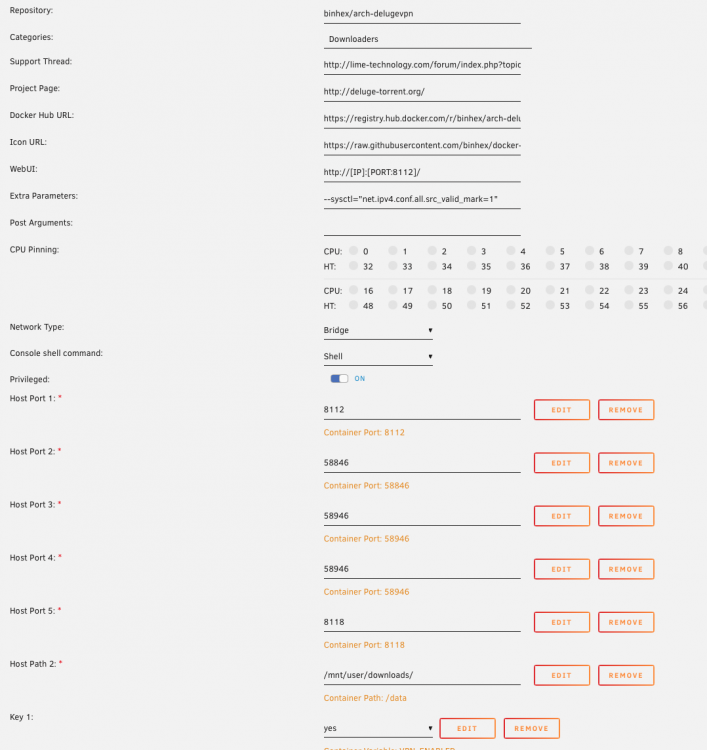
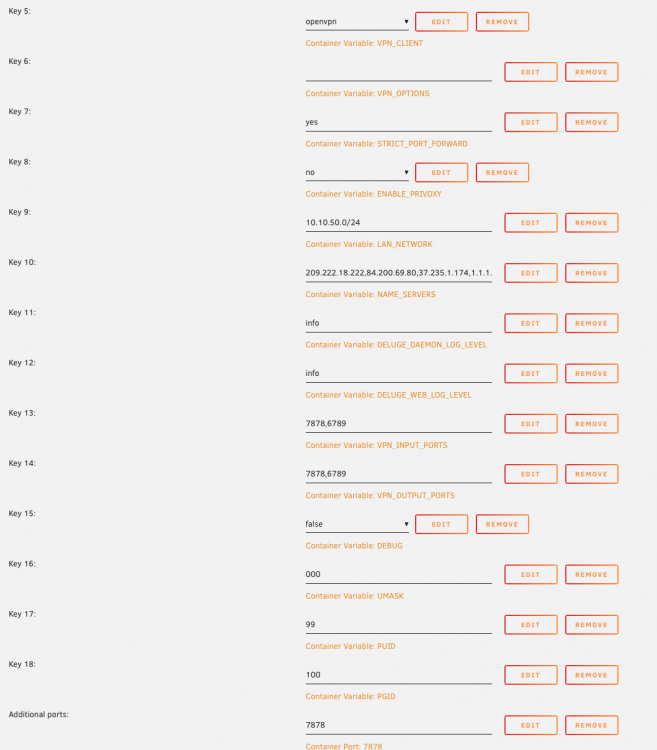
-
The b-radarr container do not import files. The mapping is ok.
-
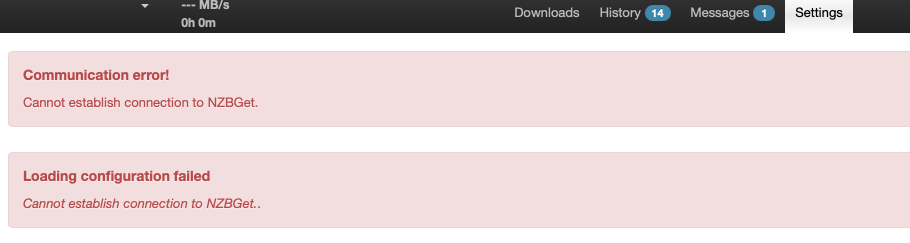
Failing connect "server-ip:6789", then back in my browser and I get this:
-
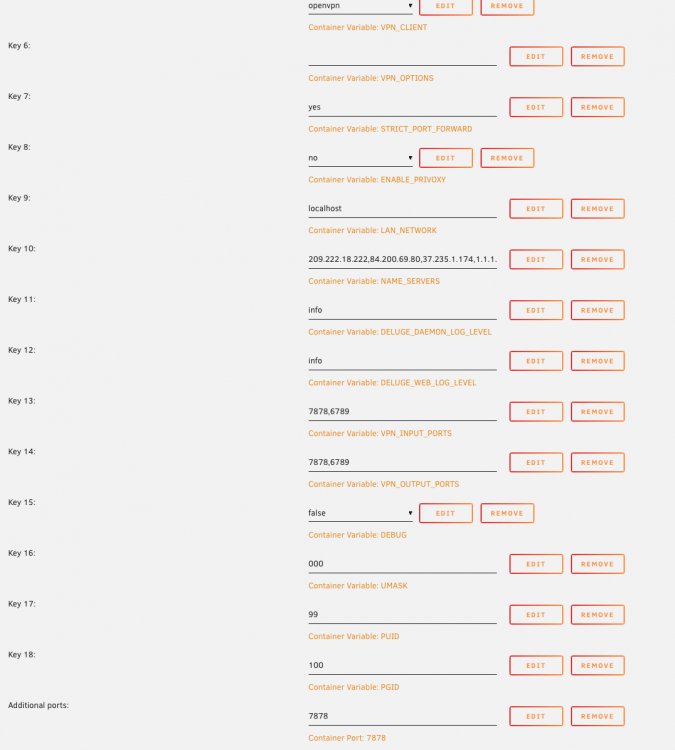
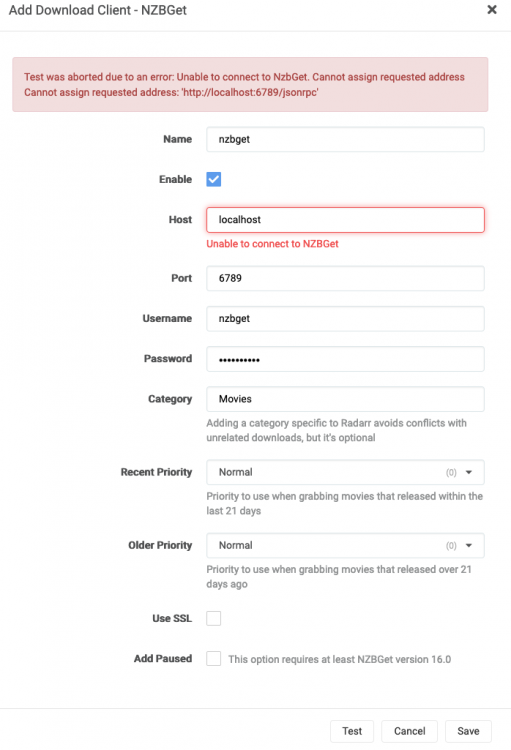
I misunderstood this part in the FAQ: Notes Please keep in mind that when defining connections from an application to another application in the same VPN container network that you will need to set the host to 'localhost' and NOT the LAN IP address, this is because the applications are now bound to the same network and thus should communicate over 'localhost' and NOT the unRAID host IP address. OK, I changed it my subnet. But I can still not connect to b-nzbget WebUI.
-
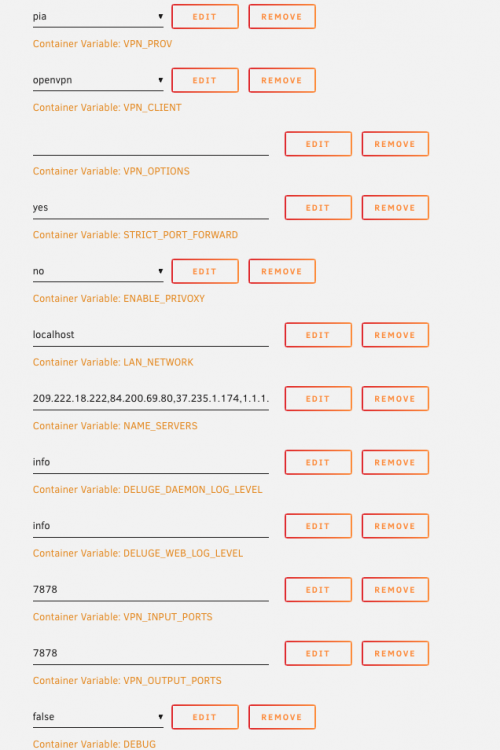
LAN NETWORK=localhost on the b-delugevpn docker.
-
That's correct. No proxy, serverip:6789. The strange thing is that the browser show the nzbget logo.

-
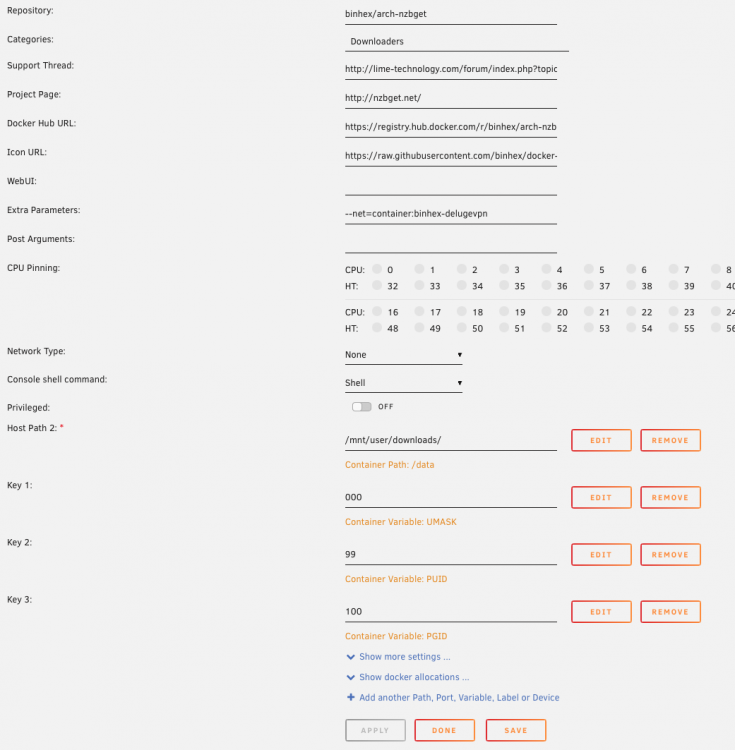
I understand. Settings for b-delugevpn and b-nzbget. I can not connect to WebUI b-nzbget with "server:6789", but now I can connect to nzbget client within radarr.
-
nzbgetvpn: network type=bridge, extra parameters="nothing", LAN_NETWORK="my subnet" and "localhost" binhex-nzbget: network type=none, extra parameters="--net=container:binhex-delugevpn" Not running both binhex-nzbget and nzbgetvpn at the same time.
-
Not being able to get nzbget client within radarr to work, I switched from nzbgetvpn to binhex-nzbget following the instruction in the FAQ. Binhex-nzbget started but I could not connect WebUI. Trying to add 6789 as additional port in binhex-deliugevpn, the Docker service once again start spinning (the Unraid time glass keeps running and dockers tab autostarts keeps going on-off. Again I have to delete the Docker image and start all over. This is quite frustrating.
-
Thanks, All ports in radarr deleted, and added 6789 as described in A27. Still not nzbget client running. Ran the nzbgetvpn docker default LAN_NETWORK or "localhost".
-
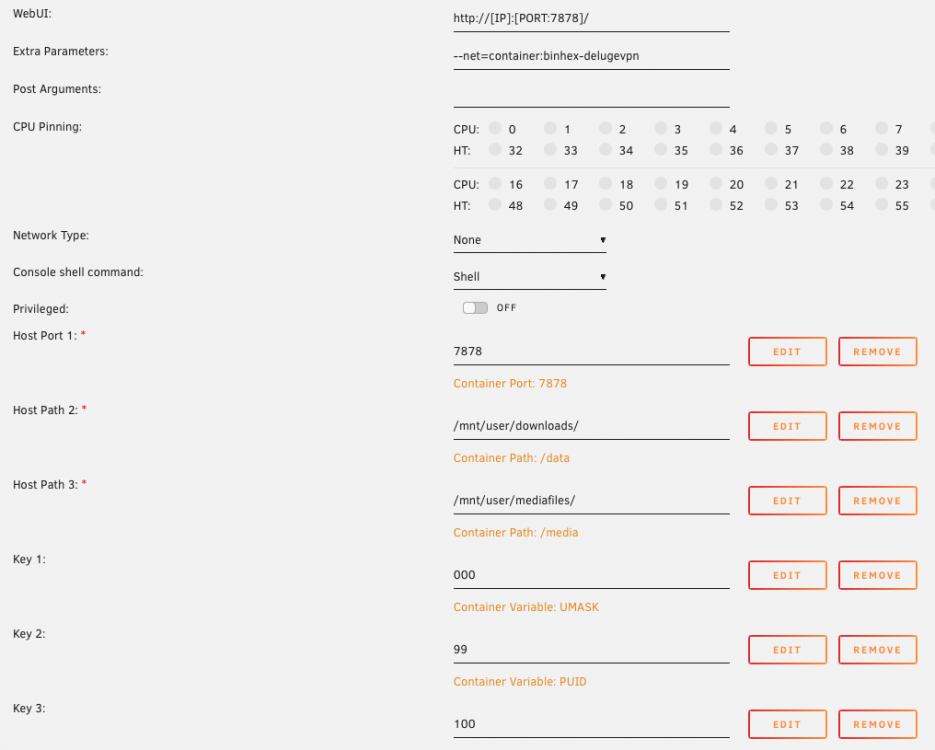
Binhex-radarr thru binhex-delugevpn is mostly up and running, but I can not get the nzbget client to work. Deluge downloader client is fine. I have added setup pictures. And, Q24 bullet 4 in the VPN Docker FAQ says Container to route through VPN 4. Remove all ports defined (no ports required as we will be accessing it via the vpn container). Should radar docker WebUI and Host Port 1 be deleted?
-
-
The Caches on the Server is very slow. Yesterday copy from cache 1 to cache 2 (or the other way) was about 200 MB/s, today 400-500. Same speed with copy from and to the same cache. Bypassing the "user" copy from/to Cache1 was 1100 MB/s. Parity has been running during these tests. That shouldn't influence the cache? Cache1: 4 x nvme in Raid 10 Cache2: 1 x pcie ssd Cache3: 2 x sata ssd in Raid 1 Cheers maxx-diagnostics-20210228-1847.zip
-
Hi, Seagate have launched a new disk technology they call MACH.2. Main USP is double transfer rate. More about MACH.2 here and here. In the articles I read Seagate have joined Microsoft on this. What are the chances this technology would be supported in Linux kernel? If so, what is needed in addition use it in Unraid?
-
Well, not really sure. The first one not work out, then tried the second. I somehow misunderstood and the end. Well up and running again, I ram the script with forcereset="no". And then it worked.
-
Many thanks, I was able to download the vbios. But I am not able to connect with the Vega 64 as GPU. I do get an IP address. When setting the GPU as secondary GPU I only get a black screen and no IP. I might be that it is something wrong with the GPU. I will pull it out, build it back to air cooling from current liquid cooling, and start all over again.



