





Squid
Administrators
-
Joined
-
Last visited
Everything posted by Squid
-
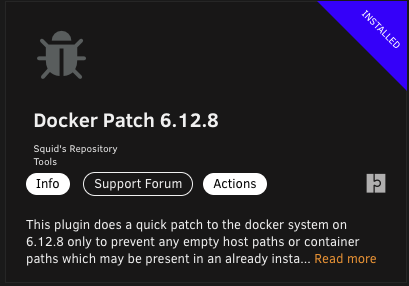
I'd recommend to install the Docker Patch 6.12.8 from Apps due to docker now treating as an error a common mistake that users may have made (leaving unused paths empty on the template) when installing from Apps. It's not a bug in the OS, but now docker enforcing their specification on the run command
-
This plugin does a quick patch to the docker system on 6.12.8 only to prevent any empty host paths or container paths which may be present in an already installed template (or on a new installation) from triggering an error (and creating an orphan image) when updating the application. This is NOT fixing any bug in Unraid at all. Previously, the docker run command (eg: on 6.12.6) would not return an error if there was no container path specified. The docker system in 6.12.8+ does return an error (which is the proper operation). This quick patch simply has the docker system not add in to the docker run command any paths which has either the container or host side of it blank. If you did update an application and then had it orphan due to an empty path, then simply installing this plugin and then going to Apps, Previous Apps and reinstalling will get you back and running without changing the template to how it should be set up
-
If it’s still there in docker edit it (if not previous apps and actions reinstall) and you have a path sitting in there that doesn’t have an entry next to it. Remove that path
-
Its from Unassigned Devices. Since you're already up to date on it, reboot and if it happens again post in the UD support thread
-
Highwater fills the 8tb until it has 2TB free. Then it'll fill the 4TBs in turn until they all have 2TB free then all the drives in turn until they have 1TB free.
-
Don't think you can other than your javascript either via nchan or an intermittent post etc checks the status and then reloads the page itself
-
What version of Unraid are you using?
-
Are you able to grab the diagnostics when starting normally? Or via safe mode, enable the syslog server (mirror to flash) and then reboot into the normal mode and finally after attempting to start grab the syslog file from the /logs folder on the flash drive and attach it here
-
And include your diagnostics
-
Can you reply back with your diagnostics and the name of the share in question so we can look at your settings and advise from there
-
Only the boot flash. The unassigned devices plugin can auto mount any other usb storage for you and you get it from Apps
-
What are the issues with pulling? Usually, setting DNS addresses of 208.67.222.222 and 208.67.220.220 in Settings, Network Settings for DNS addresses 1 & 2 will fix you up
-
Post your diagnostics after this happens againDocker Folders only advantage is if your image keeps filling up and you have no idea why or can't be bothered to sort out why then they can grow (and shrink) to be as large as the drive they are sitting on. Images are easier to handle, you don't need to worry about if mover will ever touch them or not, but have a set size. XFS vs BTRFS doesn't particularly matterFWIW, a ton of testing has gone into shares on Macs (with an emphasis on TM shares) on the latest to be released OS versions (soon). Contrary to what comes up as default on suggestions for accessing shares when googling, you want to keep DS_Store files being written by the Mac on Network Shares. Disabling them gives a massive delay on initial access to a share or folder within a share that may contain tons of files / directories (subsequent accesses tend to be instantaneous) . This does however have a caveat. Drives will tend to spin up when accessing the share / folder, and access may wind up being slower if the user on the Mac does not have write access to the share. From terminal on the Mac defaults write com.apple.desktopservices DSDontWriteNetworkStores -bool FALSE and reboot the Mac (I've found that Apple saying to simply log out isn't sufficient). You *may* need to also delete any pre-existing .DS_Store files that may be present in the share / folder if you're still having issue. (And if you've set up smb-extra.conf to veto DS_Store files you're going to want to delete those modifications) As an aside, TM shares are also IMO damn near bulletproof and the easiest they've ever been. I'm only one tester, but my experience is now night and day....Or alternatively I copied and pasted the incorrect MD5. Personally I like your reasoning betterYou're using docker as a "folder". Nothing wrong with that per se, but it's within the "system" share which is currently setup to move files from the cache pool to the array. Docker Folder does not like being moved around, as only part of the files will ever get moved around. Either change it to be an image or switch the system share to a cache only share (primary storage of cache and no secondary storage) Either way, you're going to have to go into Settings, Docker disable the service, switch to advanced view and then delete the image. Then re-enable the service and head over to Apps, Previous Apps and check off what you want installed and from the bottom of the screen Install X Applications.In the share settings, change what ever shows up for minimum free space to instead be 1You can always disable WiFi on the Mac
 You can get that error on ainstall on the developer edition (or the normal version) and going to the settings. But if you delete the pre-existing /boot/config/plugins/disklocation folder you'll get past it At the same time, php error log shows 10-Feb-2024 16:52:30 America/New_York] PHP Fatal error: Uncaught Error: Call to a member function fetchArray() on bool in /usr/local/emhttp/plugins/disklocation/pages/system.php:438 Stack trace: #0 /usr/local/emhttp/plugins/dynamix/include/DefaultPageLayout.php(760) : eval()'d code(21): require_once() #1 /usr/local/emhttp/plugins/dynamix/include/DefaultPageLayout.php(760): eval() #2 /usr/local/emhttp/plugins/dynamix/template.php(94): require_once('/usr/local/emht...') #3 {main} thrown in /usr/local/emhttp/plugins/disklocation/pages/system.php on line 438Its not from meToday's update should fix (and log what plugin is messing things up)Is Tools - PHP Settings enable all warnings set? What does it show when you go to PHP log?Impossible to say without your diagnostics.




