ChatNoir
Moderators
-
Joined
-
Last visited
Everything posted by ChatNoir
-
Why 6.11.0rc5 and not 6.11.0 stable ? The stable is more recent and up to date.
-
Also, you should set the minimum free space for each Pool as something larger that any file you plan to use the cache for. That way, you should never fill up a pool because of files being cached.
-
C'est bien loin de ma zone de confort malheureusement. 😕
-
Please do not post several times about the same issue.
-
Your docker is not starting probably because your cache is full and the docker image is corrupted. That can be addressed later but first you have to make sure the cache does not fill-up. What is filling up your cache ?
-
I stand corrected then.
-
I am pretty sure that consument level Intel processor do not support ECC memory. For that, you would need a Xeon processor. That's wrong, see below
-
Since I don't know the command, I would simply get the diagnostics for now and check /system/meminfo.txt in the zip file. Probably that someone can provide you the command later.
-
Is your server time OK ? This tends to mess up server to server communication.
-
Yes. Free support is provided by other users I am sure someone will look into it.
-
The probable cause is the system share. It is set to 'Prefer' but Mover cannot move open files and will not remplace a file already present on the destination. As said by SimonF, look at the content of the share on both locations. I would guess that the part on cache is either empty or outdated and that the part being used is on Disk4. The stop Docker and VM from the Setting page and run the mover again. You should be good once this share is only on cache.
-
If the emulated content looks OK, you will have to rebuild the emulated drive onto the physical drive. https://wiki.unraid.net/Manual/Storage_Management#Rebuilding_a_drive_onto_itself
-
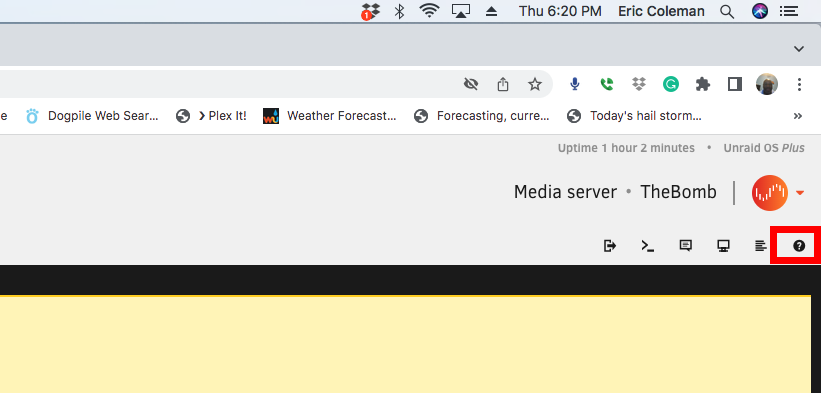
Those are the built-in help, you probably have hit the button by mistake. You can easily remove it by clicking the ? button at the top right. Not related to the other point, please attach your diagnostics to your next post in this thread.
-
Yes to all the questions. If you replace parity anyway, you can change the drive order. In any case, only Parity2 is taking drive order in parity calculation, so by itself, changing drive order would not invalidate Parity (1). Obviously be extra careful not to assign a data drive to the Parity Slot.
-
Change the filesystem to XFS Encrypted for those two drives and format them. You would have to backup any data on those drives first. Go to Setting / Disk Settings and make sure that the Default file system is set to XFS Encrypted.
-
I see that you uploaded the diag file after the fact. It's better to do a new post so people that already read the thread are informed of a change. For this time, my post will do that.
-
Could be that a plugin was longer than usual to load, a new nvidia driver to download maybe ?
-
Absolutely, the Parity drive is not mandatory and can added later.
-
Does not look good. You could run an extended SMART test to know more. I your situation, I'd consider replacing it.
-
First thing I'd try in your situation : stop the server plug the flashdrive in another computer back up the flashdrive download the 6.11 zip from https://unraid.net/download replace on the flashdrive with the files from the zip the bz* files as well as changes.txt try to boot again on the server
-
Please attach your diagnostics to your next post.
-
Extended SMART test ?
-
If there are defragmentation to be done, whether you are doing it 2h a day or for longer, it will probably produce the same wear on the drive in the end.
-
If you are running 6.10+ you should use Dynamix File Manager.
-
I guess you mean Tools / New Config ?