





ConnerVT
Members
-
Joined
-
Last visited
Everything posted by ConnerVT
-
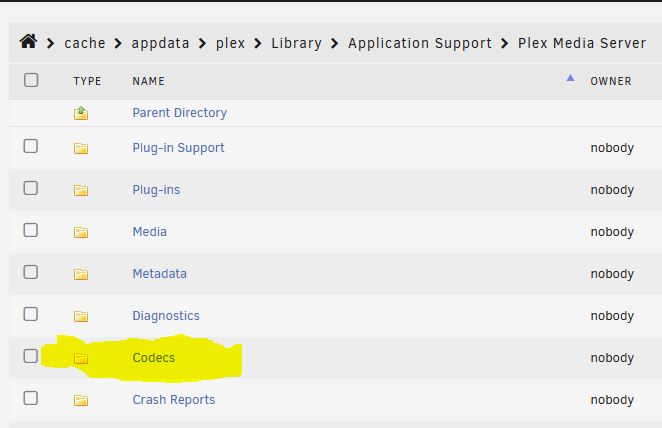
You can ignore Critical: libusb_init failed. For the decoder error, try deleting your CODECS folder in the Plex Appdata. When you start up Plex, it will go out and download a fresh copy.
-
I use PIA as well. binhex DelugeVPN. linuxserver.io NZBGet. Newshosting as the Usenet provider. 300/10 cable provider. Things I would check (excuse me if some are obvious): - Use the PIA client on your PC, connect to same PIA VPN server as your Unraid box, and check if you can get full transfer speed. - Confirm DelugeVPN isn't also working torrents at the same time as Usenet download (could be stealing some bandwidth) - Review the Binhex VPN FAQ (especially Q6) for possible causes of low transfer speeds. - Configure DelugeVPN to use a different PIA server. (Info also in FAQ) - Ask for help in the Binhex - DelugeVPN support thread.
-
You only get a copyright infringement notice from your ISP if someone (such as RIAA) notifies them. And this happens almost never for Usenet downloads as you aren't uploading anything (as you do with a torrent). And if you are downloading nzb files, none actually contain data that is even a playable form of a snippet of the media. As for your performance drop with DelugeVPN, I use the same combination of dockers, and I easily reach the max of my current ISP speeds. So the bottle neck is likely with your VPN provider. Try a different location/server.
-
Thanks, Jonathan. I thought I had it right, but always like to check my work when going off script. A non-correcting parity check is not a bad idea, but it does add an additional ~28 hours (estimated) to what will likely be a weeks long process of shuffling/rebuilding/reorganizing dives in the array. In the end, the array will go from 7 to 6 spinning drives, with 4 drives new or repurposed in the array. I've been fortunate that this server has been very stable and mostly error free. Most of my issues have been self inflicted. Freeing up an easy to access drive slot will allow me to test drives some before committing them to the array.
-
I spent a few weeks trying to get the 2.5Gbe Realtek NIC to play nice in my network. Recently upgraded my firewall with one of those Chinese 4x Intel NIC N5105 based PCs, a 2.5Gbe switch, and new NICs (Realtek) for my server and daily driver desktop PCs. Fought me like hell to get everyone to play nice with one another. I've lost count how many iperf3 runs I've done between each of the 3 systems with 2.5Gbe installed. In some cases, I had speeds as low as ~400Mb/sec. Nothing I tried seemed to really help. I eventually ended up getting an Intel NIC for the server, which then moved me to acceptable transfer speeds. Ultimately, the things that finally got my speeds in the 2.3Gbe range in/out of my server were (besides switching to Intel) to disable NIC Offload and update my TX/RX buffers to 4096 in Tips and Tweaks. On the firewall and desktop, I also did the same, as well as disabled as many of the "green" power saving settings as I could. I still have the Realtek in my Windows PC, as it is a USB dongle (ITX with no PCIe slot available) as well as the switch. It is the weakest link at this point, with TX being about 200Mbe/sec slower (at 1.9-2.1Gbe/sec). With the fight it took to get there, I can accept that.
-
I picked up a few 16TB drives to update my array. There will be a bunch of work to shuffle things around, but the first tasks are to shrink the array and get the first drive installed as Parity. Currently the Parity drive is 8TB, and I have no more physical slots in the server. (I do have one SATA port left, but do not wish to have a drive hanging loose on the system). I'd like to reclaim a slot in my 4x3 cage, as it is a handy thing to have. Please check my thinking. I believe it possible to do both in the same procedure, saving a good amount of time. Does this look correct? (Note that the links in the Storage Management page of the manual are broken.) Please let me know if I am missing something: Healthy array with valid parity and no issues with any data drive. Mover, Docker and VM are disabled. Other computers that write (backups) to array are also disabled. Shares have no Included/Excluded assignments. Array is set *not* to Autostart on boot. I have a screenshot of the current array configuration. (Done) Move all data from Array data drive to be removed to other drives in the array. (Currently in progress, via Unbalance.) Stop array and power down server. Physically replace Parity drive and remove now empty data drive. Power on Server. Using New Config, select All for Preserve current assignments. In Main tab, select new 16TB drive for Parity slot and un-assign removed drive. (Other existing array drives assigned as desired.) Start the array without checking the 'Parity is valid' box. Allow parity to be rebuilt. Profit Did I get this right? My thinking is that since the parity needs to be rebuilt after the array shrink (if not clearing with script) why rebuild parity twice? This saves me over 14 hours of unnecessarily rebuilding the 8TB drive that will be replaced. Thanks in advance.
-
Good points made above. Always check what trade offs a motherboard may make when using M.2 slots. Many current boards may disable onboard SATA ports or a PCIe slot. There are only so many PCIe lanes to go around. As for the adapter you linked, the JMB585 has been a very solid chipset for me (mine is a PCIe x4). Always good to search/ask in the controller threadthat Hoopster linked in his post above.
-
The biggest issue of opening your Unraid dashboard (really, all of the server's administration access) is that Unraid is not designed to be a hardened public-facing front end. So unless you are adding some other forms of security/authentication, Cloudflare Tunnels isn't really a fully secure option. While scans may not find the server port (assuming you have that closed properly in your router), it can be accessed by someone who gains knowledge of the URL you have set for the CF tunnel. As all Unraid access is as root user, once in a bad actor has their run of the place to do as they wish. The Wireguard and My Servers solutions do require additional authentication before one can even access/communicate with the server, thus provide greater security.
-
The info in that link is certainly outdated. Looks to be about 10+ years or so. (The Internet is certainly forever!) As new components are quickly and continuously released, it is a fools errand to maintain such a list. Even more so as Unraid has changed and grown over the years with more functionality, and the use cases that each system has vary so. A "Compatible Hardware" list makes sense when there are specific requirements that software must have to run correctly. For the vast majority of users, any Intel/AMD x86 system with a reasonable amount of DRAM and some drives can run Unraid. A good general rule of thumb, if concerned about compatibility, is to avoid components that are newly released generations or a new product. Such as when Ryzen was first launched, current Intel ARC GPUs, or other components which you would be one of the first to own. This is not so much an issue for Unraid alone. Unraid relies on the Linux kernel and drivers to support these devices, and there are always growing pains when a newly designed/changed component is released. Plex has spent over a year trying to get latest generation Intel processors to transcode HDR properly. It always takes time for software to catch up, especially that which is open sourced and collectively developed (which is the nature of Linux code). So, a lot of writing to say most any modern x86 system will work just fine, unless your use case is well outside that of the typical Unraid user.
-
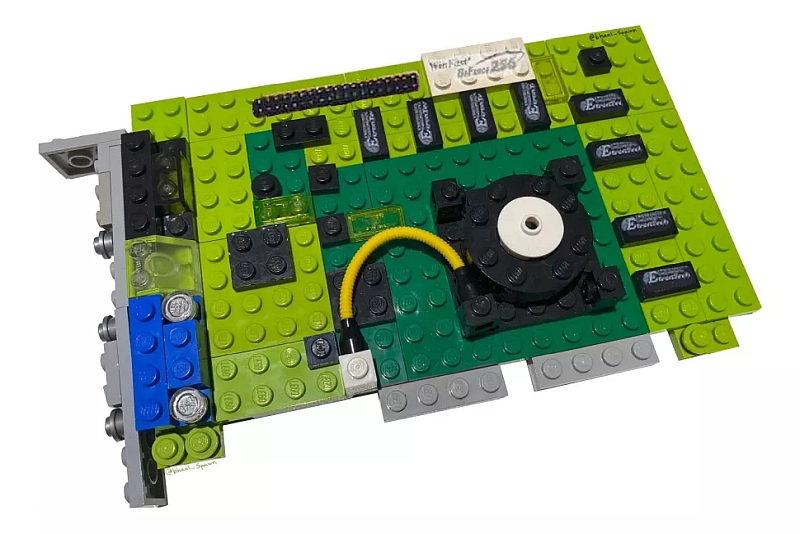
I wish to say thank you for this awesome plugin, and all of the support you give to the Unraid community daily. I am resurrecting an old server I found down in the spare parts in my basement. An older Intel i-530 Clarkdale with 4GB of DRAM. Currently running Unraid 5.0.4, but I am thinking of updating. I'm trying to add a Nvidia GPU to crunch through my collection of 4K movies, but for some strange reason, it isn't recognizing this GeForce 256. Any ideas? Oh... and Happy April Fools Day. 😁
-
I haven't had any issues with it, though I rarely use it as an output/display device. Mostly for transcoding, but have occasionally used it for the Unraid GUI. You may want to ask over in the Nvidia Driver Plugin support thread.
-
Sounds as Unraid and Scrutiny pull their data from different sources. My guess is that Scrutiny is pulling it's data from SMART reports and that Unraid pulls data directly from the hardware sensors. You can open a terminal window and poke around with sensors and smartctl commands to see if this makes sense on your machine to explain the discrepancy.
-
Is the unknown "usable enough" something that one would wish to inject into the middle of a disaster recovery? That stressful time when one is attempting to identify just what went wrong? You are an experienced troubleshooter. Many have skills which are the more basic "replace with a known good part". Other which you help here have little idea what they are doing. And it is not unreasonable that what they are troubleshooting is not even related to the missing data of the "complete enough" backup dataset, which may then compound the issue further. I feel comfortable with my previous comment.
-
I have been doing some network re-configuration this week, and reinstalled some Dockers I broke. That would account for some of it.
-
I honestly can't understand why people do this. Which is worse? Not having a backup or having a backup file which is invalid?
-
I have to say this is unusual. Do you use this drive for anything else other than booting your server? Backup appdata, or have something writing logs to it? It should be a mostly unused device (since I rebooted 6 days and 6 hours ago, I have 24k reads and 5k writes).
-
For me, when I click a show to DVR, the popup window asks which Library to save it in. (Note I am running an older version of Plex, so it may have changed...)

-
Just asked a simple question. Thank you for one data point.
-
I'm still on 6.10.3. I generally avoid releases that end in ".0", and for 6.11 that was a good choice, as the 5 releases quickly after one another proved out. I've not moved on to 6.11.5, as I have questions regarding AMD and wait states with the current kernel. Which brings me back to the question I asked: It looks as it worked correctly in 6.9.x, then confirmed not working (well) in 6.10.x. So was just looking for possible insight into the future.
-
Might as well wait for 6.12.1 😃
-
Yes. There are quite a few different posts/threads here in the Unraid forum.
-
Just spent the past 2 hours unsuccessfully troubleshooting an issue. Before I dive back into it some more: Will 6.12 address the issue where Realtek 8125 NIC has the r8169 driver loaded? Or at least allow the r8169 to be blacklisted without getting 'device eth0 does not exist'? The r8169 cripples this NIC to under 300 Mits/sec.
-
Unraid cannot run on your Mac - It does not run on ARM processors, only x86 Intel/AMD processors. Unraid is basically a NAS (Network Attached Storage) server with native resources to run both Docker containers and KVM virtual machines.
-
I must agree with @TimTheSettler. Probably the most impossible question asked repeatably on this forum is "Will this hardware work for my server?..." followed by "I'll run Plex, a web server and maybe a couple of VMs...". What makes it difficult is is not *what* applications are run, but how *hard* they are run. Is Plex just used by family at home, maybe 1 or 2 direct streams over LAN? Or do you share with dozens of friends, each requiring media to be transcoded? Is the web server visited infrequently by a few family members to view some pictures, or is your side business run on it? VMs can be a lightweight home automation platform or a full blown Windows install to run a high end game. Then to complicate it more, do you plan on doing all of it at once, or are some things idle when others are in use? The Devil is in the details. The good news is that the Unraid platform performs really well even with modest almost-modern hardware. You can read my post linked in my siggy, I originally built my server with a retired 1500X cpu, motherboard and 16GB of mismatched DRAM. I ran 18 dockers on that for over a year, and it ran flawlessly. But as Tim said, Unraid can be a rabbit hole where you start wanting to do more. There are a couple of other projects I want to try which require a VM platform. I felt 4c/8t 1500X and 16GB may be stretching the limit, plus I wanted to configure something on a second GPU, so I updated to a 5700G to double my core count, and added a new MB (more PCIe slots) and DRAM (prices great at the moment). It was likely the easiest and most pain free upgrade I've ever done.
-
No. Unraid only runs on Intel/AMD x86. Yes. It can be run as a server. It is basically a NAS with native resources to run both Docker containers and KVM virtual machines. It depends. The Trial version requires the system to be connected to the Internet for license validation. A paid licensed version can stand alone without any network connected.



