





Mainfrezzer
Members
-
Joined
-
Last visited
Everything posted by Mainfrezzer
-
Update your server, 66.47 doesnt contain ragnarok, ragnarok got added in version 67, and the current version is something with 70, 76 or 77
-
what nic is your windows pc using?
-
No the files are just being kept in sync. they do not increase forever or get appended or something. with or without the plugin, the max log size for each container is based on this setting So if you have an extremly spammy container, the log might be 3 hours before it rotates, if its a quiet container, you could look at weeks.
-
you need to disable EEE which is on by default with the plugin, you set something like options r8125 aspm=1 options r8125 eee_enable=0 with the kernel driver you can use the reverse command from the powertop post for i in /sys/class/net/eth?; do dev=$(basename $i); [[ $(echo $(ethtool --show-eee $dev 2> /dev/null) | grep -c "Supported EEE link modes: 1") -eq 1 ]] && ethtool --set-eee $dev eee off; done
-
its already possible, you just put it in extra parameter (toggle the advanced view)

-
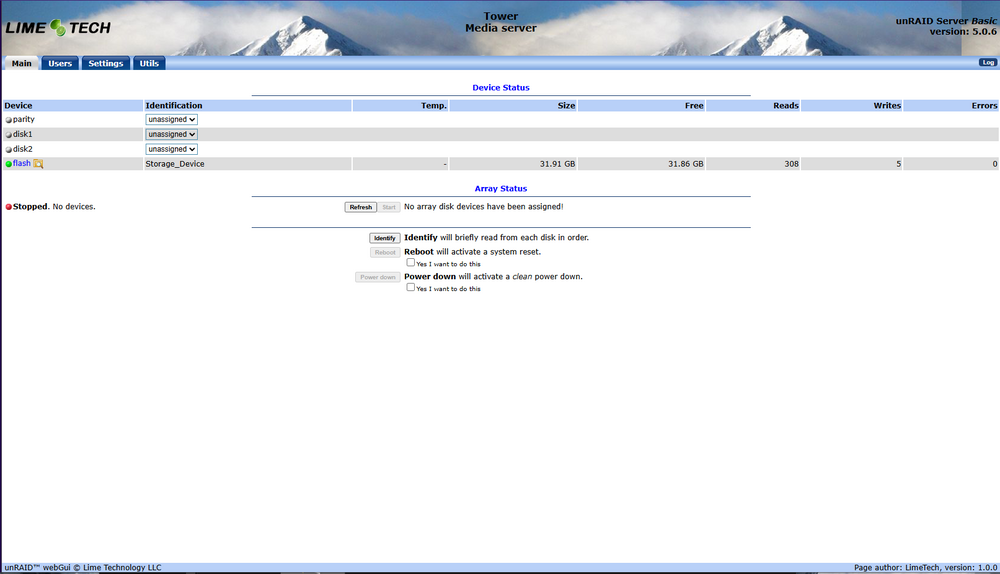
given that the titel says basic, are you sure about that? i did try to fire up 4.7 but all my old pcs are too new, 5.0.6 says basic without key

-
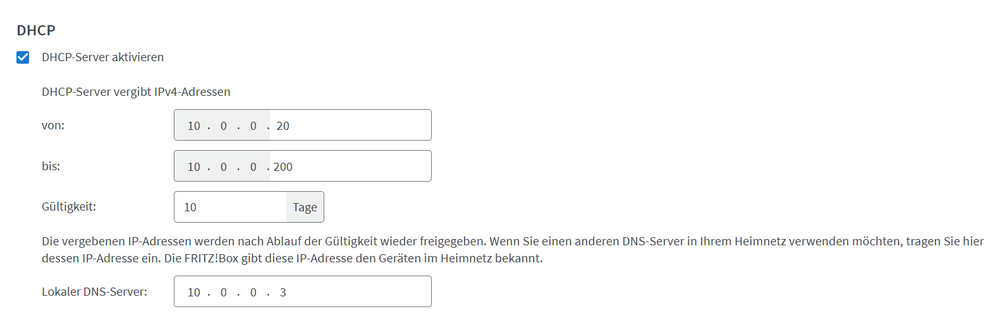
Ja, allerdings wäre es sinnvoller die IP(s) von dem Adguard via DHCP zu verteilen statt die Fritzbox das erledigen zu lassen. Sonst taucht nur die Fritzbox als Klient auf. Wenn du Keepalived benutzt, musst auch nichts an den Interneteinstellungen im Container etwas ändern, weil das eh über die Virtuelle IP läuft, nicht über die eigene von dem Container. Somit hat sich das dann erledigt. Selbst in dem Fall das man da gerne eine statische IP hätte, würde ich eher via Fritzbox einstellen, dass der Container immer die gleiche IP zugewiesen bekommt.
-
while this already got added as an option and its no longer an "problem", i do wanna add my 2 cents to it. Having the open events in the past helped me to figure out that windows defender keeps scanning the same files and causing the disks to spin up, since then i no longer mount the shares in windows by default.
-
it works for them as theyre using the build in APC UPS daemon.
-
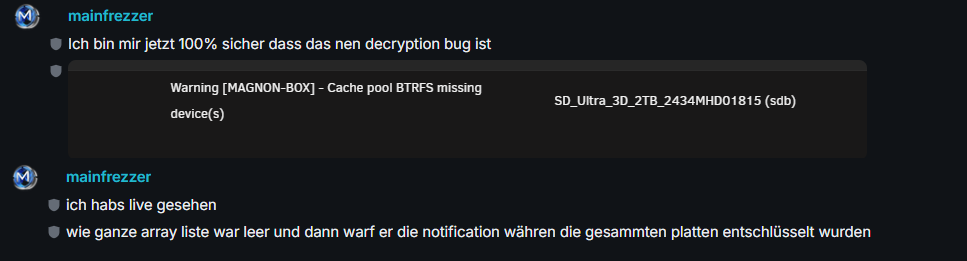
Thats been happening for ages now, at least the whole 7 version. Happens during mounting the disks and it being still busy with mounting the array or something (all my drives are encrypted so who knows if that affects the speed with it) then it pops that message without anything else having any info about it. you can ignore that. Edit: checked my char history, this is from the 9th of april. But it already happened before that Text says, im sure that its a decryption bug, i saw it live, the whole array list was empty and then popped the notification while it was still decrypting the drives.
-
Ive observes something that should certainly be brought up. Im currently putting some finishing touches on something similar to this, but with more data points and also OS agnostic. While working on the export feature, i noticed that a lot of files, which were processed by the plugins have their extended attributs not set, they all had their user.$HASH set, but the others like filedate, scandate were absent. So its basically useless for those files as there is no info about the mdate(as the export doesnt save it). It does like an issue with spacing in the filepath/name (not even special characters, but its too many files affected that i can say for sure) So you should absolutely check whatever files you have summed with it if theyre actually still good. Edit: I did a retest, because of a youtube video i saw. It seems to work at least now the biggest issue is, even the current version failed to update the files. I do gonna add a screenshot of what i discovered and this just a tiny tiny tiny bit Edit 2 This is what the getfattr should have returned

-
ark itself removes everything that is set wrong/invalid https://forums.unraid.net/topic/182778-support-mainfrezzer-docker-repo/page/10/#findComment-1574198
-
Sorry for answering a bit late. You have to enter that for/on Unraid, not inside the container console. Or was it the console of Unraid that gave you that message?
-
Yeah mainly because of that. Docker started messing with the firewall rules with version 27.1.2 i think (it was 27.0.3) and finally fixed that with 28.0.1. Ich777 wrote a fix for it, but there are cases where it doesnt work, as you can see the 7.0.0 issue. Since then it was just for features, like declaring gateways which they added which is not that big. But that messing with the firewall was absolutely infuriating. Regadless, given 28.5.2 addresses some breakout vurnabilities, thats certainly one main concern.
-
I dont want to blame anyone but docker for that and i did give them shit for that on github when it occured, cause 7 year prior to it, they fumbled the exact same thing the exact same way and learned nothing. I do hope that this solution is an update to docker to solve the underlying root cause (and the breakout cve's) which was introduced with the jump to 27.5.1 and not another temporary solution that becomes permanent. Its a bit baffling that ive to compile my own docker engines for unraid and distribute them when its simply solved with an update to it.
-
Just found https://forums.unraid.net/bug-reports/stable-releases/720-ipv6-networking-to-vms-no-longer-functional-r4136/ I do wanna mention, while i havent poked into it directly, i do believe that this is to 99% caused by docker and that we still havent gotten any update to a release in the 28 series (https://docs.docker.com/engine/release-notes/28/#port-publishing-in-bridge-networks), which finally fixes their shenanigans is amusing To especially note, 28.5.2, which has come out on the 5th has 3 CVE fixes Edit: Theres also still this report open https://forums.unraid.net/bug-reports/stable-releases/700-vms-no-longer-receive-an-ipv6-address-since-upgrade-to-v700-r3620/#findComment-36030 which is also caused by docker
-
You have to go to settings and change something about the screen width to fix it. Panel layout overflowing onto navigation side bar, this is due to using Screen for the display width, change it in the panel settings to fix it.,
-
Ich möchte kurz etwas erweitern dabei. Der Nic hat ja bekannterweise ein paar Problemchen mit 2,5 Gbit und so wie ich im Forum lesen konnte haben die meisten das Treiber Plugin mit Optionen am laufen. Hab den NIC oben ja schon die ganze Zeit so mit ASPM laufen, mit dem Kerneltreiber, allerdings macht ja EEE Probleme und dies scheint kernelseitig aktiv zu sein. Das kann man ja bequem via go-file ausschalten und lustigerweise erreicht das board dann sogar c10 statt c8.
-
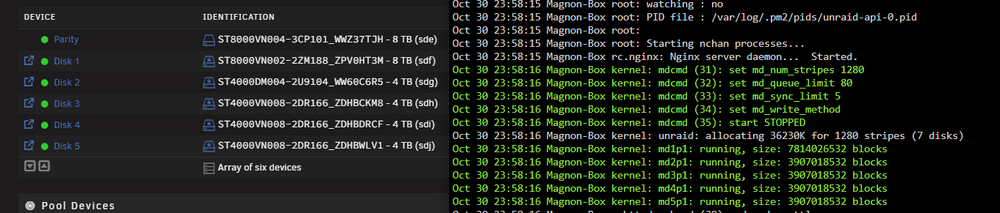
Quick question, since i noticed it only by chance now, does this message "1280 stripes (7 disks)" include the not-assigned 2nd parity disk? Otherwise it seems like the math doesnt math
-
We do know that theyre sleeping together these days but im certain an intel igpu does not use the nvidia plugin :D
-
/mnt/user is all array disks + pools. /mnt/user0/ (although depricated) is just the array disks, no pools
-
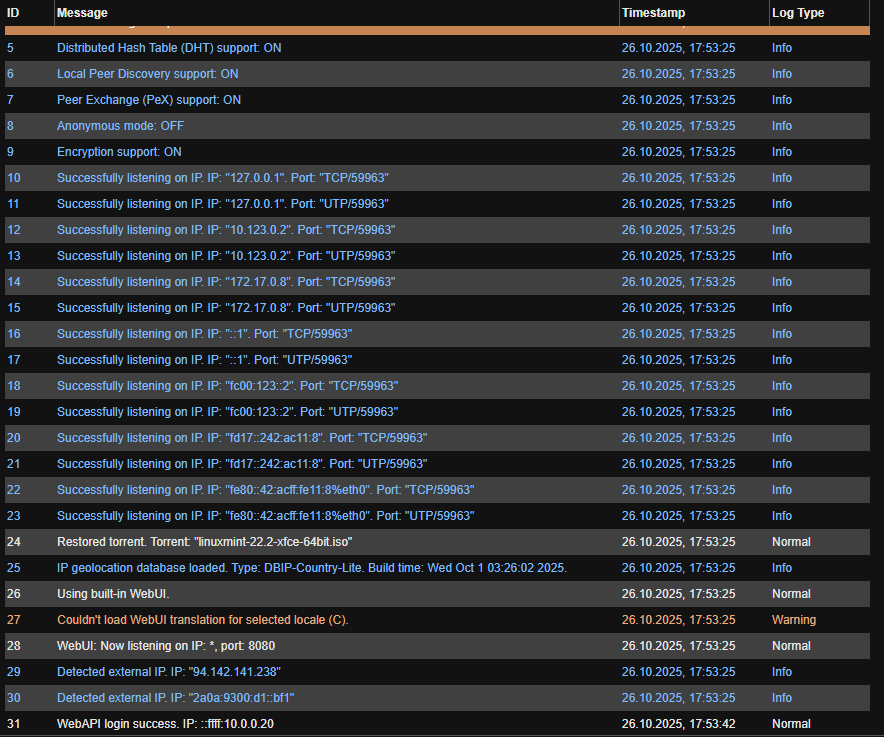
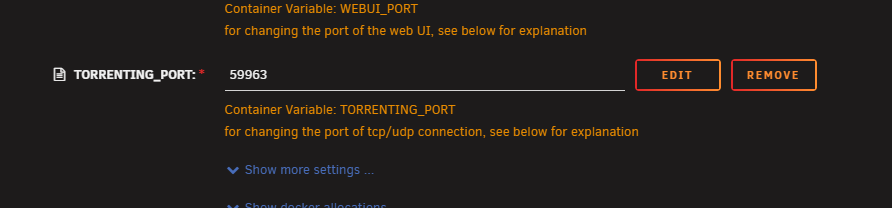
You might have to set the variable in the qBittorrent template for the incoming port Torrenting isnt my strong expertise but it should work absolutely fine from the logs as its binding properly to the wireguard interface ip (10.123.0.2 and fc00:123::2), as long as your provider does forward it to your client.
-
they share the same "interface", every port that you map to the wireguard container goes also to the qbittorent container. So if you run something on 5023/tcp, you map that to the wireguard client and it will reach the attached qbittorrent container, same with 38282/udp for example, for lan that is. Same for the vpn connection, everything that hits the wireguard ip of the container, hits qbittorrent aswell, if its listening on that port, no template modification needed
-
dont nail me down on it, should be unraid 7. Although the old header should work fine if applied to the md*p1 devices, but im not absolutely sure on that. Doesnt hurt to create a new backup just to have it Edit: should mention that this is only for array devices, the pools are still the "old way"
-
wrong devices, you backup the md*p1 devices





