






JorgeB
Moderators
-
Joined
-
Last visited
Everything posted by JorgeB
-
Try booting with a different flash drive using a 7.3.1 stock install, no key needed, to see if it's a config problem.
-
You should always be able to close the onboarding by clicking the x top right. If you're not, it typically means a flash drive problem; see if you can get syslog using the CLI or over SSH.
-
Try recreating the docker image: https://docs.unraid.net/unraid-os/troubleshooting/common-issues/docker-troubleshooting/#re-creating-the-docker-image-file Then: https://docs.unraid.net/unraid-os/troubleshooting/common-issues/docker-troubleshooting/#reinstalling-docker-applications Also see below if you have any custom docker networks: https://docs.unraid.net/unraid-os/troubleshooting/common-issues/docker-troubleshooting/#restoring-docker-custom-networks
-
May 28 20:11:29 teak emhttpd: error: malloc_share_locations, 8649: Operation not supported (95): getxattr: /mnt/user/syslogs There's something creating this folder before the array is started, this is not allowed, /mnt/user cannot be used for any custom stuff, or the user shares won't work.
-
May 28 16:05:10 UNRAID kernel: mpt2sas_cm0: basespin_on_doorbell_int: failed due to timeout count(10000), int_status(c0000000)! May 28 16:05:10 UNRAID kernel: mpt2sas_cm0: doorbell handshake int failed (line=7062) May 28 16:05:10 UNRAID kernel: mpt2sas_cm0: baseget_ioc_facts: handshake failed (r=-14) May 28 16:05:10 UNRAID kernel: mpt2sas_cm0: failure at drivers/scsi/mpt3sas/mpt3sas_scsih.c:12337/_scsih_probe()! HBA is failing to initialize; see if this helps: https://forums.unraid.net/topic/73386-no-hard-drives-9211-it-mode-solved/#findComment-674935 You can also try a different PCIe slot if available.
-
If this keeps happening, run memtest on your desktop, or try a manual install.
-
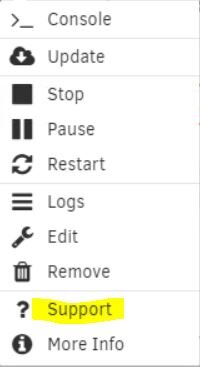
Look for the support thread for that container
-
Disable Docker and VM service and reboot in safe mode, start the array and see if it stops, if yes, retest again after booting in normal mode to rule out a plugin issue, leave the services still disabled, if still OK enable one of the services and retest, then the other, note that if the issue happens with the docker service enabled only, you may need to try enabling one or a few containers at a time to find the culprit.
-
That would be detected on a parity check
-
There's a problem with the flash drive partition. Back it up, recreate it with the USB tool, then restore only the config folder from the backup.
-
Don't see how that is possible, especially if you opted out of letting Unraid change the boot order.
-
Please post the diagnostics next time it happens.
-
It only appears to affect this one
-
Try this, type: unraid-api stop unraid-api restart Then try again to register from the dropdown
-
try using the free Rufus app to format the flash drive, then do a manual install. Get the Unraid zip from https://docs.unraid.net/unraid-os/download_list/ - Open Rufus and change "Boot selection" to "Freedos" - Set the "Volume label" to UNRAID - set filesytem to FAT32 - click START - once done, unpack the Unraid ZIP to the flash drive If you are booting UEFI nothing else you need to do, if you are booting legacy/CSM, run the make_bootable.bat as administrator first.
-
No obvious red flags; and if the latest parity checks haven't found any errors, it's unlikely that it would be a hardware issue.
-
Note that memtest is only definitive if it finds erros, but post the diagnostics mostly to look at the hardware used.
-
Not sure, it may be better just in case.
-
Persistent syslog doesn't come with the diags, you will need to get it from wherever it was being saved to.
-
If it works fine again after downgrading it, it could be a kernel regression, the other LSI controller is apparently working fine, problem is just the 9305-16e. It may be worth looking for a firmware update; we can also see if any other users report similar issues.
-
Note that those values are what devices themselves report for each power state, and may be an approximation; I've seen older NVMes reporting similar values, but possibly Optane may require a little more power in standby.
-
Try removing the plugin, rebooting, then reinstalling.
-
Memtest is a good place to start. Also, does the parity check typically find errors or not?
-
May 28 08:57:00 BrunnhildeTwo smbd[140213]: build_sam_account: smbpasswd database is corrupt! username htmini with uid 1002 is not in unix passwd database! May 28 08:57:00 BrunnhildeTwo smbd[140213]: [2026/05/28 08:57:00.933085, 0] ../../source3/smbd/msdfs.c:107(parse_dfs_path_strict) smbpasswd also is corrupt, try deleting that from the flash drive/internal boot. Note that I think it will reset the passwords for all SMB users.
-
Enable the syslog server and post that after the next crash.

