






JorgeB
Moderators
-
Joined
-
Last visited
Everything posted by JorgeB
-
There's a controller with SATA port multipliers; these are not working correctly with the latest kernels, and they are never recommended anyway. Recommend replacing it Recommended controllers for Unraid - Storage Devices and Controllers - Unraid
-
Got around 700 or 800MB/s last time I tested
-
No, but the usable space is the same as the smaller device.
-
Delete/rename /config/network.cfg on the flash drive, then reboot Unraid; that will revert to default DHCP settings.
-
If the Unraid server is using zfs you could use zfs replciation, or you can use this for example (any filesystem) https://forums.unraid.net/topic/97958-rsync-incremental-backup/
-
If it starts in safe mode it suggests a plugin issue.
-
Is that after booting Unraid or with the USB Tool? The latter doesn't show the GUID for some flash drives.
-
root is to access the GUI only, you must use one of the other users for SMB shares
-
Yes, that should work.
-
If the pool name started with mirror that is not allowed now, since it's reserved. Add a new pool with an allowed name, assign bot pool devices, leave the filesystem, set to auto, and start the array to import the pool.
-
Emulated disk1 is not mounting; check filesystem on it.
-
You can just use it as a normal pool.
-
Random reboots are almost always a hardware issue, start by running memtest from the boot menu, or because memtest is only definitive if it finds errors, if you have multiple sticks try using the server with just one, if the same try with a different one, that will basically rule out bad RAM.
-
Tailscale is also a good option IMO.
-
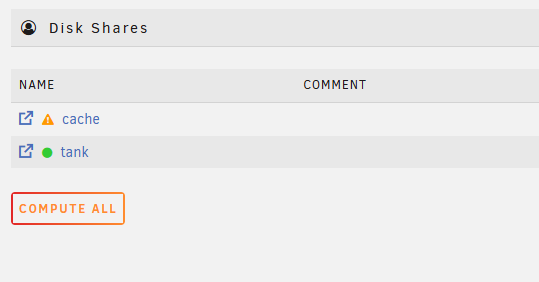
You can still share the pools using disk shares (if enabled)
-
That suggests a specific issue with that VM or vdisk, it may not be easy to troubleshoot. If you can, copy the data to the new VM and start using that one.
-
It should use TPM for licensing, no flash drive is required.
-
Do you see the same if you create a new VM using a new vdisk (same OS)
-
You can transfer the license from the old TPM to the new one, either yourself if you are under the limit or contact support if needed.
-
Disks just dropped offline, looks like a power/connection problem.
-
SMART for parity looks good, start the array to see if the emulated disk1 is mounting and post new diags.
-
That shoudl work. It's the same, it's still under /boot
-
Appdata should not be moved over SMB, either transfer the drive or make a local copy, docker image can be recreated (or also copied locally)
-
Emulated disk mounted, which is good, check contents to see if they look OK, also look for a lost+found folder.
-
FWIW, I just partitioned a flash drive with Windows 11, copied Unraid 7.2.6, booted, updated to 7.3.0, and it's still booting correctly, so it's not a general Windows issue; it could be with some specific flash drives, or there are other factors at play.



