





Vr2Io
Members
-
Joined
Everything posted by Vr2Io
-
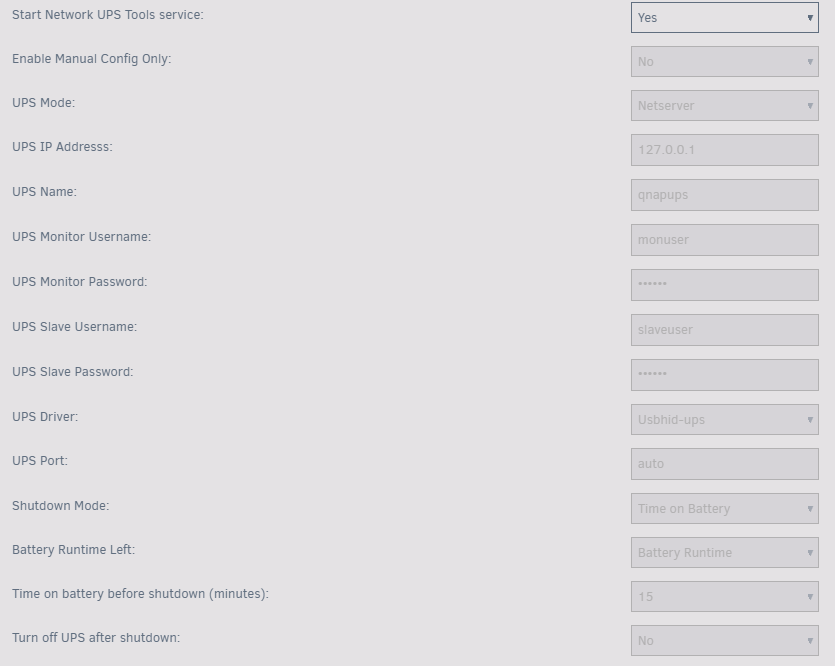
Setting UPS mode to Netserver, then it will serve others network client, the UPS name and username setting just for share to Qnap NAS, it can be anything you like.
-
Where are the 1G ( Internet network ) connect ? to USW or elsewhere ? Pls don't setting any VLAN in Unraid and USW, also don't use jumbo frame, you need simple and make all work first.
-
If need, you could recreate (cleanup) the image in different way.
-
This is docker image file usage.
-
If manual not work, you won't expect automatic will work. Suggest use another USB to install a fresh OS ( or previous version ) and test again first.
-
May be try USB 2.0 port for booting USB and use Unraid buil-in USB backup function to backup periodic.
-
Not very understand your question, if you mean need adopting equipment for two VLAN, then a simple way was install two controller docker for 2 VLAN. Something like as below for OpenSpeedTest docker.
-
Exclude only means on add / build hash. If exclude path file's have hash attribute or the hash record file have it, then it will verify too. You can use "clear" function to clear the hash attribute in exclude path.
-
You should set the full path for redirection i.e. "/Folder1/Verify_log_$(date +"%Y_%m_%d_%I_%M_%p").log"
-
I would suggest connect Unraid to USW by 2 link and bond them in LACP (1+1), then connect Synology and existing 1G network to USW too. So use 4 SFP+ port. To be honest, if NIC and Synology were 10G RJ45, then you should't buy USW-Aggregation 8 and use converter, those converter use lot of power and quite hot. Pls also ref. below review for those converter https://www.servethehome.com/sfp-to-10gbase-t-adapter-module-buyers-guide/
-
I mean no other 1G ethernet device, i.e. router, cam, printer ... ? You buy two SFP+ to RJ45 converter ?
-
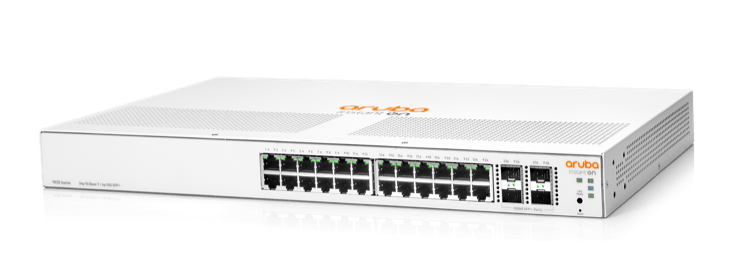
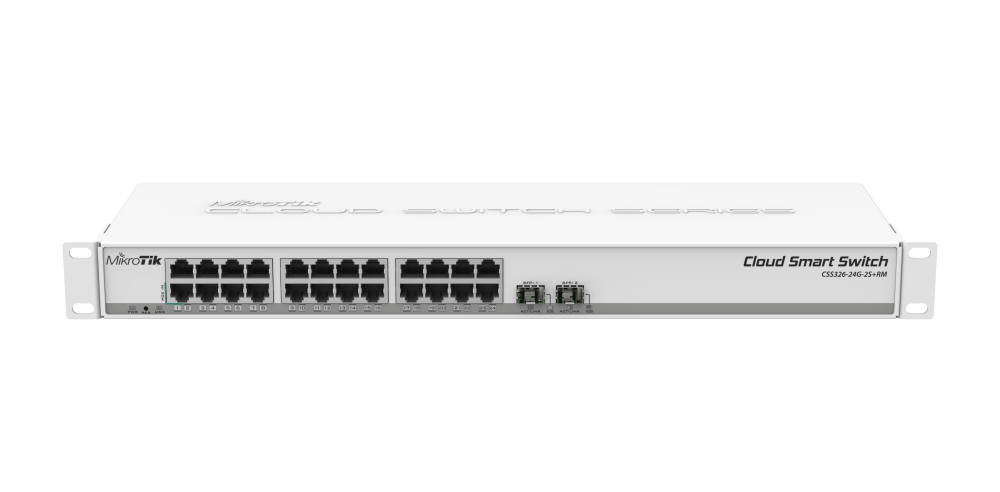
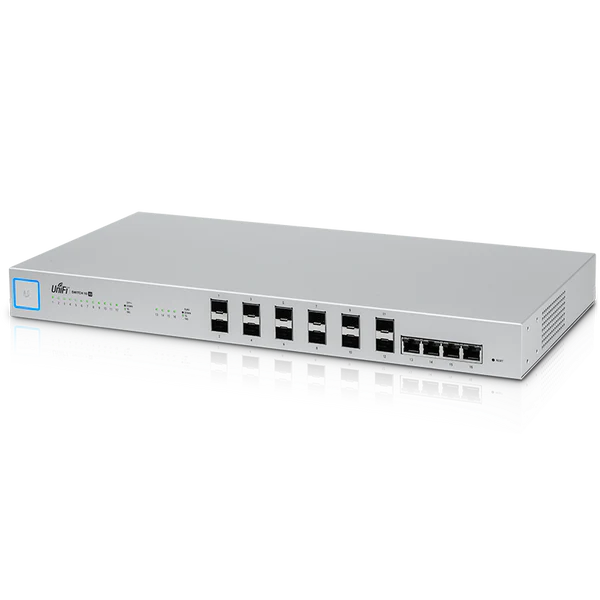
This is SFP+ only switch, how you connect with 1G port ? In most case, people should buy 10G + ( 1G / 2.5G ) switch. I have UniFi XG-16 switch, this is my first 10G switch, those 4 10G-T port was connect several 1G switch(s) before, but now all retire which replace by two switch. Currently I use two switch to connect two area, they are Mikrotik CSS326 (2 SFP+) and HP Aruba 1930 (4 SFP+), different 10G & 1G device connect either and one 1G link to connect both switch.
-
No such problem, does job still in running and not finish ?

-
My only diconnect was happen on 10G SFP+ with Mikrotik CSS326, after change to HP switch then no any drop, btw all 1G NIC never have disconnect issue, no matter which NIC or switch. I never bond NIC.
-
Yes, turn on turbo write would better a lot but don't expect so much. You have 96G RAM, it may cache much data for some help.
-
You shouldn't bond them, config them in standalone and assign in different IP subnet.
-
If file corrupt, it should show out the details in output.
-
You could export the result ( not detail log ) to a file, by add "&>test.log" at command ending. cat test.log Finished - verified 6 files, skipped 0 files. Found: 0 mismatches, 0 corruptions. Duration: 00:00:09. Average speed: 2.48 GB/s
-
"-f" not use to export log, it use to specify where are the hash file.
-
If no parameters behind bunker, then you will got text help.
-
At bottom right coner, it state CROSSOVER and SATA plug state HOST, so it is reverse cable. Actually you need a forward cable.
-
Several post up, bunker could do it.
-
In general, it won't damage anything if PSU in normal condition. The problem for my understanding is mobo haven't turn on the PSU. ( In step 1 or 2 haven't in step 3) 1. PSU provide 5v standby power to mobo. 2. Mobo signal PSU to power on. 3. Mobo got power-good signal from PSU, then perform reset/init/bootong. Even no CPU RAM, mobo will signal PSU on as usual. So I would suggest you could remove the CPU and RAM.
-
So back in basic troubleshoot step, check PSU first, unplug all cable, short power on, and check does PSU working. Or use another mobo to test the PSU.
-
I never got VM will affect fan RPM, anyway pls also confirm if fan type were PWM ( have 4 wire ) then set BIOS fan mode to PWM for match. It also weird no temperature sensor have big drop but RPM actually drop. Some fan have build-in temperature sensor, it will automatic adjust RPM, pls also check that.




