





Michael_P
Members
-
Joined
-
Last visited
Everything posted by Michael_P
-
Sustained? I can still only pull 70/MBs for about a GB or 2 and then it still drops down to 30
-
Thru the docker container or a VM?
-
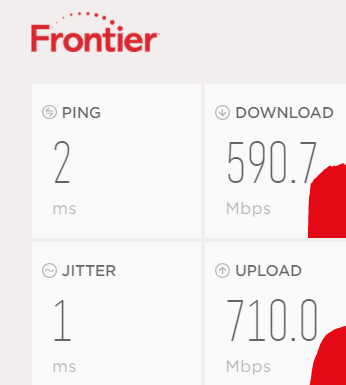
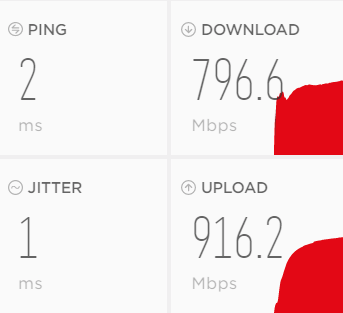
External, on a 1Gbs link pulling between 60 and 70MB/s. Running an external speedtest from my VM is actually faster than my desktop lol Desktop left, VM Right:
-
I can verify that in my WHS 2011 VM, it was maxing out my connection no sweat. I first tried Binhex's SABnzb docker, never went beyond 25MB/s - so i switched to LSIO's, it starts at 60-70MB/s, then drops
-
Same here
-
Dunno, I don't use 'em - should be the same tho, i'd think
-
FWIW, you're not alone - I see the same thing. If I restart the SABNZB docker I can hit max throughput ~60-70MB/s but soon drops to 30MB/s. When I was running SAB under a VM it maxed out my connection no problem for the entirety of the DL. I haven't figured it out, either. There does seem to be reports of others having the same issue, tho.
-
OK here's what I did to fix it: Left blank the Storage Path in more settings Added an import folder share Added a path variable Name: Temp Container Path: /tmp Host Path: /mnt/user/appdata/photoprism/temp Not filling up docker image file anymore
-
Yeah, the photos are going to the correct share but whatever it's doing is filling up the docker image. I've tried setting a /tmp path variable which helps during the actual upload, but when it indexes docker gets maxed What should I be setting as the container and host paths?
-
How do I get PhotoPrism to stop filling up my docker image when uploading pictures?
-
Yep, with motion detection
-
FWIW- I'm running BI in a VM on an 8700, 2 cores 4 threads and 12GB of RAM and the iGPU assigned to the VM. WIth 10 IP cameras it idles around 50% (with a tablet showing 6 in the remote web viewer constantly), but I don't do any AI matching.
-
Pending sectors are an automatic replace drive error for me, especially if under warranty. If your risk tolerance is higher than mine, continue to monitor the number - if it rises, bin it. If those pending sectors go un-correctable, bin it.
-
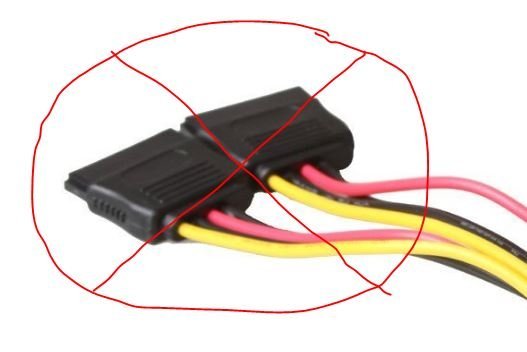
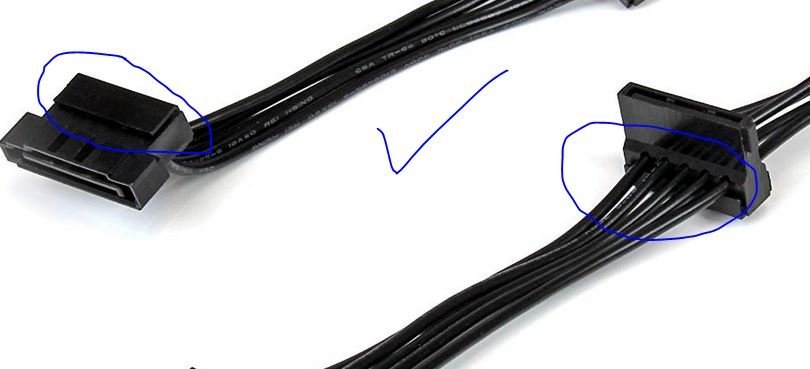
Yeah, those molded SATA power connectors are notorious for randomly catching fire. Stick with the punch down type.
-
That doesn't fit your given criteria, as it's a PCIe 2.0 card. 2 port PCIe 3.0 x1 cards have been reported to work, such as https://www.amazon.com/dp/B07Y92RDKH/ref=psdc_284718_t3_B07ST9CPND 5 port M.2 cards have also been reported to work, such as https://www.amazon.com/Internal-Non-Raid-Adapter-Desktop-Support/dp/B07T3RMFFT/ref=pd_sbs_147_3/140-7161017-3944644?_encoding=UTF8&pd_rd_i=B07T3RMFFT&pd_rd_r=84f3688b-e0bf-4c6f-9c4e-8c39590991fd&pd_rd_w=zNcnt&pd_rd_wg=8Z9Fk&pf_rd_p=7c0dad87-8a25-4c4f-9349-026039ea6cb3&pf_rd_r=RAV90H0GGEAF6CSFGNTS&psc=1&refRID=RAV90H0GGEAF6CSFGNTS Stick with the JMicron chipsets and avoid Marvell for the best results
-
No issues at all, plug and play
-
Fan controller with an external probe is how I'd do it
-
Also, make sure you spread the load over multiple runs from the PS to the drives. Don't hang them all off of 1 line with splitters.
-
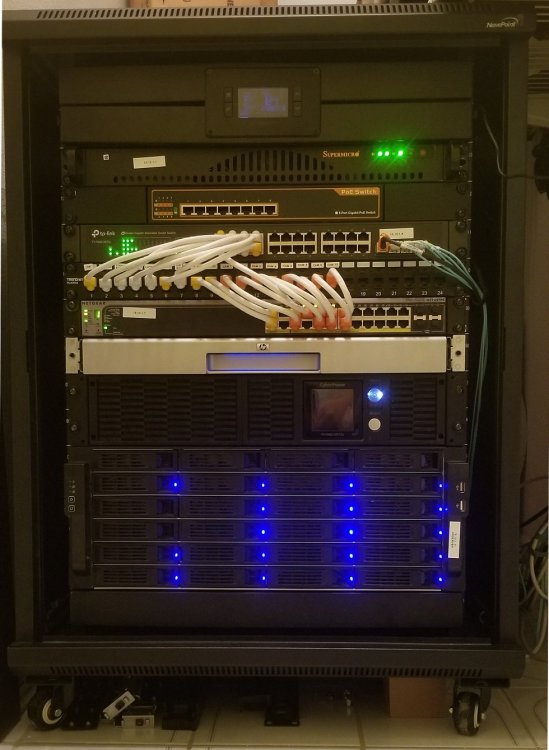
My little 15u setup: From the top down: Shelf: D-Link DKVM-4U KVM switch AC Infinity Airplate T3 fan controller for the rack fans PFSense Firewall/Router: Supermicro SuperServer 5018A-MLTN4 Intel Atom C2550 16GB DDR3 1600 PNY 120GB SSD BV-Tech POE Switch (not in service) TP-Link JetStream Smart Switch T1700G-28TQ Netgear ProSafe GS724TPS POE Smart Switch HP 1u KVM Console CyberPower PR1500LCDRT2U Unraid server: NORCO RPC-4224 Thermaltake Toughpower Grand 850W PS GIGABYTE Z370XP SLI Intel Core i7-8700 32GB DDR4 2400 2x LSI SAS 9207-8i Intel RES2SV240 expander Mellanox MNPA19-XTR 10Gb network card 2x Samsung 860 EVO 500GB SSD 12x WD 8TB 3x Toshiba 6TB 1x Toshiba 5TB 1X WD 4TB 1x WD Purple 3TB unassigned for the Blue Iris DVR All fans have been swapped out for Noctuas, except for the stock CPU cooler in the server and the AC Infinity fans I swapped into the rack. I've added 20mm fans to each card in the server just to be sure they'll stay cool and quiet. I left the stock cooler in place as the CPU isn't taxed very often or for very long when it is. Docker containers: CrashPlanPro mariadb nextcloud NginxProxyManager piwigo Virtual machines: Ubuntu - which runs the EAP Omada controller software which controls the two TP-Link EAP245 wireless APs Windows Home Server 2011 - For backing up my Windows Clients and runs my torrent and SABnzbd clients along with Subsonic for remote music access. I'll move it all eventually to dockers, but it works pretty darned good so I leave it alone. Windows 10 - Blue Iris host for monitoring and storage of eight 5MP POE cameras and two wireless. Windows 10 - Playing around with it for when I eventually have to move from W7
-
You can disable it, but you may not be able to see the server shares show up under 'network' in Windows 10 clients, but you can still browse them manually by server name or IP
-
This worked for me
-
Dunno if this is expected behavior or not, but I was running 6.8.0-rc9 and after logging in and shutting down both my WHS 2011 and Windows 10 VMs, via RDP, and then trying to log into the web interface for the unraid server so I could do the update to 6.8.0 stable, the server crashed and rebooted. When it came back up it detected an unclean shutdown, as expected, and would have run a parity check if I started the array. I decided to just upgrade the server instead of bringing the array back online and waiting a day for the parity check. After upgrading and re-booting, the array showed parity is valid? I'm running a check anyway but I just thought it was weird.
-
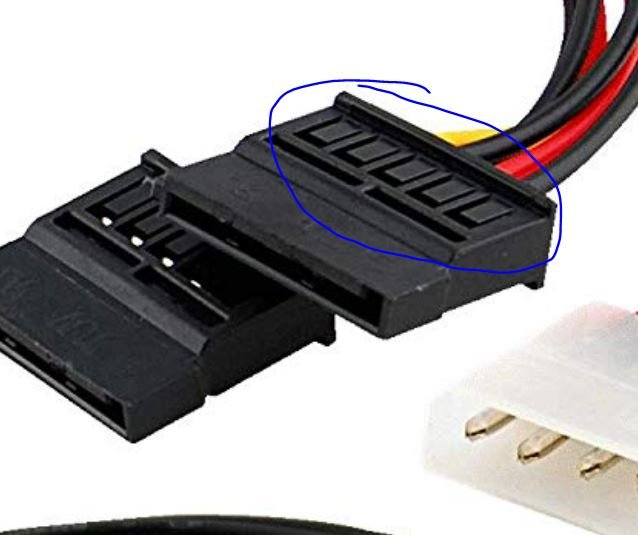
Here's a good example, they're individually pinned https://www.amazon.com/Molex-Power-Dual-Serial-Adapter/dp/B00AAZ4P4C
-
Don't use the molded style, make sure they're the punch down type
-
Fair point, but 3 per connector is plenty safe for modern drives (reds are like 1.8 peak)- 4 if you like to play the odds :D. It is critically important that it's a quality connector, however. Ask me how I know (hint, it involves smoke).




