






bmartino1
Members
-
Joined
-
Last visited
Everything posted by bmartino1
-
Use the usb2.0 port under the network nick for the unraid USB boot location... Lenovo PressLenovo ThinkServer TS140 Product Guide (withdrawn product)The Lenovo ThinkServer TS140 is the perfect first tower server for small and medium businesses, remote or branch offices, and retail environments. It features the Intel Xeon processor E3-1200 v3 produ This system is fine. a bit limited due to only 4 cores but meets the bare min standard to run docker applications and basic nas duties. the question come more down to space and what disk you have available and what you want the system to do.
-
https://docs.immich.app/administration/backup-and-restore/
-
I would like to see a clear log option or the abilt to edit the rotation schedule...

-
You can restore you old dta if you have a backup and point the corect foldrs to immich. You are in charge of your own data and backup in this case. Is it possible to restore yes. the guide is more catored to fresh installs. but yes you can migrate your old datbase to the immich v16 tag. Imich support forum as well: (As postgress has some things goin on...) https://forums.unraid.net/topic/146106-immich-docker-self-hosted-google-photos-setup/page/8/#findComment-1590054 IF CA use Postgres v16 as the unraid docker tag for imagegenious immich server done't have things for pgv17 and 18 yet... if compose, you can us the latest github tag v18 : https://bmartino1.weebly.com/immich-on-unraid-docker-compose-guide.html *What teh immich maintainers want us to run... some side updates to add things unraids uses such as icons and lables for the webUI. https://forums.unraid.net/topic/193998-guide-immich-docker-setup-docker-compose/#findComment-1588925 --I have yet to fix the docker file on immich being disaplyed... Postgress also thorwing soeme things in the way as I've even added to the unriad CA for this migration. you just need to corectly specify the postgress data path and docker tag. atm I have the CA set for v18
-
alots happened in that stack. v14 pgvetor was deprecated for future projects. immich is maintain a off branch version of Postgres with vetochord. you most likley need to set docker safe permissions. chmod 777 -R * chown nobody:users -R * Are you using CA or compose?
-
Brandon Martino - Personal SiteImmich-on-Unraid-CA-DockerBrandon Martino - Personal Site
-
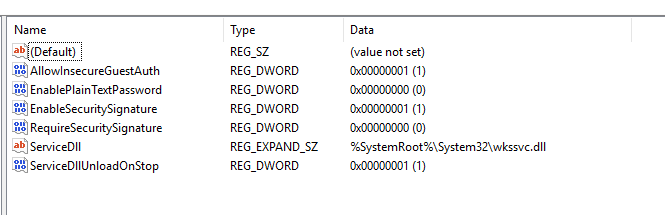
Updated borg(real hardware)and bmm(proxmox virtualized install) No issues. Thank you again for a seamless updateregistry file Windows Registry Editor Version 5.00 [HKEY_LOCAL_MACHINE\SYSTEM\CurrentControlSet\Services\LanmanWorkstation\Parameters] "EnablePlainTextPassword"=dword:00000000 "EnableSecuritySignature"=dword:00000001 "ServiceDll"=hex(2):25,00,53,00,79,00,73,00,74,00,65,00,6d,00,52,00,6f,00,6f,\ 00,74,00,25,00,5c,00,53,00,79,00,73,00,74,00,65,00,6d,00,33,00,32,00,5c,00,\ 77,00,6b,00,73,00,73,00,76,00,63,00,2e,00,64,00,6c,00,6c,00,00,00 "ServiceDllUnloadOnStop"=dword:00000001 "RequireSecuritySignature"=dword:00000000 "AllowInsecureGuestAuth"=dword:00000001 Computer\HKEY_LOCAL_MACHINE\SYSTEM\CurrentControlSet\Services\LanmanWorkstation\Parameters Mainliny ists allow insecure guest auth 1 and require security signature 0 ... NTLM also plays a role here.. each window env is different... lanmanworkstation.reg
 still need a sylog something to go in and check it towards... Please post unraid diagnostic...immich took over and made a pgvector vetochord docker image. there was documentaion on this and how to transtion... https://web.archive.org/web/20250725161640/https://forums.unraid.net/topic/190531-guide-immich-docker-setup-unraid-ca/ due to the confuision updates and issues with directing support vs data for a guide you may be able to find the way witht eh way back machine on the old topic... esentail you backup your data. Install my CA docker image load / restore your backup adn tell immich to use the new CA docker... You are responsipble for your data and database... ther are guides on immich and others regrading the use of anotehr docker pgadmin to conect and sql bnackup your postgress data to move toteh new image...did you automate app data backups? depending on how you set this up this plugin is capable of hiting the fascgi max childs... could also be a misconfiguration on how your backingup a docker. this is a example as stated inteh other forum you have to find teh memory leak that cosund be anythign form teh dashboard script on emhttp to a tab left open over night to a docker or other hardware failure in ram... teh 50 to 200 is a temp fix to allo it to run . and default its 50 personaly if i'm doing AI tasok or heavey automation and scripting liek ansible i woudl want this to be higher... The point, is your doing to much on th sytem if your hitting this...then make a dam bug report. I understand the issue just fine.. I don't know how to explain why it did what it did nor how to croect it... As I mvoed on and out of unriads notfication sytem for myself due to its limitations... thed problem will be and alwsy will be what was snet by x to x and how they are configured to do so....from the picture of the log... what i'm seeing its becasue your tryign to use teh appdata backup sytem and somthing may be misconfigured. (didnt' run in a set amount of time) simalr to unable to use teh webui when you hit apply on unraid as it docker pulls the image and settings... your doing to much at once on the system...please post a unraid diagnositc file... and list what dockers your using... as I've found this to be a issues in fastcgi and hoe emhttp implements its php code for some tasks... user scritp trun the script in the above post... Oh hey its use from the past.... so gives us somthign your doing to go off of and we can help...... i need to find the forum post and script...??? whats the filesytem of the disk your try gin to mount in unsigned disk. some require the adaptational addon plugin of unasinged disk plus. disk when mounted are in the /mnt/disk or /mnt/remotes folder... https://www.youtube.com/watch?v=-A1GcJXG0F8don't necro a old thread link the old thread and make you own new post... YES make a bug report...as this was working and stopped after v7.0.1 due to the change in market adn decision at that time. so i'm bring this backup due to ca update... and driver hand off Please Add DOCUMENTATION at the very least to the UNRAID DOCs! or add the NVIDIA VGPU GUEST DRIVER SUPPORT!
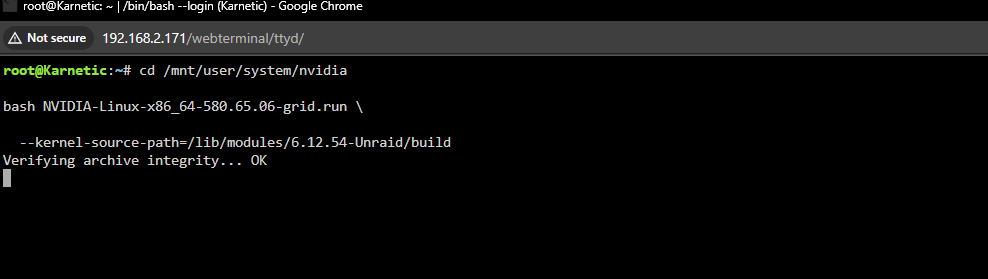
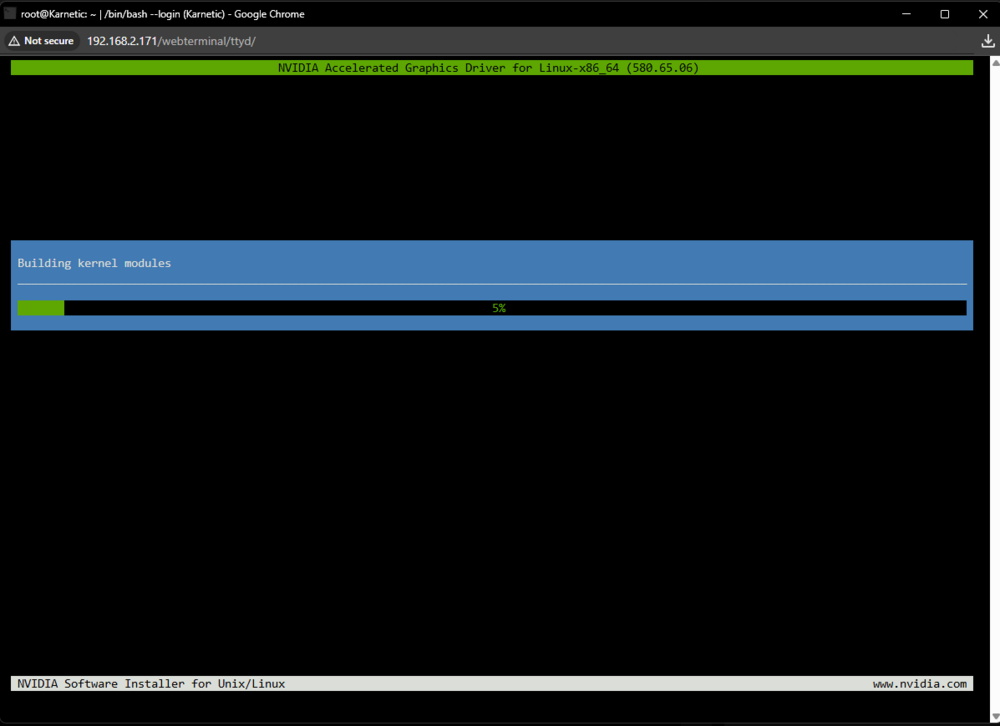
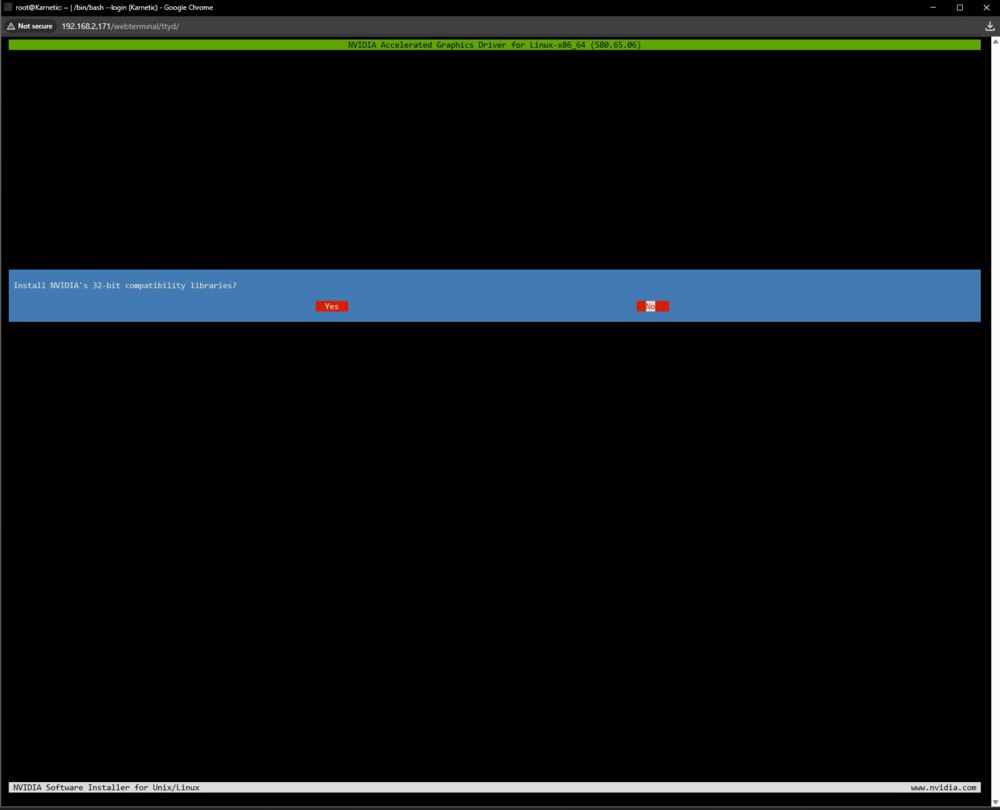
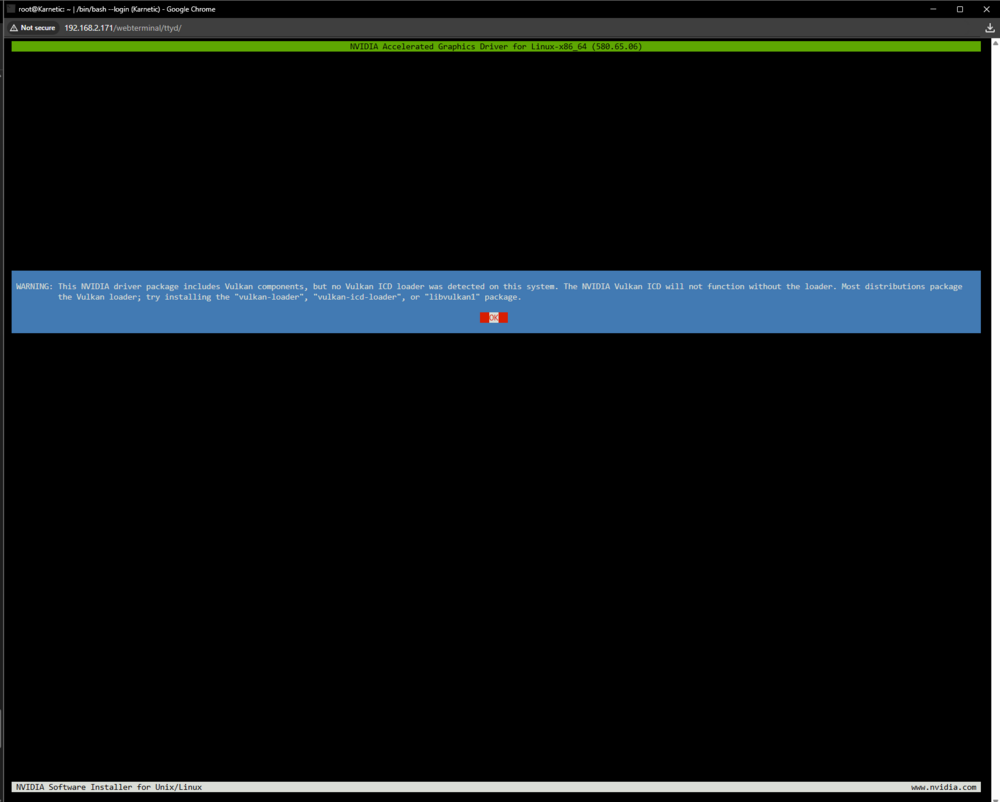
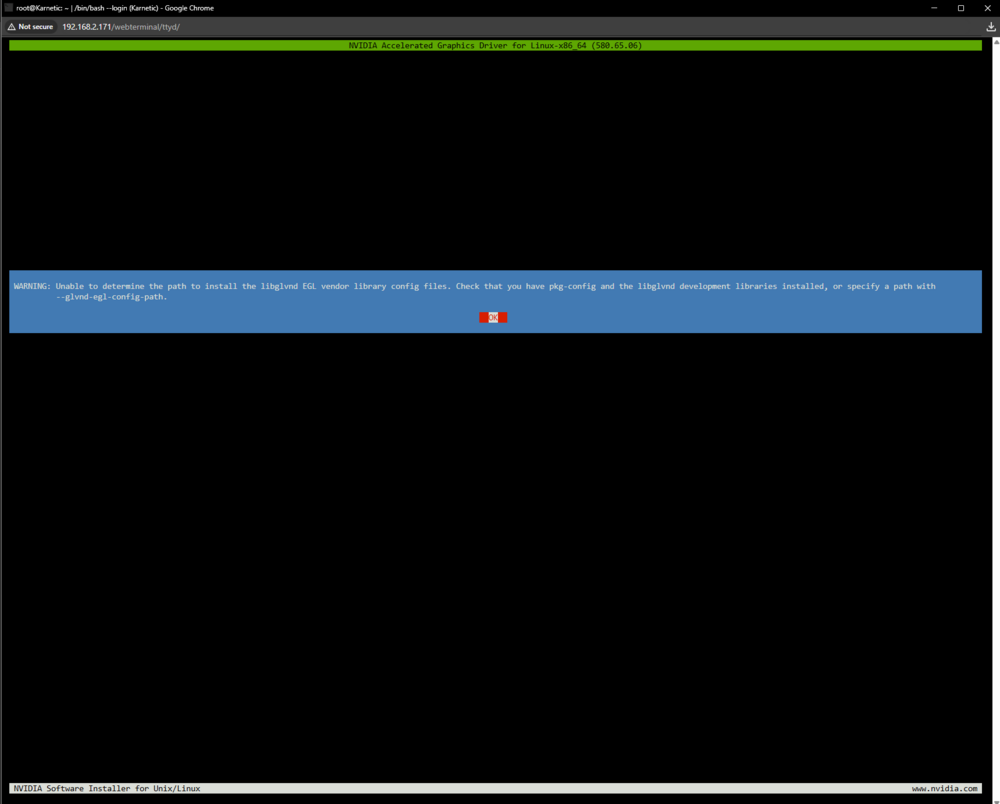
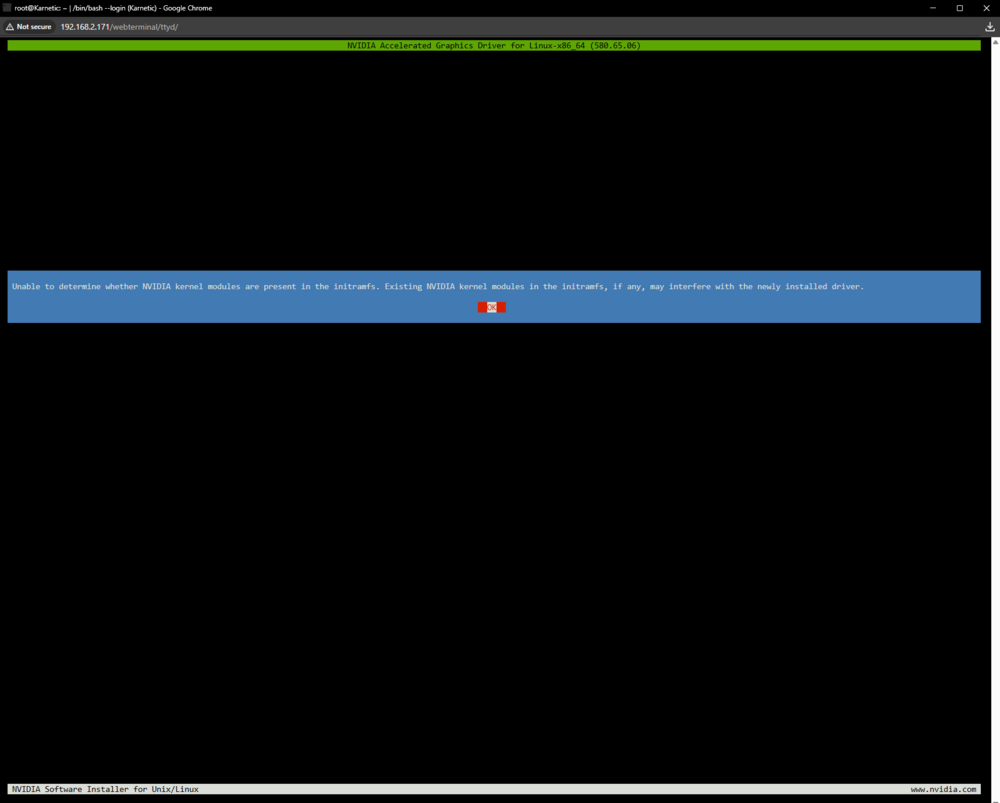
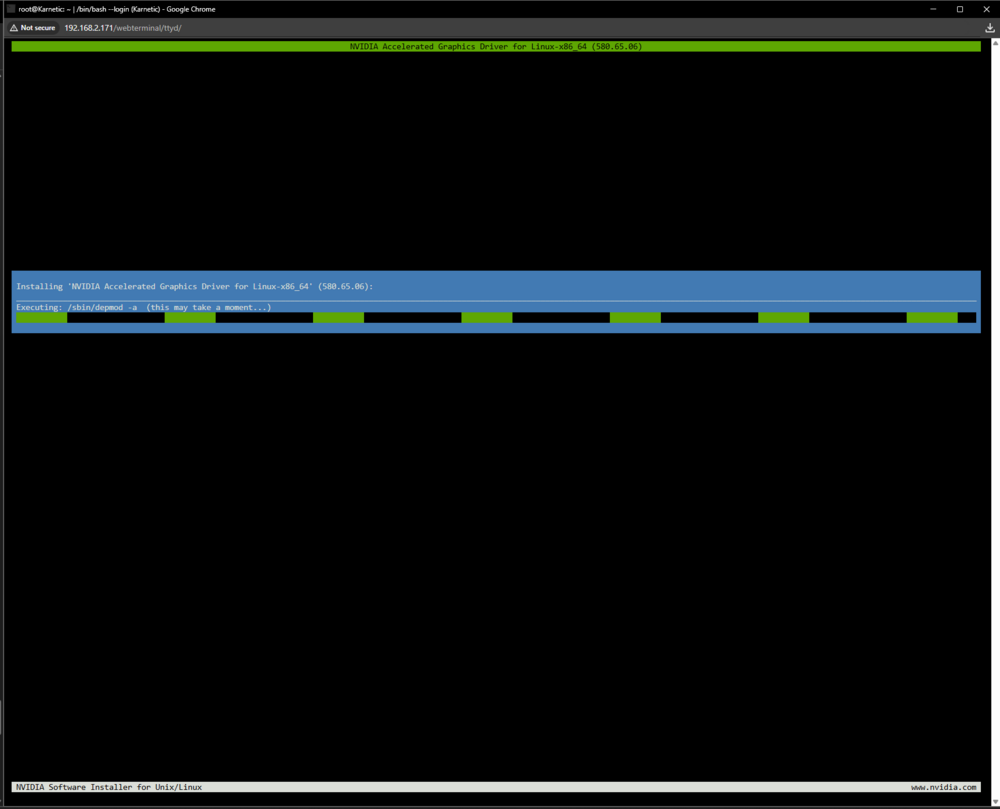
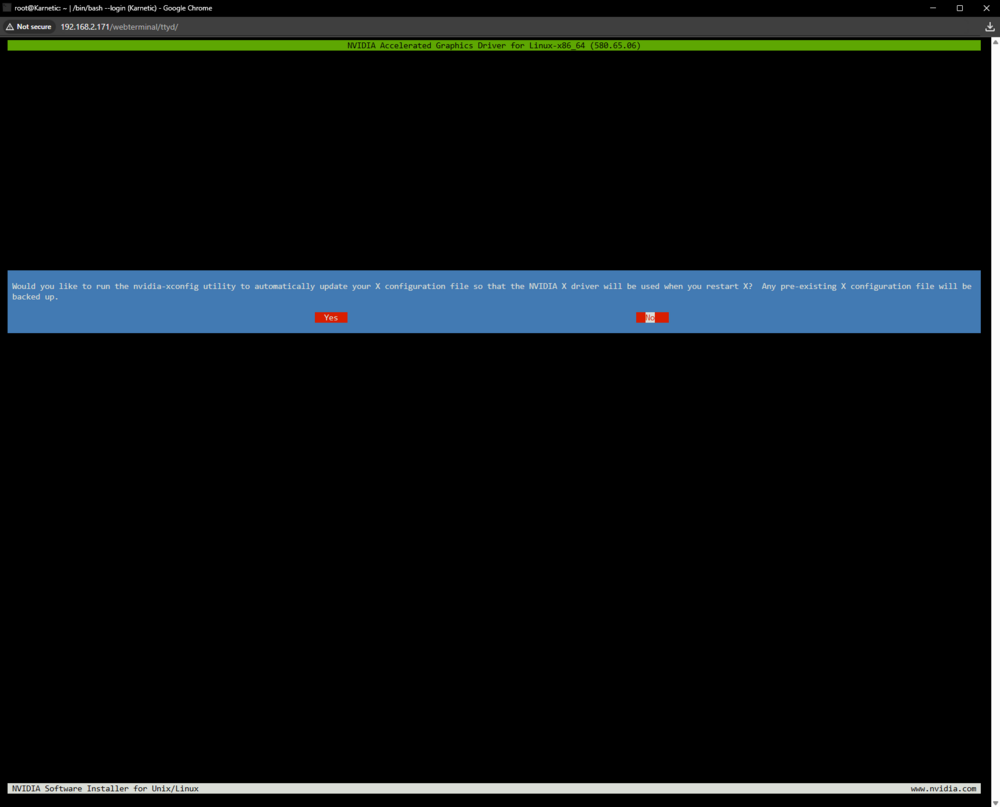
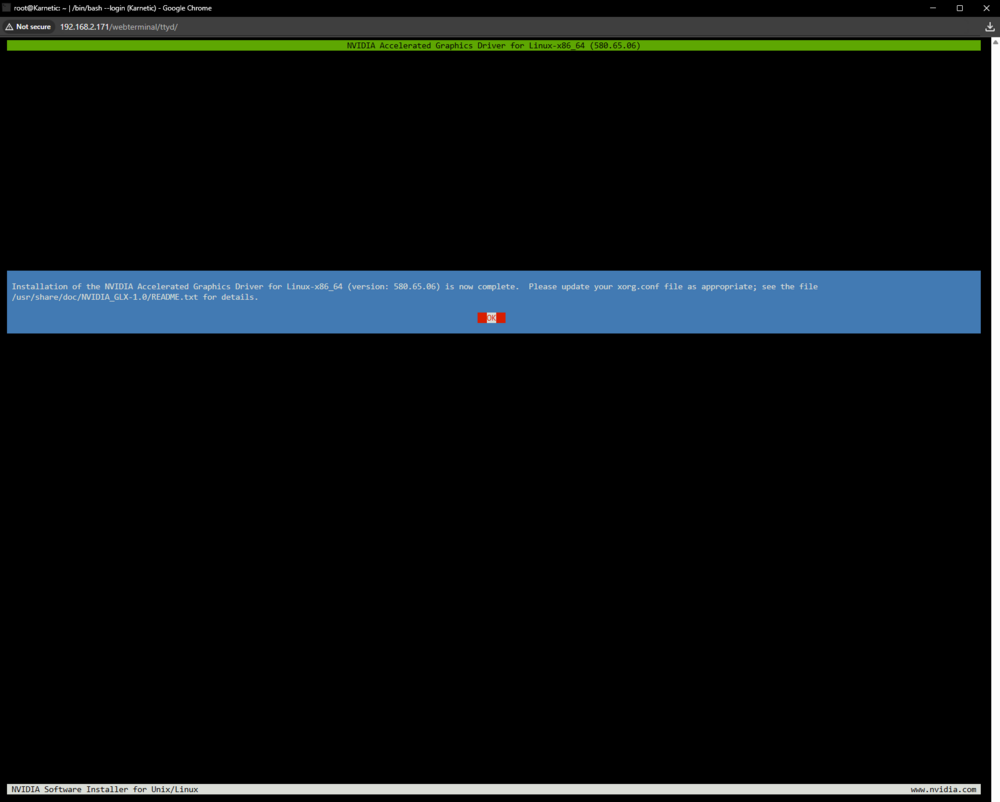
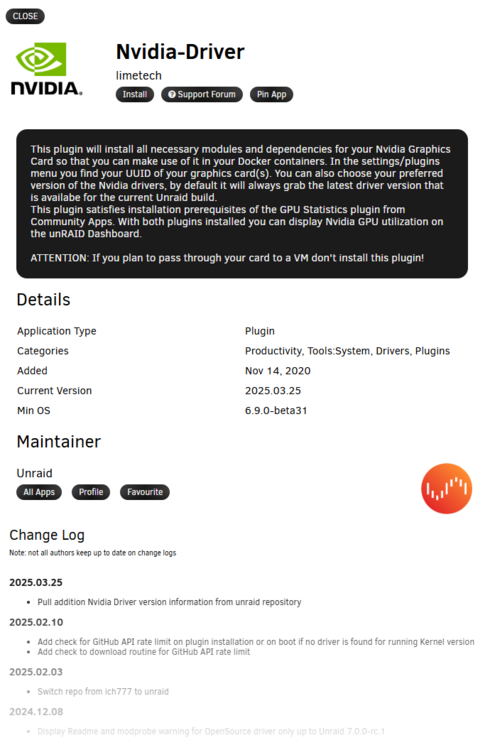 now with the chuck of the elphant in the room out of the way... on the legal licensed system... same scirpt to get the nvida run drivers to install. same way... I'm hit with the same gotcha Command check and log nvidia-smi No devices were found modinfo nvidia filename: /lib/modules/6.12.54-Unraid/kernel/drivers/video/nvidia.ko alias: char-major-195-* version: 580.65.06 supported: external license: NVIDIA firmware: nvidia/580.65.06/gsp_tu10x.bin firmware: nvidia/580.65.06/gsp_ga10x.bin srcversion: 6FBDEF528F5B23A73A7EF8C alias: pci:v000010DEd*sv*sd*bc06sc80i00* alias: pci:v000010DEd*sv*sd*bc03sc02i00* alias: pci:v000010DEd*sv*sd*bc03sc00i00* alias: of:N*T*Cnvidia,tegra264-displayC* alias: of:N*T*Cnvidia,tegra264-display alias: of:N*T*Cnvidia,tegra234-displayC* alias: of:N*T*Cnvidia,tegra234-display depends: i2c-core,drm name: nvidia retpoline: Y vermagic: 6.12.54-Unraid SMP preempt mod_unload parm: NvSwitchRegDwords:NvSwitch regkey (charp) parm: NvSwitchBlacklist:NvSwitchBlacklist=uuid[,uuid...] (charp) parm: NVreg_ResmanDebugLevel:int parm: NVreg_RmLogonRC:int parm: NVreg_ModifyDeviceFiles:int parm: NVreg_DeviceFileUID:int parm: NVreg_DeviceFileGID:int parm: NVreg_DeviceFileMode:int parm: NVreg_InitializeSystemMemoryAllocations:int parm: NVreg_UsePageAttributeTable:int parm: NVreg_EnablePCIeGen3:int parm: NVreg_EnableMSI:int parm: NVreg_EnableStreamMemOPs:int parm: NVreg_RestrictProfilingToAdminUsers:int parm: NVreg_PreserveVideoMemoryAllocations:int parm: NVreg_EnableS0ixPowerManagement:int parm: NVreg_S0ixPowerManagementVideoMemoryThreshold:int parm: NVreg_DynamicPowerManagement:int parm: NVreg_DynamicPowerManagementVideoMemoryThreshold:int parm: NVreg_EnableGpuFirmware:int parm: NVreg_EnableGpuFirmwareLogs:int parm: NVreg_OpenRmEnableUnsupportedGpus:int parm: NVreg_EnableUserNUMAManagement:int parm: NVreg_MemoryPoolSize:int parm: NVreg_KMallocHeapMaxSize:int parm: NVreg_VMallocHeapMaxSize:int parm: NVreg_IgnoreMMIOCheck:int parm: NVreg_NvLinkDisable:int parm: NVreg_EnablePCIERelaxedOrderingMode:int parm: NVreg_RegisterPCIDriver:int parm: NVreg_RegisterPlatformDeviceDriver:int parm: NVreg_EnableResizableBar:int parm: NVreg_EnableDbgBreakpoint:int parm: NVreg_EnableNonblockingOpen:int parm: NVreg_CoherentGPUMemoryMode:charp parm: NVreg_RegistryDwords:charp parm: NVreg_RegistryDwordsPerDevice:charp parm: NVreg_RmMsg:charp parm: NVreg_GpuBlacklist:charp parm: NVreg_TemporaryFilePath:charp parm: NVreg_ExcludedGpus:charp parm: NVreg_DmaRemapPeerMmio:int parm: NVreg_RmNvlinkBandwidth:charp parm: NVreg_RmNvlinkBandwidthLinkCount:int parm: NVreg_ImexChannelCount:int parm: NVreg_CreateImexChannel0:int parm: NVreg_GrdmaPciTopoCheckOverride:int parm: rm_firmware_active:charp # see what driver actually owns the GPU in the guest lspci -k -s 01:00.0 # see which modules are loaded lsmod | egrep 'nvidia|nouveau' # look for NVRM errors dmesg | grep -iE 'nvrm|nvidia' 01:00.0 VGA compatible controller: NVIDIA Corporation TU102GL [Quadro RTX 6000/8000] (rev a1) Subsystem: NVIDIA Corporation Device 1328 Kernel driver in use: nvidia Kernel modules: nouveau, nvidia_drm, nvidia nvidia_uvm 1835008 0 nvidia_drm 126976 0 nvidia_modeset 1564672 1 nvidia_drm nvidia 103960576 2 nvidia_uvm,nvidia_modeset drm_ttm_helper 16384 1 nvidia_drm video 69632 1 nvidia_modeset drm_kms_helper 217088 2 drm_ttm_helper,nvidia_drm drm 655360 6 drm_kms_helper,nvidia,drm_ttm_helper,nvidia_drm,ttm backlight 20480 3 video,drm,nvidia_modeset i2c_core 106496 5 drm_kms_helper,nvidia,i2c_smbus,i2c_i801,drm [ 0.000000] Command line: BOOT_IMAGE=/bzimage initrd=/bzroot acpi=force acpi_osi=Linux usbcore.autosuspend=-1 trace_clock=local nvidia.NVreg_OpenRmEnableUnsupportedGpus=1 nvidia_drm.NVreg_OpenRmEnableUnsupportedGpus=1 nvidia_modeset.NVreg_OpenRmEnableUnsupportedGpus=1 nvidia.NVreg_EnableGpuFirmware=1 modprobe.blacklist=nouveau default_hugepagesz=1G hugepagesz=1G transparent_hugepage=always pci=noaer pcie_aspm=off intremap=no_x2apic_optout [ 0.047315] Kernel command line: BOOT_IMAGE=/bzimage initrd=/bzroot acpi=force acpi_osi=Linux usbcore.autosuspend=-1 trace_clock=local nvidia.NVreg_OpenRmEnableUnsupportedGpus=1 nvidia_drm.NVreg_OpenRmEnableUnsupportedGpus=1 nvidia_modeset.NVreg_OpenRmEnableUnsupportedGpus=1 nvidia.NVreg_EnableGpuFirmware=1 modprobe.blacklist=nouveau default_hugepagesz=1G hugepagesz=1G transparent_hugepage=always pci=noaer pcie_aspm=off intremap=no_x2apic_optout [ 2468.549378] nvidia-nvlink: Nvlink Core is being initialized, major device number 238 [ 2468.556219] nvidia 0000:01:00.0: vgaarb: VGA decodes changed: olddecodes=io+mem,decodes=none:owns=none [ 2468.556729] NVRM: loading NVIDIA UNIX x86_64 Kernel Module 580.65.06 Sun Jul 27 07:14:19 UTC 2025 [ 2468.564568] nvidia_uvm: module uses symbols nvUvmInterfaceDisableAccessCntr from proprietary module nvidia, inheriting taint. [ 2468.635202] nvidia-modeset: Loading NVIDIA Kernel Mode Setting Driver for UNIX platforms 580.65.06 Sun Jul 27 06:40:17 UTC 2025 [ 2468.637310] [drm] [nvidia-drm] [GPU ID 0x00000100] Loading driver [ 2468.637435] [drm] Initialized nvidia-drm 0.0.0 for 0000:01:00.0 on minor 0 [ 2468.643214] [drm] [nvidia-drm] [GPU ID 0x00000100] Unloading driver [ 2468.675745] nvidia-modeset: Unloading [ 2468.737131] nvidia-nvlink: Unregistered Nvlink Core, major device number 238 [ 2652.472778] nvidia-nvlink: Nvlink Core is being initialized, major device number 238 [ 2652.480178] nvidia 0000:01:00.0: vgaarb: VGA decodes changed: olddecodes=none,decodes=none:owns=none [ 2652.480612] NVRM: loading NVIDIA UNIX x86_64 Kernel Module 580.65.06 Sun Jul 27 07:14:19 UTC 2025 [ 2652.486906] nvidia_modeset: unknown parameter 'NVreg_OpenRmEnableUnsupportedGpus' ignored [ 2652.487125] nvidia-modeset: Loading NVIDIA Kernel Mode Setting Driver for UNIX platforms 580.65.06 Sun Jul 27 06:40:17 UTC 2025 [ 2652.488916] nvidia_drm: unknown parameter 'NVreg_OpenRmEnableUnsupportedGpus' ignored [ 2652.489015] [drm] [nvidia-drm] [GPU ID 0x00000100] Loading driver [ 2652.489134] [drm] Initialized nvidia-drm 0.0.0 for 0000:01:00.0 on minor 0 [ 2880.385770] NVRM: GPU 0000:01:00.0: RmInitAdapter failed! (0x60:0x56:2661) [ 2880.386669] NVRM: GPU 0000:01:00.0: rm_init_adapter failed, device minor number 0 [ 2880.394459] nvidia_uvm: module uses symbols nvUvmInterfaceDisableAccessCntr from proprietary module nvidia, inheriting taint. [ 3236.911188] NVRM: GPU 0000:01:00.0: RmInitAdapter failed! (0x60:0x56:2661) [ 3236.912303] NVRM: GPU 0000:01:00.0: rm_init_adapter failed, device minor number 0 witch all tells me that hey ther somethign worng withteh driver still.. maybe somthgin simlae maybe somthgin not simple... regradless now that limethech owns and issues the nvida driver stuff. they should implement and support this VGPU guest stuff too. (whcih may not be possible) but Needs to be said!!!First some data and rants and link mentions... as Again i dont' know where to share, put and give this info to to assit in the dev or proper deployment... Proxmox v7 Virtualize Unriad... https://forums.unraid.net/topic/179219-guide-proxmox-virtualize-unraid-experimental-with-v7/ https://www.youtube.com/watch?v=En5Zk2FGcnY Became its started on kernel 5.15 and while it works today on v9 kernel limitation and unraid limitations may be a issues latter... The unraid kernel: https://github.com/ich777/unraid_kernel Note for plugin devs and drivers: Pre-compiled Unraid Kernel v6.12.54 gcc_14.2.0 by ich777 as of this writing, Unriad Kernel is 6.12.54-Unraid uname -r using the ich777 un-get to get some extra packages to do this in unraid... https://forums.unraid.net/topic/129200-plug-in-nerdtools/page/25/#findComment-1513524 *Where this was orginaly meant to run ina docker to help build drivers for unraid... I ran bare-metal in a VM for dev... some extra install package are needed: /boot/extra: binutils-2.45.1-x86_64-1.txz gc-8.2.10-x86_64-1.txz gcc-g++-15.2.0-x86_64-1.txz libtool-2.5.4-x86_64-4.txz make-4.4.1-x86_64-1.txz elfutils-0.186-x86_64-1.txz gcc-15.2.0-x86_64-1.txz guile-3.0.10-x86_64-1.txz m4-1.4.20-x86_64-1.txz screen-5.0.1-x86_64-1.txz root@Karnetic:~# With unget we can install the lattest files known above for what worked for me... un-get install gcc gcc-g++ binutils make libtool as the goal is to install nvidia-gridd and use it.. modinfo nvidia-gridd Example Grid Licensing to use crad in VM (Nvidia license is per VM) #!/bin/bash # copy GRID client configuration token into place on boot TOKEN_SRC="/mnt/user/system/nvidia/client_configuration_token_18-11-2025-10-21-34.tok" TOKEN_DST_DIR="/etc/nvidia" TOKEN_DST="${TOKEN_DST_DIR}/ClientConfigToken" if [ -f "$TOKEN_SRC" ]; then mkdir -p "$TOKEN_DST_DIR" cp "$TOKEN_SRC" "$TOKEN_DST" chmod 600 "$TOKEN_DST" chown root:root "$TOKEN_DST" echo "GRID client token installed at $TOKEN_DST" else echo "WARNING: GRID token not found at $TOKEN_SRC" fi https://forum.proxmox.com/threads/nvidia-supported-gpu-with-vgpu-and-licensing.157802/ https://forum.proxmox.com/threads/nvidia-supported-gpu-with-vgpu-and-licensing.157802/ *As Licensing will be a hurdle latter... the goal is to get the driver installed and seeing it like before in v7.0.1... Per Proxmox Enterprise support I'm on the corect kerneal ofr VGPU and have GRID v19 installed Linux PVE 6.14.11-4-pve #1 SMP PREEMPT_DYNAMIC PMX 6.14.11-4 (2025-10-10T08:04Z) x86_64 The programs included with the Debian GNU/Linux system are free software; the exact distribution terms for each program are described in the individual files in /usr/share/doc/*/copyright. Debian GNU/Linux comes with ABSOLUTELY NO WARRANTY, to the extent permitted by applicable law. root@PVE:~# mdevctl types 0000:02:00.0 nvidia-256 Available instances: 0 Device API: vfio-pci Name: GRID RTX6000-1Q Description: num_heads=4, frl_config=60, framebuffer=1024M, max_resolution=5120x2880, max_instance=24 nvidia-257 Available instances: 0 Device API: vfio-pci Name: GRID RTX6000-2Q Description: num_heads=4, frl_config=60, framebuffer=2048M, max_resolution=7680x4320, max_instance=12 nvidia-258 Available instances: 0 Device API: vfio-pci Name: GRID RTX6000-3Q Description: num_heads=4, frl_config=60, framebuffer=3072M, max_resolution=7680x4320, max_instance=8 nvidia-259 Available instances: 5 Device API: vfio-pci Name: GRID RTX6000-4Q Description: num_heads=1, frl_config=60, framebuffer=4096M, max_resolution=1920x1080, max_instance=6 nvidia-260 Available instances: 0 Device API: vfio-pci Name: GRID RTX6000-6Q Description: num_heads=4, frl_config=60, framebuffer=6144M, max_resolution=7680x4320, max_instance=4 nvidia-261 Available instances: 0 Device API: vfio-pci Name: GRID RTX6000-8Q Description: num_heads=4, frl_config=60, framebuffer=8192M, max_resolution=7680x4320, max_instance=3 nvidia-262 Available instances: 0 Device API: vfio-pci Name: GRID RTX6000-12Q Description: num_heads=4, frl_config=60, framebuffer=12288M, max_resolution=7680x4320, max_instance=2 nvidia-263 Available instances: 0 Device API: vfio-pci Name: GRID RTX6000-24Q Description: num_heads=4, frl_config=60, framebuffer=24576M, max_resolution=7680x4320, max_instance=1 nvidia-435 Available instances: 0 Device API: vfio-pci Name: GRID RTX6000-1B Description: num_heads=4, frl_config=45, framebuffer=1024M, max_resolution=5120x2880, max_instance=24 nvidia-436 Available instances: 0 Device API: vfio-pci Name: GRID RTX6000-2B Description: num_heads=4, frl_config=45, framebuffer=2048M, max_resolution=5120x2880, max_instance=12 nvidia-437 Available instances: 0 Device API: vfio-pci Name: GRID RTX6000-1A Description: num_heads=1, frl_config=60, framebuffer=1024M, max_resolution=1280x1024, max_instance=24 nvidia-438 Available instances: 0 Device API: vfio-pci Name: GRID RTX6000-2A Description: num_heads=1, frl_config=60, framebuffer=2048M, max_resolution=1280x1024, max_instance=12 nvidia-439 Available instances: 0 Device API: vfio-pci Name: GRID RTX6000-3A Description: num_heads=1, frl_config=60, framebuffer=3072M, max_resolution=1280x1024, max_instance=8 nvidia-440 Available instances: 5 Device API: vfio-pci Name: GRID RTX6000-4A Description: num_heads=1, frl_config=60, framebuffer=4096M, max_resolution=1280x1024, max_instance=6 nvidia-441 Available instances: 0 Device API: vfio-pci Name: GRID RTX6000-6A Description: num_heads=1, frl_config=60, framebuffer=6144M, max_resolution=1280x1024, max_instance=4 nvidia-442 Available instances: 0 Device API: vfio-pci Name: GRID RTX6000-8A Description: num_heads=1, frl_config=60, framebuffer=8192M, max_resolution=1280x1024, max_instance=3 nvidia-443 Available instances: 0 Device API: vfio-pci Name: GRID RTX6000-12A Description: num_heads=1, frl_config=60, framebuffer=12288M, max_resolution=1280x1024, max_instance=2 nvidia-444 Available instances: 0 Device API: vfio-pci Name: GRID RTX6000-24A Description: num_heads=1, frl_config=60, framebuffer=24576M, max_resolution=1280x1024, max_instance=1 root@PVE:~# uname-r -bash: uname-r: command not found root@PVE:~# uname -r 6.14.11-4-pve root@PVE:~# The Point Legaly this is Legal and Possible... So I have Unraid Virtualized.. Note same guest driver and system works with vgpu in windows and ubunt / debian... so this is entriely a driver / unraid install issues! If this means farewell to unraid so be it... OMV is gaining traction and other systems out there, especial behind the uriad license.... Why unraid. while i can use and have used other pl;atforms the CA and docker implemetnaion is the biceset and most user frienly for it instance of /docker I will stand behind unraid for docker they have lost in all other areas for my use case... Unless the devs are also paying for nvidia license, proxmox sub and other I don't see this getting implemented any time soon but proof of concept root@PVE:~# nvidia-smi Wed Nov 19 11:18:40 2025 +-----------------------------------------------------------------------------------------+ | NVIDIA-SMI 580.65.05 Driver Version: 580.65.05 CUDA Version: N/A | +-----------------------------------------+------------------------+----------------------+ | GPU Name Persistence-M | Bus-Id Disp.A | Volatile Uncorr. ECC | | Fan Temp Perf Pwr:Usage/Cap | Memory-Usage | GPU-Util Compute M. | | | | MIG M. | |=========================================+========================+======================| | 0 NVIDIA GeForce RTX 2080 ... On | 00000000:02:00.0 Off | N/A | | 41% 24C P8 11W / 250W | 2072MiB / 8192MiB | 0% Default | | | | N/A | +-----------------------------------------+------------------------+----------------------+ +-----------------------------------------------------------------------------------------+ | Processes: | | GPU GI CI PID Type Process name GPU Memory | | ID ID Usage | |=========================================================================================| | 0 N/A N/A 7589 C+G vgpu 2004MiB | +-----------------------------------------------------------------------------------------+ root@PVE:~# Rant... (with vgpu that was workign and lattest updates now breaking that...) Its eitehr We fix this and make it for everyone or F** Limetech unraid and refactor to never return... (in which I will mas del4te and pull my support) as we can't have soemthign working and stable to be pushed to a update and oh no this is no loger a thing nr works... It be fin AGAIN if due to licensing that I can update the install pacakges due to CVE especal with rewcent glibs and openssh amoun other patches... the key here is being able to stay in xyz kerneal... (THIS IS WHY DEBAIN STAYED ON 6.1 LTS) and in version 7.01 unraid and v7.20 the Kerneal has changed... I WOULD BE FIN IF WE COULD STAY IN A DAM LTS KERNEL!!! Ruels for thee but not for me.. we cant be in a Dev and not be able to do dev... If you want stable then be and stay in stable... Each update Unriad breaks shit not testing and I'm cewrtaly getting tired of being hey lets update due to xyz CVE and security and also HEy why did this break... This afects everyone! form realtek, intel and NVdia drivers... AS the linux Kerneal will be and will alwys be a fight... But is worth a mention due to the nature of kerneal level drivers and what unraid does to make ther OS... https://en.wikipedia.org/wiki/Linux_kernel_version_history As Limethec gone back kerneals due to driver related issues... So Like HEY MAYBE WE STAY AND ONLY USE LTS KERNEL!!! one of the many reason why I hate kerneal 6. as alot comes down to Arm but if unraid never uses arm then maybe slackware /unraid should build there own kerneal and join the kerneal chaos agian arm.. OR better yet Open the curent installed pacakges and fixes in emhttp top run on ARM! I see no reason why teh unraid kerneal should not be on LTS verion 6.1 or 6.6 atm 7.2.0 is on lts kerneal 6.12 as of writing as time chages, code mutates... Rant over... So some core dataL Attached Diag before script run... more on thea t latter... esentail silmar to what teh uraid plugin do at boot to ghet drivers... as the consumer plauing will see it says the license request taits the kerneal and nvidia-smi breaks in unraid... (woudl be a bug report if the issues wasn't driver and hardware related due to VGPU... so Feature requst is what I landed on so the Devs can see this...) since the plugin is a bust... let try to install teh nvidia drvier... karnetic-diagnostics-20251119-1032.zip Some quick notes that diag would share text is saved... unraid was booted with kernel /bzimage append initrd=/bzroot acpi=force acpi_osi=Linux usbcore.autosuspend=-1 trace_clock=local nvidia.NVreg_OpenRmEnableUnsupportedGpus=1 nvidia_drm.NVreg_OpenRmEnableUnsupportedGpus=1 nvidia_modeset.NVreg_OpenRmEnableUnsupportedGpus=1 nvidia.NVreg_EnableGpuFirmware=1 modprobe.blacklist=nouveau default_hugepagesz=1G hugepagesz=1G transparent_hugepage=always pci=noaer pcie_aspm=off intremap=no_x2apic_optout to kill opensouce driver and blacklist. to debug and see latter... modinfo helps you here for adational options... or a modprobe config file may be needed... I wanted things bvefore some things as this will laod and implement before teh nvdia plugin runs ... BOOT ORDER MATTERS!!! lspci 01:00.0 VGA compatible controller: NVIDIA Corporation TU102GL [Quadro RTX 6000/8000] (rev a1) so slackware sees I have the VGPu card instance... SO lets install the nvidia run... thanks to unraid and slackware living in ram we will need a stagin area. I chose to use /mnt/user/system/nvidia as this is a requiremnt latter to stage out of and is used in mutaged code for docker and other unraid stuff... my files and what I have where root@Karnetic:~# uname -r 6.12.54-Unraid root@Karnetic:~# cd /mnt/user/system/ root@Karnetic:/mnt/user/system# ls docker/ linux-6.12.54-Unraid.tar.xz nvidia/ unraid-kernel/ root@Karnetic:/mnt/user/system# ls nvidia/ NVIDIA-Linux-x86_64-580.65.06-grid.run* client_configuration_token_18-11-2025-10-21-34.tok* extracted/ unraid-nvidia-vgpu-driver/ root@Karnetic:/mnt/user/system# ls unraid-kernel/ COPYING README drivers_drm_edid.patch fs_reiserfs_super.patch modules.builtin.modinfo sound/ CREDITS System.map drivers_md_Kconfig.patch include/ modules.order tools/ Documentation/ acs_override.patch drivers_md_Makefile.patch init/ mozart_395S.patch usr/ Kbuild arch/ drivers_nvme_quirks.patch io_uring/ net/ virt/ Kconfig block/ drivers_scsi_mvsas_rr_2782.patch ipc/ raid6_choose_xor.patch vmlinux* LICENSES/ built-in.a drivers_thunderbolt_host_reset.patch kernel/ rust/ vmlinux.a MAINTAINERS certs/ drivers_uas_seagate.patch lib/ samples/ vmlinux.o Makefile crypto/ fs/ mm/ scripts/ Module.symvers drivers/ fs_reiserfs_resize.patch modules.builtin security/ root@Karnetic:/mnt/user/system/nvidia# ls extracted/ 10_nvidia.json libnvidia-cfg.so.580.65.06* nvidia-cuda-mps-server* 10_nvidia_wayland.json libnvidia-egl-gbm.so.1.1.2* nvidia-debugdump* 15_nvidia_gbm.json libnvidia-egl-wayland.so.1.1.19* nvidia-drm-outputclass.conf 20_nvidia_xcb.json libnvidia-egl-xcb.so.1.0.1* nvidia-gridd* 20_nvidia_xlib.json libnvidia-egl-xlib.so.1.0.1* nvidia-gridd.1.gz 32/ libnvidia-eglcore.so.580.65.06* nvidia-installer* LICENSE libnvidia-encode.so.580.65.06* nvidia-installer.1.gz NVIDIA_Changelog libnvidia-fbc.so.580.65.06* nvidia-modprobe* README.txt libnvidia-glcore.so.580.65.06* nvidia-modprobe.1.gz _nvngx.dll* libnvidia-glsi.so.580.65.06* nvidia-ngx-updater* firmware/ libnvidia-glvkspirv.so.580.65.06* nvidia-pcc* grid-proxy-credentials.sh* libnvidia-gpucomp.so.580.65.06* nvidia-persistenced* grid-third-party-licenses.txt libnvidia-gtk2.so.580.65.06* nvidia-persistenced-init.tar.bz2 gridd.conf.template libnvidia-gtk3.so.580.65.06* nvidia-persistenced.1.gz html/ libnvidia-ml.so.580.65.06* nvidia-settings* init-scripts/ libnvidia-ngx.so.580.65.06* nvidia-settings.1.gz kernel/ libnvidia-nvvm.so.580.65.06* nvidia-settings.desktop kernel-open/ libnvidia-nvvm70.so.4* nvidia-settings.png libEGL.so.1.1.0* libnvidia-opencl.so.580.65.06* nvidia-smi* libEGL.so.580.65.06* libnvidia-opticalflow.so.580.65.06* nvidia-smi.1.gz libEGL_nvidia.so.580.65.06* libnvidia-pkcs11-openssl3.so.580.65.06* nvidia-topologyd* libFlxCore64.so.2018.02 libnvidia-pkcs11.so.580.65.06* nvidia-topologyd-source.tar libGL.so.1.7.0* libnvidia-present.so.580.65.06* nvidia-topologyd.1.gz libGLESv1_CM.so.1.2.0* libnvidia-ptxjitcompiler.so.580.65.06* nvidia-topologyd.conf.template libGLESv1_CM_nvidia.so.580.65.06* libnvidia-rtcore.so.580.65.06* nvidia-xconfig* libGLESv2.so.2.1.0* libnvidia-sandboxutils.so.580.65.06* nvidia-xconfig.1.gz libGLESv2_nvidia.so.580.65.06* libnvidia-tls.so.580.65.06* nvidia.icd libGLX.so.0* libnvidia-vksc-core.so.580.65.06* nvidia_drv.so* libGLX_nvidia.so.580.65.06* libnvidia-wayland-client.so.580.65.06* nvidia_icd.json libGLdispatch.so.0* libnvoptix.so.580.65.06* nvidia_icd_vksc.json libOpenCL.so.1.0.0* libvdpau_nvidia.so.580.65.06* nvidia_layers.json libOpenGL.so.0* makeself-help-script.sh* nvngx.dll* libcuda.so.580.65.06* makeself.sh* nvngx_dlssg.dll* libcudadebugger.so.580.65.06* mkprecompiled* nvoptix.bin libglvnd_install_checker/ nvidia-application-profiles-580.65.06-key-documentation pkg-history.txt libglxserver_nvidia.so.580.65.06* nvidia-application-profiles-580.65.06-rc sandboxutils-filelist.json libnvcuvid.so.580.65.06* nvidia-bug-report.sh* supported-gpus/ libnvidia-allocator.so.580.65.06* nvidia-cuda-mps-control* systemd/ libnvidia-api.so.1* nvidia-cuda-mps-control.1.gz root@Karnetic:/mnt/user/system/nvidia# due to rootfs space limitation and unraid laded in ram. I extracted teh driver and extrated ich77 linx kerneal for teh missing kernal to run and build against... with un-get installing the mini build requirments and temp fixing areas of teh unraid sytem for the run file to run... I cam up with this... #!/bin/bash # unraid kernels: https://github.com/ich777/unraid_kernel set -e KVER="$(uname -r)" # expect 6.12.54-Unraid KSRCDIR="/mnt/user/system/unraid-kernel" # real kernel tree on disk USR_SRCDIR="/usr/src/linux-${KVER}" # informational only BUILD_LINK="/lib/modules/${KVER}/build" NVIDIA_BASE="/mnt/user/system/nvidia" NVIDIA_EXTRACTED="${NVIDIA_BASE}/extracted/nvidia-installer" NVIDIA_RUN="${NVIDIA_BASE}/NVIDIA-Linux-x86_64-580.65.06-grid.run" # set to 1 if you want this script to auto-run the NVIDIA installer RUN_NVIDIA_INSTALLER=0 echo "Kernel version: ${KVER}" echo "Kernel source dir on disk: ${KSRCDIR}" echo # ---------------------------------------------------------------------- # 0) Ensure dev toolchain via un-get # ---------------------------------------------------------------------- echo "Ensuring dev toolchain via un-get (gcc gcc-g++ binutils make libtool)..." #un-get install gcc gcc-g++ binutils make libtool #install first then run script... ls /boot/extra echo echo "Toolchain versions:" gcc --version | head -n1 || echo "gcc not found?" if command -v cc >/dev/null 2>&1; then cc --version | head -n1 else echo "cc: not found (will create symlink in next step)" fi echo # ---------------------------------------------------------------------- # 1) Ensure cc -> gcc exists # ---------------------------------------------------------------------- if ! command -v gcc >/dev/null 2>&1; then echo "ERROR: gcc not found after un-get. Check dev pack install." >&2 exit 1 fi if ! command -v cc >/dev/null 2>&1; then echo "Creating cc -> gcc symlink..." ln -sf /usr/bin/gcc /usr/bin/cc fi echo "Final compiler versions:" gcc --version | head -n1 cc --version | head -n1 echo # ---------------------------------------------------------------------- # 2) Fake minimal libc "dev" environment # ---------------------------------------------------------------------- echo "Setting up fake libc 'dev' environment (RAM only)..." # 2a) fake stdio.h mkdir -p /usr/include cat >/usr/include/stdio.h <<'EOF' #ifndef _UNRAID_FAKE_STDIO_H #define _UNRAID_FAKE_STDIO_H typedef void FILE; int printf(const char *format, ...); int fprintf(FILE *stream, const char *format, ...); int puts(const char *s); int fputs(const char *s, FILE *stream); int putchar(int c); int fputc(int c, FILE *stream); #endif /* _UNRAID_FAKE_STDIO_H */ EOF # 2b) fake libc_nonshared.a mkdir -p /usr/lib64 ar rcs /usr/lib64/libc_nonshared.a # 2c) 64-bit crt startup objects: # - crt1.o: defines _start() # - crti.o, crtn.o: empty 64-bit objects that do NOT define _start cd /tmp cat >crt1.c <<'EOF' void _start(void) { } EOF gcc -c crt1.c -o /usr/lib/crt1.o printf "" | gcc -c -x c - -o /usr/lib/crti.o printf "" | gcc -c -x c - -o /usr/lib/crtn.o # sanity compile (runtime segfault is expected, link success is what we need) cat >test.c <<'EOF' #include <stdio.h> int main(void) { printf("ok\n"); return 0; } EOF if ! gcc test.c -o test ; then echo "ERROR: fake libc dev compile test FAILED – aborting." >&2 exit 1 fi echo "Fake libc dev environment: compile OK (runtime segfault is expected)." echo # ---------------------------------------------------------------------- # 3) Sanity check kernel source (non-destructive) # ---------------------------------------------------------------------- echo "Checking kernel source on disk..." # 3a) real tree on disk must exist and have non-empty kernel.h if [ ! -d "$KSRCDIR" ]; then echo "ERROR: Kernel source directory $KSRCDIR not found." >&2 exit 1 fi if [ ! -s "$KSRCDIR/include/linux/kernel.h" ]; then echo "ERROR: $KSRCDIR/include/linux/kernel.h is missing or empty – kernel tree looks incomplete." >&2 exit 1 fi echo "KSRCDIR entry:" ls -ld "$KSRCDIR" echo "kernel.h in KSRCDIR:" ls -l "$KSRCDIR/include/linux/kernel.h" echo # 3b) Just report what's in /usr/src and build – do NOT modify if [ -e "$USR_SRCDIR" ]; then echo "Existing /usr/src entry:" ls -ld "$USR_SRCDIR" else echo "/usr/src/linux-${KVER} does not exist (that's fine; we won't touch /usr/src)." fi echo if [ -e "$BUILD_LINK" ]; then echo "Existing build entry:" ls -ld "$BUILD_LINK" else echo "$BUILD_LINK does not exist (that's fine; we won't touch it)." fi echo # We'll use KSRCDIR as the kernel source path for NVIDIA KPATH_FOR_NVIDIA="$KSRCDIR" # Double-check the header at the path we'll actually pass to nvidia-installer if ! ls -l "$KPATH_FOR_NVIDIA/include/linux/kernel.h" >/dev/null 2>&1 ; then echo "ERROR: kernel.h not reachable via $KPATH_FOR_NVIDIA – aborting." >&2 exit 1 fi echo "Kernel headers reachable at (for NVIDIA):" ls -l "$KPATH_FOR_NVIDIA/include/linux/kernel.h" echo #final touch ups: # backup the current broken build dir mv /lib/modules/6.12.54-Unraid/build /lib/modules/6.12.54-Unraid/build.bak # point build -> your full kernel source ln -s /mnt/user/system/unraid-kernel /lib/modules/6.12.54-Unraid/build ls /lib/modules/6.12.54-Unraid/build/include/linux/kernel.h echo snaity check: /usr/bin/make --version || echo "make is broken" ldd /usr/bin/make | egrep 'gc|not found' || echo "no libgc dependency?" /usr/bin/make --version #check agian ls /usr/lib*/libgc.so* /lib*/libgc.so* 2>/dev/null ldd /usr/bin/make | grep gc || echo "no libgc dep?" /usr/bin/make --version #one last time: cd /usr/lib64 # or /usr/lib /lib64 depending where it landed ls libgc.so* # if you see libgc.so.2.0.0 but no libgc.so.1: ln -s libgc.so.2.0.0 libgc.so.1 ldd /usr/bin/make | grep gc /usr/bin/make --version # ---------------------------------------------------------------------- # 4) Optionally run NVIDIA installer # ---------------------------------------------------------------------- if [ "$RUN_NVIDIA_INSTALLER" -ne 1 ]; then echo "RUN_NVIDIA_INSTALLER=0 – skipping NVIDIA installer." echo "Run manually with:" echo " cd ${NVIDIA_BASE}/extracted" echo " TMPDIR=${NVIDIA_BASE} \\" echo " ./nvidia-installer --no-precompiled-interface \\" echo " --kernel-source-path=${KPATH_FOR_NVIDIA} \\" echo " --debug" exit 0 fi echo "Checking for existing NVIDIA kernel module..." if modinfo nvidia >/dev/null 2>&1; then echo "NVIDIA module already present; NOT re-running installer." exit 0 fi INSTALLER="" if [ -x "$NVIDIA_EXTRACTED" ]; then INSTALLER="$NVIDIA_EXTRACTED" elif [ -x "$NVIDIA_RUN" ]; then INSTALLER="$NVIDIA_RUN" fi if [ -z "$INSTALLER" ]; then echo "ERROR: Could not find nvidia-installer or .run file." >&2 echo "Looked for:" echo " $NVIDIA_EXTRACTED" echo " $NVIDIA_RUN" exit 1 fi echo "Running NVIDIA installer: $INSTALLER" echo "Kernel source path: $KPATH_FOR_NVIDIA" echo set +e TMPDIR="${NVIDIA_BASE}" \ "$INSTALLER" \ --no-precompiled-interface \ --kernel-source-path="${KPATH_FOR_NVIDIA}" \ --debug RC=$? set -e if [ $RC -ne 0 ]; then echo "NVIDIA installer exited with code $RC" echo "Check /var/log/nvidia-installer.log for details." exit $RC fi echo "NVIDIA installer completed successfully." so the scirpt ran what nest: script log Script location: /tmp/user.scripts/tmpScripts/installnvrun/script Note that closing this window will abort the execution of this script Kernel version: 6.12.54-Unraid Kernel source dir on disk: /mnt/user/system/unraid-kernel Ensuring dev toolchain via un-get (gcc gcc-g++ binutils make libtool)... binutils-2.45.1-x86_64-1.txz elfutils-0.186-x86_64-1.txz gc-8.2.10-x86_64-1.txz gcc-15.2.0-x86_64-1.txz gcc-g++-15.2.0-x86_64-1.txz guile-3.0.10-x86_64-1.txz libtool-2.5.4-x86_64-4.txz m4-1.4.20-x86_64-1.txz make-4.4.1-x86_64-1.txz screen-5.0.1-x86_64-1.txz Toolchain versions: gcc (GCC) 15.2.0 cc (GCC) 15.2.0 Final compiler versions: gcc (GCC) 15.2.0 cc (GCC) 15.2.0 Setting up fake libc 'dev' environment (RAM only)... Fake libc dev environment: compile OK (runtime segfault is expected). Checking kernel source on disk... KSRCDIR entry: drwxr-xr-x 1 root root 2786 Nov 18 12:59 /mnt/user/system/unraid-kernel kernel.h in KSRCDIR: -rw-rw-r-- 1 root root 13188 Oct 19 07:34 /mnt/user/system/unraid-kernel/include/linux/kernel.h Existing /usr/src entry: drwxr-xr-x 3 root root 467 Oct 29 14:42 /usr/src/linux-6.12.54-Unraid Existing build entry: lrwxrwxrwx 1 root root 29 Oct 29 14:42 /lib/modules/6.12.54-Unraid/build -> /usr/src/linux-6.12.54-Unraid Kernel headers reachable at (for NVIDIA): -rw-rw-r-- 1 root root 13188 Oct 19 07:34 /mnt/user/system/unraid-kernel/include/linux/kernel.h /lib/modules/6.12.54-Unraid/build/include/linux/kernel.h snaity check: GNU Make 4.4.1 Built for x86_64-slackware-linux-gnu Copyright (C) 1988-2023 Free Software Foundation, Inc. License GPLv3+: GNU GPL version 3 or laterThis is free software: you are free to change and redistribute it. There is NO WARRANTY, to the extent permitted by law. libgc.so.1 => /usr/lib64/libgc.so.1 (0x0000150df31ee000) GNU Make 4.4.1 Built for x86_64-slackware-linux-gnu Copyright (C) 1988-2023 Free Software Foundation, Inc. License GPLv3+: GNU GPL version 3 or laterThis is free software: you are free to change and redistribute it. There is NO WARRANTY, to the extent permitted by law. /usr/lib64/libgc.so /usr/lib64/libgc.so.1 /usr/lib64/libgc.so.1.5.5 with this in place the run file will now work... so now its time to rn the installer... sript for me to install cd /mnt/user/system/nvidia bash NVIDIA-Linux-x86_64-580.65.06-grid.run \ --kernel-source-path=/lib/modules/6.12.54-Unraid/build This is installign the Guest driver found in the guest folder. exampel here: https://github.com/nvidiavgpuarchive/index/blob/main/details/857d43_Complete_vGPU_19.0_package_for_Linux_KVM_including_supported_guest_drivers.md Guest_Drivers/NVIDIA-Linux-x86_64-580.65.06-grid.run I chose no as my scirpt killed the 32 bit side for the compile onthe host.. the goal is to install the run file... *32 bit faield due to me not having access to the necssary kerneal and file to build agaisnt and since i'm in my end enviroment i see no reason... too Deva may but would have access to this IF they add this to a suported featrue of there nvidia driver and bzroot... we then build I bootd non gui mode... so no I get to sucess screen: sucess outside every reboot i have to run teh installer... but this is where teh FEATURE REQUEST COMES IN! the driver is installed and apears to be working I now have and ran run nvidia-smi... termainl root@Karnetic:~# cd /mnt/user/system/nvidia bash NVIDIA-Linux-x86_64-580.65.06-grid.run \ --kernel-source-path=/lib/modules/6.12.54-Unraid/build Verifying archive integrity... OK Uncompressing NVIDIA Accelerated Graphics Driver for Linux-x86_64 580.65.06........................................................................................................................................................................................................................................................................................................................................................................................................................................................................................................................................................................................................................................................................................................................................................................................................................................................................................................................................................................................................................................................................................................................................................................................................................................................................................ bash: --kernel-source-path=/lib/modules/6.12.54-Unraid/build: No such file or directory root@Karnetic:/mnt/user/system/nvidia# nvidia-smi No devices were found root@Karnetic:/mnt/user/system/nvidia# so now to do this on the legal sytem not is a dev env that not going to last nor stay this way... Proff of concept that yes release host can use and run the nvidia guest driver... (Nvidia drive is not corectly installed even in teh home lab byp[ass method... I probaly could if i get teh keneal the dev have acces to before it becoems the bzroot they compile.) But proof of concept sucess I can run the run file to install the gpu driver... sort of... This is why the feature request.. wher yes this is the bypass version. but still Limethech nvdia plugin needs to have teh abilt to run and install teh Nvidia GPU guest drivers!!! after scirpt run driver installed diagnostic... karnetic-diagnostics-20251119-1127.zip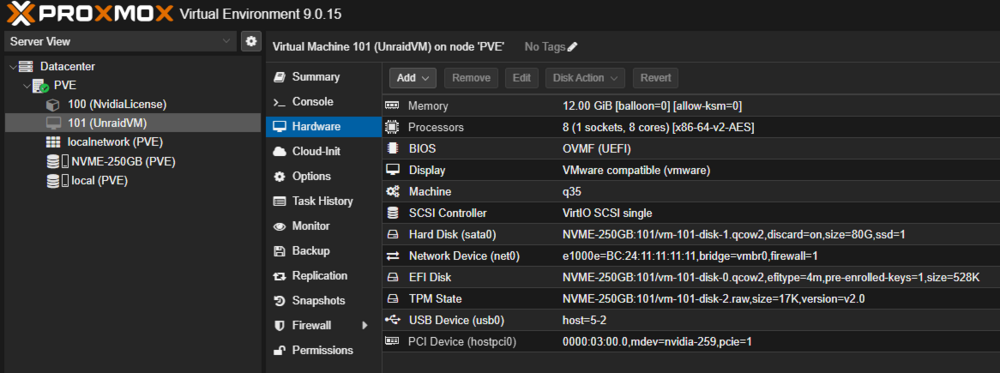
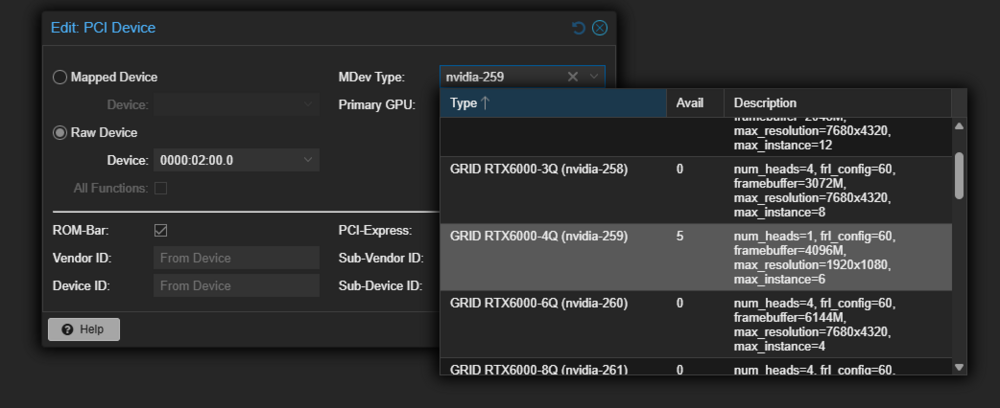
 https://pve.proxmox.com/wiki/NVIDIA_vGPU_on_Proxmox_VE Now that we have some things straightened out with proxmox and NVIDIA. Where proxmox requires a sub license, and with a nvidia ada5000 vgpu capable card... https://docs.nvidia.com/vgpu/index.html BUT THIS IS ALL LEGAL AND I WANT A TRUE LEGAL UPFRONT DISCUSSION!!! For Legal and proper use of this instance via Virtualizing... With Proxmox v9 and with the use of mdevctl lets pass a vgpu instance into unraid and take another look... More with limetech taking over ich777 NVIDIA driver plugin and the introduction of the open source NVIDIA drive built in to the kernel. *First, The elephant in the room a mention nothing more as it can get GRAY! So, I thought I'd share some notes, data and a potential feature request... As I don't really know on the forum to out ask and communicate with the devs... Since this will be and can be put in the Gray area (due to how home labs can circumvent nvidia licensing (example: https://gitlab.com/polloloco/vgpu-proxmox and https://git.collinwebdesigns.de/oscar.krause/fastapi-dls)... and a continuation of a the niche case topic...(I don't know many people using vgpu especial with Slackware linux / unraid...) but its worth a mention of a potential opening of a door for thoese who don't go through the legal channels and not pay for the MIT license... While Not the main topic here... a vise versa feature request latter, but others have done thisn in unraid v6... Where One can have unraid see a vgpu card bare metal and make vgpu instances for docker, VMs, etc... https://github.com/stl88083365/unraid-nvidia-vgpu-driver But very little documentation is out there and available to do this for legal... Some not shared due to limitations and not wanting to be shut down... Where if Nvidia opened a home lab sub license to access drivers and support I'm sure that this market would collapse and its be a big turning point... The end all be all solution is to just pcie pass a consumer NVIDIA card into the VM so that the current NVIDIA plugin driver works on bare meal cards... (With board limitations and pcie access I rather not take up a x16 slot and waste on 1 VM...) especially with 3 systems same hardware for clustering... But 1 problem at a time... as the goal is to get a nvidia caplae card via VGPU GUEST to work with a docker on unriad. And its thanks to people like this, due to Nvidia License server access to guest drivers: https://github.com/nvidiavgpuarchive/index Where I believe we can finally via NVIDIA Mit License give the unriad Devs access to the NVIDIA run file for Grid guest drivers installers... Hopefully to add to teh already currrent NVIDIA Plugin! (sure its not the lattestest, but should be enouth to get and make a starting point...) More info on that latter... Some More info TO BE CLEAR!!!. as NO I'M not Breaking NVIDIA LICENSES! as THIS IS THE MISCONCEPTION!!! But due to the elphant in the room and due to limitations and access and time restraints... this was only documentation I can find its to use consumer cards circumventing Nvidia... while fine for proff of concept that would break the MIT license... So Due to the nature of my work/Univerity access and the abilty to access and ahve access to test in a stable legal licensed enviroment... While I have vgpu caple cards and access to a NVIDIA licenses through work/university. I'm still catching myself in a snag due to how unriad slackware implements drivers... thus this post! The Feature Request: So, I am wanting the ability to run and install the NVIDIA run file or Unraid Limethec devs, add the NVIDIA grid driver and a location to add the nvidia license to have a virtualized unrad guest with a guest vgpu Nvidia driver instance added to the Nvidia plugin... Legaly this isn't a problem not brekas Nvidia Licenses, as long as we are following the mit license... I don't see a reason why unraid can't use nor support the use of a nvidia VGPU guest drivers and have a gpu instance when Uraid is virtualized in proxmox as example... So here are my finding , notes and data... As I canwork aroundd work with and want to see this feature come to light.the arc gpus reuse the i915 onbard graphics drivers. its either onboard or pcie slot. so we may need to blacklist flush the onboard to get the other g card working... the issue is duplicate kernel mod driver and werid connection for the g card via pcie thunder port.Double check bios configurations. the first slot near the x16 g card and processors is usually on its own pcie lane direct to the processor. where the second slot is dependant on pcie lanes and what is pluged in where.read the unraid docs First!!! https://docs.unraid.net/category/manage-storage/ review shares: https://docs.unraid.net/unraid-os/using-unraid-to/manage-storage/shares/ see some unraid videos and look into space invaders... https://www.youtube.com/watch?v=4B8J7VERBJY https://www.youtube.com/watch?v=UR5RCItyCsw https://www.youtube.com/watch?v=ZOzW01lrzpM Now on to some of your Q/A: It sounds like your trying to setup a *ars systems... I use transmission over qbit...(I know and trust the transmission team...) https://forums.unraid.net/topic/194760-dockers-fail-to-communicate-on-unraid-72/#findComment-1588190 Example guides for unraid: https://trash-guides.info/ https://trash-guides.info/File-and-Folder-Structure/ https://trash-guides.info/File-and-Folder-Structure/How-to-set-up/Unraid/ trash guides also has setup info and data for each ars system... There is also some info regarding advance setups with symlink, hard link and automations... https://forums.unraid.net/topic/194824-question-about-hard-link-behavior-when-using-mntuser-for-media-scraping-nastools-multi-disk-array/#findComment-1589996 This is more of a mention, not something that needs implemented right away... https://youtu.be/AMcHsQJ7My0 So, I personally would recommend installing the plugin "compose" and running *Arrs docker stack via compose... Convert docker run to compose: https://www.composerize.com/ Convert copose to docker run: https://www.decomposerize.com/ Unraids CA and docker templates make a docker run line. Based on what you're trying to do quote: "simple media server using plex, qbittorennt, subsequent apps to support the qbittorrent"... How it works: Essential ars bot check and go find info and data based on data you supplied it. They then talk to the downloading docker system and say hey this exist here go after it per the checks in ars data configurations. Then the download dockers go after the content, once completed the arrs system say its done move(by coping the data) to the media folder. then the ars data says put in the library ... we tell plex/jel;lyfin whatevery sytem your using... to also point from the media library folder... SO: In this setup for docker requries 3 main things. 1. its own appdata folder for its configurations. 2. its end goal pathing for its data (this is a master folder share hieachy so all dockers can see and interact with in.. 3. its own access to data it needs. (Networking how it talks to and from other dockers inteh stack... and know how to talk to what where... For this reason you need to make a share layout where what is saved where and each docker will need that adati9onal data. ALSO VPNS!!! Its best to set VPNS to change endpoints at the unriad host level (affecting all dockers). it can and will get very confusing when you vpn side car or try to use vpns bult within docker and connect contatiners together... how docker communicate between each other and to them... Compose give me the abilty to assign mutiple networks and ips to guarantee this im at xyz you talk to it at xyz... see https://bmartino1.weebly.com/guide-dockernetworks.html for advance docker terminal cli...other dockers may have vpn built in... compose is not required but helpfull... All comes down to what you want it to do and how you want to interact with it... Also review: https://www.youtube.com/watch?v=3k_MwE0Z3CE https://www.youtube.com/watch?v=wMs8Ry9oFdc https://www.youtube.com/watch?v=1eqPmDvMjLY there are legal ways to use torents, ars and other systems. this includes in the copyright realm and GNU public license to physcial media and backups... its ok to have just not on how you obtain. Be careful on how you obtain content...





