





enJOyIT
Members
-
Joined
-
Last visited
Everything posted by enJOyIT
-
Todays update broke my container: 2023-09-29 12:26:48,845 WARN exited: sunshine (exit status 11; not expected) 2023-09-29 12:26:48,846 INFO spawned: 'sunshine' with pid 1942 2023-09-29 12:26:49,855 INFO success: x11vnc entered RUNNING state, process has stayed up for > than 1 seconds (startsecs) 2023-09-29 12:26:49,856 INFO success: desktop entered RUNNING state, process has stayed up for > than 1 seconds (startsecs) 2023-09-29 12:26:49,856 INFO success: sunshine entered RUNNING state, process has stayed up for > than 1 seconds (startsecs) 2023-09-29 12:26:49,856 INFO reaped unknown pid 1954 (exit status 0) 2023-09-29 12:26:57,080 WARN exited: xorg (exit status 11; not expected) 2023-09-29 12:26:58,082 INFO spawned: 'xorg' with pid 2078 2023-09-29 12:26:59,083 INFO success: xorg entered RUNNING state, process has stayed up for > than 1 seconds (startsecs) 2023-09-29 12:27:08,104 WARN exited: xorg (exit status 11; not expected) 2023-09-29 12:27:08,106 INFO spawned: 'xorg' with pid 2211 2023-09-29 12:27:09,107 INFO success: xorg entered RUNNING state, process has stayed up for > than 1 seconds (startsecs) 2023-09-29 12:27:18,129 WARN exited: xorg (exit status 11; not expected) 2023-09-29 12:27:19,110 INFO spawned: 'xorg' with pid 2350 2023-09-29 12:27:19,111 WARN exited: x11vnc (exit status 11; not expected) 2023-09-29 12:27:19,111 WARN exited: desktop (exit status 11; not expected) 2023-09-29 12:27:19,111 WARN exited: sunshine (exit status 11; not expected) 2023-09-29 12:27:19,112 INFO spawned: 'x11vnc' with pid 2351 2023-09-29 12:27:19,114 INFO spawned: 'desktop' with pid 2352 2023-09-29 12:27:19,116 INFO spawned: 'sunshine' with pid 2353 2023-09-29 12:27:20,125 INFO success: xorg entered RUNNING state, process has stayed up for > than 1 seconds (startsecs) 2023-09-29 12:27:20,126 INFO success: x11vnc entered RUNNING state, process has stayed up for > than 1 seconds (startsecs) 2023-09-29 12:27:20,126 INFO success: desktop entered RUNNING state, process has stayed up for > than 1 seconds (startsecs) 2023-09-29 12:27:20,126 INFO success: sunshine entered RUNNING state, process has stayed up for > than 1 seconds (startsecs) 2023-09-29 12:27:20,126 INFO reaped unknown pid 2368 (exit status 0) Gui is not available... What's wrong here?
-
Strange issue here... I click on "Play", it's checking Cloud Status and immediately stops and the "Play" Button reappears... Game obv. won't start. I am using a Nvidia A2000 Are there any log files I can check? The docker logs don't show any useful?! Any thoughts? Edit: Reinstalling the game worked...
-
Are VM Snapshots on that list too? 🙃
-
Well, you are right! Maybe it is an idea to put this information into the "question mark" text.
-
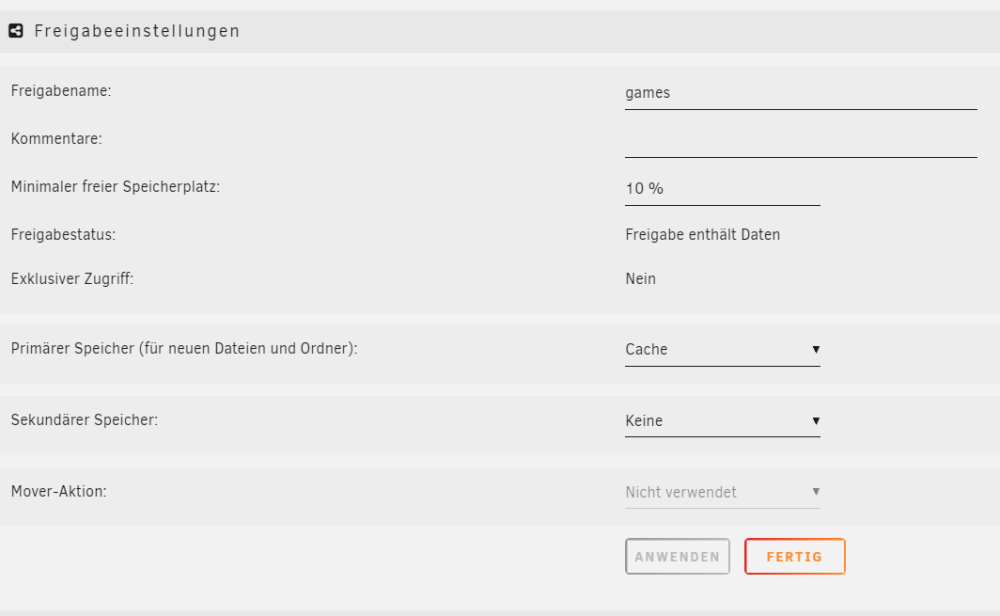
Hi, I can't enable the option exclusive share: I checked every drive for a folder called games but there aren't so this can't be the problem. What I am missing? Thanks!
-
Hallo, ich hab nun irgendwo gelesen, dass das Dateisystem zfs in Kombination mit docker, bei dem die Images nicht in einer Datei liegen, sondern im Verzeichnis eventuell Probleme macht. Wohl weil zfs jede Änderung irgendwie wegschreibt!? Gibt es hier eine Empfehlung? Ich habe bei docker die Verzeichnis Option gewählt und bin nun verunsichert ob das so gut ist. Danke!
-
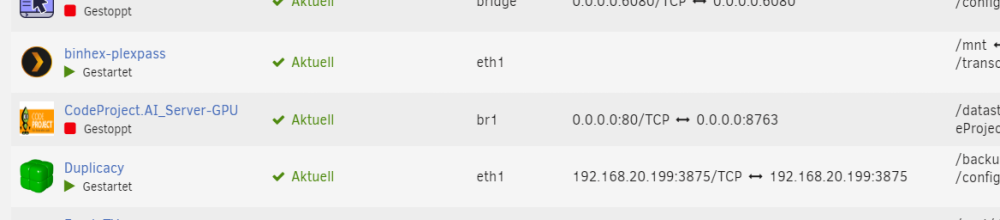
Ja, das stimmt... plex läuft nach einem Neustart auch wieder. Vorher hat es sich komplett aufgehangen... Und wieso taucht hier keine Port-Zuweisung mehr auf? Ich meine da war vorher der 32400er Port ersichtlich und eben die IP von plex. Kannst jemand vielleicht bei sich schauen ob bei ihm dort auch nichts steht? Danke!
-
Hab den selben Fehler aus dem nichts bekommen... Wo kommt der so plötzlich her? Es lief vorher Monate ohne Probleme und ich habe den container nicht geupdated. Der Fehler kam einfach von jetzt auf gleich. Irgendwie hab ich mit unraid 6.12.2 nur Stress...
-
But did you check if your network share is connected correctly, with "\\" at the beginning of your folder?
-
What is bridging for? I disabled this (because I still get kernel panics) and created a custom network eth1 for my docker containers. It's working like when I'm using br1. So what is the difference here?!
-
I thought it is related to that, so I decided a similar way... I set up a dedicated docker network (to a seperate eth) as my router needs seperate MAC-addresses to identify my devices. Since then it works without issues so far...
-
I upgraded from 6.12.0 to 6.12.1 and switched my cache pools from btrfs to zfs and changed docker.img to directory. Are there any issues regarding zfs and using this plugin? I now had two times a kernel panic which killed my entire unraid system (--> needed a hard reset of the system). I don't shutdown any docker before backup, is this maybe connected to this (but an error shouldn't kill the unraid host)? I don't have log files because i wasn't able to get them after it happend. But it was something like "unraid kernel panic not syncing" and zfs was mentioned elsewhere in the console tab (its a VM inside a proxmox host). I never had such massive problems before and now I'm afraid that there is a major issue which causes this. I disabled the plugin to observe the behaviour now.
-
I just posted here: At bootup it's telling me that the nvidia package seems to be corrupt. How can I redownload the driver? Ah, I think I have to wait until the redownload is finished 🙂 I didn't read the whole message after Checksum error 🙂 Should there be a "porgress bar" while downloading? --> No, it's finished now... Rebooted and it's working again. Thank you 😄
-
Are there any issues with unraid 6.12.1?
-
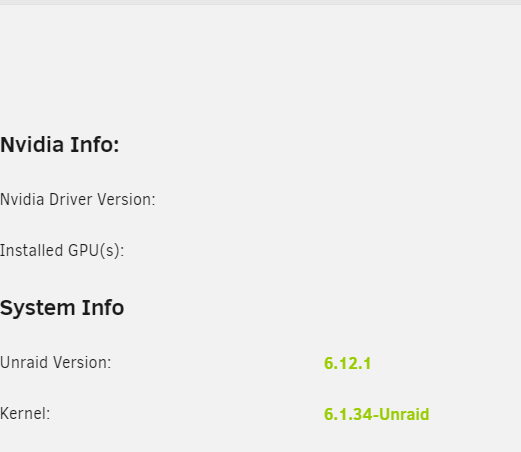
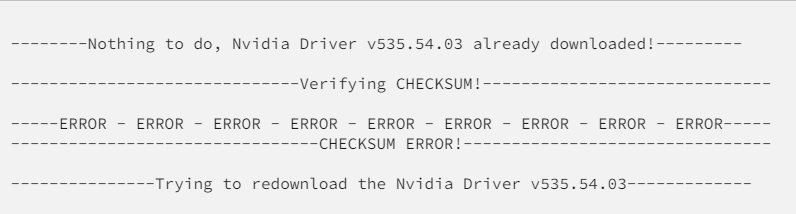
Hi, I just upgraded to 6.12.1 but now the nvidia card isn't there anymore: At bootup I just got this message: If I try to update and download the driver again, I get: Checksum Error? Any thoughts? Edit: Just let the plugin do the job... Redownloaded, rebooted and it's up again 🙂

-
Correct
-
Vermutlich liegt das am Alignment der SSD, d.h. die Ausrichtung der Partition. Im Allgemeinen beginnt eine typische mechanische Festplatte ihre erste Partition nach 63 leeren Blöcken, während ein Solid-State-Laufwerk nach 64 leeren Blöcken beginnt. Wenn also die Festplatte nicht ausgerichtet ist, werden die physischen Sektoren und der Cluster verschoben, um genau zu sein, Sie müssen zwei physische 4K-Sektoren für eine Datei in einem Cluster lesen. Quelle: https://www.ubackup.com/features/partition-alignment.html Dadurch gehen Blöcke verloren und deshalb wird die nutzbare Größe kleiner gegenüber einer mechanischen Platte sein.

-
Hopefully it's not a poll where only the first place is the winner 🤪
-
Is there anything planned in the direction of VM-Snapshots like it's done in proxmox? This feature there is so simple and reliable... you just have to add a backup plan or you can do the snapshot manually with one click!- even when the VM is running. Restoring is super easy too... choose the snapshot you like and hit the restore button. Please! 🥲
-
VM Snapshots like in proxmox ftw. So I can drop proxmox and use unraid on bare metal.
-
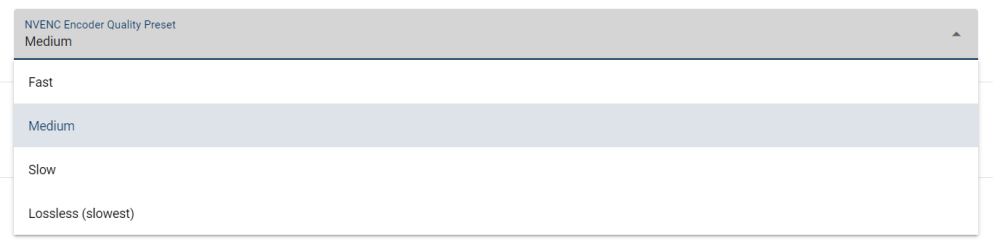
Do I have to use my own parameters? Because there are only 4 options here: May you can share your settings? That would be great 🙂
-
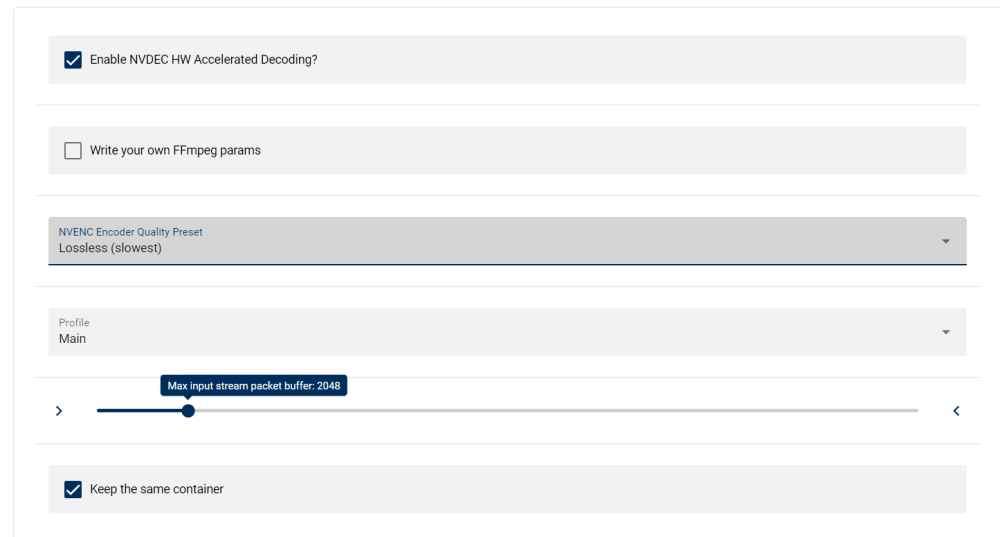
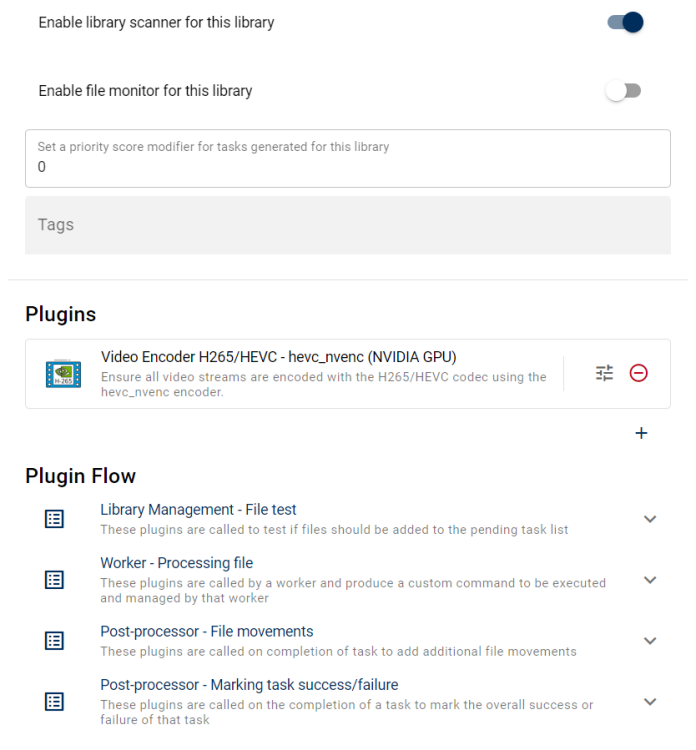
I had a h264 file which size was about 2 GB, after reencode to h265 it was about 25GB big. What's wrong? These were my settings: I have an Nvidia GPU RTX A2000. I just wanna convert h264 into h265 without big quality loss.
-
+1!
-
-
Ah, I read over it... I'll try that option. Thanks! 🙂






