





bobalot
Members
-
Joined
-
Last visited
Everything posted by bobalot
-
I think I have the same problem now. How did you do the mover manually over SSH?
-
I did a SMART check and found this (attached): === START OF SMART DATA SECTION === SMART overall-health self-assessment test result: FAILED! - available spare has fallen below threshold - media has been placed in read only mode I'm guessing I need to replace the M.2 Drive. How do I get the data off the disk? I have been following the unraid guide for data recovery I have typed in: btrfs check /dev/mdnvme0n1p1 Where nvme01n1 = x from the guide and I get the following: mount check: cannot open /dev/mdnvme0np1: No such file or directory CT500P2SSD8_2213E6202C6D-20260129-2008.txt
-
I just realized my cache disk says "Unmountable: wrong or no file system". I found this post on how to recover a BTRFS disk or pool but it's from 2017. Is this still accurate?
-
Hi all, Got an issue where I'm getting an error message, "Docker Service failed to start". I have done some searches on this error and there are many posts on corrupt docker images. My docker isn't an docker image though. I converted it to a directory structure some time ago. I'm not quite sure how to fix this. I'm not sure if it is relevant but my system is doing a parity check. What would be the steps to fix this issue? tower-diagnostics-20260129-1934.zip
-
Is this the way to transcode now? The H265 plugin doesn't appear to be downloadable anymore. I can't select any configuration for the "Transcode Video Files" plugin. No idea how to set it to H265.
-
That worked! I also had a Quadro P2000. @shremi, goto settings->NVIDIA driver->select production branch
-
I upgraded to Unraid 7.2.2 from 7.2.1 and all my dockers which use the NVIDIA driver (plex, jellyfin and Tdarr) have stopped working. Checked the nVidia driver config page and it states: "NVIDIA-SMI has failed because it couldn't communicate with the NVIDIA driver. Make sure that the latest NVIDIA driver is installed and running." I'm at the latest version: v590.44.01 Not really sure how to fix this. tower-diagnostics-20251216-0802.zip
-
I can login into Jellyfin but when I select a show to play, it doesn't play anything. It remains stuck on the show image.
-
When is the next update coming?
-
Fair point. I turned it back on and disabled DNS Rebinding Checks on the OPNSense router. Seems to have fixed the problem.
-
Thanks for that information. I managed to get access following JorgeB's advice above and turning off SSL. Reading what you have posted, OPNSense does have DNS Rebinding protection (which can be turned off) which may have been causing the issue. Wondering whether to turn SSL/TLS back on and turning off DNS Rebinding protection on OPNSense.
-
It worked! To avoid doing this in future, what did I do wrong?
-
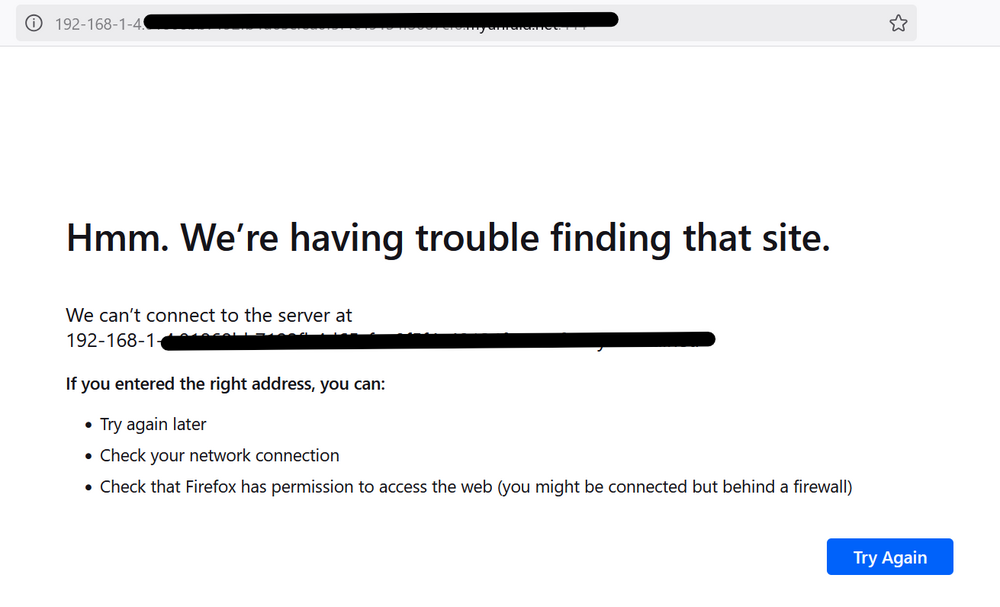
My old router start to fail and I replaced it with a mini PC running Opnsense. I have the LAN output on the mini-PC connected to a switch which then connects to my Unraid Server and wireless access points. Internet is working fine. Access Points are working fine. Unraid server is working fine (plex and other dockers are working and accessible if I directly put in the IP and port). My reverse proxy is working fine. However, I cannot access the Unraid GUI. I get this. I logged into Unraid server via Telnet (through PuTTY) and it seems to work fine. Ran the lscpu command and it brought up a bunch of details. I'm at a loss at what to do. Normally I would download the diagnostic logs via the GUI. I have been checking the OPNSense forums and researching but I don't think it's an issue with OPNSense considering the server is still working fine and I can access some of the dockers. What have I done wrong? EDIT: 1) I have tried tower.local and it goes to the same page linked above. 2) Is there a way to access the GUI by physically connecting to the server?
-
Thanks, mate. Much appreciated.
-
I have the exact same problem.
-
It's all of them. Different mix of containers. WebUI usually just has the port number.
-
Anybody? Is this the appropriate sub forum?
-
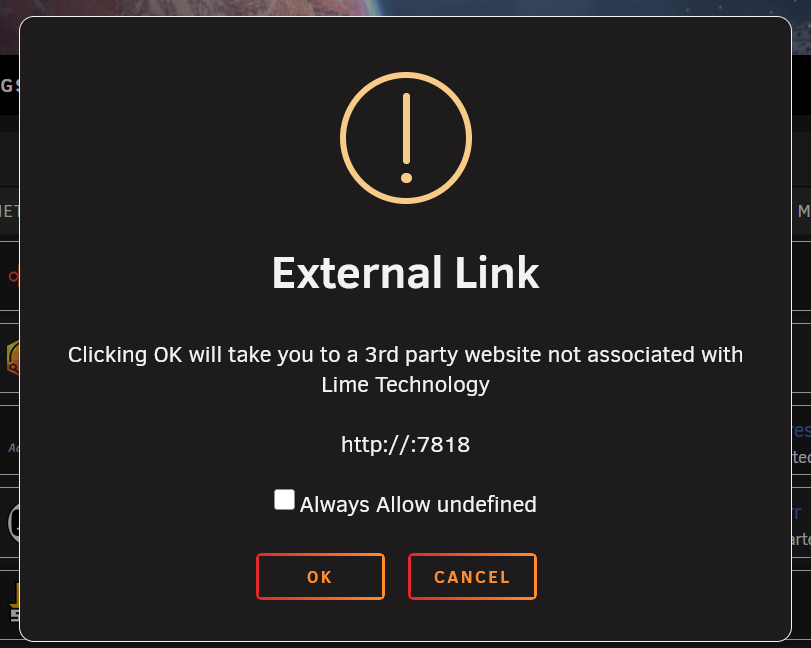
Hi, When I click "WebUI" for a Docker Container, the address doesn't have my home network address. It only has the port. When I type in my address and the port, it works fine. For example, 192.168.1.4:7818. This is the same for all my Docker Containers. I'm running Unraid 7.1.4. I am running the "Folderview2" plugin. Not quite sure what I did to cause this. Has anybody run into this before? Diagnostic file attached. tower-diagnostics-20250730-1056.zip
-
Is there a simple way to copy all your settings across if you change to the official docker?
-
Did you ever work this out?
-
I think I may have the same problem. Did you fix this?
-
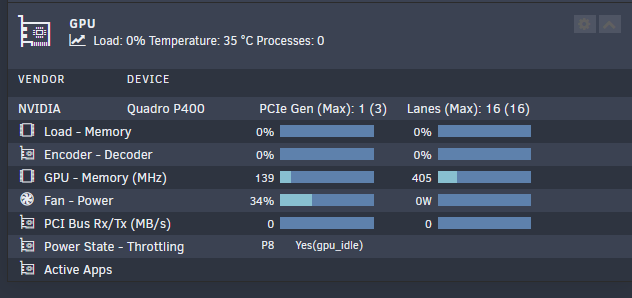
Additional Info: I'm going off the GPU Statistics plugin which indicates no dockers were using the GPU and no load.
-
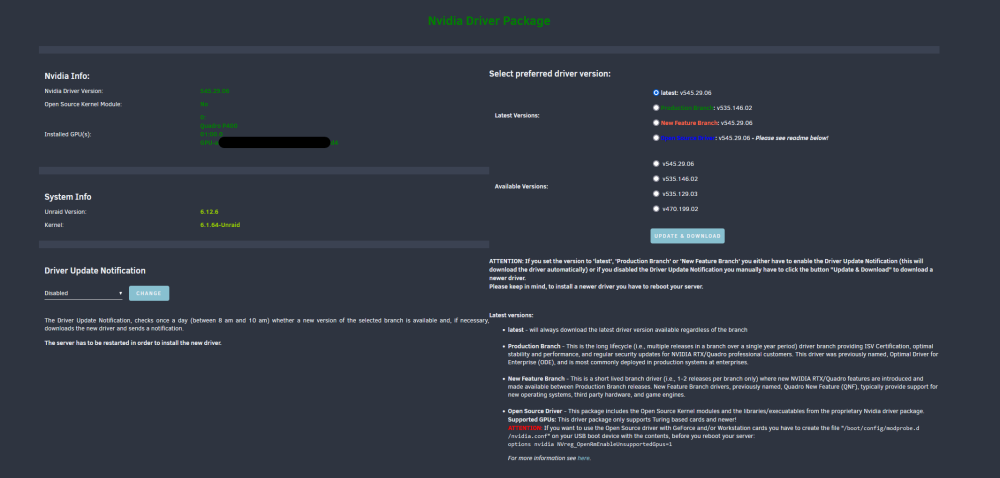
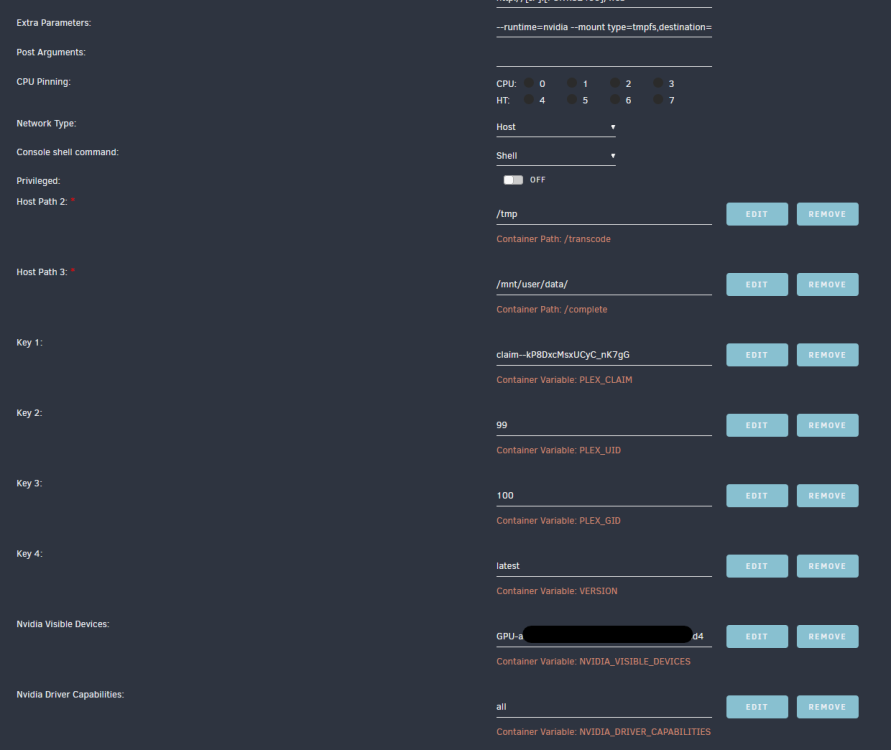
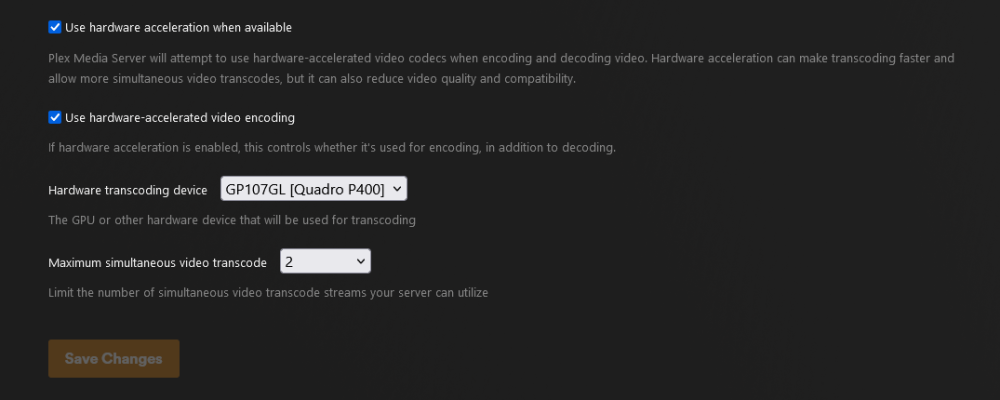
This used to work and has stopped at some point. I'm not really sure why. I'm pretty sure my setup is correct. Extra Parameters: --runtime=nvidia --mount type=tmpfs,destination=/tmp,tmpfs-size=12000000000 --no-healthcheck Nvidia Visible Devices Name: Nvidia Visible Devices Key: NVIDIA_VISIBLE_DEVICES Value: GPU ID taken off the "NVidia Driver" page in the settings tab. Copied and pasted with no space at the end. Nvidia Driver Capabilities: Name: Nvidia Driver Capabilities Key: NVIDIA_DRIVER_CAPABILITIES Value: all Under my Plex transcoder settings, I have it turned on and the graphics card selected. I have checked the forum for similar topics and double checked my setup (which I followed Space Invader's guide a while back). I'm really baffled. Is there something obvious I have missed?
-
Did you ever get this fixed?
-
Any updated instructions for this? I can't get it to work. I have tried another variation of the ElasticSearch docker and just can of get this to work. I'm wondering if there any additional steps required or perhaps some parts of the current instructions are redundant.


