






Zonediver
Members
-
Joined
-
Last visited
Everything posted by Zonediver
-
...and when will it come? (soon 🤣)
-
Necessary no - but its the "most efficient way" to transcode for Plex - so yes, its recommended 👍
-
Found a solution which works (Page #12):
-
Thats the point... i have only one - under my cache SSD - but this is empty. (\\10.10.10.250\cache\appdata\plex\Library\Application Support\Plex Media Server\Cache\Transcode\Sessions) When i look under /tmp, there is nothing... so i am a little bit confused 🤣 I get also this fancy mails: unRAID Alert [HORUS] - Docker image disk utilization of 100% unRAID Notice [HORUS] - Docker image disk utilization returned to normal level In my case the gap is ~1min between both mails. This happens 3-4x per year...
-
How can i check if plex is transcoding to the RAM? Is there a possibility? This link is interesting... https://github.com/binhex/documentation/blob/master/docker/faq/plex.md BUT: I have no variable named 'TRANS_DIR' - so what is this???
-
I use three PCIe-Cards: .) A PCIe 3.0 x8 HBA in the primary PCIe 3.0 x16 slot (CPU) .) An Intel GBit-NIC in the PCIe 3.0 x1 slot (PCH) .) A PCIe 3.0 x4 10 GBit-NIC from Asus in the PCIe 3.0 x4 slot (PCH) There are no bottlenecks so far... Both NICs are using 5 PCIe-Lanes of the PCH and work with full speed - the 10 GBit-NIC reaches 9480 MBit max.
-
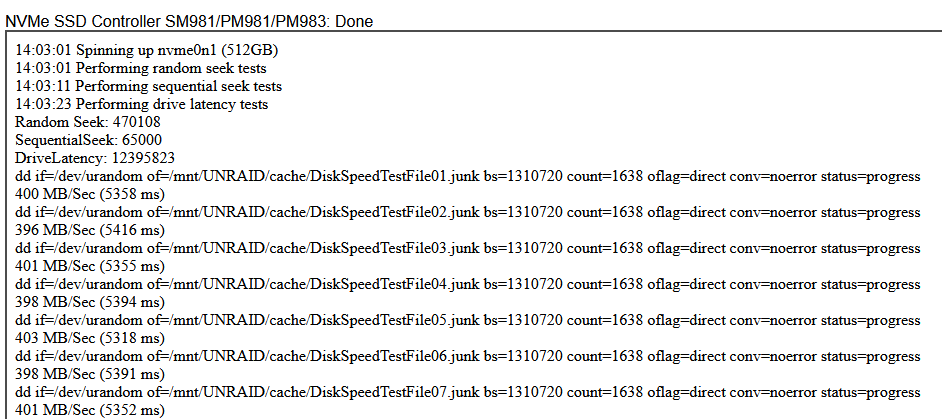
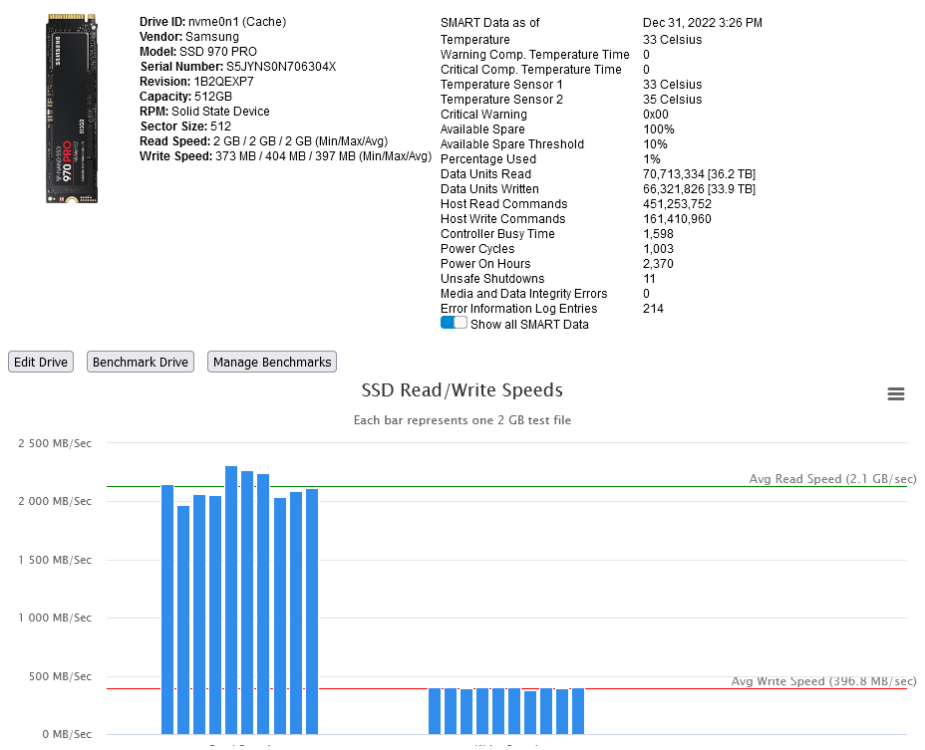
Well... maybe i am too sily, but there is no "orange area"... nowere... sorry EDIT: Now i got it 🤣 These are the values of my SSD 970 Pro from Samsung:
-
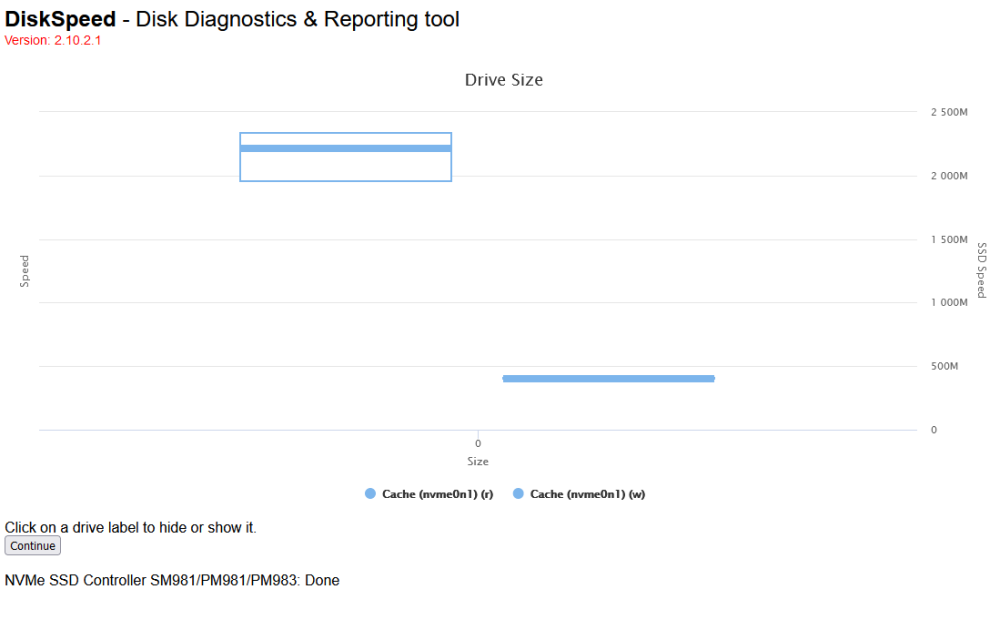
...there is nothing to "click"... just hide or show (r/w) - but no further infos there...
-
This did the trick - thanks for your detailed help. The question is now: Why was this Docker installed at the other path? And why did it work before? I installed it over the Apps-function - so i did not set this path - the install-process did this... EDIT: There is something strange at the write-speeds... The Samsung SSD 970 PRO is far more faster then 397MB/s. When i transfere data over my 10GBit NIC, i reach up to 1189MB/s constantly... The constant write speed of this SSD is 2300MB/s.
-
What shall i add and were? I am not a Docker-Expert...
-
...hmmm... dont have this settings...
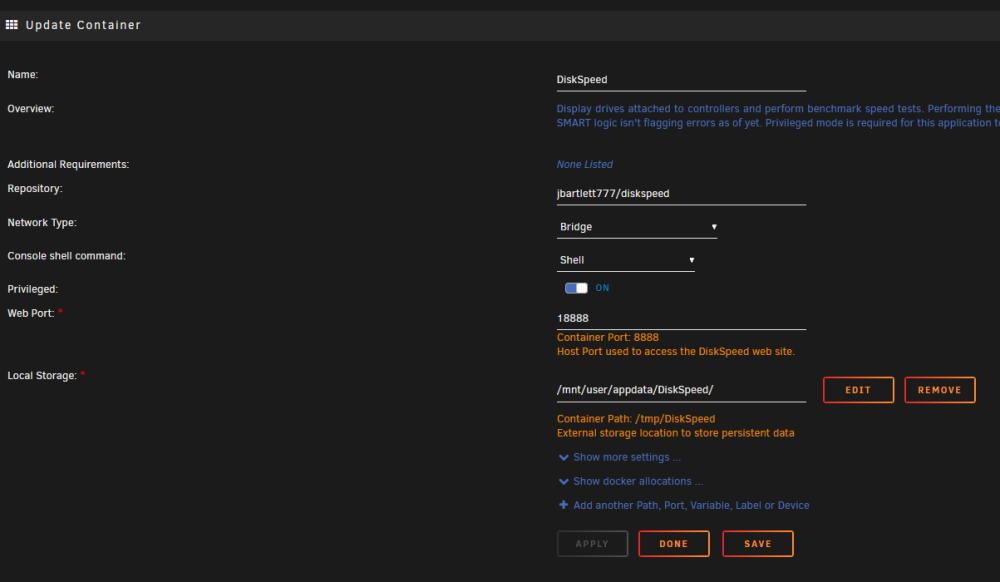
-
Same output here - no NVMe's detected. But on the Scan-Screen, both NVMEs are detected - each with one partition (XFS).
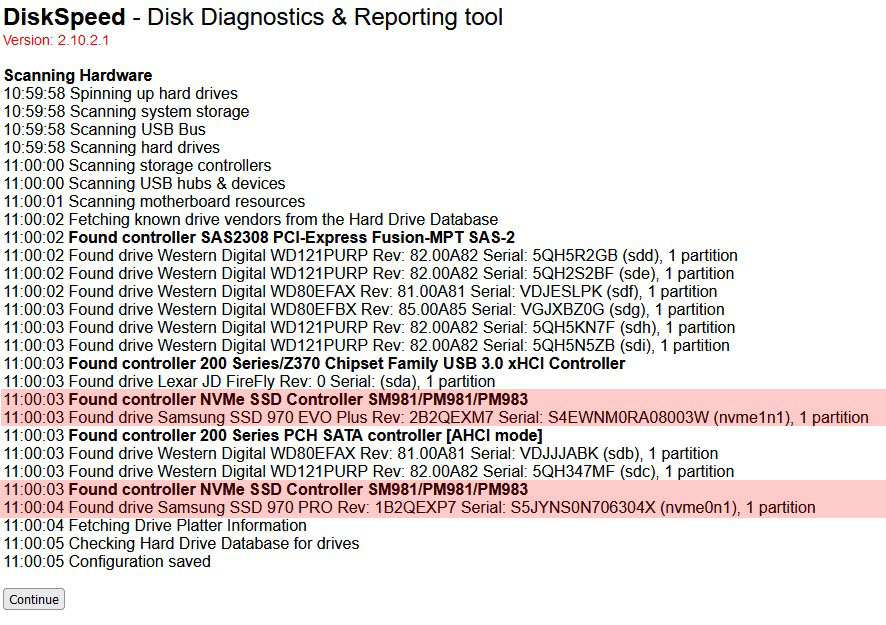
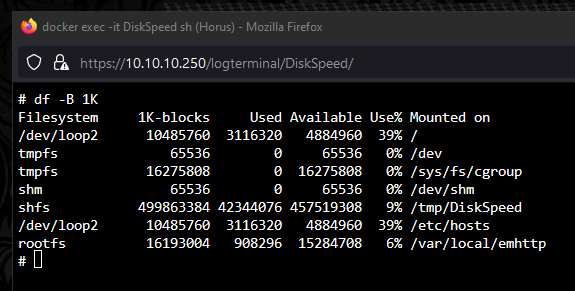
-
...still the same problem... (thats my cache-SSD) Unable to benchmark for the following reason * No mounted partitions were found. You will need to restart the DiskSpeed docker after making changes to mounted drives for changes to take effect. v2.10.2
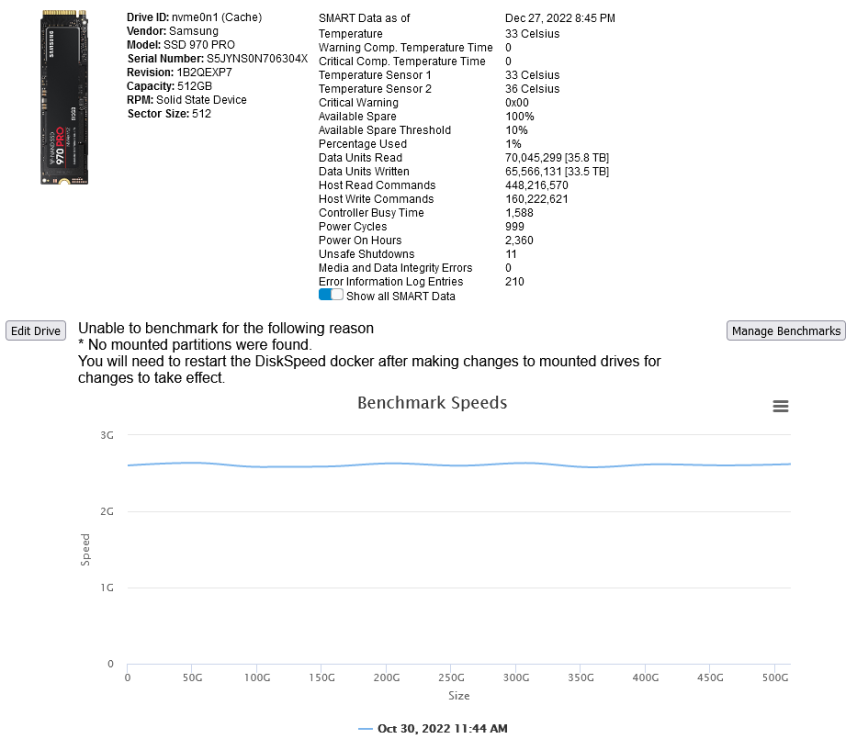
-
Ja macht ja nichts. Beschreib einfach die neue HDD und fertig - umkopieren mußt da garnichts. Mach ich seit 12 Jahren so...
-
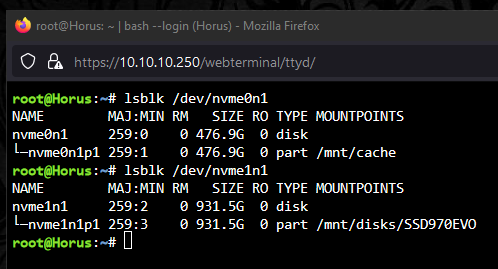
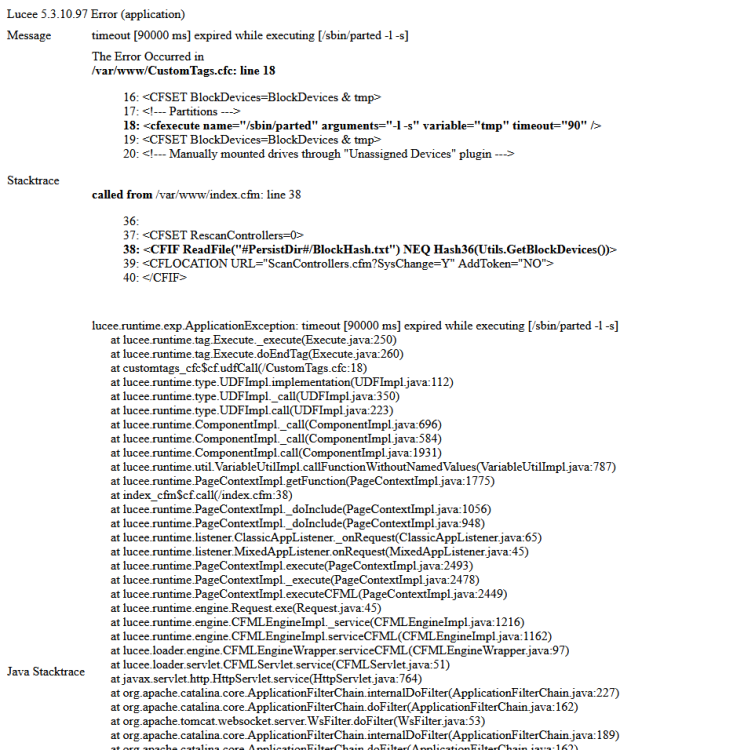
Look at this FYI: None of this three mentioned conditions are true... .) Drive not mounted - No - alle drives are mounted .) Less the 25GB free - No - 467GB/585GB free .) Part of a pool - No So there must be some other error 🤣 FYI2: It takes "ages" till the webGUI cames up... maybe another new problem? FYI3:
-
Hmmmmm... It seems, there is something strange... I have two NVMe's - a Cache-Drive and an unasigned device... there is no Pool... And your tool says: Unable to benchmark. Requires a mounted partition not included in a multi-drive pool with 25GB available. You will need to restart the DiskSpeed docker after making changes to mounted drives. (???)
-
ASRock B365M Pro4 ASRock B365M Phantom Gaming 4 Beide µATX, 2x M.2, 6x SATA 3x PCIe-Slots, 2x x16 (1x x16, 1x x4), 1x x1 ASPM im BIOS einstellbar 👍
-
Not on my sys - all is working fine... and i use the Intel CPU Top and GPU Statistics plugins too.
-
Why a F-CPU? The iGPU from Intel is always "nice to have" - buy a normal 12100 👍 FYI: I use ASRock Boards since 2010 - never had problems with it. At the moment, i use six PCs with ASRock Baords - all are working well. The oldest is a i7-3770k and still working 👍
-
Today (right now) my server crashed... Reason: Unknown... not funny... Since v6.11. there is something "really" strange with unraid...
-
Strange... when i set to macvlan, plex is unrachable, so it was ipvlan before because plex was working...
-
After the upgrade to 6.11.5, macvlan was set (?) and Plex was no longer reachable over the inet... Reverted back to ipvlan and all is working 👍
-
Where/What is this exactly? Where can i find this? EDIT: Found it - it's a Docker-Setting 👍
-
Over a PowerMeter on the socket?
-
In "every" case, where CRC-Errors came up, it was "always" the Cable - cheap SATA-Cables... No Problems with the Controllers or Drives - never.







