






Zonediver
Members
-
Joined
-
Last visited
Everything posted by Zonediver
-
Thanks for this fix 👍
-
...i hope this will not bring "new problems" with the sleep-function... we will see... EDIT: All is working fine - thanks 👍
-
-
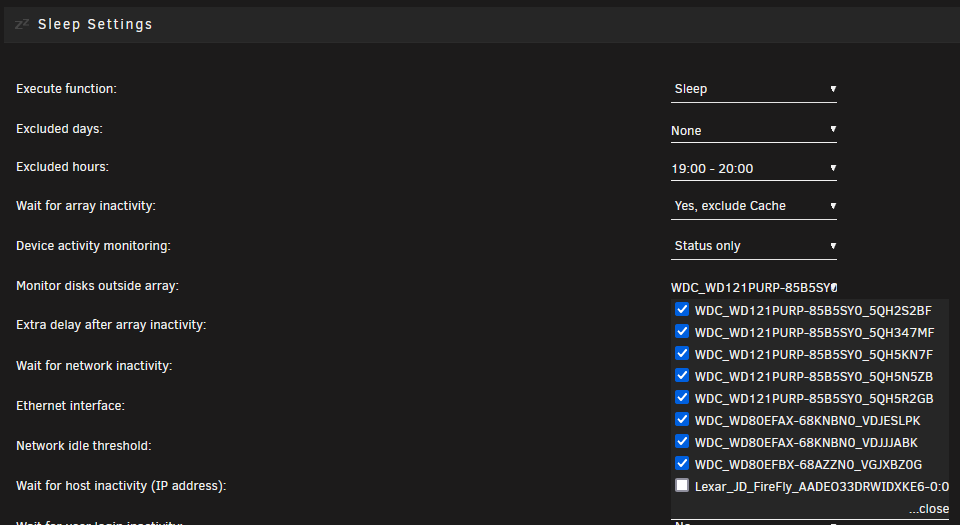
Have you tried it? Here is the last screen... And yes, it is still vice versa - the developer did not correct this... Last Update: 13.03.2021 It seems, the development of this plugin is dead...
-
Ja das mußt testen - anders wird man das nicht rausfinden...
-
Das könnte dem OS aber in die Quere kommen, oder der Controler reagiert garnicht auf die Settings im OS...
-
Das könnte an dem Controller oder an der Maschine selbst liegen (Mainboard, BIOS-Settings etc.)...
-
...and the 9300-16i has some PCIe x4 slots? Dont think so 🤣
-
Yep - somewere in this forum 🤣 Its recommendet since i use unraid - since 2010
-
Da kannst dann eh nur auf eine Xeon-Plattformn wechseln - alles Andere unterstützt ja kein ECC...
-
Recommended for unraid are Intel-Platforms... but I'm sure you already know that.
-
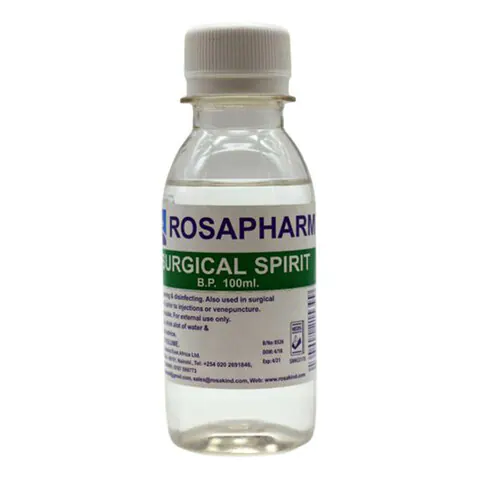
Surgical Spirit can do this - i am using it since 22 years for removing the paste 👍 And its much cheaper then the "Special Removers" from various companies.
-
-
It has something to do with FireFox... on Chrom, it works 👍
-
When i open the GUI, its empty... no buttons or something else - a white Screen... EDIT: There is a Messag: Server disconnected (Code: 1006)
-
Question: Is this Docker EOL? It doesnt work anymore...
-
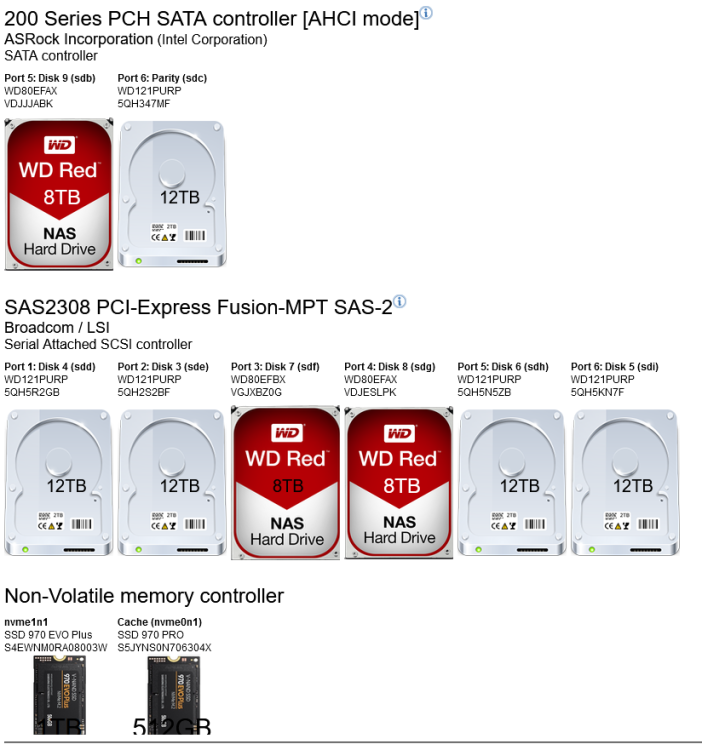
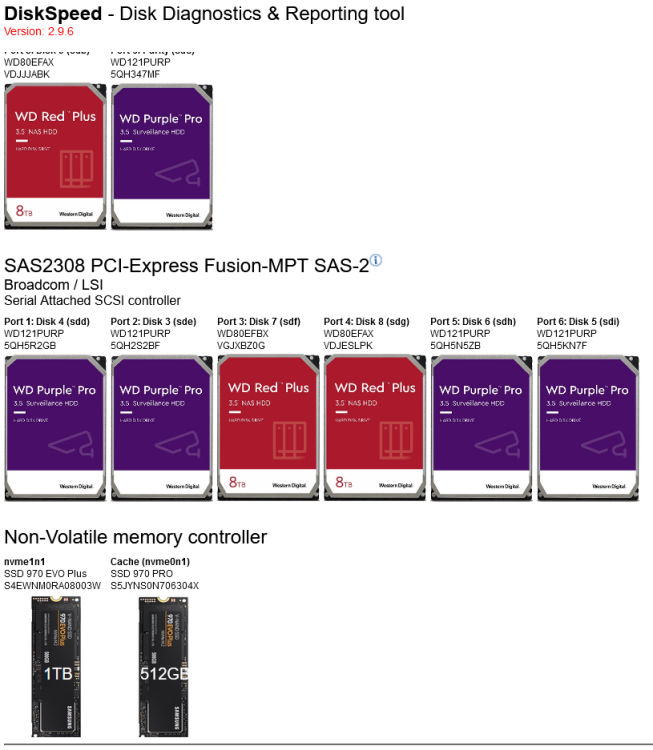
REQUEST: After EVERY UPDATE, all tumpnail pictures of all my drives are gone and i have to re-implement it by hand... I dont know, how often i did this... but its boring... Also the Overlay-Info is not stored... Is it possible to store the pictures in an array that "survives" an update? Thanks!
-
This is my SMB-Setting: #unassigned_devices_start #Unassigned devices share includes include = /tmp/unassigned.devices/smb-settings.conf #unassigned_devices_end min protocol = SMB2
-
Maybe thats the reason - try to "secure" one share an see what happens...
-
The Error says: "Connection refused" - this means, there is a permission problem (normaly)
-
Which Plex-Docker do you use? Maybe a restart can help...
-
FYI - some "new" entries at the log since 6.11.0 I have set "min protocol = SMB2" - maybe this is the reason... Sep 25 13:22:48 Horus kernel: TCP: request_sock_TCP: Possible SYN flooding on port 8181. Sending cookies. Check SNMP counters. Sep 25 13:23:59 Horus smbd[26147]: [2022/09/25 13:23:59.943649, 0] ../../lib/param/loadparm.c:1815(lpcfg_do_service_parameter) Sep 25 13:23:59 Horus smbd[26147]: Global parameter min protocol found in service section! Sep 25 13:36:36 Horus smbd[26147]: [2022/09/25 13:36:36.682491, 0] ../../lib/param/loadparm.c:1815(lpcfg_do_service_parameter) Sep 25 13:36:36 Horus smbd[26147]: Global parameter min protocol found in service section! Sep 25 13:36:36 Horus smbd[26147]: [2022/09/25 13:36:36.726958, 0] ../../lib/param/loadparm.c:1815(lpcfg_do_service_parameter) Sep 25 13:36:36 Horus smbd[26147]: Global parameter min protocol found in service section! Sep 25 13:36:36 Horus smbd[26147]: [2022/09/25 13:36:36.731858, 0] ../../lib/param/loadparm.c:1815(lpcfg_do_service_parameter) Sep 25 13:36:36 Horus smbd[26147]: Global parameter min protocol found in service section! Sep 25 13:36:36 Horus smbd[26147]: [2022/09/25 13:36:36.742327, 0] ../../lib/param/loadparm.c:1815(lpcfg_do_service_parameter) Sep 25 13:36:36 Horus smbd[26147]: Global parameter min protocol found in service section! Sep 25 13:36:36 Horus smbd[26147]: [2022/09/25 13:36:36.757803, 0] ../../lib/param/loadparm.c:1815(lpcfg_do_service_parameter) Sep 25 13:36:36 Horus smbd[26147]: Global parameter min protocol found in service section! Sep 25 13:36:36 Horus smbd[26147]: [2022/09/25 13:36:36.805162, 0] ../../lib/param/loadparm.c:1815(lpcfg_do_service_parameter) Sep 25 13:36:36 Horus smbd[26147]: Global parameter min protocol found in service section! Sep 25 13:36:36 Horus smbd[26147]: [2022/09/25 13:36:36.867169, 0] ../../lib/param/loadparm.c:1815(lpcfg_do_service_parameter) Sep 25 13:36:36 Horus smbd[26147]: Global parameter min protocol found in service section! Sep 25 13:36:37 Horus smbd[26147]: [2022/09/25 13:36:37.228441, 0] ../../lib/param/loadparm.c:1815(lpcfg_do_service_parameter) Sep 25 13:36:37 Horus smbd[26147]: Global parameter min protocol found in service section! Sep 25 13:36:37 Horus smbd[26147]: [2022/09/25 13:36:37.352927, 0] ../../lib/param/loadparm.c:1815(lpcfg_do_service_parameter)
-
Regarding 6.11.0 - no more Log-entries from the sleep-plugin... Its a little bit irritating to no longer see how many minutes till sleep but ok - maybe the plugin needs some update 😉
-
Unraid (by itself) can not provide such data - what you need is an external Watt-Meter at the socket of the server 👍 ...or a UPS
-
Did an update from 6.10.3 and all went well - no problems so far - thanks 👍😉


