






Jcloud
Members
-
Joined
Everything posted by Jcloud
-
I'll see what can be done. Full disclosure, I just made the template and the instructions are sum of things I found so far, to get it working with the Docker container I found. For future, you can make any changes without Docker remaking the whole thing by clicking on, "save" button instead of, "apply." (ver 6.4.1) and it will keep your current image/configs. The container will have to be restarted for the change to take effect.
-
Application Name: Cacti -- a complete network graphing solution designed to harness the power of RRDTool's data storage and graphing functionality. Application Site: https://www.cacti.net Docker Hub: https://hub.docker.com/r/quantumobject/docker-cacti/ Template-Repository: https://github.com/Jcloud67/Docker-Templates SETUP AND CONFIGURATION: --------------------------------------------- 0. SNMP poller default port is 161UDP. 1. If you have an SNMP poller plug-in already installed on your unRAID host, you'll find it will conflict with this Docker. Either uninstall the SNMP plugin you are using, or make the changes to have both work (author assumes you know what you're doing). 2. Has a webui, default set at 8180, adapt as needed to work on your host. 3. During initial setup the path to SPINE is incorrect. Change it to: /usr/local/spine/bin/spine 4. First login -- userid: admin password: admin FIRST RUN (Recommendation): --------------------------------------------- On left hand menu, Under "Automation" click on, "Networks" THEN "Test Network" on right-side main frame. In Subnet Range change this to fit your network. Click "Save" THEN "Return" at the bottom. Next click on the checkbox for "Test Network" THEN in "Choose an action" box click ENABLE --> GO Check the checkbox for "test Network" again THEN choose "Discover now"
-
I think Micaiah12 beat me to the answer. How big is your storj unRAID user share does it have 12TB of free space? If you do have 12TB of free space, but it's chopped up between all your disks try the largest value of a given disk chunk. Perhaps it's an error trying to allocate over the disks (possible but I doubt it). I've been running the program for myself, only for the last week or so.
-
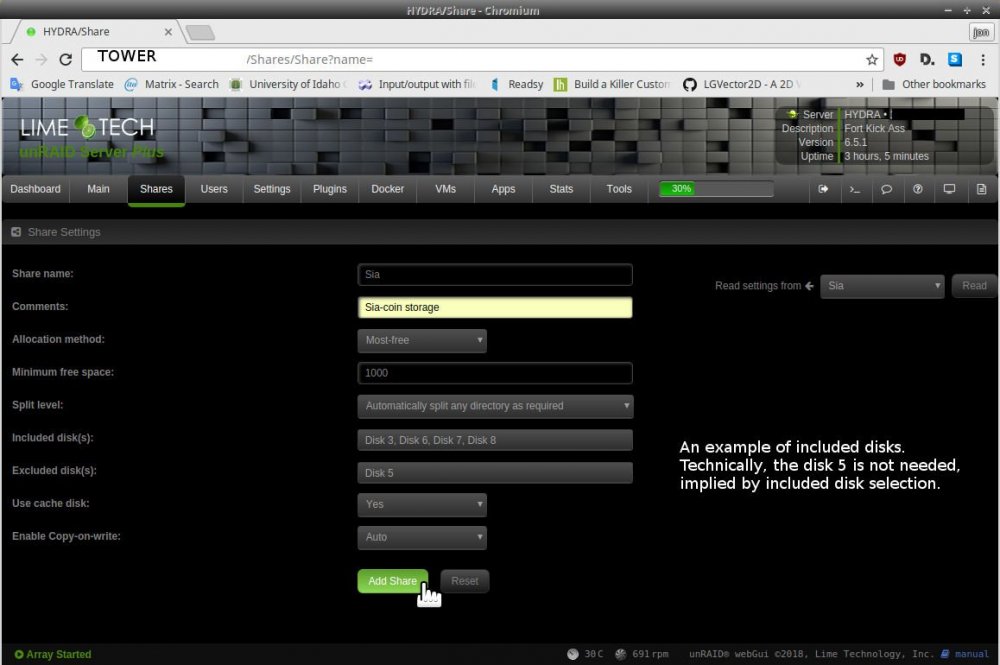
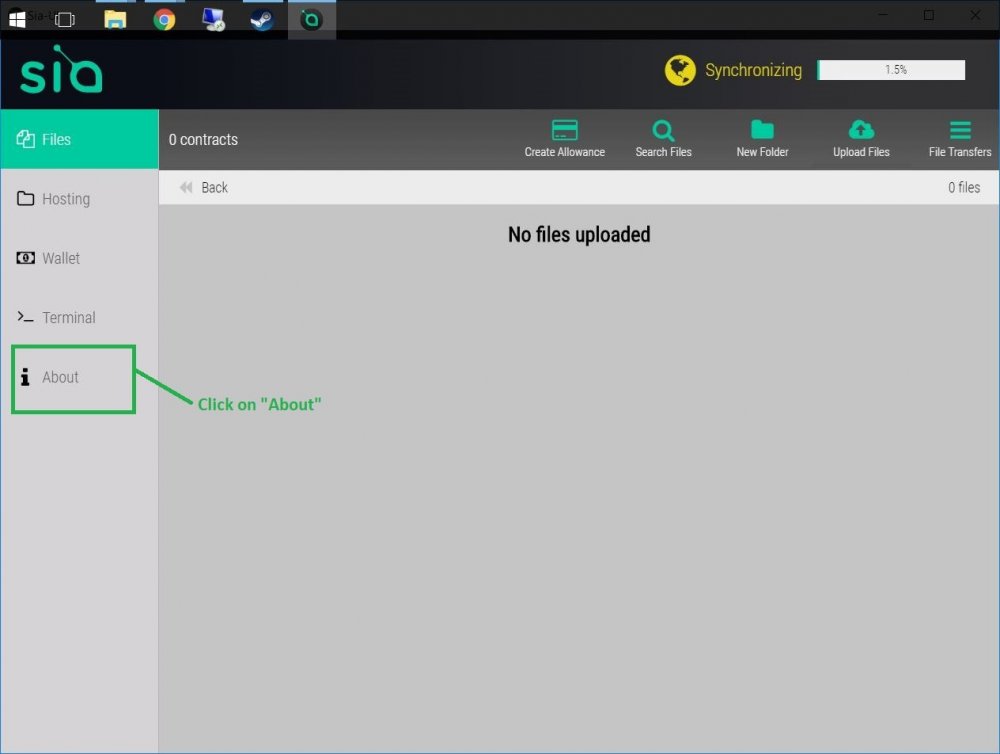
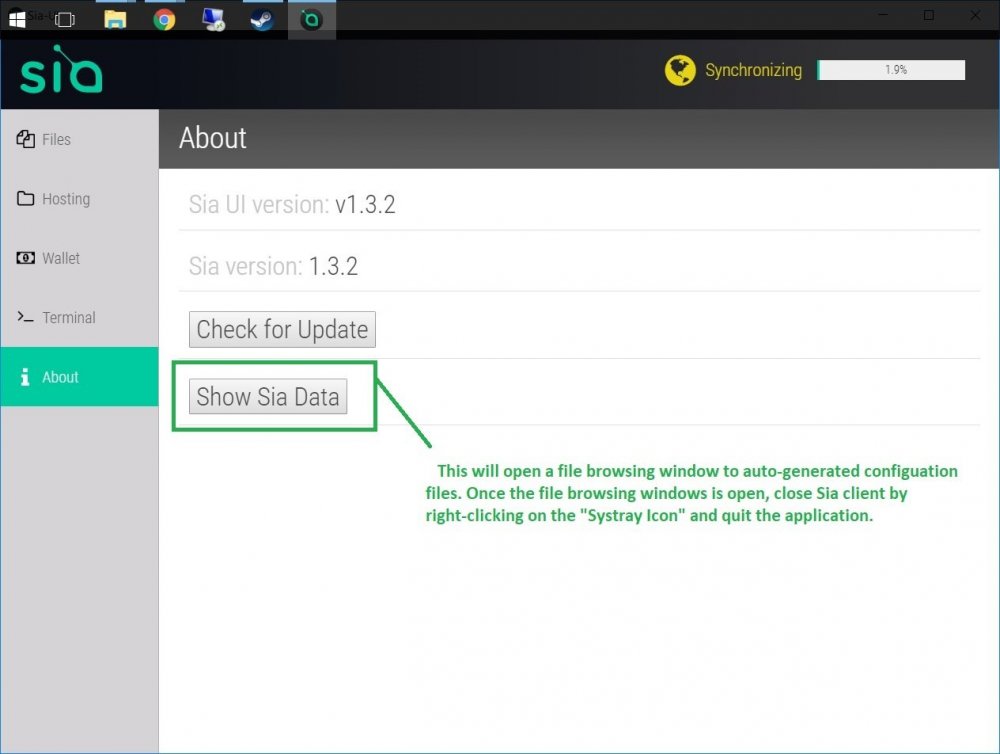
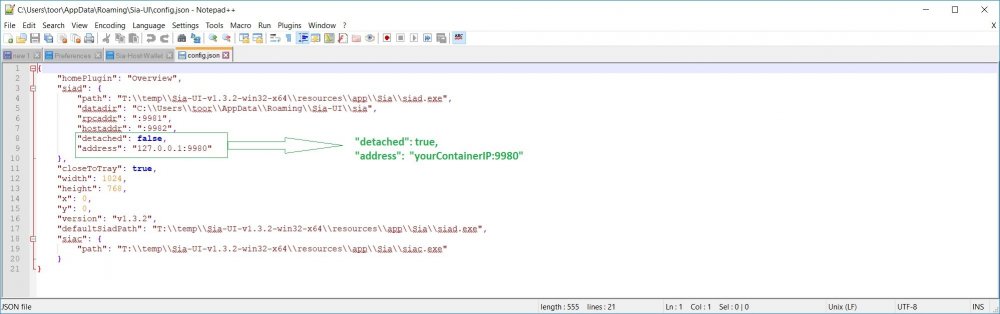
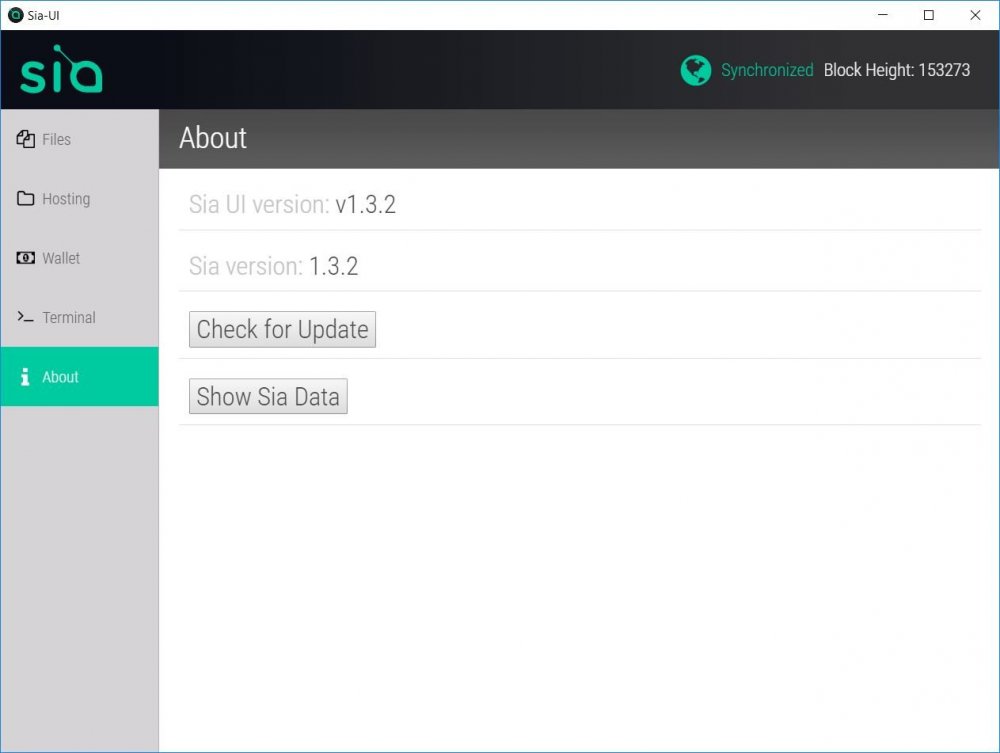
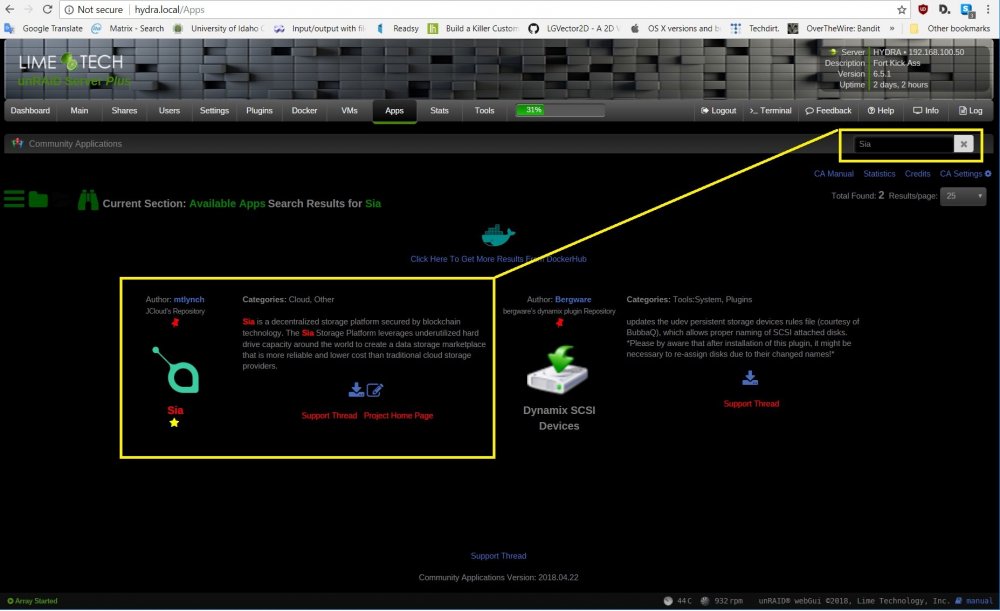
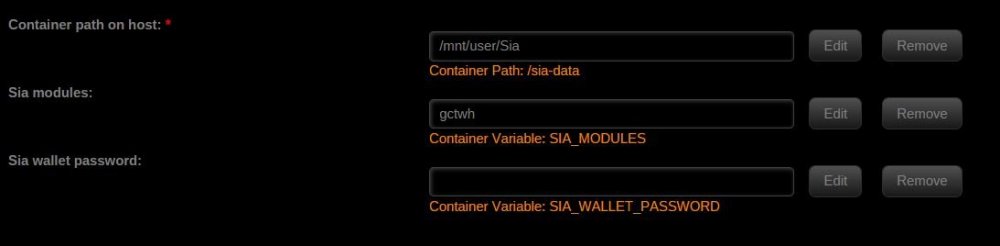
Application Name: QDirStat -- Graphical view of directories, find files taking up the most space. Real MovieOS stuff! Application Site: https://github.com/shundhammer/qdirstat Docker Hub: https://hub.docker.com/r/mjdumont1/qdirstat Template-Repository: https://github.com/Jcloud67/Docker-Templates UI is through RDPclient, youTowerName:33389 Template defaults /mnt/user/ on host, as the container location /files/. Application Name: Storj.io daemon What is Storj? https://www.storj.io/ Application Site: https://github.com/Storj/storjshare-daemon/ The command line version, of this. Docker Hub: https://hub.docker.com/r/oreandawe/storjshare-cli Template-Repository: https://github.com/Jcloud67/Docker-Templates Storj is a Crypto-asset and P2P cloud storage service. This Docker runs the back-end client for Storj allowing internet users to rent their disk space and earn STORJ an Ethereum asset. @Jcloud makes no guarantee that STORJ or ETH will retain, or increase in fiat value.** This is only the Storj Daemon and CLI tool. SETUP REQUIREMENTS: ------------------------------------- 1. TCP ports 4000 open on host and setup on container (should be set below) Ports 4001-4003 are used to tunnel a connection if 4000 is closed, but this typically results in no data being shared. Port(s) 4001++ are used when running multiple nodes. 2. Path on host for Storj data to sit. IE: make a user share, /mnt/user/storj or similar. 3. Your Ethereum-based wallet address. 4. The max allowed space STORJ can take up on the host; remember to make it less than space available on host. (500MB, 1000GB, 1TB, 8TB Note 8TB is maximum size per node) STORJ DAEMON STATUS: (In your command line) docker exec Storj storjshare status ------------------------------------------------------------------------------------------------------------------------------------------------------------------------------------------------------------------------------------------------------------------- Application: Storj daemon + CLI tools; storjstat.com monitor script (a fork of the official repo, which is above). . . . OR Rate My Storj Application Site: https://github.com/Jcloud67/docker-storjshare-cli Docker Hub: https://hub.docker.com/r/zugz/r8mystorj/ Template-Repository: https://github.com/Jcloud67/Docker-Templates This repository, or Docker container, is in response to forum feature requests. Requests, which couldn't done easily without the source. features: Base container you all know: Storj DAEMON + CLI tools. Installed, storjstat.com monitoring script AND a place for users to put API-key in the template on webui! (DOES NOT YET AUTO-LAUNCH) Now supporting building and launching of multiple farming nodes, AND a place for users to put it in the template on webui! Improved webui template, from lessons learned in past two months. Changed default network type from Bridge to Host (seemed to work out better for most and/or preferred) *feature? A change.* Auto launch of storjstat.com monitor script, and staying on. Currently working on, or trying to improve: Saving storjshare state after loading multiple nodes. entrypoint seems to do this for me. auto-building updates on some periodic function. Setup requirements are the same as Storj. Running the storjMonitor and/or multiple farming nodes are optional. ------------------------------------------------------------------------------------------------------------------------------------------------------------------------------------------------------------------------------------------------------------------- Sia-Coin Sia-coin website: https://sia.tech/ Sia-coin client utilities: https://sia.tech/get-started Docker hub site: https://hub.docker.com/r/mtlynch/sia/ Original Docker install instructions: https://blog.spaceduck.io/sia-docker/ Repository site: https://github.com/mtlynch/docker-sia Template site: https://github.com/Jcloud67/Docker-Templates Sia-coin, from their website, “Sia is a decentralized storage platform secured by blockchain technology. The Sia Storage Platform leverages underutilized hard drive capacity around the world to create a data storage marketplace that is more reliable and lower cost than traditional cloud storage providers.” *** DISCLAIMER *** I have no affiliation with Sia-coin or Mr. Lynch. I was asked if Sia was possible? I found someone already invented the wheel, I just made the hub-cap. I do not guarantee, nor will hold any responsibility, for loss or corrupted data; or that Sia-coin (Sia), Bitcoin (BTC), or any other “crypto-currency” will gain or maintain their current fiat value. *** Please, with any and all, “ICO’s,” “exchanges,” “tokens,” and cryptos’ do exhaustive research before any transaction. *** SETUP: 1. User share for Docker data, I just called it, “Sia”: Example 2. Punch hole in firewall for outside to your docker's ip address, TCP ports 9981 and 9982. DANGER! : Sia also uses TCP port 9980 for command & control, do NOT expose 9980 outside of your network! Failure to follow this rule can result in wallet and Sia host hijack. 3. Download the Sia client from download URL, if you want a GUI experience. 4. Setup Sia template and docker container on unRAID using CA store. 5. For GUI clients, running on a VM or on the LAN: Start the Client and Click on "About" After closing Sia client, and the file manager opened to Sia's configuration files, edit the config.json file Change "detachted": false, to "detached": true, In the "address" line change "127.0.0.1" to your IP address of your Sia container. Save config.json file. When you Restart Sia, it should connect to your docker:
-
Challenge accepted. Found a Cacti Docker, made a simple template and got it to load, couple of different problems cropping up so tinkering around. Not a dev, so I may be a while before I post something useful. But, it is out there in the wild.
-
Yes, just like your Windows installer ISO you need to mount the virt-io ISO as a cdrom. If you don't have the file for the virtio drivers yet, click on the "?Help" for your VM template, in the help text should be a URL to download the image file, just put it with your other ISOs and then reference it. This should popup the missing drive, if it doesn't you could open up Disk Management in Windows. Right-click on Windows button; choose "Disk Manager," then see if there is a cdrom device that is missing a drive-letter, and give it one. I doubt you'll need this last step. I hope this helps.
-
System doesn't it's just JBOD. For Docker/apps I use the CA backup utility. For my VMs I make a manual copy of my vhd's to a vmBackup folder on my array. Everything else is either Mover for the shares. Which just leaves the Steam games I leave on the cache, and to me if I lost this I only see lost time as I just have to download it from Steam again (for me this isn't a problem). So you're correct, my cache is not protected - I'm fine with that, and take steps to cover my bum.
-
If you don't need the mirror protection of the raid-pool but want to treat it as a JBOD pool that is also possible.
-
Sure, make me your enabler. Seriously though, I'd say go for it, especially if you were already interested in this case. Functionally I'm very happy with my purchase, visually I still hate it -- looks like a cheap Iron Man knock-off, but I get the manufacture's choices on their engineering/construction. Biggest issue (non-) was when I took off the that manufacturing clear flim, the stuff on plastic to keep the glossy finish from being scratch/smudged, it took with it the two Z's from the logo. So I have an, "A A" case now. LOL All the bits that matter to me, are good. I went with tray-less models, I do and don't like the enclosures. As an enclosure, has everything I want. What I don't like are two bits: one the power button, or the blue leds, are kinda cheap in construction, and the drives some times needs a nudge on the door to be fully seated in connector to show up on the controller. The electronic switch is in the back of the bay, and is pushed by a clear plastic push rod (that blue led you see at front) and acts as light-pipe for LED; on one bay I found I had to press it "just right," to get it to turn on. As for the drive door. They used a stainless-steel leaf spring on the door which pushes against the drive, or in my case a different bay that needs a slight nudge after closing to register (so probably need to get a pair of pliers and just tweak it a bit). Over all I think I'm 50/50 on my enclosure choice, but would buy/try again. EDIT: 6/15/2018 -- In regards to the icy dock enclosures, I don't recommend them. I want to like them, and I bought a second one, but it too has a manufacturing defect - there's a bay which the on/off switch won't stay in the ON position. Given the MSRP of these Icy Dock products, and their flaws I wouldn't recommend them as a, "must buy" sort of product, they would be worth considering if on a fire-sale discount.
-
Old post is old, I could see this as a handy resource, but the link is dead now. I mention this, as I was thinking about buying another copy for myself at work - this thread comes up as first hit when one searches for "find USB GUID."
-
I own one. The Antec 900 is a solid case, it would be a decent buy. The main CON I found with it, there is no room to run cables behind the motherboard or motherboard tray. So be sure to run good lines with your cabling, and also it can get cramp in cabling because you can't go behind, example the 12-volt CPU power cable, best route for that is to have it go over your motherboard, but under your graphics card -- if the header is located in the back of the case (or top left corner, looking inside) otherwise if the header is on the right you go around the board, but depending on your power supply this route could get a tad short; and you take up more room you'll need for enclosures.
-
Woh, wave of nostalgia seeing those sorts of beasts in Lawyer offices or cdr cloning days of old. Queue, the South Park detectives, "Niicce!"
-
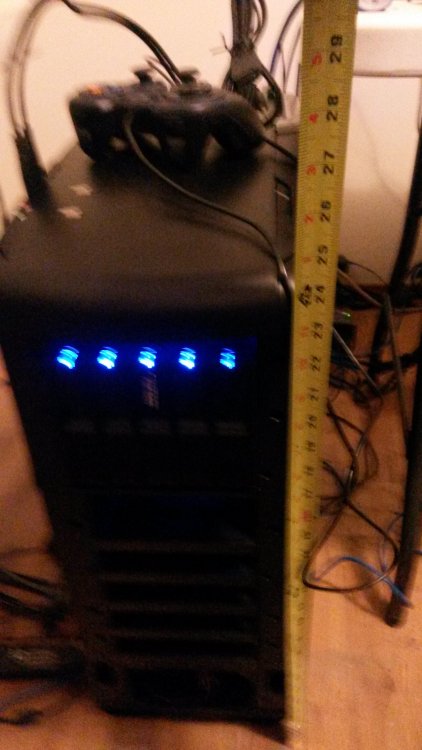
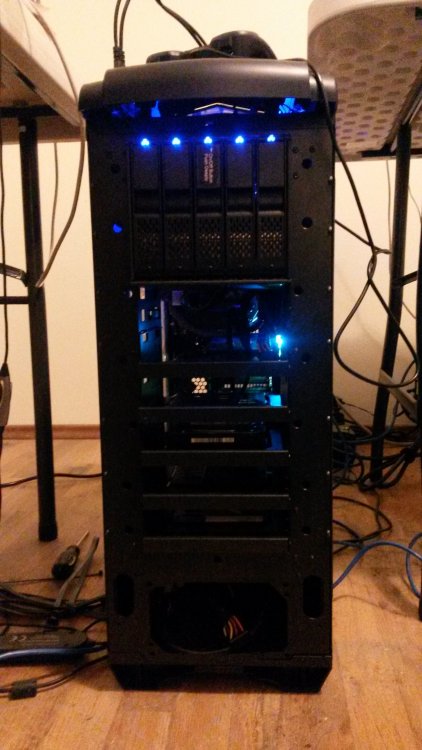
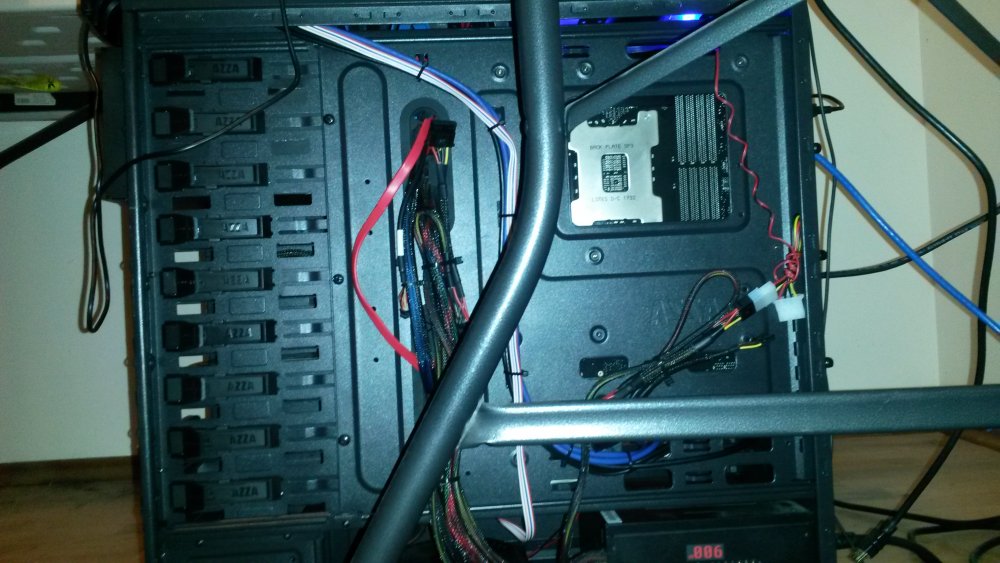
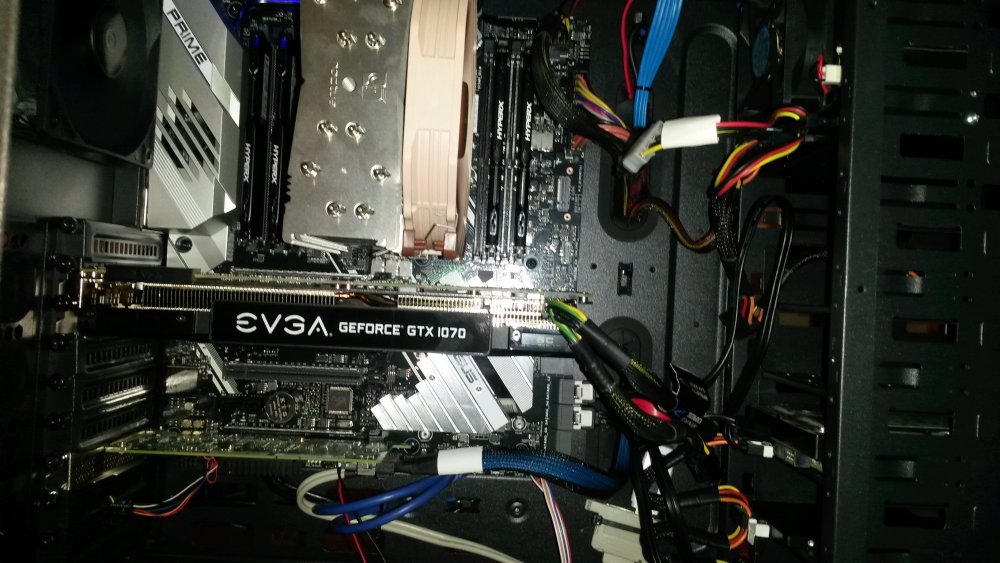
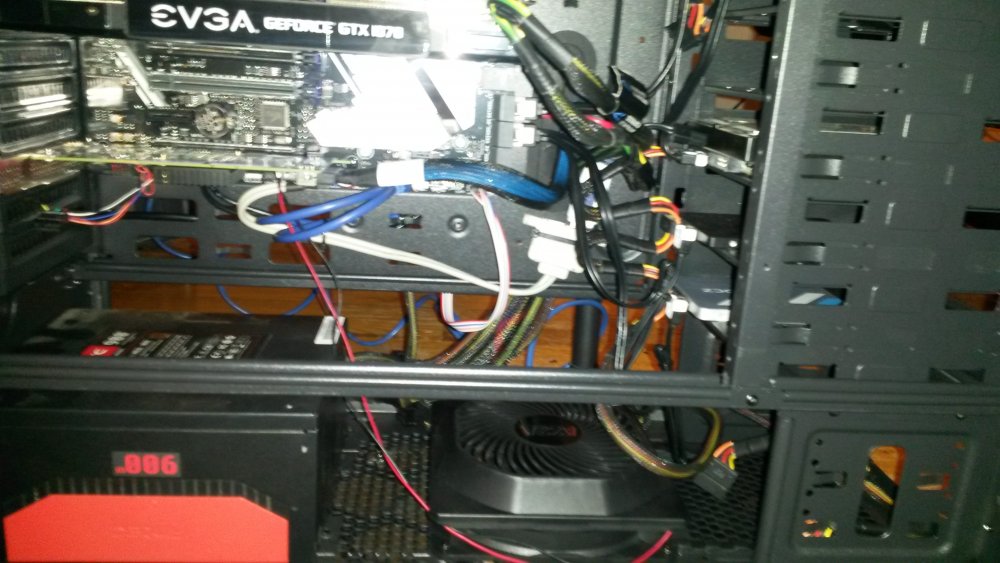
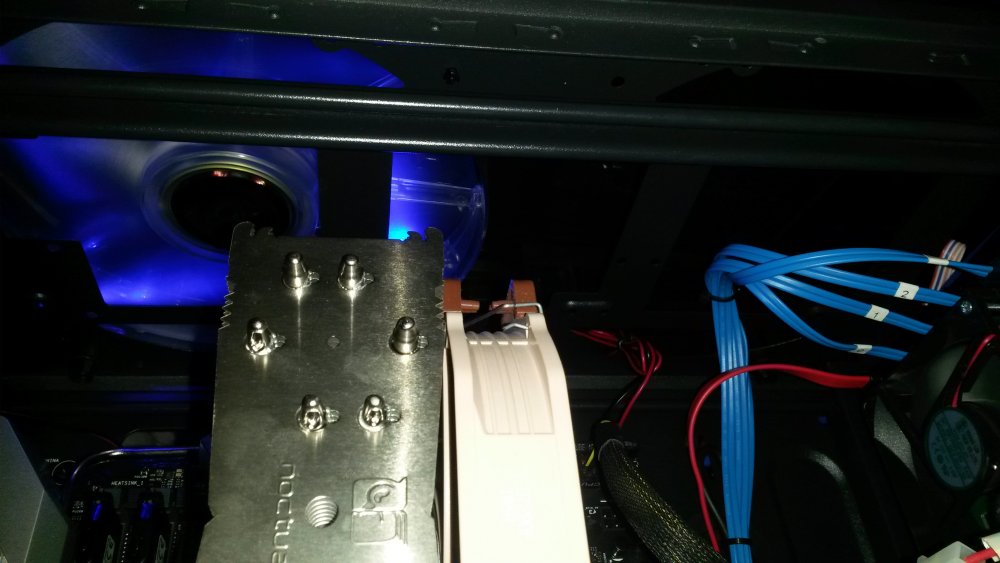
Actually I just bought this case. General impressions: it's exactly what I wanted ATX, 9x 5.25" bays that you mentioned, the metal used is good gauge, it's not flimsy. CONS: This S.O.B. IS BIG! Really big! By BIG I mean the height, you look at it and you find yourself asking, "Am I over-compensating for something? Sigmund?" I personally don't like the top bit, The plastic is like a 90's computer front-panel cover. Functionally I like it, and as you said it's inexpensive. Aesthetically I perfer it with out the plastic top and front cover, but that's me. Also note below the 9x 5.25 external bays there are two more INTERNAL 5.25" bays below it with some 2.5" to 3.5" shims it's a good place for cache/SSD drives. My grand scheme is to couple the case with three of these Icy Dock 3x(5.25" bays) 5x(3.5" drive tray less enclosure) I have one, need to buy/grow into the next two. Forgot to mention, if you want to go with the trayless Dock I suggested, you'll need to do some case modification (dremel with a number of disc cutters) to remove the bottom holding tabs for each of top two slots (out of the three the bays take up).
-
Steam, a user share and a folder on my cache drive. I'm too old, lazy, and have better things to do with my time then to find; verify clean; and cobble Windows executive to working order to save on something I can get for an On-sale price on Steam platform. Also, I don't have any news-net accounts, which most scrapers seem to utilize, so little point for me to trying one of these Dockers. Steam is currently the only DRM platform I tolerate for personal use.
-
Current server is 64GB; next week's TR upgrade will also be 64GB, until price of ram goes back down which point I'll go to 128G -- Totally overkill for unRAID itself, but I like and play with VM's.
-
+1 I have a Tripp Lite, and was using the built-in support. I quit using the built-in support due to USB devices on my VM would cause discommunication with UPS. I thought it was a VM/IRQ sort of "bleed." Unsure of exact cause, but after learning of only APC support, I've let the computer run without UPS communication. I wasn't aware of macester's plugin, I'll have to take a look. Thank you for your hard work.
-
My attempts to help TS fell flat, I guess this is the level of OC I can provide : Cropped sample from a background I downloaded.

-
/tmp/emby does not stay on reboot. Rather its recreated at the time of the emby docker restarting. And after its created is when you'd have to do the chown. Hence why I'm suggesting to create the folder first. Otherwise the chown in go will do nothing, because the folder doesn't exist at that point. Ah that makes since. I think last time I tried, I started Emby got an error with transcoding. Looked back and saw /tmp/emby/ owned by root and thought, "okay it's permissions issue, I just need to do chown." You just just saved me the step of having the error one more time and going, "Ah that's why Squid mentioned both commands." Thanks for helping me skip a step, shame on you robbing me of an "Ah HA!" moment. No, seriously, thanks.
-
Ok, good to know. Will try it when I'm back at home tonight. When interim question though, is helping me understand users and how authentication works. When I created another second user account (let's call it "bob"), it didn't prompt me for a password anywhere. When i download the profile, and send to my device, how does it know who I want to auth as? While you are making "bob" or have made it, in User Permissions on OPEN-AS webui, to the right you should see a show link, click on that, from that dialog box you can change/set user passwords for VPN client. If the server is running you'll have to go to the top of UI an push the changes to the server. So now in your browser if you go to: https://foo_myIP.orDOMAIN:943/ you put in "bob" and password. This will get you DL's to OpenVPN client (if you don't have it already) and the client config files. Grab your config file and VPN client and go. If you already have your VPN client installed and configured, you can just open that put in bob and password. Unless it's the autorun profile which case your VPN client should autoconnect without username and password.
-
Thank you sir. Actually all that I need is line-2; if I'm remembering what occurs correctly (it's been a month since my last reboot). You'll need them both, because without the mkdir, when it hits the chown it will error out if the directory isn't already made (and since emhttp starts in the background and whenever it gets around to it starts up the docker apps, the odds are really against the directory existing no matter where you put the chown in the go file unless you add appropriate waits. Understood, but that's what I was trying to say before, /tmp/emby had stayed on reboot but the ownership reverted back to root. Minor point - the information you provided me earlier is enough for me to get that working (regardless of the actual behavior). Thanks again for your time and post.
-
Thank you sir. Actually all that I need is line-2; if I'm remembering what occurs correctly (it's been a month since my last reboot).
-
This can be corrected in the Go file so it "appears" to be persistent on reboot. Sorry for being obtuse, I still consider myself an "end user" making my way towards "power-user." Can you, or someone in the community, point me to either the Go file, or to the link of documentation which outlines the Go file (so I can RTFM)? I'm assuming the go file is something other then rc.d scripts?
-
The same idea for Emby. I added container volume /transcode and /tmp/emby host path for Dockers Volume mappings. Afterwards I then had to: [*]ssh into my unRAID: #: chown nobody:nobody /tmp/emby [*]open Emby webui >> go to: /web/encodingsettings.html [*]change "Transcode temporary path " to: /transcode Note: one downside, if you reboot unRAID the /tmp/emby folder's ownership changes to root, so you have to go in and change ownership back to nobody. #Edit: hopefully this is useful to people.#
-
For any of those interested, and haven't done so themselves, I took jonp idea of Plex Transcoding and applied the same idea to Emby. I added container volume /transcode to /tmp/emby host path for Dockers Volume mappings. Afterwards I then had to: [*]ssh into my unRAID: #: chown nobody:nobody /tmp/emby [*]open Emby webui >> go to: /web/encodingsettings.html [*]change "Transcode temporary path " to: /transcode Note: one downside, if you reboot unRAID the /tmp/emby folder's ownership changes to root, so you have to go in and change ownership back to nobody. #edited for better grammar#
-





