






bmartino1
Members
-
Joined
-
Last visited
Everything posted by bmartino1
-
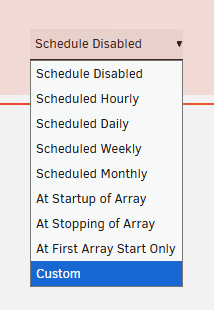
Unassigned disk plugin: https://forums.unraid.net/topic/92462-unassigned-devices-managing-disk-drives-and-remote-shares-outside-of-the-unraid-array/ Udev rule (if its the same device each time) if not use UD to manually mount user script plugin and rsync command line to mount the disk, copy folder to the drive. https://forums.unraid.net/topic/48286-plugin-ca-user-scripts/ where you can set cron is the removable device stays the same... 3 0 * * 0 https://crontab.guru/#3_0_*_*_0 see example script: https://forums.unraid.net/topic/97958-rsync-incremental-backup/





-
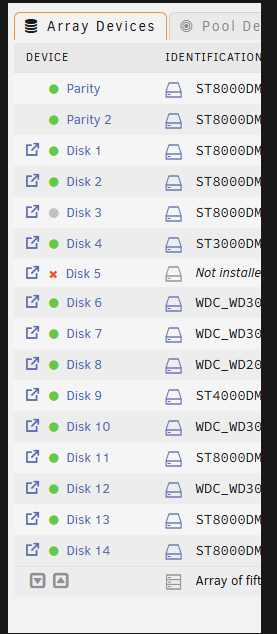
I highly recommend fixing your storage by pulling 3 disk of equivalent size and making a zfs raidz1 reformatting them to make a zfs pool the hybrid approach ( the setup your currently using) *The hybrid ZFS-in-array approach is helpful for specific backup or replication scenarios but is not a replacement for a full ZFS pool. ZFS disks in the array are managed individually; you do not get the combined performance, redundancy, or self-healing of a true multi-disk ZFS pool. For full ZFS functionality, always use dedicated ZFS pools. https://unraid.net/blog/zfs-guide?srsltid=AfmBOor7XJrR8tcD76hGK2pYvWyDKAUcGg1gvI3YkL3jsHH2N01zatXq
-
so this is wrong. if all theses 12 disks (2 parity) ... each disk made there own zfs zpool with 1 disk. you lose all the zfs benefits such as rad z mirroring, raidz 1 (equivalent to raid 5 miror and parity stripe) parity done't fuction as it should when the disk is lost. usualy you would pare mutiple disk togetr in a zpool 3 disk min to make a raidz1 which strip[es for speed and mirors for redundacny/protection. you can lose 1 disk and still maintain all your data. or do a raidz2 same strip and mirror, but cand lose 2 disk and keep all your data. (min of 5 disks) see the zfs docs: https://docs.unraid.net/unraid-os/advanced-configurations/optimize-storage/zfs-storage/ and a few youtube videos: https://www.youtube.com/watch?v=XQC6lXOXGT4 https://www.youtube.com/watch?v=UR5RCItyCsw and forum post:
-
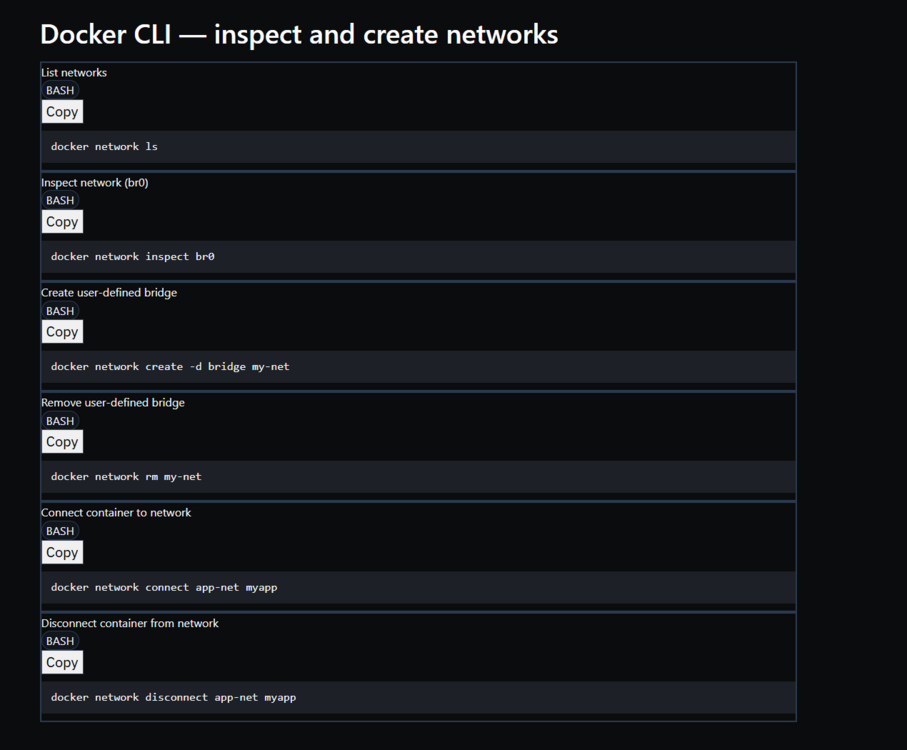
another trick is to make a internal docker network that user define yes will save and keep .... no start stop disonc cno cli stuff...
-
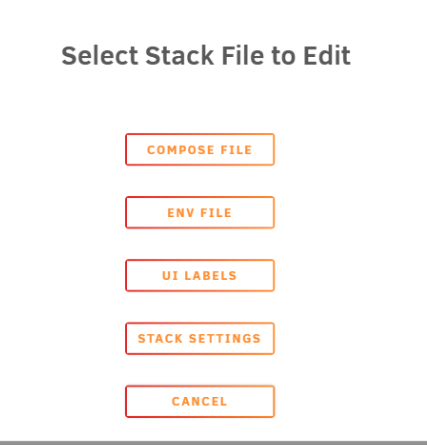
docker copose is a plugin yes, it has ui support but manuly text eidts as is should.. looks to me like you don't know how to setup continer name spaces and aliass for your dockers... all in the docker docs.. https://docs.docker.com/engine/security/userns-remap/

-
becaue of unifi netowrk applcaiotn / netowrking app and isntergrations. and taht a ccompose file exists. version: "3.8" services: bouncer-unifi: image: ghcr.io/teifun2/cs-unifi-bouncer:latest container_name: bouncer-unifi environment: CROWDSEC_BOUNCER_API_KEY: MyApiKey CROWDSEC_URL: "http://crowdsec:8080/" UNIFI_HOST: "https://yourunifi:443" UNIFI_USER: "api" UNIFI_PASS: "password" # Only use this if your unifi instance does not have a proper certificate. # UNIFI_SKIP_TLS_VERIFY: "true" restart: unless-stopped I would run this in conjuction (as it needs a unifi continer runnign and I don't trust this talking to unfi on unfi equpment running unfi os... @PeteAsking thouhgs on a unfi seperate docker addon. I have no problem making a tempatle that can work in conjunction with the unif netowrk applicaiotn your running... this does require a CROWDSEC_BOUNCER_API_KEY... ultimatle I'm priced out of this. https://www.crowdsec.net/pricing as I have my own loging and blcoking based on logging with fail2ban and scirpt tha do simalr api calls to make a block. 1 and done. I don't see this beign usefull for others.
-
zfs specal vdev disks. unless your refering to unraid main array partiy system... disk speed to increas this i've seen is a zfs feautre only by asigning fast storage like a ssd / nvme to teh zpool to assit metadata read writes to the pool.
-
this is a failsafe needed to make sure teh vm and docker sytem has netowrking capabilites due to netowrk settigns changes. this is posble via the CLI terminal advance comands without the gui.
-
use compose file and mange all the newtorks in 1 file....
-
Brandon Martino - Personal SiteGuide-DockerNetworksBrandon Martino - Personal Site ...
-
? Federation / tor shares or docker integration between your friends is the only way to currently implement this. Example Synching.
-
outside of unraids default crons, the user script plugin (where one would asking the crons) does this. then to see currently running the plugin open files will show you wants currently running... to me this doen't sounld like see xyz cron in a list.. this sounds like you want some form of audit sytem...
-
unraid is slackware linux. https://docs.docker.com/scout/integrations/team-collaboration/slack/ https://blog.slackware.nl/my-docker-packages-for-slackware-current/ you would have to rebuild docker with these plugins IF they even have slaclware linux install methods... https://github.com/docker/model-runner from what I can tell these are meant to run on Debian/ubuntu based distors and don't have Slack variants...
-
Congratulations its official!
-
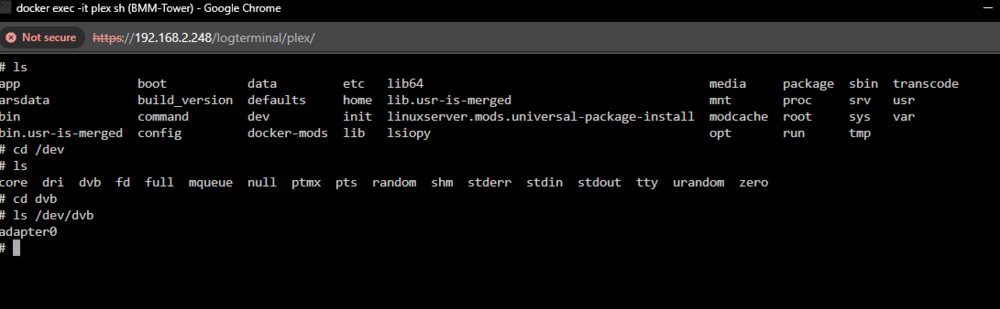
I agree I was just showing you information there. You just had to run the very last command The docker is indeed seeing the adapter. This tells me that the software is not there to use the adapter. This tells me that the Plex stalker is missing the needed software to use the dvb tuner. You also have a dual tuner which isn't a big issue. But again, I sent you the Plex DVB tuner support article If your tuner is not in the support listed for functionality, it will not work for Plex and you will not see it in that menu. And the only thing I can recommend is trying the same adapter. Same configurations with a different Docker tag that I does have known support for tuners
-
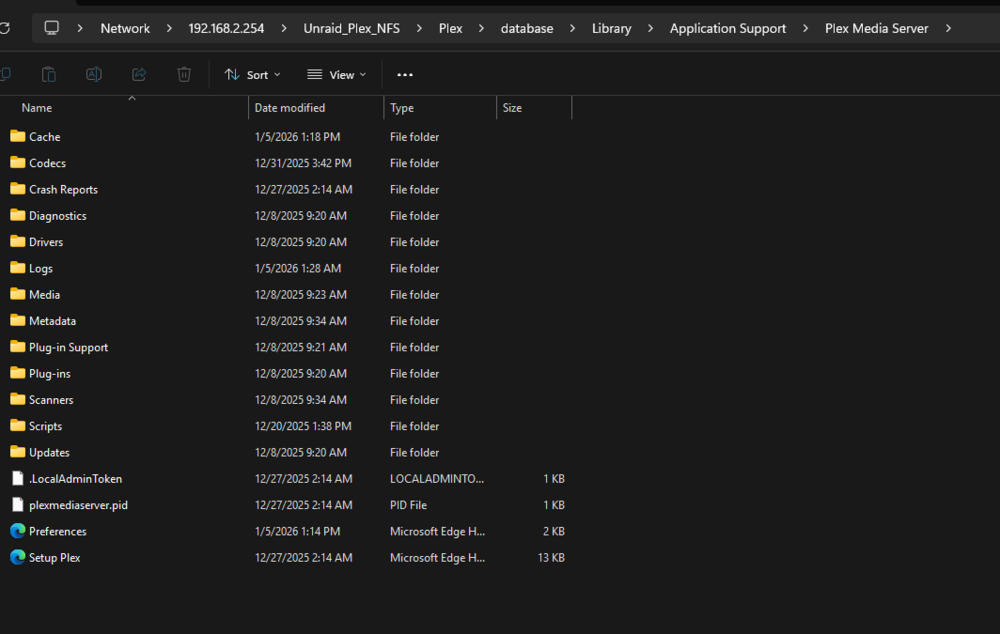
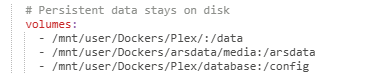
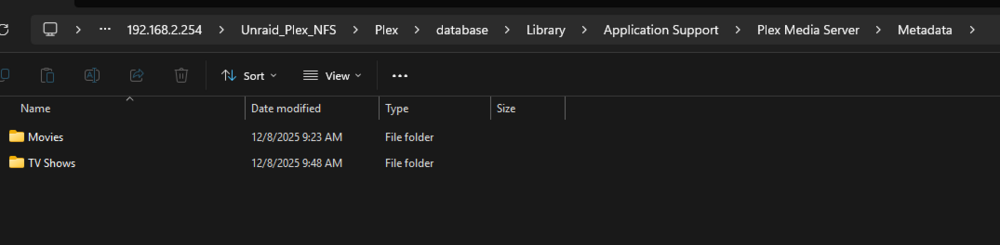
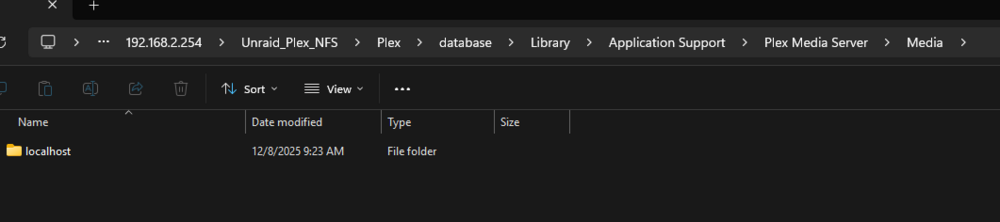
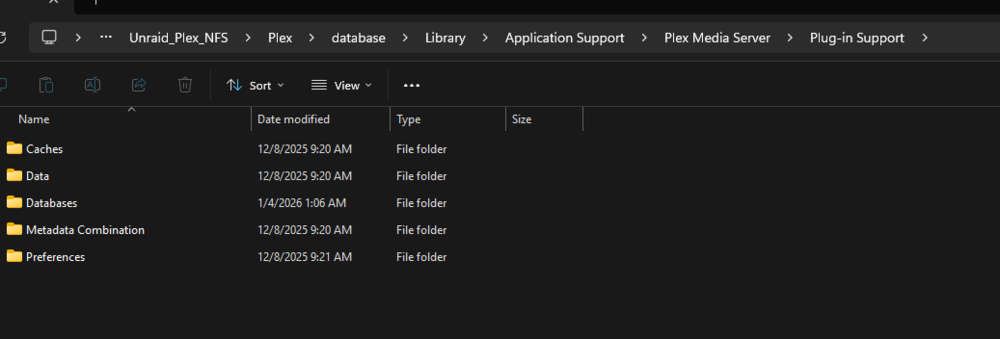
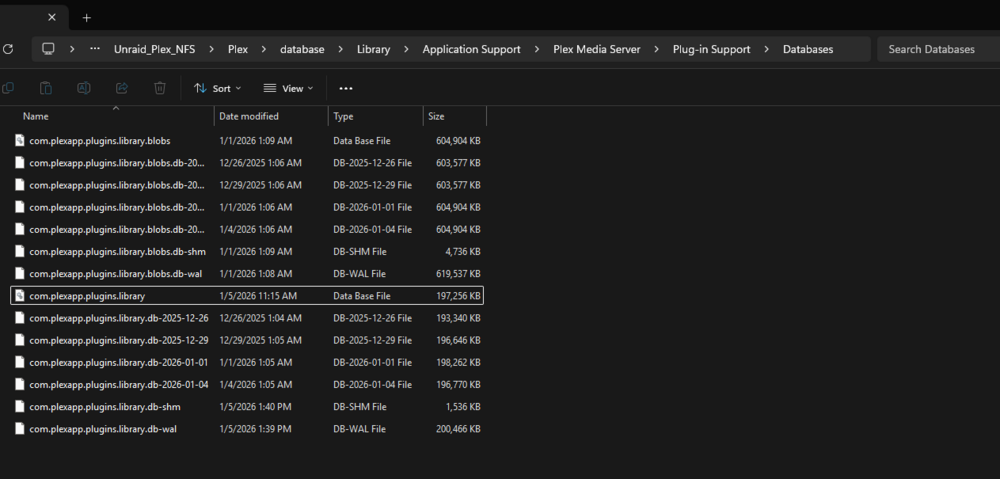
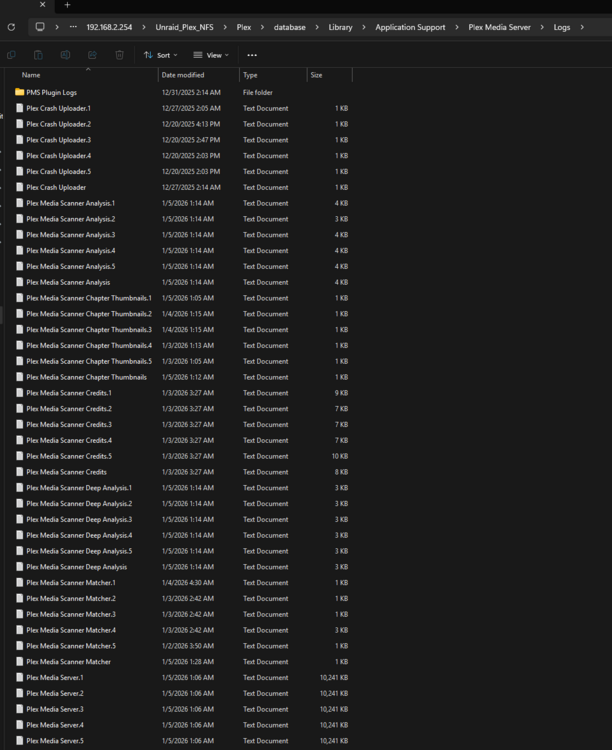
First, I'm no expert in plex and given the time days and data when you were here but refused to post already doesn't sit well with me on attempting to help... then claiming x but never answering x... Nor flowing this site's rules for support. still waiting for some answers... data, logs, diag etc... I'm reluctant to assist further and continue so I will post 1 last time here and not be back! Here are some of the steps and next steps on how I would have preceded (as i have gotten into weird situation and didn't want to lose database data that affected plex library movie posters and information...) BUT! Based on your post and current information due to that data, you no longer have the state nor files form that state. and we would need the 1 sqlite db file... among others to guarantee data!... as You keep claiming a backup, but a backup is only as good as your restore and because your current state is not the same state I CAN'T GUARANTEE THAT THE SAME WOULD WORK OTHERWISE! THUS, the RISK IS TOO high to suggest nor attempt now... AGAIN Per my first post, as you still didn't answer the initial question... when you were getting the error did the docker stay running? *as this plays a big part on the step to acquire the database and data for a restore / recreate... STILL NEED/NEEDED THIS INFO!!! if the dbtool would work or needed other reapirs attempts.... if the docker was functional and have to go more manual ways... ... in plex docker formations regales of docker tag (which is also something else i need to know, reconfirm that you are you running plex official? linux server? binhex... Regardless, you should have a appdata folder mapping /config root@BMM-Tower:/mnt/vm-zfs/Dockers/Plex/database# ls Library/ root@BMM-Tower:/mnt/vm-zfs/Dockers/Plex/database# For me that here... in this plex folder is the docker configuration and plex configuration for a plex library and we would need to interact with files in this directory root@BMM-Tower:/mnt/vm-zfs/Dockers/Plex/database# ls Library/ root@BMM-Tower:/mnt/vm-zfs/Dockers/Plex/database# cd Library/ root@BMM-Tower:/mnt/vm-zfs/Dockers/Plex/database/Library# ls Application\ Support/ root@BMM-Tower:/mnt/vm-zfs/Dockers/Plex/database/Library# cd Application\ Support/ root@BMM-Tower:/mnt/vm-zfs/Dockers/Plex/database/Library/Application Support# ls Plex\ Media\ Server/ root@BMM-Tower:/mnt/vm-zfs/Dockers/Plex/database/Library/Application Support# cd Plex\ Media\ Server/ root@BMM-Tower:/mnt/vm-zfs/Dockers/Plex/database/Library/Application Support/Plex Media Server# ls Cache/ Crash\ Reports/ Drivers/ Media/ Plug-in\ Support/ Preferences.xml Scripts/ Updates/ Codecs/ Diagnostics/ Logs/ Metadata/ Plug-ins/ Scanners/ Setup\ Plex.html plexmediaserver.pid root@BMM-Tower:/mnt/vm-zfs/Dockers/Plex/database/Library/Application Support/Plex Media Server# on unraid we can enable samba to use a client pc to interact with files... IN my case this is unraid web terminal... that said we want to interact with a few files here in same way... first is the preferences file this is your pelx xml configurations. and we may need to remove some things from it for recreation and a plex calim latter. or fix the intinal issues... (advanced but is needed...) IDK if you have the OG file... and we would need to keep volume mounts the same as we would create a new docker with latest tag with out sqlite database as my examples (as i'm using compose instead of urnaid docker template) my move data in plex will be /data the data in the sqlite database will be pointed to /data/xyz for content (IF THIS DATA DOESN'T MATCH THEN IT WILL BE DELETED) and you will lose content in plex that cascades to more data loss. so now you may not have the needed pictures and other data!... SO in a restore we need to confirm and keep data mounts! The reason for a new reclaim key is due to the sync data (WHICH IS NOW LOST) as you have been running in this half state and the old claim key data has synced that data to plex where that data is gone, and I have no guarantee that a sync/resync will restore that data now. so now that we Know or volume mounts and we know the preferences xml location (appdata) we need to find and interact with the sqlite document... I've already posted the support articles READ THEM!!! ask question on the PLEX SUPPORT FORUM or contact plex support direct! out side of the database data ther is picture metada files.. this is noted int eh metadata folder in side these folders are a break-down into 0-### folders and inside them are Strings of pictures ... this is the content referenced in your sql lite database data and what loads the pictures for your plex library content. This would need to be restores in the new plex docker... Similar with media.. This contains the written data that this is xyz content with xyz date and has xyz metadata with descriptions.. all referenced and are requred to be present in the new plex meda data as you should be looking at migration support article at this point and restoring a plex library ... Now the main piece to look into sqlite access sql dumping and sql reestore... in plugin support in databases, you should see a sqlit database file "com.plexapp.plugins.library" Here is the file the db repair tool touched fixed and attempted to make repairs. Per your comments and previous communication, you let someone else take your files and run the tool for you instead of running the tool your self... SO NOW You're IN A WEIRD STATE AND I CAN'T HELP YOU! TO much unknown... BUT YOUR GOAL IS IF YOU HAVE THE FILES! Especial a file copy backup!!! as PLEX WILL DELETE MISS-MATH CED OR NON-EXISTING DATA!!! is to get theses files together and dump your sql database... then we can use tools, commands and other application to edit and open a sql file to reload your data. all are advance things to do but are simple go to xyz and launch xyz BUT AGAIN You not answering question, and your is a stable state where its not worth thing to move as you can get into worse database corruption and loss due to REUSING THE plex claim key ... AND have ALREADY OVERWRITTEN PLEX SIDE DATA! You now stuck with what you have. I would have preferred to seen your crash log, but you chose redit and multi post and acted instated of question and doing things your self nor GOING TO THE ACTUAL SUPPORT PEOPLE!!! (I'M NOT ONE OF THEM!) Your PLEX MEDIA SERVER CRASHED, CRASH REPORT WRITTEN: /config/Library/Application Support/Plex Media Server/Crash Reports/1.41.3.9314-a0bfb8370/PLEX MEDIA SERVER/c4f7a840-63b5-49e9-b21d76b4-561dec6a.dmp Starting Plex Media Server. . . (you can ignore the libusb_init error) as there was problay something simple to remove, update or fix in the crash log: BUT all of that is now gone I can't confirm no place you back into that state nor should you atampt less you face full database corruption and loss!!! So, i'm sorry you acted without understanding to place yourself where you are now... I can only recommend you contact support: https://support.plex.tv/ They will most likely have you delete the appdata folder out right and start over with a rescan...
-
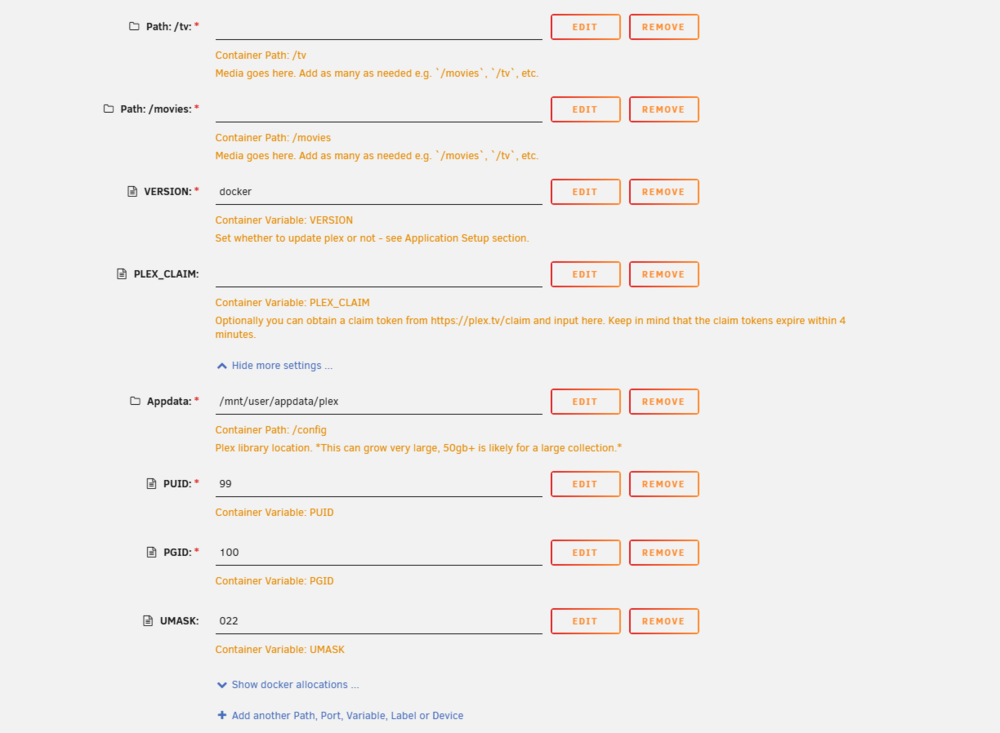
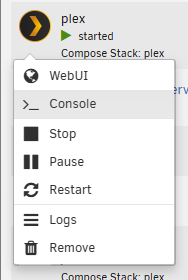
the docker also needs to have dvb driver support, something I know the official plex and linuxserve does have. binhex docker tag version may not have the needed packages installed... To q/a, correct the extra parm is essential the docker run statements at the end that do other options. example my makemkv for the blueray disk please post a diag file I would need to know more on the lsusb and lspci to help make a device extra parm for your Tuner. to go over other advance pass techniques. (would be useless if its docker software issues not hardware pass issues...) So my assumption/ bet at the moment is docker software... My guess is that its the docker image does not have dvb software installed. *Similar to you installing the plugin on unraid to see the tuner, plex docker container needs simalr software... I would recomend changing the repo to linux server keeping binhexs plex temptle and paths as they are/can be universal between tempatles... lscr.io/linuxserver/plex and adding some other extra docker variables: as again this works fine in linux server and plex offical... that said with binhex you could atempt to install the missing software ... not sure the applciaiton names though nor other adational libs that may be required... https://hub.docker.com/r/linuxserver/mods (as you can see by my compose i'm extra installing the sqlite pacakges to be able to run teh sq db stuff in the docker...) FIRST! make sure the adapter tuner is making it into plex: console into your plex and ls the dvb dev folder... but again i don';t think binhex plex has the needed dvb software in the container...


-
the goal was to keep database data there were things we could have done to dump the sqlite file and or recreate with teh exisitn database It not worth trying to do now as you are in a working stated restored vaia backup that will cause duplication of file sizes and be more a mess that could break as you dont' understand. beign muti split across other sites and being given mutiple other potenal soultions is whts confusing you. your better off ont he plex form and review the plex docs on teh database... https://forums.plex.tv/ Plex SupportSupport Articles ArchivePlex SupportRepair a Corrupted DatabaseNote: This article is for Plex Media Server version 1.23.2 and newer. If using an earlier version, see . Though... any changes now can and will introduce dataloss and is not worth it since you have already corenlty have some resotreed working backup and function system your better off taking the data loss and moving on
-
could be early signs of usb failure.
-
ultimately this tells me that you set a zfs in the unriad array where zfs should be added to unraid as pool devices. as you don't have parity, zfs nor a good setup fo zfs implementations on unraid...

-
This is a very common ZFS situation, and the wording of the message is scarier than what’s usually going on.... From your output: state: ONLINE status: One or more devices has experienced an error resulting in data corruption. ... md2p1 ONLINE 0 0 28 errors: 35 data errors Key facts: The pool is ONLINE There are no read or write errors There are checksum (CKSUM) errors ZFS detected 35 blocks whose checksums did not match ZFS cannot silently fix them because this is a single-disk pool This is detection, not failure — and ZFS is doing exactly what it is supposed to do. Why the files “work fine”ZFS errors are block-level, not file-level. That means: A corrupted block might be: unused padding metadata that isn’t currently read part of a compressed block that still decompresses part of a file that hasn’t been touched yet Many apps do not notice minor corruption immediately ZFS never guesses — if a checksum mismatches, it records it permanently So “the file opens” ≠ “the data is correct”. ZFS is more strict than most filesystems — that’s a feature. What the SCRUB button does (important)A scrub: Reads every block in the pool Verifies every checksum If redundancy exists (mirror / RAID-Z): Automatically repairs bad blocks If redundancy does NOT exist (single disk): Confirms and logs corruption Cannot repair A scrub does not: delete data rewrite files fix corruption without redundancy Think of scrub as a full audit, not a repair tool. What you should do — step by step*Run a scrub (yes, press the button) Or from CLI: zpool scrub disk2 Check progress: zpool status disk2 This confirms: whether the error count increases whether corruption is stable or ongoing As you may have a bad disk inteh zfs setup that needs replaced... List exactly which files ZFS thinks are badYou already ran -v, but for completeness: zpool status -v disk2 You’ll see paths like: /mnt/disk2/some/path/file.ext If the same files reappear after scrub → confirmed corruption. If the files are non-criticalIf you don’t care about those files: rm /mnt/disk2/path/to/file zpool clear disk2 Then scrub again. This often resolves the warning permanently. If the files matterZFS cannot repair without redundancy. Your options are: Restore the affected files from backup Re-copy them from a known good source If unsure → delete and re-ingest After replacement: zpool clear disk2 zpool scrub disk2 What zpool clear actually doeszpool clear disk2 This: clears the error counters does not erase history does not hide future errors is safe to run after addressing the cause If corruption still exists, it will reappear. Important diagnostic checks (do these)*SMART check (very important)smartctl -a /dev/sdX Look for: Reallocated sectors Pending sectors CRC errors Read errors Checksum errors often come from: marginal sectors bad SATA cables power instability RAM errors (ECC strongly recommended) see openzfs docs: https://openzfs.github.io/openzfs-docs/msg/ZFS-8000-8A/ more info on the scrub: https://openzfs.github.io/openzfs-docs/man/v2.4/8/zpool-scrub.8.html Bottom lineSCRUB = full integrity scan Single-disk ZFS cannot repair, only detect “Files work” does not mean “no corruption” ZFS is behaving correctly This is not panic-level unless errors grow Potential bad disk needs replacement
-
this is not a bug, and nothing is actually wrong with your disk. What you’re seeing is a UI labeling quirk + historical partitioning behavior, not a mismatch between how the disk is really partitioned and how it’s being used. What your gdisk output proves (and this is the key point)For both disks, including the 2 TB one, gdisk says: That means: The disk is GPT It has a protective MBR (this is normal and required by spec) The filesystem is Linux-native (0FC63DAF…) Partition alignment is correct (starts at sector 64) There is no functional MBR partitioning in use From a ZFS / XFS / Unraid data-integrity standpoint: *There is zero difference between the 2 TB and 3 TB disks. Why the Unraid UI says “MBR” for ≤2 TB disksThis is the part that trips people up. 1. GPT vs MBR is not required for ≤2 TB disksHistorically: MBR works perfectly fine up to 2 TB GPT is required above 2 TB For years, Unraid defaulted to: MBR for ≤2 TB GPT for >2 TB Even today, Unraid does not require GPT on disks ≤2 TB. So the UI logic effectively does: Even if the disk actually has GPT metadata. 2. Protective MBR confuses simplistic detection logicA GPT disk always contains: A protective MBR at LBA 0 This exists to stop old tools from overwriting the disk Some UI checks don’t distinguish between: “MBR-only disk” “GPT disk with protective MBR” gdisk does distinguish. The Unraid UI often does not, especially on small disks. So it sees: An MBR header Disk size ≤2 TB And labels it MBR, even though GPT is present and active 3. Previous formatting history does not matter hereYou mentioned zeroing, reformatting, etc. That’s not the issue. Your output proves: GPT header exists Backup GPT exists GUIDs are valid Partition table is intact Unraid is not reading stale metadata — it’s just displaying a simplified classification. Why your 3 TB disks always show as GPTBecause they must. There is no ambiguity: MBR cannot address 3 TB UI logic must say GPT No fallback labeling is possible So the UI is accurate by necessity for >2 TB disks. Important: what this does NOT affectThis has no impact on: ZFS XFS Parity Alignment Performance SMART Future expansion Data safety ZFS/XFS sit inside the partition, not in the partition table logic. Bottom lineYour 2 TB disk is GPT The protective MBR is normal The Unraid UI label is cosmetic This behavior has existed for years You are not corrupt, misaligned, or misconfigured But if reusing in unraid yo should zap and let unraid format the disks... sgdisk --zap-all /dev/sdX sgdisk -g /dev/sdX
-
which database dockers? daig wouldn't show what dokcers you have for security. while good in somecase donet' really help here. I ask as bitnami was bought by broadcom and pulled alot of database docker systems. you would have to edit database to bitnami legacy or move to other supported database docker tags. https://hub.docker.com/u/bitnamilegacy
-
please post diagnostics. if able to terminal/ssh type diagnositc and it will make and save a daig file on the usb
-
unraid uses openzfs for its implementations... I wil try to anser your q/A Is the ZFS ARC shared across all pools? Yes. The ARC (Adaptive Replacement Cache) is a system-wide RAM cache managed by the ZFS module in the kernel. It is not tied to individual pools — it caches data from all ZFS pools/datasets on the system in one shared memory space. see https://www.reddit.com/r/unRAID/comments/16sy787/how_much_of_my_zfs_arc_belongs_to_each_drive/ So if you have multiple ZFS pools, they all draw from the same global ARC. You don’t get separate per-pool RAM cache partitions. Unraid has a modprobe and a default # set. there are terminal command to check it and this can be edited... Can ARC be limited or tuned per pool? No — ARC tuning is global. Settings like zfs_arc_max, zfs_arc_min, or other ARC parameters are module parameters for the ZFS subsystem, not per pool. You configure them once (typically via module parameters or sysctl) and they affect ARC behavior for all pools. see https://openzfs.github.io/openzfs-docs/Performance%20and%20Tuning/Module%20Parameters.html There isn’t a ZFS native feature to assign different ARC limits per pool or per dataset in Unraid. What about L2ARC? L2ARC is per pool. L2ARC (second-level ARC) is effectively an extension of the main ARC residing on fast storage (usually SSD or NVMe). Each pool can have its own L2ARC devices, and ZFS does not share a single L2ARC device across multiple pools by default. If you want separate L2ARC for each pool, you attach a cache vdev to that pool. Because L2ARC must be explicitly added as a cache vdev to a pool, it’s inherently pool-specific. https://www.youtube.com/shorts/9kJPJx1OZrQ Other ZFS tunables like l2arc_headroom, zil_nocacheflush, etc.These module parameters or kernel tunables are global, not per pool. Parameters like l2arc_headroom, l2arc_noprefetch, etc. are ZFS module parameters that affect how the entire ZFS subsystem behaves, not just one pool. https://openzfs.github.io/openzfs-docs/Performance%20and%20Tuning/Module%20Parameters.html This means you set them once for the system, and they apply to all pools that have L2ARC devices. As it stands, there isn’t a built-in way in ZFS (nor in Unraid’s ZFS integration) to configure these parameters on a per-pool basis.







