






bmartino1
Members
-
Joined
-
Last visited
Everything posted by bmartino1
-
What I found easier is to copy the DB repair script into the library folder, the app data folder of the template. Any Docker a console into the Plex system and cd /config example. Then if you use ./[scriptmame].sh it should run... I found that I've also had to add a Docker mod to the dockers to install sqlite binary to make the script run sometimes. This is why I created the DB repair Docker which runs that script
-
This is not an R's stack issue... You need to tell Plex to scan the media library and enable the Plex settings for scanning folders.
-
Nope it's official valkey.. my repo adds redis password options to the unraid template. If your referring to the bitnaminredis then YES when broadcon acquired butnaminrhey puked and removed ALL bitnami docker... That said, bitnami still maintained a bare minimum legacy for some database applications for future aspirations to help previous users using their dockers to transition and migrate off to the new systems... You must use Val key moving forward
-
I too would like to see arm support but that would double the applications that are currently used in the bzroot route system that is implemented in unraid. This would also require an almost complete emHTTP rewrite. It's not all commands are universal and there's a lot of differences between the arm chips, the arm processors, and the kernel that is compiled with unraid. And has to start with recompiling the arm drivers within unraid and even then it would be select arm devices like known devices like pi. I'd love to see SOC arm boards so that I can put unraid on things like unify UNas. This was explained and shown somewhere on the forum earlier where they attempted and looked and where arm wasn't maintaining as there's too many weird socs that require third-party drivers and it was not worth the 1% of users or attentive users of hardware when the colonel didn't support half of the arm systems and the repositories for slack, Linux were lacking arm. Now after some repository, edits, updates and third-party systems of been maintained. The issue is now that the applications that would run for x86 are not the same for arm and how they are processed, which changes how the emhttp and unraid services would have to work. Which if they did fix the web page system would guarantee to double the installer size for USB to be able to support both x86 or arm. So maybe in the future a branch for arm only and a branch for x86 64. That way the systems are universal between each other but not the same software stacked to maintain. And even then that will require a second r&d and other from limetech. Given the reasons, key change and other structure change for the company, this is going to be way off in the future. I can see this being implemented 5 to 10 years from now and even then it would be the groundwork not a full polish system.
-
Dockers exist that do this... Sftp-fail2ban... File explorer... Terminal web TTY and mc
-
I believe it has to do with minor updates and changes that were meant to go to the version history system side as there is a dock that they do upload and maintain four stable downloads. But I agree that no information and clear checks. Some changes files is a concern
-
extra parameters as: -e DOCKER_MODS=linuxserver/mods:openssh-server this will ass ssh to the docker you will still need to console in and map the /etc/ssh/sshd_config and edit eh config to set ssh users and etc for ssh... adding things to arealy built dockers and using 3rd party software is on you...
-
Look into Docker mods and Docker mod install open SSH server. There's no reason to add additional packaging where additional packaging is not needed
-
I've only seen this work with ZFS snapshots Calling the samba mod shadow2 is not enough. ZFS: vfs objects = shadow_copy2 shadow: snapdir = .zfs/snapshot shadow: sort = desc shadow: format = zfs-auto-snap_%S-%Y-%m-%d-%H%M shadow: localtime = yes https://forum.level1techs.com/t/zfs-on-unraid-lets-do-it-bonus-shadowcopy-setup-guide-project/148764 I also have something lost on the form that went over doing this with unraid samba. U raid samba is not stock samba and you may need to write your own SMB to accomplish this ..
-
I've found that there are too many new users , who are not able to understand nor how to run that script properly... and thought that this is a needed necessity for unraid, especially for long-term users for general maintenance, checkup and tests and repairs to their database overtime. This is a multifaceted system and has been tested on multiple Plex docker versions. I ended up using the same script logic (issues with needing manual database and SQL lines and passing check, auto) as they would stall error out and be stuck at the menu screen with the original setup. While I could get it to work, it wasn't stable for others to fully ship... So a rewrite was done. The main functions of the original DB repair script that Chuck PA uses is running in this Docker. Their main utility if here without the menu. As we use docker variables to set the menu options before docker run... However, I am still partial and more prudent to direct users to use that repair script within the Plex Docker. The way that Chuck PA had intended... So Now, I could at least point a new user to a template that allows a one-click install and run automatic repair with backup by default... This way we can direct new users. Having issues to just run this Docker and be done. With No advance docker edits something simple for the end users. @EDalcin yes with the final polish and a updated / new ca template - new docker system layout. I was unable to get the original docker system running via of scrips command line (I originally did but pushing it to the hub and sharing found out that nope there is a weird scripting error/menu hang/freeze. However, I was able to reuse his code that runs the options they made via docker variable and similar logging.
-
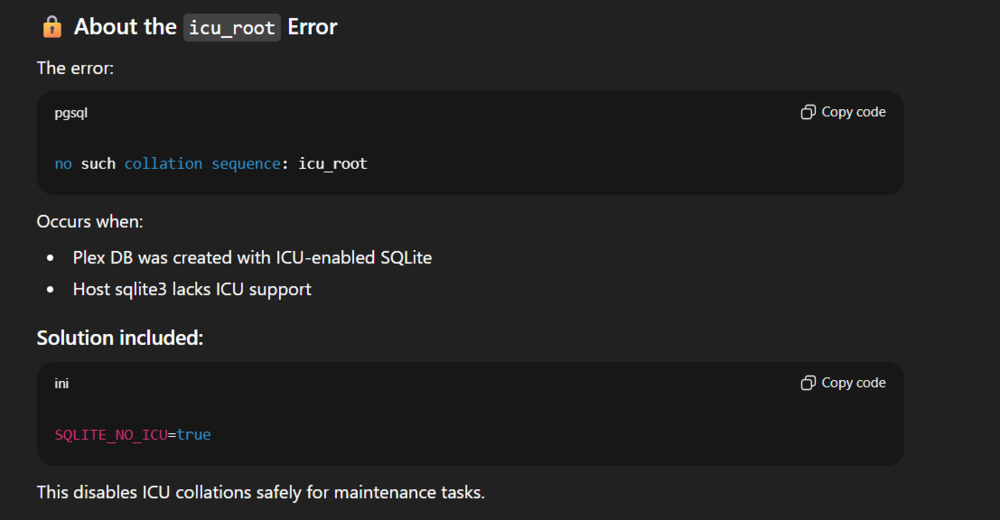
I'm update the script to teset this now. your using the plex beta image and at creation the new sql files have a lock file for maintence tasks.. That was new to me... I will be pushing an updated image here soon to corect this to work with icu SQLite locks. As I just finshed workign on the restroe and makien varables for optional backup and adational loging...
-
Correct I would think that is permission based.
-
I'm using the script and it's logic/components the log is In the database folder if what chuck script does. That's correct the automatic runs it all and makes a backup... Try other modes and review that log in the database folder... I need to make a restore function and pipe that log back into the docker. As I haven't made the polish on it yet due to there script comandline options not working right and edits to add unraid/this docker variant with there variable changes to much when we can just use the main utility with out the menu...
-
I'm waiting on chuckpa. There's an issue per his script when passing the script commands as this is currently a WIP, but the base of the system is there... but ATM it's a issue of there script and passing command line arguments per there GitHub readme... ... Time for the script varies per database sizes. Example to "check" only shouldn't take more then 15 min. Chukpa also has estimated time in their readme... But following his guide and tinkering with it. I'm waiting on an update to the "scripted=1" and there comandline utility of his script... and if not will rework his script in a fork for a fix.
-
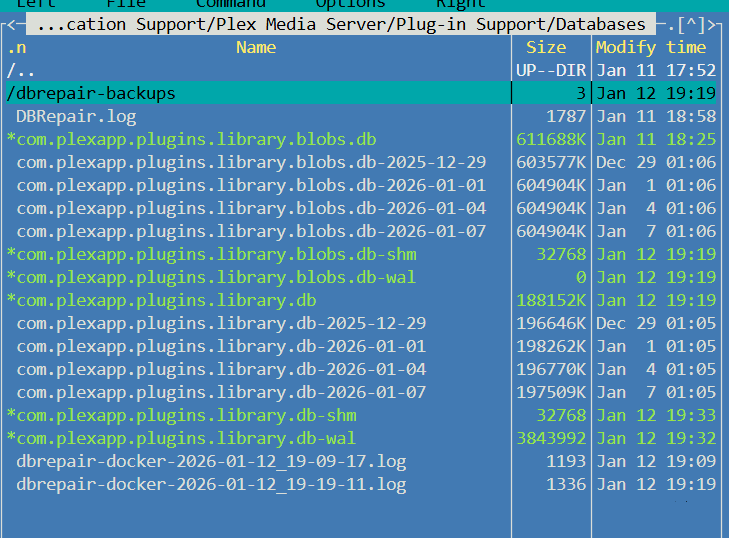
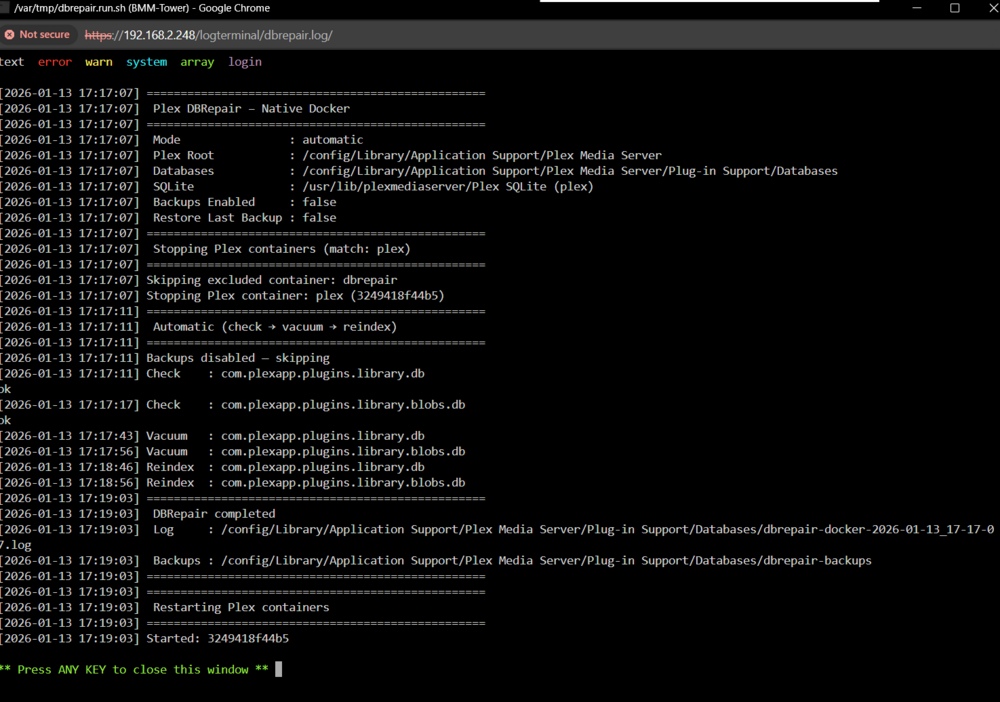
Plex DB Repair Docker for Unraid Forum-ready second-post guide for the Plex DBRepair Docker template. This container is meant as a quick “run it and stop” helper for common Plex SQLite database problems. It starts, performs the selected maintenance or repair task, writes logs, optionally makes backups, optionally restarts Plex, and then exits. This is intended as a stop-gap and convenience wrapper so less technical users can run the needed Plex SQLite repair commands without manually entering a container, finding the Plex database path, and running the commands by hand. Important: Plex must be stopped before editing or repairing its database. This container can stop and restart your Plex Docker automatically when configured correctly, but you can also stop Plex manually before running DBRepair. Basic Unraid usageInstall the container from Community Apps / template. Mount your Plex appdata folder so the container can see the full Plex nested folder structure. Leave DBREPAIR_MODE=automatic for the normal repair run. Set PLEX_CONTAINER_MATCH so DBRepair can find your Plex container. Start the DBRepair container. Wait for it to finish and stop. Check the Unraid Docker log or the saved log file in the Plex database folder. Recommended first runFor most users trying to fix a corrupted or unhealthy Plex database, use: DBREPAIR_MODE=automatic ALLOW_PLEX_KILL=true PLEX_CONTAINER_MATCH=plex RESTART_PLEX=true ENABLE_BACKUPS=true RESTORE_LAST_BACKUP=falseThe automatic mode runs: integrity check → VACUUM / repair → reindexRequired mountsPlex appdataThe container needs access to the Plex appdata folder, not just the database files. Host path: /mnt/user/appdata/plex Container path: /config Access mode: Read/WriteInside the DBRepair container, this path must exist: /config/Library/Application Support/Plex Media Server/Plug-in Support/DatabasesThis full path matters because some modes, such as PhotoTranscoder pruning, need access to more than just the database folder. Docker socketThe Docker socket is only required if you want DBRepair to stop and restart Plex automatically. Host path: /var/run/docker.sock Container path: /var/run/docker.sock Access mode: Read/WriteIf you do not mount the Docker socket, set: ALLOW_PLEX_KILL=false RESTART_PLEX=falseThen manually stop Plex before running the container. Plex container matchingPLEX_CONTAINER_MATCH is used to find the Plex Docker container that should be stopped before repair. PLEX_CONTAINER_MATCH=plexThis is a case-insensitive substring match against the Plex container name and image name. Good examples: plex Plex-Media-Server plexinc/pms-docker linuxserver/plex binhex/arch-plexBest practice: use either your actual Plex container name or the Plex image/repository name from your Unraid template. If the DBRepair container cannot find Plex, stop Plex yourself first. Environment variablesVariable Default Description DBREPAIR_MODE automatic Operation to run. See mode list below. ALLOW_PLEX_KILL true Allows the container to stop Plex before database work. PLEX_CONTAINER_MATCH plex Name/image match used to find the Plex container. RESTART_PLEX true Restart Plex after DBRepair finishes. ENABLE_BACKUPS true Make file-copy backups before write operations. RESTORE_LAST_BACKUP false Restore the most recent DBRepair backup and exit. PRUNE_DAYS 30 Days to keep PhotoTranscoder cache files when using prune mode. TZ unset Timezone for logs and timestamps. Example: America/Chicago. EXCLUDE_CONTAINER_NAMES dbrepair,plex-dbrepair Container names that should never be stopped. EXCLUDE_IMAGE_REGEX plex-dbrepair Image regex excluded from stop matching, mainly to prevent the container from killing itself. DBREPAIR_MODE optionsOnly use one mode at a time. If the value is missing or invalid, the container falls back to automatic. Mode Action automatic Full maintenance run: integrity check → VACUUM / repair → reindex. check SQLite integrity check only. No changes made. vacuum Vacuum databases to reclaim unused space. repair Repair / optimize databases using VACUUM. reindex Rebuild database indexes. deflate Rewrite database using VACUUM INTO for full compaction. prune Delete old Plex PhotoTranscoder cache files older than PRUNE_DAYS. manual Start an interactive/manual container shell for testing or advanced use. BackupsENABLE_BACKUPS=true makes a file-copy backup of the Plex database files before write operations. Backups are stored under the Plex database folder: /config/Library/Application Support/Plex Media Server/Plug-in Support/Databases/dbrepair-backupsThis includes Plex database files and related WAL/SHM files when present. This is helpful, but it is not a replacement for a proper Unraid Appdata backup. Restore last DBRepair backupTo restore the most recent backup made by this container: RESTORE_LAST_BACKUP=trueWhen this is enabled, the container restores the newest backup from dbrepair-backups and exits. No normal repair mode is run when restore is enabled. RESTORE_LAST_BACKUP=true overrides DBREPAIR_MODE. After restore, set it back to: RESTORE_LAST_BACKUP=falsePhotoTranscoder cache pruneThe container can also be used to clear old Plex PhotoTranscoder cache files. DBREPAIR_MODE=prune PRUNE_DAYS=30Example: DBREPAIR_MODE=prune PRUNE_DAYS=14That keeps the last 14 days and removes older cache files. Where logs are savedA timestamped log is written inside the Plex database folder: /config/Library/Application Support/Plex Media Server/Plug-in Support/Databases/dbrepair-docker-YYYY-MM-DD_HH-MM-SS.logExample Unraid host-side path: /mnt/user/appdata/plex/Library/Application Support/Plex Media Server/Plug-in Support/Databases/dbrepair-docker-*.logA successful automatic run should look roughly like: Mode : automatic Plex Root : /config/Library/Application Support/Plex Media Server Databases : /config/Library/Application Support/Plex Media Server/Plug-in Support/Databases Stopping Plex containers Automatic (check → vacuum → reindex) Check : com.plexapp.plugins.library.db ok Check : com.plexapp.plugins.library.blobs.db ok Vacuum : com.plexapp.plugins.library.db Vacuum : com.plexapp.plugins.library.blobs.db Reindex : com.plexapp.plugins.library.db Reindex : com.plexapp.plugins.library.blobs.db DBRepair completed Restarting Plex containers Started: plexUnraid template noteUnraid remembers the last settings used for a template/container name. If you remove and re-add the container, choosing the same name from the template dropdown can bring back previous edits. This can be helpful when switching between modes like: automatic check prune restoreJust make sure to review the variables before starting the container. Optional monthly run with User ScriptsThis is optional and more of a personal preference / storage-space question. Install the Unraid User Scripts plugin. Create a script like: #!/bin/bash docker start dbrepairSet the schedule to monthly. For monthly cache pruning, edit the container template first: DBREPAIR_MODE=prune PRUNE_DAYS=30For normal monthly database maintenance, use: DBREPAIR_MODE=automaticQuick troubleshootingContainer starts and immediately stopsCheck the Docker log. Most likely the Plex path is mounted wrong. Inside the container, this path must exist: /config/Library/Application Support/Plex Media Server/Plug-in Support/DatabasesPlex did not stopCheck: ALLOW_PLEX_KILL=true PLEX_CONTAINER_MATCH=your Plex name or imageAlso make sure the Docker socket is mounted: /var/run/docker.sock:/var/run/docker.sockI do not want DBRepair stopping PlexALLOW_PLEX_KILL=false RESTART_PLEX=falseThen manually stop Plex before running DBRepair. I changed to prune/restore/check and want normal repair againDBREPAIR_MODE=automatic RESTORE_LAST_BACKUP=falseLinksGitHub README / Environment Variables Upstream ChuckPa DBRepair project




-
DBREPAIR_MODEDefault: automatic Description: Selects which Plex database maintenance operation to run. All modes operate directly on the mounted Plex database directory using Debian sqlite3. Unless otherwise noted, Plex containers will be stopped before execution and restarted afterward (if enabled). Value Menu # Action Description automatic 2 Full maintenance run: Integrity check → Repair/Optimize (VACUUM) → Reindex check 3 Perform SQLite integrity check only (no changes made) vacuum 4 Vacuum databases to reclaim unused space repair 5 Repair / optimize databases (VACUUM) reindex 6 Rebuild all database indexes this requires setting a few things. By default, automatic will run unless the variable is passed. to assist with plex kill. (as plex NEEDS TO BE STOPPED BEFORE EDITING ITS DATABASE!!!) For the Docker Variable Plex_Container_Match: it is best to give your dockers plex repository image... example pulled form the Unraid tempalte or docker name *Or stop them yourself and run the docker... setting the options to false (true by default...) We also need to mount the Plex Folder structure. I have my plex media on a zfs share per example we want the docker to show /config/Library/... example we must mount the plex nested folder "Library folder here" parts of the prune script and others are implemented that need access to the cached folder... (original script only wanted the nested database folder.) : "${PLEX_MOUNT:=/config}" : "${PLEX_REL:=Library/Application Support/Plex Media Server}" AS I try to make universal dockers while unraid designed I try to accommodate other systems... as such if your folder structure is non default... you can call the variable "PLEX_REL" to complete the nested folders If non default... so the docker can still access correct pathing. the goal was to reliably add the appdata folder that contains Library to the Plex Media Server to target the needed files and other locations... the log file will be in the database folder. Including a subfolder backup: Example: Where logging happens: /mnt/user/Dockers/Plex/database/Library/Application Support/Plex Media Server/Plug-in Support/Databases# cat dbrepair-docker-*.log Per the Timestamp root@BMM-Tower:/mnt/user/Dockers/Plex/database/Library/Application Support/Plex Media Server/Plug-in Support/Databases# cat dbrepair-docker-2026-01-13_17-17-07.log [2026-01-13 17:17:07] ================================================== [2026-01-13 17:17:07] Plex DBRepair – Native Docker [2026-01-13 17:17:07] ================================================== [2026-01-13 17:17:07] Mode : automatic [2026-01-13 17:17:07] Plex Root : /config/Library/Application Support/Plex Media Server [2026-01-13 17:17:07] Databases : /config/Library/Application Support/Plex Media Server/Plug-in Support/Databases [2026-01-13 17:17:07] SQLite : /usr/lib/plexmediaserver/Plex SQLite (plex) [2026-01-13 17:17:07] Backups Enabled : false [2026-01-13 17:17:07] Restore Last Backup : false [2026-01-13 17:17:07] ================================================== [2026-01-13 17:17:07] Stopping Plex containers (match: plex) [2026-01-13 17:17:07] ================================================== [2026-01-13 17:17:07] Skipping excluded container: dbrepair [2026-01-13 17:17:07] Stopping Plex container: plex (3249418f44b5) [2026-01-13 17:17:11] ================================================== [2026-01-13 17:17:11] Automatic (check → vacuum → reindex) [2026-01-13 17:17:11] ================================================== [2026-01-13 17:17:11] Backups disabled — skipping [2026-01-13 17:17:11] Check : com.plexapp.plugins.library.db ok [2026-01-13 17:17:17] Check : com.plexapp.plugins.library.blobs.db ok [2026-01-13 17:17:43] Vacuum : com.plexapp.plugins.library.db [2026-01-13 17:17:56] Vacuum : com.plexapp.plugins.library.blobs.db [2026-01-13 17:18:46] Reindex : com.plexapp.plugins.library.db [2026-01-13 17:18:56] Reindex : com.plexapp.plugins.library.blobs.db [2026-01-13 17:19:03] ================================================== [2026-01-13 17:19:03] DBRepair completed [2026-01-13 17:19:03] Log : /config/Library/Application Support/Plex Media Server/Plug-in Support/Databases/dbrepair-docker-2026-01-13_17-17-07.log [2026-01-13 17:19:03] Backups : /config/Library/Application Support/Plex Media Server/Plug-in Support/Databases/dbrepair-backups [2026-01-13 17:19:03] ================================================== [2026-01-13 17:19:03] ================================================== [2026-01-13 17:19:03] Restarting Plex containers [2026-01-13 17:19:03] ================================================== [2026-01-13 17:19:03] Started: 3249418f44b5 root@BMM-Tower:/mnt/user/Dockers/Plex/database/Library/Application Support/Plex Media Server/Plug-in Support/Databases#
-
YOU ARE RESPONSIBLE FOR YOUR OWN DATA.This container runs a database repair tool that modifies your Plex SQLite database. Always ensure you have working backups before proceeding. About This Container, This Docker container is provided to assist users in running the Plex database repair tool to resolve common Plex database issues. It original design was to wrap and automates the excellent repair script created by ChuckPa. Due to scripting issues and the way their script worked. We used the main utility from their script. more info can be found on Plex support page with managing the sqlite database. Project: https://github.com/ChuckPa/DBRepair Please review the main project documentation to understand what the tool does and when it should be used. What This Container Does Runs DBRepair.sh adjacent code inside a controlled Docker environment Writes a persistent log file and mirrors output to Docker logs Exits automatically when the repair completes if variables enabled, it will also: backup (file copy) the current database. stop other plex dockers from running with unraid variables for prune picture cache and db file restore(if you used this docker to make the backup...)
-
may have adataional options to set

-
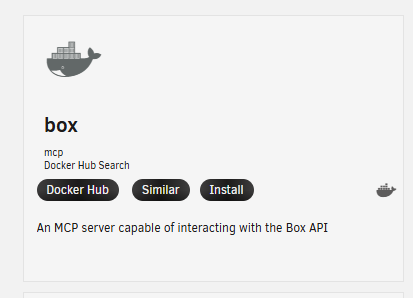
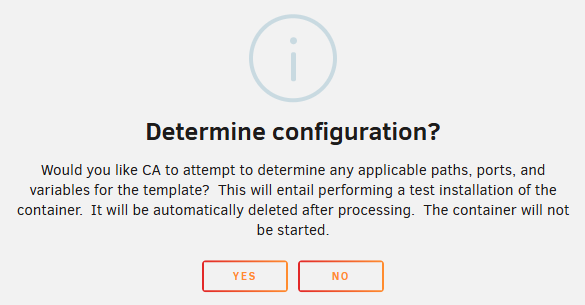
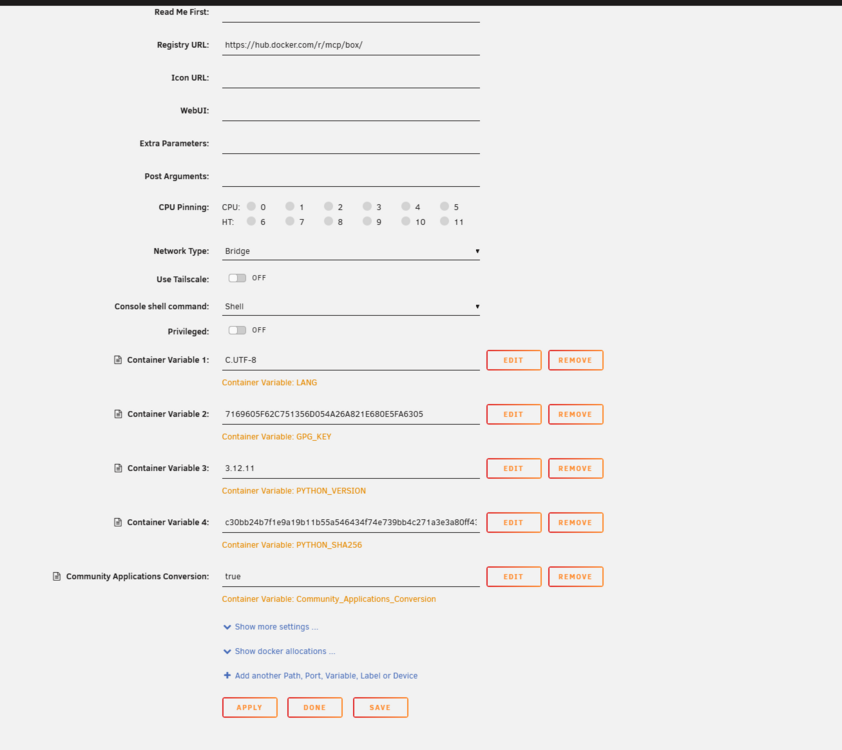
I'm slsoy ready thoguh cehcking and build what i can if its fesible / possible. Squid has also implementd a new way to add dockers via the CA form docker hub. a good example is this one for box: https://hub.docker.com/r/mcp/box box developers have also implementd a build via doker hub https://github.com/box/developer.box.com/blob/main/docker-compose.yml whcih means you gitclone the repo and use compoes to bulid the docker per the data. mcp is the only one that seems stable and udpated for box. somethign my university uses but wanted to also share if you find a docker on the docker hub you may be able to easily add it via the ca. example: https://hub.docker.com/r/mcp/box mcp/box click docker hub: click install click yes: and click apply this will allow you to test and try dockers from the docker hub...


-
... please don't muti post: https://forums.unraid.net/topic/196343-unraid-wont-boot-black-screen-after-usb-boot/#comment-1600377
-
try disabling secure boot. enable csm compability. your unraid may not correctly setup for uefi boot and needs to boo t via csm first.
-
Again you need to edit bios to enable iommu and memory remapping... U road already passed that at the kernel level... In Debian and other distro you have to edit grub/cmdkernwl commands to pass the options... Example proxmox: https://pve.proxmox.com/wiki/PCI_Passthrough But if bios settings is not set right it will now work send picture of you in BIOS I can help guid then but until you fix your BIOS settings even Debian/proxmox won't work...
-
realy depends on what lspci - says teh kerneal driver in use is. aloth of manfacutres use realtek chips ... I think the realktek plugin is what you need. otherwise the support form on that pulgin may be of futer assistnace.
-
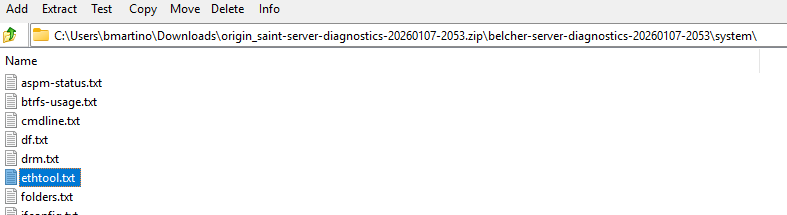
depends onthe card but yes if its a realktek card you install the unraid plugin. and what lspci -v or diag file says the drive is using and teh speeds being told to unraid. data can be found here with a diag file. per https://forums.unraid.net/topic/141349-plugin-realtek-r8125-r8126-r8168-and-r815267-drivers/#findComment-1279775 you would need to run a user sciurpt plugin to add the other speed to the interface via the ethtool commands
-
so yes the ethtool in the diag is not showing the 2.5 negotaions Settings for eth0: Supported ports: [ TP ] Supported link modes: 10baseT/Half 10baseT/Full 100baseT/Half 100baseT/Full 1000baseT/Full Supported pause frame use: Symmetric Receive-only Supports auto-negotiation: Yes Supported FEC modes: Not reported Advertised link modes: 10baseT/Half 10baseT/Full 100baseT/Half 100baseT/Full 1000baseT/Full Advertised pause frame use: Symmetric Receive-only Advertised auto-negotiation: Yes Advertised FEC modes: Not reported Link partner advertised link modes: 10baseT/Half 10baseT/Full 100baseT/Half 100baseT/Full 1000baseT/Full






