





ConnerVT
Members
-
Joined
-
Last visited
Everything posted by ConnerVT
-
Always the same two drives - Could it be the same two MB SATA ports? A number of motherboards disable some SATA ports when NVMe slots are populated (as there are only so many PCIe lines to go around).
-
Troubleshooting suggestion: Since all drives not yet connected, try building a trial version on a new flash drive, and see if that will at least boot up. Will then see if it is something with the new hardware or your current flash drive (drive or configuration).
-
Yeah, that seems about right. I never had to clear a drive that large, but the 183 MB/s seems to be a very good average speed.
-
I already have too much stuff in my life. A BFH to them, then into the trash bin.
-
^ This. I must agree with Tim above. I've run several systems into the ground. Looking back as far as I want to look up release dates, my daily driver computers which typically run 24/7/365, last me nearly 10 years. I ran an Athlon Thunderbird from 2001 to 2011 in a SFF Shuttle system, which was replaced with a 1st generation 13-530 in another SFF case. I upgraded that with a Ryzen 1500X (as I work for the company that fabricates them) on it's launch day in early 2017. I did update the 1500X two years later, and moved the 1500X into my Unraid server for a few years. I've had a couple of power supplies die (SFF cases are hot an PSU for them have come a long way in 20 years). I can't recall a HDD ever die (at least, one mounted in a system) nor a SSD fail (my first SSD is used in my server as a transcode disk location). A couple of displays have failed over the years, but as I've said, my systems never power off. Been working with computer systems since the mid-1980s. Most things that go wrong seem to typically be self inflicted.
-
Just as a test, try plugging the computer directly into the wall outlet vs into the UPS. It may be the output signal from the UPS isn't a true sine waver (regardless of what the manufacturer says) and your power meter isn't interpreting it properly.
-
I wouldn't think so. What is the make/model of the 2.5GBe card?
-
Good example of this - Plex support for AMD graphics under Linux as low to none. Both for iGPU and discrete graphics cards.
-
Hoopster is correct. I back up several systems on my network to my Unraid server array. I then back up (weekly) the latest few months of those backups to an external drive attached to my Unraid server. Then every (other?) month, I swap that external drive with another I keep offsite. The backup on my server is a convenient place to put the backups of the other systems as everything is automated. The external backup exists if the Unraid server fails, and also can be attached directly to a system that may need to be restored. Offsite backups are important if the unthinkable happens (fire, flood, etc). Parity on Unraid helps in the recovery of issues with the system as well as may give an early indication if something is wrong, but it is not a backup of data.
-
1.24 is where I ended up during football season a year ago. Streaming Live TV remotely (not actually a supported feature) broke, and it was the best version to watch football at my desk at work when I was scheduled on Sundays. The feed would "Unexpectedly ended..." every 12 minutes. Getting back to a "modern" version is on my To Do list for the server. But just completed a CPU/MB upgrade, added a KVM, converted all access to Cloudflare tunnels. Still need to prepare the entire network for the 1G fiber coming in a few months. Plex is working, users are happy. That's why Plex is perhaps the last of my apps I feel I need update as soon as they drop something new. They ain't got a great track record for this...
-
Maybe both? All I can say, the screenshot from my server worked when I set it. This is how it has been for at least 1.5 years, when I fixed a Live TV streaming bug. I really need to see if one of the most current revisions work correctly, and update. Need to find a time where I can take Plex down for awhile.
-
Just saw the same here. Except my log was being spammed every 1 minute. Feb 11 20:14:01 Malta-Tower crond[1494]: exit status 127 from user root /usr/local/emhttp/plugins/dynamix.system.stats/scripts/sa1 1 1 &> /dev/null I rebooted the server, but unfortunately no change. Currently running 6.10.3 I've removed the plugin until there is some resolution.
-
Thanks trurl. I tried rebooting, no change. I'm adding a post to the V6 thread on this as well.
-
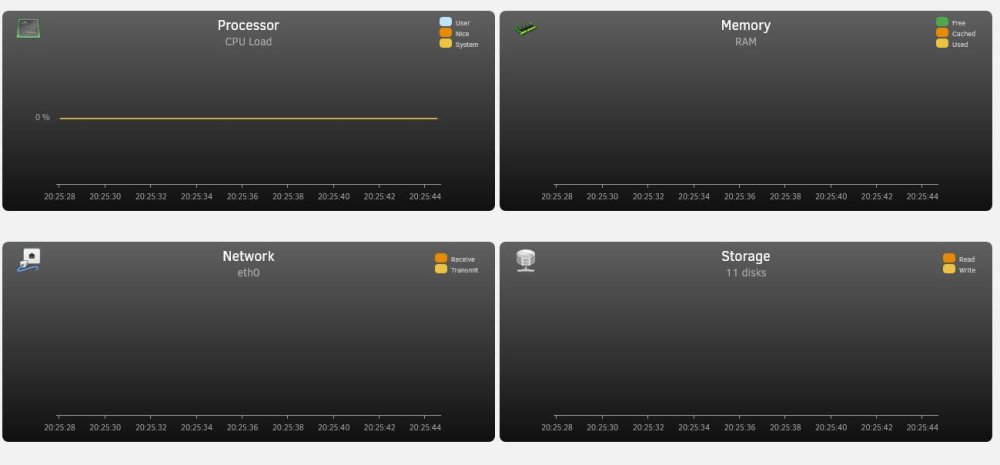
I'll take that back - It's Stats that's messed up. Just went to the tab, and it is completely flat lined. 😒 I'm going to reboot, and hope it clears up. First time I've seen this...
-
Came home from work today, and noticed this (from Dynamix Scripts?) spamming my logs: Feb 11 20:14:01 Malta-Tower crond[1494]: exit status 127 from user root /usr/local/emhttp/plugins/dynamix.system.stats/scripts/sa1 1 1 &> /dev/null Ideas?
-
Maybe KluthR can tidy up the VM backup plugin also. In his spare time. 😆
-
Unraid does not require you use parity.
-
Not quite. Looks as this (obviously, replace with the version you wish to run): Set VERSION back to docker

-
Late to the party, but I'll toss out a few thoughts: If it was a BIOS setting, the shutdown would likely be more like pressing the power button (giving a clean shutdown). So your failure sounds more of a hardware issue. That you tested USB voltage is good, but your failure happens intermittently, over time. OK when you tested, then something happens and not ok. Is the system running hot? If it is overheating (especially the motherboard and/or VRM) this could cause the issue you are seeing. Are you overclocking? Made any changes to the voltage settings in your BIOS? If so, set things back to default. "Over-current" conditions are typically caused by something trying to pull too much power. Check the system that all of the wiring is undamaged and connected correctly. I'd recommend temporarily disconnecting any case and accessory cables (front panel USB, audio, etc.). The power/reset switches are OK to stay connected. A pinched or damaged cable can cause your issue. Plug your boot drive, kb, etc. in the MB back panel. At this point, it sounds like a hardware failure. 5V is all over the entire system. The two main culprits would be the motherboard (failing VRM circuitry) or power supply. Swapping out the PSU with a known good one is the easier task of the two.
-
Solid model from a solid brand.
-
Patient: Doc, it hurts when I do this. Doctor: Don't do that. 😝
-
Data is where you map /data in your docker container. You can map it to a share that is in a pool of fast SSD. The docker itself is in your docker.img, by default in your system share. Most have that in their cache. Appdata is in your appdata share. Most have that in their cache as well. All persist when Unraid is rebooted. My personal experience is that Nextcloud is not the speediest of applications, regardless of how you set it up.
-
apcupsd is installed in all Unraid setups, and NUT - Network UPS Tools is in Apps. I use the former on my server.
-
I love Plex. I also hate Plex. Every update is an adventure. They almost always break something while adding/fixing another. I no longer update Plex unless I have a strong compelling reason to do so. Then, before I do, I note my current working version and make a backup of the (critical) appdata.
-
First a thanks for this docker. I have it set up and running perfectly on my server, with NPM then proxying services both on my server and throughout my network. Followed the (original) IBRACORP video (s/o for that as well). My questions are not directly related to the docker container, but I've been pouring over Cloudflare docs and searching the internet, and still haven't found an answer. As I said, I currently have Cloudflared running on my server. My Cloudflare DNS has a CNAME Name for my domain.org and Content <UUID>.cfargotunnel.com. The rest of my CNAME entries are subdomain and domain.org. I no longer have an A Type, as I already have a domain.org record. So far, so good. What I want to do is add a tunnel on a different machine. It needs to be up and accessible when the Unraid server (with NPM) is unavailable. I wish to access this server with admin.domain.org. The current .yaml file on the server has originServerName: domain.org as NPM is handling all of the subdomain routing (at least, that's what I think is happening). But I suspect it will get confused if I also add a tunnel on another machine (with the same <UUID>). This is what I think I need do. Please check my reasoning, and tell me if there is a more elegant way of doing this: Update the .yaml file on the server with individual entries for each subdomain it is proxying. The service: https://REVERSEPROXYIP:PORT remain the same as currently configured. Install/configure Cloudflared on the additional system, using the same tunnel <UUID> as on the server. Configure this .yaml file with the appropriate service: https://REVERSEPROXYIP:PORT and originServerName: admin.domain.org. Add this CNAME record to my DNS. Am I on the right path? Appreciate any feedback that is offered.






